
Buying Guide
The Best Studio Monitors for PC Desks
We weighed five speakers on woofer size and form; the Eris E5 has the largest woofer size, and the 305P MkII costs the least.
By Alex Morgan, PC Hardware Editor
12 min read5 products evaluated
Studio monitors aim for flat, accurate sound rather than boosted bass. Every monitor pair here is a studio monitor, ordered from the lowest price.
We ranked these speakers on form, woofer size and extras using manufacturer specifications; we did not test these speakers ourselves, and where a maker leaves out extras, we say so.
Quick Picks
Which of the 5 picks to look at first. Tap a name for the full analysis.

Lowest Price Here
JBL 305P MkII Studio Monitor (single)The cheapest way into this group, below the Eris 3.5.
Best for: Buyers who would rather put the savings elsewhere than into the Eris 3.5.
Check price for JBL 305P MkII Studio Monitor (single) on Amazon (opens in a new tab)
Also Consider
PreSonus Eris 3.5 Studio Monitors (pair)50 watts of built-in amplification.
Best for: Buyers who want 50 watts of built-in amplification.
Check price for PreSonus Eris 3.5 Studio Monitors (pair) on Amazon (opens in a new tab)
Strong Alternative
Mackie CR3.5 Studio Monitors (pair)A tone knob on the front.
Best for: Buyers who want tone knob on the front.
Check price for Mackie CR3.5 Studio Monitors (pair) on Amazon (opens in a new tab)
Worth a Look
M-Audio BX3 Studio Monitors (pair)Kevlar woofers with silk-dome tweeters.
Best for: Buyers who want Kevlar woofers with silk-dome tweeters.
Check price for M-Audio BX3 Studio Monitors (pair) on Amazon (opens in a new tab)
Largest Woofer Size
PreSonus Eris E5 Studio Monitor (single)The largest woofer size here (5.25-inch).
Best for: Buyers who put woofer size first.
Check price for PreSonus Eris E5 Studio Monitor (single) on Amazon (opens in a new tab)
Our Picks
Lowest Price Here1 of 5
JBL 305P MkII Studio Monitor (single)
The 305P MkII is a single 5-inch monitor with a boundary EQ that corrects bass when it sits on a desk or near a wall.
Best for
- Buyers who would rather put the savings elsewhere than into the Eris 3.5.
Skip if
- Look at the others if this bothers you: woofer size of 5-inch, behind the Eris E5 (5.25-inch).
Why we like it
JBL runs each unit through a 100-hour full-power test. It is sold as a single speaker, so budget for two. Its Slip Stream port extends bass at low listening volumes.
Its updated transducers aim for lower distortion and a tighter transient response. It suits a nearfield desk setup. It is known for a neutral voicing at this price.
It has XLR and TRS inputs with a +4dBu/-10dBV switch, and its Class-D amps deliver 82 watts. Its 5-inch woofer size ranks second of 5 here, behind the Eris E5 (5.25-inch) and ahead of the BX3 (3.5-inch). It was the cheapest of the group when we checked; the Eris 3.5 was the next step up.
Key specs
- Form
- Single studio monitor
- Woofer size
- 5-inch
Pros
- Boundary EQ that corrects bass near walls or on a desk
- Slip Stream bass port
- 100-hour full-power test on each unit
- Woofer size of 5-inch, ahead of the Eris 3.5
Cons
- Woofer size of 5-inch, behind the Eris E5 (5.25-inch)
Also Consider2 of 5
PreSonus Eris 3.5 Studio Monitors (pair)
The Eris 3.5 is a compact studio monitor pair with 50 watts of amplification and acoustic tuning controls.
Best for
- Buyers who want 50 watts of built-in amplification.
Skip if
- If budget leads, the 305P MkII was cheaper at our last price check.
Why we like it
It suits a small desk, though 3.5-inch woofers limit how low it can reach. Its tuning controls help in untreated rooms. Its 80Hz to 20kHz range covers vocals and most instruments at desk distance.
Its 1-inch silk-dome tweeters smooth out harsh highs. Its compact cabinets fit beside a monitor on a small desk, and the pair includes the cables to connect them. It has balanced TRS, RCA and a front aux input plus a headphone jack.
Its 3.5-inch woven-composite woofers give tighter bass than typical desk speakers of this size. On price it sat second of 5, between the cheaper 305P MkII and the pricier CR3.5, at the time of writing.
Key specs
- Form
- Studio monitor pair
- Woofer size
- 3.5-inch
- Extras
- High and low acoustic tuning controls
Pros
- 50 watts of built-in amplification
- 1-inch silk-dome tweeters
- 80Hz to 20kHz frequency range
Cons
- Costs more than the 305P MkII at the time of writing
Strong Alternative3 of 5
Mackie CR3.5 Studio Monitors (pair)
The CR3.5 pair is sized for desks, with a front tone knob and a location switch that corrects bass near a wall.
Best for
- Buyers who want tone knob on the front.
Skip if
- Price-first buyers should look at the 305P MkII, which cost less when we checked.
Why we like it
Isolation pads and cables come in the box. It comes as a pair with isolation pads and cables, so nothing else is needed to start. The tone knob sits on the front, so voicing changes don't need menus.
Its 3.5-inch woofers and compact cabinets fit a small desk, and the tone knob changes voicing without software. It suits streaming and casual mixing. It is voiced to be accurate rather than flattering, which helps mixes translate.
On woofer size it ties with the Eris 3.5 and the BX3 at 3.5-inch. You also get a size aimed at desks and small studios.
Key specs
- Form
- Studio monitor pair
- Woofer size
- 3.5-inch
- Extras
- Isolation pads and cables
Pros
- Tone knob on the front
- Location switch that corrects bass near a wall
- Size aimed at desks and small studios
Cons
- Costs more than the 305P MkII at the time of writing
Worth a Look4 of 5
M-Audio BX3 Studio Monitors (pair)
The BX3 pair is the smaller 3.5-inch version of M-Audio's desktop monitors, with Kevlar woofers and silk-dome tweeters.
Best for
- Buyers who want Kevlar woofers with silk-dome tweeters.
Skip if
- Skip it if woofer size matters most to you; the Eris E5 offers 5.25-inch.
Why we like it
It is an affordable step up from computer speakers for basic mixing. It connects over a wired link, so there is no Bluetooth delay while monitoring. It is a compact first pair for a small desk.
Its bi-amplified design separates the woofer and tweeter amps for cleaner output. Rear inputs cover 1/4-inch, 1/8-inch and RCA, a front 1/8-inch jack takes headphones, and EQ dials sit on the rear panel. The box includes foam feet, interconnect and aux cables and Akai Professional's MPC Beats software.
You also get a wired, zero-latency connection. Before buying, weigh one limit: woofer size trails the Eris E5 (5.25-inch).
Key specs
- Form
- Studio monitor pair
- Woofer size
- 3.5-inch
Pros
- Kevlar woofers with silk-dome tweeters
- Wired, zero-latency connection
- Studio monitor pair form
- 3.5-inch woofer size
Cons
- Woofer size trails the Eris E5 (5.25-inch)
- Costs more than the 305P MkII at the time of writing
The catch
It gives ground on woofer size, where the Eris E5 comes in at 5.25-inch.
Largest Woofer Size5 of 5
PreSonus Eris E5 Studio Monitor (single)
The Eris E5 is a single 5.25-inch monitor with 80 watts of Class AB bi-amplification and acoustic tuning controls.
Best for
- Buyers who put woofer size first.
Skip if
- Skip it if price comes first: the 305P MkII cost less when we checked.
Why we like it
XLR, TRS and RCA inputs connect to most interfaces. It comes with Studio One Prime and a plug-in suite, useful for a first home studio. Its acoustic tuning controls shape the sound for the room.
Its 5.25-inch woofer gives more low end than the 3.5-inch pairs. It reaches 102dB maximum continuous SPL. Its silk-dome tweeter keeps the treble smooth.
On woofer size it leads this guide at 5.25-inch, ahead of the 305P MkII (5-inch). Only the BX3 came close to it on price at the time of writing; it cost the most of the 5 picks.
Key specs
- Form
- Single studio monitor
- Woofer size
- 5.25-inch
- Inputs
- XLR, TRS and RCA
Pros
- 80 watts of Class AB bi-amplification
- Acoustic tuning controls
- Studio One Prime software included
- Largest woofer size of the picks (5.25-inch)
Cons
- Costs more than the 305P MkII at the time of writing
How We Chose These Studio Monitors for PC Desks
Alex Morgan compared the manufacturer specifications, connectivity, warranty terms and compatibility of every pick. Figures come from the makers unless a third-party source is named; we did not test these products ourselves.
- What we compared
- We set side by side five speakers on form, woofer size and extras from manufacturer specifications. Nothing was tested in-house; 2 of the 3 fields compared are stated for every pick, while extras has gaps.
- What every pick has in common
- All 5, from the 305P MkII to the Eris E5, state form and woofer size.
- Where the specs have gaps
- The 305P MkII, the BX3 and the Eris E5 give no extras.
- Price range
- At our last check the picks ran from the 305P MkII ($50 to $100) to the Eris E5 ($100 to $150).
What to Look for in a Studio Monitor for PC Desks
Key buying criteria so you get the right fit the first time.
Woofer size
Here woofer size runs from 3.5-inch on the BX3 to 5.25-inch on the Eris E5, a 50% spread. The 305P MkII comes second at 5-inch, in the $50 to $100 tier against $100 to $150 for the Eris E5.
Extras that separate them
The CR3.5: a location switch that corrects bass near a wall. The BX3: a wired, zero-latency connection. The Eris E5: acoustic tuning controls.
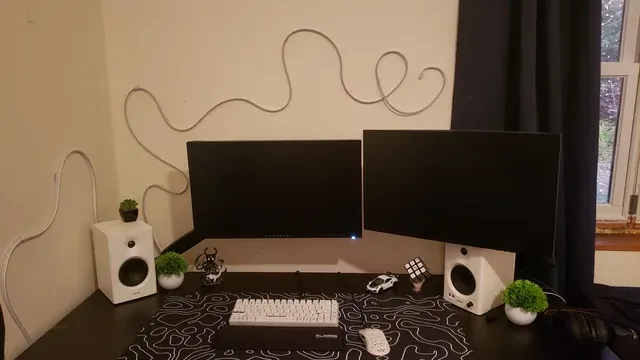
White bookshelf speakers either side of a monitor Where your budget lands
$50 to $100 buys the 305P MkII, the Eris 3.5, the CR3.5 and the BX3; $100 to $150 buys the Eris E5 at our last check.
Start from what matters most
Buyers who would rather put the savings elsewhere than into the Eris 3.5: the 305P MkII. Buyers who put woofer size first: the Eris E5.
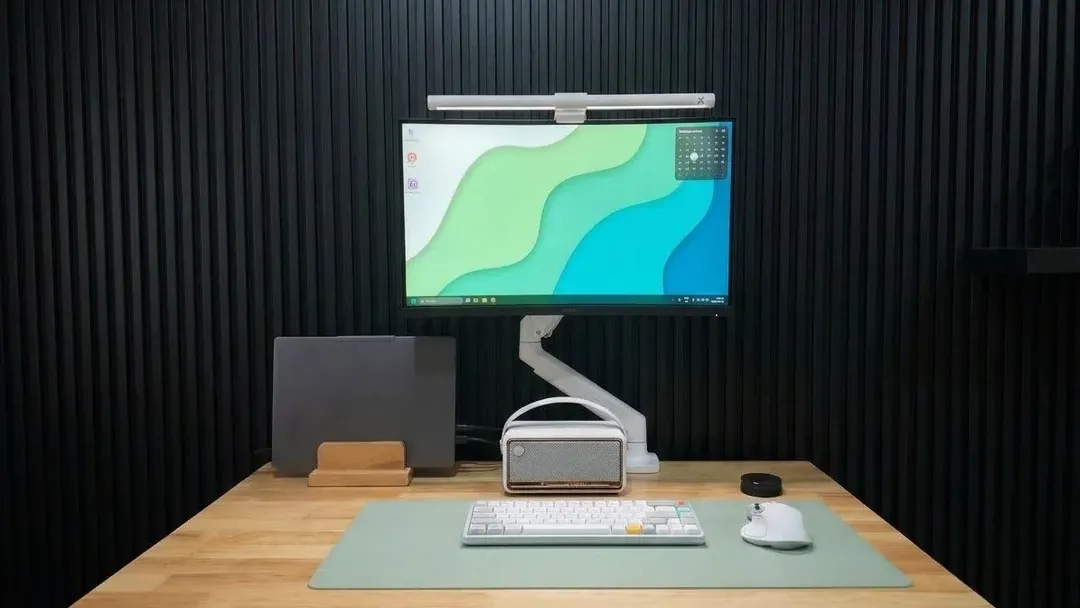
A wooden desk with a monitor on an arm and small speakers Controls within reach
A front volume knob or a wired control pod saves reaching behind the PC. Some sets rely on software or a remote.
How to Choose a Studio Monitor for PC Desks
By priority
| Priority | Consider | Why |
|---|---|---|
| Buyers who would rather put the savings elsewhere than into the Eris 3.5 | 305P MkII | The cheapest way into this group, below the Eris 3.5 |
| Buyers who want 50 watts of built-in amplification | Eris 3.5 | 50 watts of built-in amplification |
| Buyers who want tone knob on the front | CR3.5 | A tone knob on the front |
| Buyers who want Kevlar woofers with silk-dome tweeters | BX3 | Kevlar woofers with silk-dome tweeters |
| Buyers who put woofer size first | Eris E5 | The largest woofer size here (5.25-inch) |
Scroll sideways to see every column.

Key specs side by side
The Eris E5 leads on woofer size at 5.25-inch, ahead of the 305P MkII at 5-inch. "Not listed" marks extras where the 305P MkII, the BX3 and the Eris E5 leave the figure out.
| Speaker | Form | Woofer size | Extras |
|---|---|---|---|
| 305P MkII | Single studio monitor | 5-inch | Not listed |
| Eris 3.5 | Studio monitor pair | 3.5-inch | High and low acoustic tuning controls |
| CR3.5 | Studio monitor pair | 3.5-inch | Isolation pads and cables |
| BX3 | Studio monitor pair | 3.5-inch | Not listed |
| Eris E5 | Single studio monitor | 5.25-inch | Not listed |
Scroll sideways to see every column.
By price at the time of writing
The 305P MkII was the lowest-priced pick ($50 to $100) and the Eris E5 the highest ($100 to $150) when we checked; tiers move with Amazon pricing.
| Price tier | Speakers |
|---|---|
| About $50 to $100 | 305P MkII, Eris 3.5, CR3.5, BX3 |
| About $100 to $150 | Eris E5 |
Frequently Asked Questions
Is the Eris E5 ahead of the 305P MkII on woofer size?
The Eris E5 leads at 5.25-inch, with the 305P MkII at 5-inch. The spread runs down to the BX3 at 3.5-inch.
What does the Eris E5 add over the 305P MkII?
On paper it adds woofer size (5.25-inch against 5-inch). On our last price check the 305P MkII was in the $50 to $100 tier and the Eris E5 in the $100 to $150 tier, with 3 other picks between them; pay the difference only if woofer size decides your purchase.
Why is the Eris E5 our Largest Woofer Size pick?
It earns the label for the largest woofer size here (5.25-inch). On woofer size it leads the 305P MkII, 5.25-inch against 5-inch, a 5% margin. The 305P MkII, the cheapest pick, sat in the $50 to $100 tier against $100 to $150 here, without out-ranking it on any listed spec. It suits anyone who puts woofer size first.
What extras do the 305P MkII and the Eris 3.5 include?
The 305P MkII: a boundary EQ that corrects bass near walls or on a desk. The Eris 3.5: 50 watts of built-in amplification. The CR3.5: a tone knob on the front.
Who should choose the 305P MkII?
The 305P MkII carries our Lowest Price Here label for the cheapest way into this group, below the Eris 3.5. It ranks first of 5 here and sat in the $50 to $100 tier at our last price check; it suits anyone who would rather put the savings elsewhere than into the Eris 3.5.
Bottom Line
Our first pick is the 305P MkII, chosen for the cheapest way into this group, below the Eris 3.5. Look at the Eris 3.5 for 50 watts of built-in amplification, the CR3.5 for a tone knob on the front and the BX3 for Kevlar woofers with silk-dome tweeters if those matter more to you.
Keep them a few inches off the wall to tame bass build-up.
Related Guides
- Related guideThe Best PC Speakers for Your Desk
- Related guideThe Best Speakers for a Gaming PC
- Related guideThe Best Gaming Speaker Bars for a PC Desk
- Lower budgetThe Best Studio Monitors Under $100
- Similar guideThe Best Studio Monitors Under $150
- ExplainerHow to Choose Desktop Speakers for a PC
- ExplainerPC speaker connections compared: 3.5 mm, USB, optical and Bluetooth
- Also see: headsets and headphonesHow to Choose a PC Headset
- Similar guideThe Best Studio Monitors Under $200
- Topic hubAll pc speakers guides
About the author
PC Hardware Editor
Alex covers PC hardware, monitors, components, upgrades and peripherals for The PC Journal, with a focus on helping readers understand specifications, compatibility and meaningful product trade-offs.
Covers: Monitors, Graphics cards, Processors, PC components, Peripherals, Upgrades and compatibility
View all articles