
Buying Guide
The Best RTX 5070 Ti Graphics Cards: Partner Models Compared
Six partner RTX 5070 Ti cards compared on size, slot width, cooling and power guidance, since every model uses the same GPU and 16GB of memory.
By Alex Morgan, PC Hardware Editor
12 min read6 products evaluated
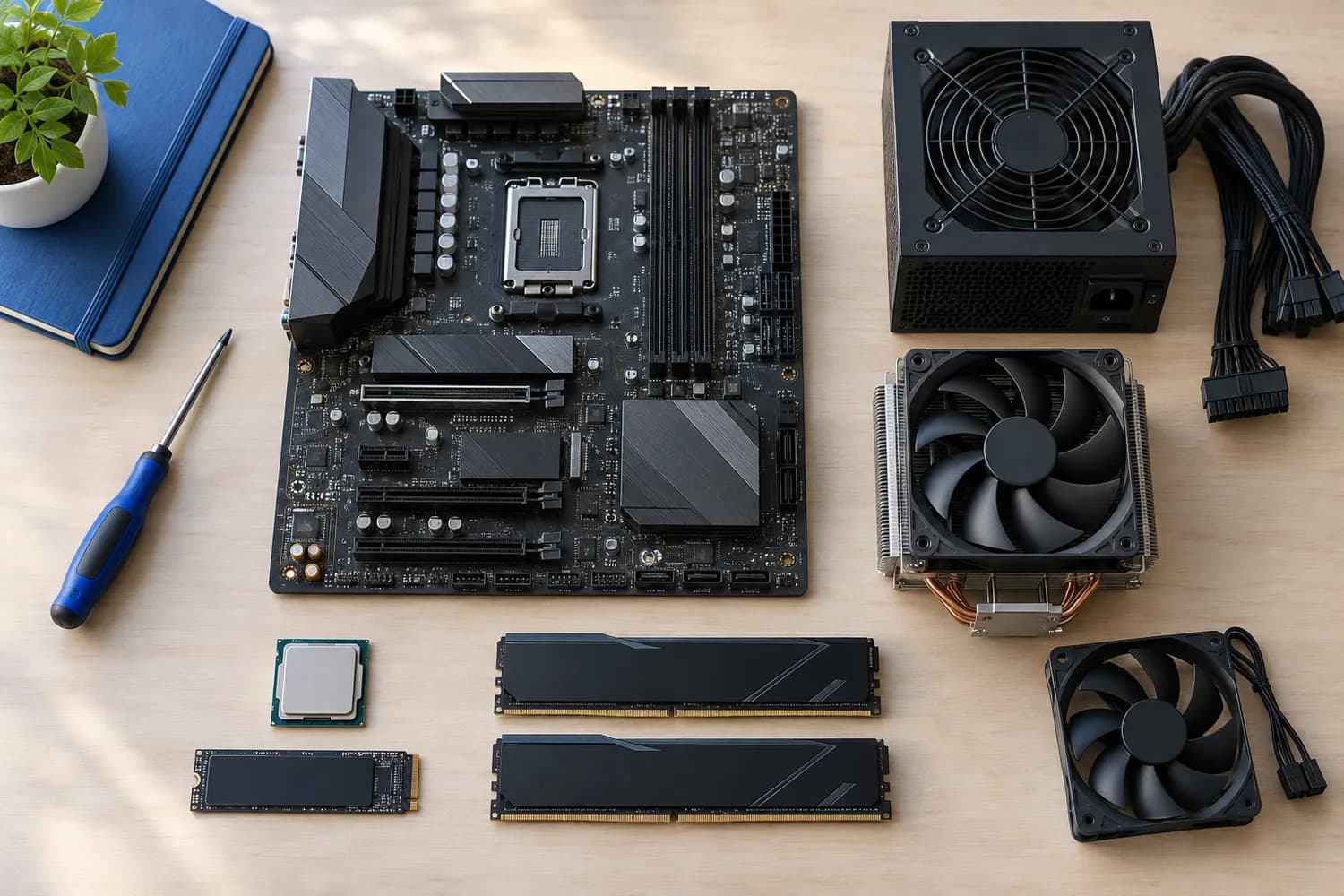
Every RTX 5070 Ti uses the same GPU and 16GB of GDDR7 memory, so performance differs little between partner cards. What separates them is size, cooling, noise and price.
We compared six partner models on the length, slot width, cooling and power guidance each maker lists. We did not test them ourselves, and several listings leave out dimensions, which we flag.
Measure your case's GPU clearance and check your power supply's 12V-2x6 cable before choosing a model.
Quick Picks
Which of the 6 picks to look at first. Tap a name for the full analysis.

Shortest Listed Card
ASUS Prime GeForce RTX 5070 Ti OCThe shortest length here (306mm).
Best for: Small form factor builds.
Check price for ASUS Prime GeForce RTX 5070 Ti OC on Amazon (opens in a new tab)
Best Value SFF-Ready Card
MSI RTX 5070 Ti Ventus 3X PZ OCSFF-Ready with three TORX Fan 5.0 fans.
Best for: Most builds, including smaller cases.
Check price for MSI RTX 5070 Ti Ventus 3X PZ OC on Amazon (opens in a new tab)
Best Dual-Slot SFF Card
ZOTAC RTX 5070 Ti Solid SFF OCA 2-slot SFF-Ready design with three 90mm fans and a support stand.
Best for: Small form factor builds that need a thin card.
Check price for ZOTAC RTX 5070 Ti Solid SFF OC on Amazon (opens in a new tab)
Lowest Price
GIGABYTE RTX 5070 Ti Eagle OC SFFThe lowest price here when we checked, with SFF-Ready status.
Best for: Builders who want an RTX 5070 Ti for the least money.
Check price for GIGABYTE RTX 5070 Ti Eagle OC SFF on Amazon (opens in a new tab)
Best Slim Dual-Fan Card
PNY RTX 5070 Ti Slim Dual-Fan OCA dual-slot design with two 120mm fans.
Best for: Builds that need the slot below the card.
Check price for PNY RTX 5070 Ti Slim Dual-Fan OC on Amazon (opens in a new tab)
Best for Cooling Headroom
MSI RTX 5070 Ti Gaming Trio OC PlusA large FROZR 4 cooler on a 338mm card.
Best for: Roomy cases where low noise under load matters.
Check price for MSI RTX 5070 Ti Gaming Trio OC Plus on Amazon (opens in a new tab)
Our Picks
Shortest Listed Card1 of 6
ASUS Prime GeForce RTX 5070 Ti OC
The ASUS Prime is the best-documented card here: ASUS offers a 306mm length, a 2.5-slot cooler, a 750W minimum power supply and a 2527MHz OC-mode boost.
Best for
- Small form factor builds.
Skip if
- Look at the others if this bothers you: 2.5-slot cooler blocks the slot below.
Why we like it
A dual BIOS switch toggles quiet and performance modes, and the fans stop at light load. Its 2.5-slot cooler is the thickest in this group; the Zotac Solid SFF leads at 2-slot. 3 axial fans is unique to it among these picks, while the Zotac Solid SFF uses 3 x 90mm BladeLink fans.
Like every RTX 5070 Ti, it takes power through a 16-pin 12V-2x6 connector; use a native cable from an ATX 3.1 power supply or the adapter in the box, and seat it fully. Compare its 306mm length with your case's GPU clearance, allowing for front fans or a radiator. The SFF-Ready label means it meets NVIDIA's size guidance for small cases, but still check the exact dimensions.
The maker recommends at least a 750W power supply. It was priced above the MSI Ventus 3X and below the PNY Slim at the time of writing.
Key specs
- Length
- 306mm
- Slot width
- 2.5-slot
- Fans
- 3 axial fans
- Recommended PSU
- 750W or more
- SFF-Ready
- Yes
Pros
- Compact 306mm length
- 3 axial fans
- NVIDIA SFF-Ready label
- Dual BIOS switch between quiet and performance modes
Cons
- 2.5-slot cooler blocks the slot below
- Needs a 750W or larger PSU
- Cooler trails the Zotac Solid SFF (2-slot)
The catch
It gives ground on cooler, where the Zotac Solid SFF comes in at 2-slot.
Best Value SFF-Ready Card2 of 6
MSI RTX 5070 Ti Ventus 3X PZ OC
MSI's Ventus 3X PZ is an SFF-Ready card with three TORX Fan 5.0 fans and nickel-plated core pipes.
Best for
- Most builds, including smaller cases.
Skip if
- Skip it if you need to know its cooler before buying; the maker doesn't publish one.
Why we like it
It is one of the more affordable triple-fan RTX 5070 Ti models here. You get a 3 TORX Fan 5.0 here, which sets it apart from the MSI Gaming Trio and its a 3 fans (FROZR 4). Like every RTX 5070 Ti, it takes power through a 16-pin 12V-2x6 connector; use a native cable from an ATX 3.1 power supply or the adapter in the box, and seat it fully.
The maker doesn't state a length here, so check the exact dimensions on the maker's spec page against your case. The SFF-Ready label means it meets NVIDIA's size guidance for small cases, but still check the exact dimensions. When we checked, only the Gigabyte Eagle SFF cost less, and the ASUS Prime cost more.
Key specs
- Fans
- 3 TORX Fan 5.0
- SFF-Ready
- Yes
- Outputs
- 3 x DisplayPort 2.1a, 1 x HDMI 2.1b
Pros
- 3 TORX Fan 5.0
- NVIDIA SFF-Ready label
- DisplayPort 2.1b outputs
- Nickel-plated square core pipes
Cons
- No published cooler
- Costs more than the Gigabyte Eagle SFF at the time of writing
The catch
If you want a confirmed length, look to the ASUS Prime instead: it comes in at 306mm, while this one gives no figure.
Best Dual-Slot SFF Card3 of 6
ZOTAC RTX 5070 Ti Solid SFF OC
The Zotac Solid SFF is the dual-slot SFF-Ready pick, with three 90mm BladeLink fans, a metal backplate and a support stand in the box.
Best for
- Small form factor builds that need a thin card.
Skip if
- Price-first buyers should look at the Gigabyte Eagle SFF, which cost less when we checked.
Why we like it
It has three DisplayPort 2.1b outputs and one HDMI 2.1b. On cooler it ties with the PNY Slim at 2-slot. No other pick in this guide offers 3 x 90mm BladeLink fans; compare the PNY Slim, which has 2 x 120mm fans.
Like every RTX 5070 Ti, it takes power through a 16-pin 12V-2x6 connector; use a native cable from an ATX 3.1 power supply or the adapter in the box, and seat it fully. The maker doesn't state a length here, so check the exact dimensions on the maker's spec page against your case. The SFF-Ready label means it meets NVIDIA's size guidance for small cases, but still check the exact dimensions. On price it sat fifth of 6, between the cheaper PNY Slim and the pricier MSI Gaming Trio, at the time of writing.
Key specs
- Slot width
- 2-slot
- Fans
- 3 x 90mm BladeLink
- SFF-Ready
- Yes
- Outputs
- 3 x DisplayPort 2.1b, 1 x HDMI 2.1b
Pros
- Dual-slot design
- 3 x 90mm BladeLink
- NVIDIA SFF-Ready label
- DisplayPort 2.1b outputs
Cons
- Costs more than the Gigabyte Eagle SFF at the time of writing
The catch
The maker doesn't give its length; if that figure matters, the ASUS Prime comes in at 306mm.
Lowest Price4 of 6
GIGABYTE RTX 5070 Ti Eagle OC SFF
Gigabyte's Eagle OC SFF was the least expensive RTX 5070 Ti here when we checked, and it carries NVIDIA's SFF-Ready label.
Best for
- Builders who want an RTX 5070 Ti for the least money.
Skip if
- Pass if a published cooler matters; this one has none.
Why we like it
The maker quotes few details beyond that, so check the dimensions on Gigabyte's site. You also get a PCIe 5.0 interface. Like every RTX 5070 Ti, it takes power through a 16-pin 12V-2x6 connector; use a native cable from an ATX 3.1 power supply or the adapter in the box, and seat it fully.
The maker doesn't state a length here, so check the exact dimensions on the maker's spec page against your case. The SFF-Ready label means it meets NVIDIA's size guidance for small cases, but still check the exact dimensions. It cost the least of the 6 picks at the time of writing, with the MSI Ventus 3X the next step up. There is no published length figure, whereas the ASUS Prime comes in at 306mm.
Key specs
- SFF-Ready
- Yes
Pros
- NVIDIA SFF-Ready label
- PCIe 5.0 interface
- The lowest price here when we checked, with SFF-Ready status
Cons
- No published cooler
Best Slim Dual-Fan Card5 of 6
PNY RTX 5070 Ti Slim Dual-Fan OC
PNY's Slim card keeps to two slots with two 120mm fans, leaving the slot below free.
Best for
- Builds that need the slot below the card.
Skip if
- If budget leads, the Gigabyte Eagle SFF was cheaper at our last price check.
Why we like it
PNY's VelocityX software handles tuning. On cooler it ties with the Zotac Solid SFF at 2-slot. It is the only pick here with 2 x 120mm fans; the ASUS Prime has 3 axial fans instead.
Like every RTX 5070 Ti, it takes power through a 16-pin 12V-2x6 connector; use a native cable from an ATX 3.1 power supply or the adapter in the box, and seat it fully. The maker doesn't state a length here, so check the exact dimensions on the maker's spec page against your case. Its price falls between the ASUS Prime and the Zotac Solid SFF, based on our last check. Buyers who need a confirmed length should compare it with the ASUS Prime, which comes in at 306mm.
Key specs
- Slot width
- 2-slot
- Fans
- 2 x 120mm
Pros
- Dual-slot design
- 2 x 120mm
- PNY VelocityX tuning software
- A dual-slot design with two 120mm fans
Cons
- Costs more than the Gigabyte Eagle SFF at the time of writing
Best for Cooling Headroom6 of 6
MSI RTX 5070 Ti Gaming Trio OC Plus
MSI's Gaming Trio OC Plus uses the large FROZR 4 cooler and is the longest card here at 338mm.
Best for
- Roomy cases where low noise under load matters.
Skip if
- Skip it if this is a deal-breaker for you: long 338mm card needs a roomy case.
Why we like it
MSI recommends a 650W or larger power supply. It is the only pick here with a 3 fans (FROZR 4); the ASUS Prime has 3 axial fans instead. Like every RTX 5070 Ti, it takes power through a 16-pin 12V-2x6 connector; use a native cable from an ATX 3.1 power supply or the adapter in the box, and seat it fully.
Compare its 338mm length with your case's GPU clearance, allowing for front fans or a radiator. It was the most expensive pick when we checked, so weigh what it adds over the Zotac Solid SFF. Buyers who need a confirmed cooler should compare it with the Zotac Solid SFF, which comes in at 2-slot.
Key specs
- Length
- 338mm
- Fans
- 3 fans (FROZR 4)
- Recommended PSU
- 650W or more
Pros
- 3 fans (FROZR 4)
- Modest 650W PSU recommendation
- MSI's FROZR 4 cooler
- A large FROZR 4 cooler on a 338mm card
Cons
- Long 338mm card needs a roomy case
- No published cooler
- Costs more than the Gigabyte Eagle SFF at the time of writing
How We Chose These RTX 5070 Ti Cards
Alex Morgan compared the manufacturer specifications, connectivity, warranty terms and compatibility of every pick. Figures come from the makers unless a third-party source is named; we did not test these products ourselves.
- The figures behind the order
- We set side by side six cards on length, cooler, fans and recommended PSU, using each maker's published specs. We did not test them in-house, and length and cooler are missing for at least one pick.
- Where the specs have gaps
- The MSI Ventus 3X, the Zotac Solid SFF, the Gigabyte Eagle SFF and the PNY Slim give no length; the MSI Ventus 3X, the Gigabyte Eagle SFF and the MSI Gaming Trio give no cooler.
- Price range
- At our last check the picks ran from the Gigabyte Eagle SFF ($1000 to $1500) to the MSI Gaming Trio (over $1500).
What to Look for in an RTX 5070 Ti Card
Key buying criteria so you get the right fit the first time.
Cooler
The Zotac Solid SFF tops cooler at 2-slot and the ASUS Prime sits lowest at 2.5-slot; 2 picks share the top figure. The PNY Slim comes second at 2-slot, in the same price tier as the Zotac Solid SFF. The MSI Ventus 3X, the Gigabyte Eagle SFF and the MSI Gaming Trio give no cooler figure, so 3 of 6 picks are compared here.
Length across these picks
Here length runs from 338mm on the MSI Gaming Trio to 306mm on the ASUS Prime, a 9% spread. The ASUS Prime is the pick for length. The MSI Ventus 3X, the Zotac Solid SFF, the Gigabyte Eagle SFF and the PNY Slim give no length figure, so 2 of 6 picks are compared here.
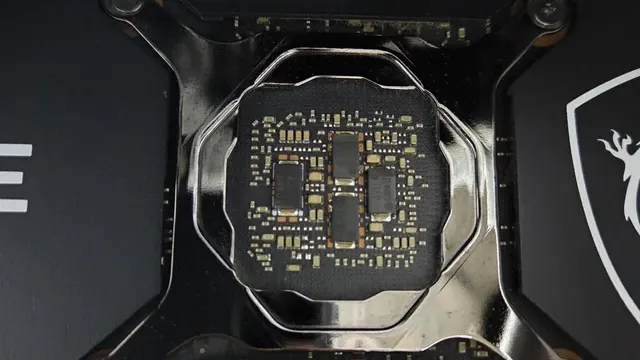
A graphics card's bare circuit board around the GPU die Recommended PSU
The ASUS Prime lists 750W or more; the MSI Gaming Trio lists 650W or more. Sort out recommended PSU before price: it splits 2 stated picks into groups of 1 and 1.
SFF-Ready
The ASUS Prime, the MSI Ventus 3X, the Zotac Solid SFF and the Gigabyte Eagle SFF have it. Settling SFF-Ready first narrows 4 picks to 4.
Extras that separate them
The Gigabyte Eagle SFF: a PCIe 5.0 interface. The PNY Slim: PNY VelocityX tuning software. The MSI Gaming Trio: MSI's FROZR 4 cooler.
How to Choose an RTX 5070 Ti Card
By priority
| Priority | Consider | Why |
|---|---|---|
| Small form factor builds | ASUS Prime | The shortest length here (306mm) |
| Most builds, including smaller cases | MSI Ventus 3X | SFF-Ready with three TORX Fan 5.0 fans |
| Small form factor builds that need a thin card | Zotac Solid SFF | A 2-slot SFF-Ready design with three 90mm fans and a support stand |
| Builders who want an RTX 5070 Ti for the least money | Gigabyte Eagle SFF | The lowest price here when we checked, with SFF-Ready status |
| Builds that need the slot below the card | PNY Slim | A dual-slot design with two 120mm fans |
| Roomy cases where low noise under load matters | MSI Gaming Trio | A large FROZR 4 cooler on a 338mm card |
Scroll sideways to see every column.
Key specs side by side
The Zotac Solid SFF leads on cooler at 2-slot, ahead of the PNY Slim at 2-slot. "Not listed" marks length where the MSI Ventus 3X, the Zotac Solid SFF, the Gigabyte Eagle SFF and the PNY Slim leave the figure out.
| Card | Length | Slot width | Fans | Recommended PSU |
|---|---|---|---|---|
| ASUS Prime | 306mm | 2.5-slot | 3 axial fans | 750W or more |
| MSI Ventus 3X | Not listed | Not listed | 3 TORX Fan 5.0 | Not listed |
| Zotac Solid SFF | Not listed | 2-slot | 3 x 90mm BladeLink | Not listed |
| Gigabyte Eagle SFF | Not listed | Not listed | Not listed | Not listed |
| PNY Slim | Not listed | 2-slot | 2 x 120mm | Not listed |
| MSI Gaming Trio | 338mm | Not listed | 3 fans (FROZR 4) | 650W or more |
Scroll sideways to see every column.
By price at the time of writing
The Gigabyte Eagle SFF was the lowest-priced pick ($1000 to $1500) and the MSI Gaming Trio the highest (over $1500) when we checked; tiers move with Amazon pricing.
| Price tier | Cards |
|---|---|
| About $1000 to $1500 | Gigabyte Eagle SFF, MSI Ventus 3X, ASUS Prime, PNY Slim, Zotac Solid SFF |
| Over $1500 | MSI Gaming Trio |
Frequently Asked Questions
Which has the shortest length: the ASUS Prime or the MSI Gaming Trio?
Between the top two, it is 306mm on the ASUS Prime against 338mm on the MSI Gaming Trio, a 9% difference. The MSI Ventus 3X, the Zotac Solid SFF, the Gigabyte Eagle SFF and the PNY Slim don't state a length figure, so they sit outside this comparison; 2 of 6 picks are ranked.
Why is the MSI Ventus 3X our Best Value SFF-Ready Card pick?
The label rests on SFF-Ready with three TORX Fan 5.0 fans. It makes sense for most builds, including smaller cases.
Do the ASUS Prime and the MSI Ventus 3X differ on fans?
The ASUS Prime uses 3 axial fans; the MSI Ventus 3X uses 3 TORX Fan 5.0; the Zotac Solid SFF uses 3 x 90mm BladeLink; the PNY Slim uses 2 x 120mm; the MSI Gaming Trio uses 3 fans (FROZR 4). The Gigabyte Eagle SFF has no fans listed, so 5 of 6 picks are covered here.
What extras do the ASUS Prime and the MSI Ventus 3X include?
The ASUS Prime: a dual BIOS switch between quiet and performance modes. The MSI Ventus 3X: nickel-plated square core pipes. The Zotac Solid SFF: a metal backplate.
Who should choose the ASUS Prime?
The ASUS Prime carries our Shortest Listed Card label for the shortest length here (306mm). It ranks first of 6 here and sat in the $1000 to $1500 tier at our last price check; it suits small form factor builds.
Bottom Line
The ASUS Prime is the best-documented all-rounder at 306mm and 2.5 slots, and the MSI Ventus 3X is a more affordable SFF-Ready triple-fan card. For small cases, the Zotac Solid SFF keeps to two slots.
The Gigabyte Eagle OC SFF was the cheapest when we checked, the PNY Slim is a dual-slot dual-fan option, and the MSI Gaming Trio suits roomy cases where cooling matters most.
Related Guides
- Related guideWhat to check before upgrading your graphics card
- Related guideThe Best 850W Power Supplies for a Single-GPU Gaming PC
- Related guideThe Best 750W Power Supplies for Upper Mid-Range Gaming PCs
- Lower budgetThe Best Budget Graphics Cards
- Similar guideThe Best RTX 5070 Cards, Premium First
- ExplainerHow Much VRAM Do You Need?
- ExplainerGPU Power Connectors Explained
- Check compatibility: power suppliesHow Much PSU Wattage Does Your PC Need?
- Similar guideThe Best RTX 4060 Ti Graphics Cards
- Topic hubAll graphics cards guides
About the author
PC Hardware Editor
Alex covers PC hardware, monitors, components, upgrades and peripherals for The PC Journal, with a focus on helping readers understand specifications, compatibility and meaningful product trade-offs.
Covers: Monitors, Graphics cards, Processors, PC components, Peripherals, Upgrades and compatibility
View all articles