
Buying Guide
The Best External Hard Drive for Laptop
We weighed five external drives on capacity and drive type; the Passport Ultra for Mac has the largest capacity, and the Rugged Mini costs the least.
By Alex Morgan, PC Hardware Editor
12 min read5 products evaluated

A laptop drive should be bus-powered and small enough to carry. These are ordered by capacity.
We ranked these external drives on drive type, capacity (as reviewed) and connection using manufacturer specifications; we did not test these external drives ourselves, and where a maker leaves a figure out, we say so.
Quick Picks
Which of the 5 picks to look at first. Tap a name for the full analysis.
Largest Capacity
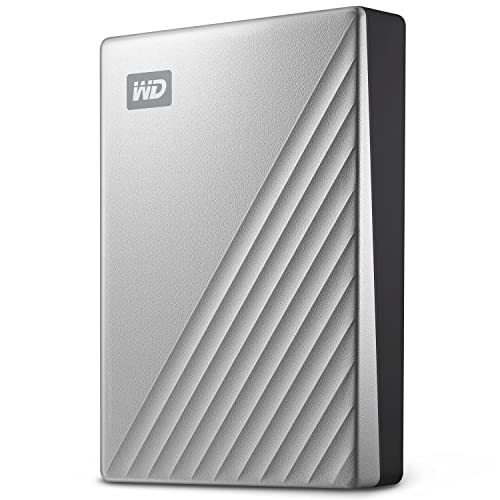
WD My Passport Ultra for Mac 5TBThe largest capacity here (5TB).
Best for: Buyers who put capacity first.
Check price for WD My Passport Ultra for Mac 5TB on Amazon (opens in a new tab)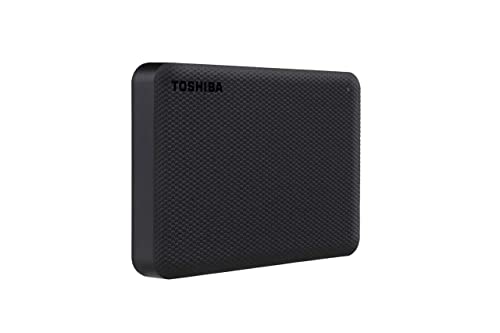
Also Consider
Toshiba Canvio Advance 4TBA USB 3.0 connection.
Best for: Buyers who want USB 3.0 connection.
Check price for Toshiba Canvio Advance 4TB on Amazon (opens in a new tab)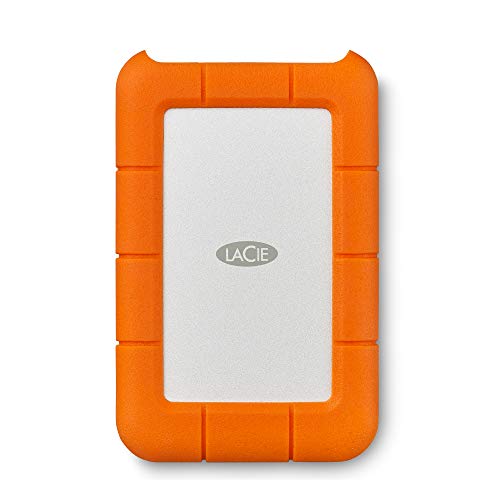
Lowest Price Here
LaCie Rugged Mini 2TB Portable Hard DriveThe lowest price among these external drives at the time of writing.
Best for: Getting drop resistance up to 4ft for the least money.
Check price for LaCie Rugged Mini 2TB Portable Hard Drive on Amazon (opens in a new tab)
Strong Alternative
WD_Black P10 Game Drive 2TBPlayStation, Xbox and PC compatibility.
Best for: Buyers who want PlayStation, Xbox and PC compatibility.
Check price for WD_Black P10 Game Drive 2TB on Amazon (opens in a new tab)
Worth a Look
Crucial X9 Portable SSD 2TBAn IP55 rating.
Best for: Buyers who want IP55 rating.
Check price for Crucial X9 Portable SSD 2TB on Amazon (opens in a new tab)
Our Picks
Largest Capacity1 of 5
WD My Passport Ultra for Mac 5TB
WD's My Passport Ultra for Mac arrives formatted for macOS and connects by USB-C.
Best for
- Buyers who put capacity first.
Skip if
- Skip it if price comes first: the Rugged Mini cost less when we checked.
Why we like it
It adds 256-bit AES hardware encryption and the largest capacity here, 5TB. On capacity it leads this guide at 5TB, ahead of the Canvio Advance 4TB (4TB). No other pick in this guide offers a USB-C (USB 3.1) connection; compare the WD_Black P10 2TB, which has a USB 3.2 Gen 1 connection.
You also get formatting for Mac out of the box, a metal cover and a USB-C connection. As a spinning hard drive it is slower than an SSD and less tolerant of knocks while running. At our last price check it topped the group, with the X9 2TB the nearest cheaper option.
Key specs
- Drive type
- HDD
- Capacity (as reviewed)
- 5TB
- Connection
- USB-C (USB 3.1)
- Durability claim
- Not stated
- Security
- Password, 256-bit AES hardware encryption
Pros
- Formatting for Mac out of the box
- Metal cover
- USB-C connection
- Largest capacity of the picks (5TB)
Cons
- Costs more than the Rugged Mini at the time of writing
Also Consider2 of 5
Toshiba Canvio Advance 4TB
What the Canvio Advance 4TB brings to the table is a USB 3.0 connection.
Best for
- Buyers who want USB 3.0 connection.
Skip if
- Skip it if price comes first: the Rugged Mini cost less when we checked.
Why we like it
It also is rated for 4TB. Its 4TB capacity ranks second of 5 here, behind the Passport Ultra for Mac (5TB) and ahead of the X9 2TB (2TB). A USB 3.0 connection is unique to it among these picks, while the Rugged Mini uses a USB 3.0 (USB-A) connection.
It is the only pick here with a password protection software security; the Rugged Mini has a password security instead. It connects by USB-A; a USB-C-only laptop such as a MacBook Air needs an adapter or a USB-C cable. As a spinning hard drive it is slower than an SSD and less tolerant of knocks while running. Its price falls between the WD_Black P10 2TB and the X9 2TB, based on our last check.
Key specs
- Drive type
- HDD
- Capacity (as reviewed)
- 4TB
- Connection
- USB 3.0
- Durability claim
- Not stated
- Security
- Password protection software
Pros
- USB 3.0 connection
- Capacity of 4TB, ahead of the Rugged Mini
- Password protection software security, the only one here
Cons
- Costs more than the Rugged Mini at the time of writing
Lowest Price Here3 of 5
LaCie Rugged Mini 2TB Portable Hard Drive
LaCie's Rugged Mini wraps a 2TB hard drive in a bumper rated for 4ft drops, with dust and water resistance.
Best for
- Getting drop resistance up to 4ft for the least money.
Skip if
- Pass on it if capacity of 2TB, behind the Passport Ultra for Mac (5TB) rules it out for your setup.
Why we like it
It connects by USB 3.0 and needs reformatting for Mac. It matches the WD_Black P10 2TB and the X9 2TB on capacity (2TB). A USB 3.0 (USB-A) connection is unique to it among these picks, while the Canvio Advance 4TB uses a USB 3.0 connection.
It is the only pick here with a password security; the X9 2TB has a none stated security instead. It also comes with built-in password protection and a rubber bumper design. It connects by USB-A; a USB-C-only laptop such as a MacBook Air needs an adapter or a USB-C cable.
It ships formatted for Windows, so a Mac user reformats it (exFAT for both systems, APFS for Time Machine). As a spinning hard drive it is slower than an SSD and less tolerant of knocks while running. It was the cheapest of the group when we checked; the WD_Black P10 2TB was the next step up.
Key specs
- Drive type
- HDD
- Capacity (as reviewed)
- 2TB
- Connection
- USB 3.0 (USB-A)
- Durability claim
- Drops up to 4ft, dust and water resistant
- Security
- Password
Pros
- Drop resistance up to 4ft
- Built-in password protection
- Rubber bumper design
- USB 3.0 (USB-A) connection, the only one here
Cons
- Capacity of 2TB, behind the Passport Ultra for Mac (5TB)
The catch
The main gap: capacity of 2TB, behind the Passport Ultra for Mac (5TB). If that matters, the Passport Ultra for Mac is rated for 5TB.
Strong Alternative4 of 5
WD_Black P10 Game Drive 2TB
What the WD_Black P10 2TB brings to the table is PlayStation, Xbox and PC compatibility.
Best for
- Buyers who want PlayStation, Xbox and PC compatibility.
Skip if
- Skip it if price comes first: the Rugged Mini cost less when we checked.
Why we like it
It also is rated for 2TB. On capacity it ties with the Rugged Mini and the X9 2TB at 2TB. No other pick in this guide offers a USB 3.2 Gen 1 connection; compare the Rugged Mini, which has a USB 3.0 (USB-A) connection.
It shares a none stated security with the X9 2TB; the Rugged Mini goes with a password security. It connects by USB-A; a USB-C-only laptop such as a MacBook Air needs an adapter or a USB-C cable. As a spinning hard drive it is slower than an SSD and less tolerant of knocks while running. When we checked, only the Rugged Mini cost less, and the Canvio Advance 4TB cost more.
Key specs
- Drive type
- HDD
- Capacity (as reviewed)
- 2TB
- Connection
- USB 3.2 Gen 1
- Durability claim
- Not stated
- Security
- None stated
Pros
- PlayStation, Xbox and PC compatibility
- USB 3.2 Gen 1 connection, the only one here
- HDD drive type
- 2TB capacity
Cons
- Costs more than the Rugged Mini at the time of writing
Worth a Look5 of 5
Crucial X9 Portable SSD 2TB
The 2TB X9 keeps the 1,050MB/s rating and IP55 build of the 1TB model.
Best for
- Buyers who want IP55 rating.
Skip if
- Skip it if capacity matters most to you; the Passport Ultra for Mac offers 5TB.
Why we like it
It has room for a larger game library. It is rated IP55 for water and dust and survives drops of up to 7.5 feet, so it can travel in a camera bag. It works with consoles as well as Windows, Mac and iPad Pro.
It reads at up to 1050MB/s and carries an IP55 water and dust rating with drop resistance to 2 meters. It works with Windows, Mac, PS5 and Xbox over USB-C or USB-A. On capacity it ties with the Rugged Mini and the WD_Black P10 2TB at 2TB.
No other pick in this guide offers a USB-C (USB 3.2) connection; compare the Rugged Mini, which has a USB 3.0 (USB-A) connection. It shares a none stated security with the WD_Black P10 2TB; the Rugged Mini goes with a password security. When we checked, only the Canvio Advance 4TB and cheaper picks cost less, and the Passport Ultra for Mac cost more.
Key specs
- Drive type
- SSD
- Capacity (as reviewed)
- 2TB
- Max read speed
- 1,050MB/s
- Connection
- USB-C (USB 3.2)
- Durability claim
- IP55, drops up to 7.5ft
- Security
- None stated
Pros
- IP55 rating
- Drop resistance up to 7.5ft
- 2TB for a larger game library
- USB-C (USB 3.2) connection, the only one here
Cons
- Capacity trails the Passport Ultra for Mac (5TB)
- Costs more than the Rugged Mini at the time of writing
The catch
Capacity is its weakest area, and the Passport Ultra for Mac covers it better at 5TB.
How We Chose
Alex Morgan compared the manufacturer specifications, connectivity, warranty terms and compatibility of every pick. Figures come from the makers unless a third-party source is named; we did not test these products ourselves.
- How these picks were ranked
- We lined up five drives on drive type, capacity, connection and durability claim as the makers state them. These are research figures, not bench results: 3 of 5 picks leave out durability claim.
- What every pick has in common
- All 5, from the Passport Ultra for Mac to the X9 2TB, state drive type, capacity and connection.
- Where the specs have gaps
- The Passport Ultra for Mac, the Canvio Advance 4TB and the WD_Black P10 2TB give no durability claim.
- Price range
- At our last check the picks ran from the Rugged Mini ($100 to $150) to the Passport Ultra for Mac ($250 to $500).
What to Look for in an External Hard Drive for Laptop
Key buying criteria so you get the right fit the first time.
Capacity
Here capacity runs from 2TB on the X9 2TB to 5TB on the Passport Ultra for Mac, a 150% spread. The Canvio Advance 4TB comes second at 4TB, in the $150 to $250 tier against $250 to $500 for the Passport Ultra for Mac.
Extras that separate them
The Rugged Mini: built-in password protection. The WD_Black P10 2TB: PlayStation, Xbox and PC compatibility. The X9 2TB: drop resistance up to 7.5ft.
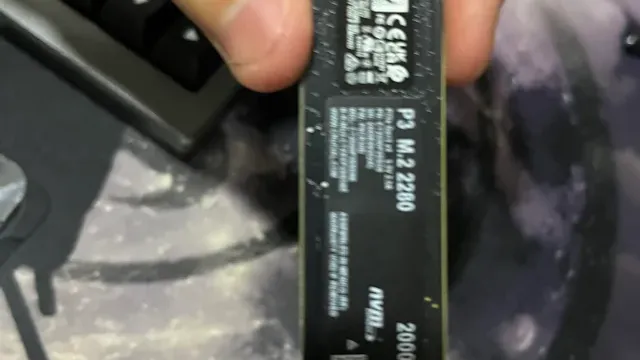
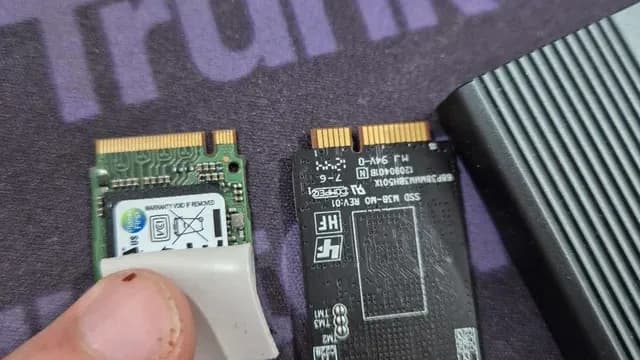
An M.2 2280 SSD held in a hand Where your budget lands
$100 to $150 buys the Rugged Mini; $150 to $250 buys the WD_Black P10 2TB, the Canvio Advance 4TB and the X9 2TB; $250 to $500 buys the Passport Ultra for Mac at our last check.
Start from what matters most
Buyers who put capacity first: the Passport Ultra for Mac. Getting drop resistance up to 4ft for the least money: the Rugged Mini.

An M.2 SSD inside a clear external enclosure Match the port
A 1,050MB/s SSD needs USB 3.2 Gen 2 (10Gbps); a 2,000MB/s SSD needs Gen 2x2 (20Gbps), which few laptops and no Macs offer. On a slower port the drive simply runs at the port's speed.
How to Choose an External Hard Drive for Laptop
By priority
| Priority | Consider | Why |
|---|---|---|
| Buyers who put capacity first | Passport Ultra for Mac | The largest capacity here (5TB) |
| Buyers who want USB 3.0 connection | Canvio Advance 4TB | A USB 3.0 connection |
| Getting drop resistance up to 4ft for the least money | Rugged Mini | The lowest price among these external drives at the time of writing |
| Buyers who want PlayStation, Xbox and PC compatibility | WD_Black P10 2TB | PlayStation, Xbox and PC compatibility |
| Buyers who want IP55 rating | X9 2TB | An IP55 rating |
Scroll sideways to see every column.
Key specs side by side
The Passport Ultra for Mac leads on capacity at 5TB, ahead of the Canvio Advance 4TB at 4TB.
| Drive | Drive type | Capacity (as reviewed) | Connection | Durability claim |
|---|---|---|---|---|
| Passport Ultra for Mac | HDD | 5TB | USB-C (USB 3.1) | Not stated |
| Canvio Advance 4TB | HDD | 4TB | USB 3.0 | Not stated |
| Rugged Mini | HDD | 2TB | USB 3.0 (USB-A) | Drops up to 4ft, dust and water resistant |
| WD_Black P10 2TB | HDD | 2TB | USB 3.2 Gen 1 | Not stated |
| X9 2TB | SSD | 2TB | USB-C (USB 3.2) | IP55, drops up to 7.5ft |
Scroll sideways to see every column.
By price at the time of writing
The Rugged Mini was the lowest-priced pick ($100 to $150) and the Passport Ultra for Mac the highest ($250 to $500) when we checked; tiers move with Amazon pricing.
| Price tier | Drives |
|---|---|
| About $100 to $150 | Rugged Mini |
| About $150 to $250 | WD_Black P10 2TB, Canvio Advance 4TB, X9 2TB |
| About $250 to $500 | Passport Ultra for Mac |
Frequently Asked Questions
Which has the largest capacity: the Passport Ultra for Mac or the Canvio Advance 4TB?
Between the top two, it is 5TB on the Passport Ultra for Mac against 4TB on the Canvio Advance 4TB, a 25% difference. The spread runs down to the X9 2TB at 2TB.
What does the Passport Ultra for Mac add over the Rugged Mini?
The spec sheets show capacity (5TB against 2TB) in its favour. On our last price check the Rugged Mini was in the $100 to $150 tier and the Passport Ultra for Mac in the $250 to $500 tier, with 3 other picks between them; pay the difference only if capacity decides your purchase.
Why is the Passport Ultra for Mac our Largest Capacity pick?
The label rests on the largest capacity here (5TB). On capacity it leads the Canvio Advance 4TB, 5TB against 4TB, a 25% margin. The Rugged Mini, the cheapest pick, sat in the $100 to $150 tier against $250 to $500 here, without out-ranking it on any listed spec. It makes sense for anyone who puts capacity first.
Do the Passport Ultra for Mac and the Canvio Advance 4TB differ on connection?
The Passport Ultra for Mac uses USB-C (USB 3.1); the Canvio Advance 4TB uses USB 3.0; the Rugged Mini uses USB 3.0 (USB-A); the WD_Black P10 2TB uses USB 3.2 Gen 1; the X9 2TB uses USB-C (USB 3.2).
What extras do the Passport Ultra for Mac and the Canvio Advance 4TB include?
The Passport Ultra for Mac: formatting for Mac out of the box. The Canvio Advance 4TB: a USB 3.0 connection. The Rugged Mini: drop resistance up to 4ft.
Bottom Line
Our first pick is the Passport Ultra for Mac, chosen for the largest capacity here (5TB). Look at the Canvio Advance 4TB for a USB 3.0 connection, the Rugged Mini for the lowest price among these external drives at the time of writing and the WD_Black P10 2TB for PlayStation, Xbox and PC compatibility if those matter more to you.
Bus-powered drives run from the laptop's USB port with no adapter.
Related Guides
- Related guideThe Best External SSDs
- Related guideThe Best Portable SSD Drives
- Related guideThe Best External Storage for a Laptop: SSDs and Hard Drives
- Lower budgetThe Best Budget External SSDs
- Similar guideThe Best External Hard Drive
- ExplainerPortable SSD vs external hard drive: which one for backups, games and carrying files
- ExplainerUSB speed names decoded for external SSDs: USB 3.2 Gen 2, USB4 and Thunderbolt
- Also see: ssds and storageHow to Choose a SATA SSD
- Similar guideThe Best External Hard Drive for PC
- Topic hubAll external storage guides
About the author
PC Hardware Editor
Alex covers PC hardware, monitors, components, upgrades and peripherals for The PC Journal, with a focus on helping readers understand specifications, compatibility and meaningful product trade-offs.
Covers: Monitors, Graphics cards, Processors, PC components, Peripherals, Upgrades and compatibility
View all articles