
Buying Guide
The Best 2.1 PC Speakers
Five speakers ranked on peak power and form, where the Bar 2.1 MK2 has the highest peak power; the Z313 is the cheapest route in.
By Alex Morgan, PC Hardware Editor
12 min read5 products evaluated

A subwoofer adds bass that small desk speakers can't reach. Every pick has a separate or built-in subwoofer, ordered from the lowest price.
We ranked these speakers on form, peak power and inputs using manufacturer specifications; where a maker leaves out peak power, we say so rather than guess, since we have not benched them.
Quick Picks
Which of the 5 picks to look at first. Tap a name for the full analysis.

Lowest Price Here
Logitech Z313 2.1 Speaker System with SubwooferThe lowest price of the group at our last check.
Best for: Keeping the cost under $100.
Check price for Logitech Z313 2.1 Speaker System with Subwoofer on Amazon (opens in a new tab)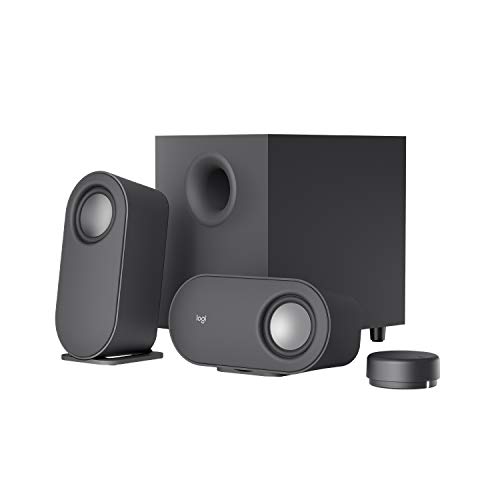
Also Consider
Logitech Z407 2.1 Bluetooth Speakers with SubwooferA wireless control dial with a 30m range.
Best for: Buyers who want wireless control dial with a 30m range.
Check price for Logitech Z407 2.1 Bluetooth Speakers with Subwoofer on Amazon (opens in a new tab)
Highest Peak Power
JBL Bar 2.1 Deep Bass MK2The highest peak power here (300W).
Best for: Buyers who put peak power first.
Check price for JBL Bar 2.1 Deep Bass MK2 on Amazon (opens in a new tab)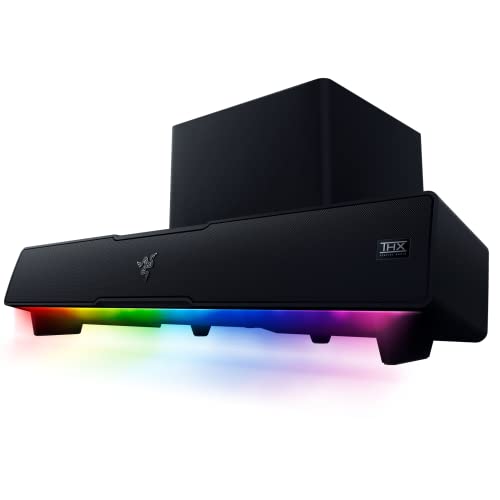
Strong Alternative
Razer Leviathan V2 PC Soundbar with SubwooferA down-firing subwoofer.
Best for: Buyers who want down-firing subwoofer.
Check price for Razer Leviathan V2 PC Soundbar with Subwoofer on Amazon (opens in a new tab)
Worth a Look
Logitech G560 LIGHTSYNC PC Gaming SpeakersDTS:X virtual surround on Windows.
Best for: Buyers who want DTS:X virtual surround on Windows.
Check price for Logitech G560 LIGHTSYNC PC Gaming Speakers on Amazon (opens in a new tab)
Our Picks
Lowest Price Here1 of 5
Logitech Z313 2.1 Speaker System with Subwoofer
Logitech's Z313 is a simple 2.1 set: two satellites, a compact subwoofer and a control pod on the cable.
Best for
- Keeping the cost under $100.
Skip if
- Skip it if you need to know its peak power before buying; the maker doesn't publish one.
Why we like it
Logitech offers 25W RMS in total. It outputs 25W RMS, and a wired control pod handles volume and power. The wired control pod keeps volume and power within reach on the desk.
A compact subwoofer is unique to it among these picks, while the Bar 2.1 MK2 uses a 6.5in wireless subwoofer. No other pick in this guide offers wired control pod extras; compare the Z407, which has wireless control dial extras. No other pick here cost less at our last price check, and the Z407 was closest. If you want a confirmed peak power, look to the Bar 2.1 MK2 instead: it offers 300W, while this one gives no figure.
Key specs
- Form
- 2.1 with subwoofer
- Inputs
- 3.5mm
- Subwoofer
- Compact subwoofer
- Extras
- Wired control pod
Pros
- 25W RMS total output
- Control pod on the cable
- Compact subwoofer
- Wired control pod extras, the only one here
Cons
- No published peak power
Also Consider2 of 5
Logitech Z407 2.1 Bluetooth Speakers with Subwoofer
Logitech's Z407 adds a subwoofer and a wireless control dial with a 30m range.
Best for
- Buyers who want wireless control dial with a 30m range.
Skip if
- Skip it if peak power matters most to you; the Bar 2.1 MK2 offers 300W.
Why we like it
It has 40W RMS. It delivers 80W peak and 40W RMS with a down-firing subwoofer, and it connects over Bluetooth or USB. A wireless control puck handles volume.
Its 80W peak power is the lowest in this group; the Bar 2.1 MK2 leads at 300W. It shares a separate subwoofer with the G560; the Bar 2.1 MK2 goes with a 6.5in wireless subwoofer. No other pick in this guide offers wireless control dial extras; compare the Z313, which has wired control pod extras.
You also get 40W RMS output and three inputs. Bluetooth adds some delay, so use a wired input for games. When we checked, only the Z313 cost less, and the Bar 2.1 MK2 cost more.
Key specs
- Form
- 2.1 with subwoofer
- Peak power
- 80W
- Inputs
- USB, 3.5mm, Bluetooth
- Subwoofer
- Separate subwoofer
- Extras
- Wireless control dial
Pros
- Wireless control dial with a 30m range
- 40W RMS output
- Three inputs
Cons
- Peak power trails the Bar 2.1 MK2 (300W)
- Costs more than the Z313 at the time of writing
The catch
Peak power is its weakest area, and the Bar 2.1 MK2 covers it better at 300W.
Highest Peak Power3 of 5
JBL Bar 2.1 Deep Bass MK2
JBL's Bar 2.1 Deep Bass MK2 pairs a bar with a 6.5in wireless subwoofer and Dolby Digital.
Best for
- Buyers who put peak power first.
Skip if
- Price-first buyers should look at the Z313, which cost less when we checked.
Why we like it
It connects over HDMI, optical or Bluetooth. On peak power it leads this guide at 300W, ahead of the G560 (240W). A 6.5in wireless subwoofer is unique to it among these picks, while the Z407 uses a separate subwoofer.
No other pick in this guide offers dolby Digital extras; compare the Z313, which has wired control pod extras. You also get the lowest price tier among JBL bars here. It connects by HDMI or optical, so a PC needs a graphics-card HDMI output routed as audio or a sound card with optical out; Bluetooth is the simpler route.
Bluetooth adds some delay, so use a wired input for games. When we checked, only the Z407 and cheaper picks cost less, and the Leviathan V2 cost more.
Key specs
- Form
- 2.1 soundbar
- Peak power
- 300W
- Inputs
- HDMI ARC, optical, Bluetooth
- Subwoofer
- 6.5in wireless subwoofer
- Extras
- Dolby Digital
Pros
- 6.5in wireless subwoofer
- Dolby Digital decoding
- The lowest price tier among JBL bars here
- Highest peak power of the picks (300W)
Cons
- Costs more than the Z313 at the time of writing
Strong Alternative4 of 5
Razer Leviathan V2 PC Soundbar with Subwoofer
The Leviathan V2 adds a down-firing subwoofer and THX Spatial Audio to Razer's desktop bar.
Best for
- Buyers who want down-firing subwoofer.
Skip if
- The maker gives no peak power, so skip it if that figure decides your choice.
Why we like it
Bluetooth 5.2 covers phones. Two full-range drivers and a down-firing subwoofer come in a bar that fits under a monitor. THX Spatial Audio adds 7.1 virtual surround for games and films.
Two full-range drivers and a down-firing subwoofer cover the full range, with THX Spatial Audio for 7.1 virtual surround. The compact bar fits under a monitor, angled toward you on rubber feet. It is the only pick here with a down-firing subwoofer; the Z313 has a compact subwoofer instead.
You also get 18 Chroma RGB zones. Bluetooth adds some delay, so use a wired input for games. Its price falls between the Bar 2.1 MK2 and the G560, based on our last check. Buyers who need a confirmed peak power should compare it with the Bar 2.1 MK2, which offers 300W.
Key specs
- Form
- Desktop soundbar with subwoofer
- Inputs
- USB, Bluetooth 5.2
- Subwoofer
- Down-firing subwoofer
- Extras
- THX Spatial Audio, 18 RGB zones
Pros
- Down-firing subwoofer
- THX Spatial Audio 7.1 virtual surround
- 18 Chroma RGB zones
Cons
- No published peak power
- Costs more than the Z313 at the time of writing
Worth a Look5 of 5
Logitech G560 LIGHTSYNC PC Gaming Speakers
Logitech's G560 is a 2.1 set with a separate subwoofer, DTS:X virtual surround and four lighting zones that react to games.
Best for
- Buyers who want DTS:X virtual surround on Windows.
Skip if
- If budget leads, the Z313 was cheaper at our last price check.
Why we like it
DTS:X is not available on Mac. It pairs 240W peak power with a subwoofer and DTS:X Ultra surround. LIGHTSYNC RGB reacts to supported games.
Its subwoofer and satellites can be placed apart for a wider soundstage. At 240W peak it is loud enough for a large room, and it connects over USB or Bluetooth. On peak power it sits mid-pack at 240W: the Bar 2.1 MK2 offers 300W, and the Z407 comes in at 80W.
Like the Z407, it has a separate subwoofer, while the Z313 uses a compact subwoofer. Bluetooth adds some delay, so use a wired input for games.
Key specs
- Form
- 2.1 with subwoofer
- Peak power
- 240W
- Inputs
- USB, 3.5mm, Bluetooth
- Subwoofer
- Separate subwoofer
- Extras
- DTS:X 2.0, 4 lighting zones
Pros
- DTS:X virtual surround on Windows
- Four game-driven lighting zones
- Separate subwoofer
- Peak power of 240W, ahead of the Z407
Cons
- Costs more than the Z313 at the time of writing
How We Chose These 2.1 PC Speakers
Alex Morgan compared the manufacturer specifications, connectivity, warranty terms and compatibility of every pick. Figures come from the makers unless a third-party source is named; we did not test these products ourselves.
- The figures behind the order
- We lined up five speakers on form, peak power, inputs and subwoofer, using each maker's published specs. We did not test them in-house, and peak power is missing for at least one pick.
- What every pick has in common
- All 5, from the Z313 to the G560, state form, inputs and subwoofer.
- Where the specs have gaps
- The Z313 and the Leviathan V2 give no peak power.
- Price range
- At our last check the picks ran from the Z313 ($50 to $100) to the G560 ($150 to $250).
What to Look for in 2.1 PC Speakers
Key buying criteria so you get the right fit the first time.
How much peak power you need
The Bar 2.1 MK2 tops peak power at 300W and the Z407 sits lowest at 80W. The Bar 2.1 MK2 is the pick for peak power. The Z313 and the Leviathan V2 give no peak power figure, so 3 of 5 picks are compared here.
Extras that separate them
The Bar 2.1 MK2: Dolby Digital decoding. The Leviathan V2: THX Spatial Audio 7.1 virtual surround. The G560: four game-driven lighting zones.
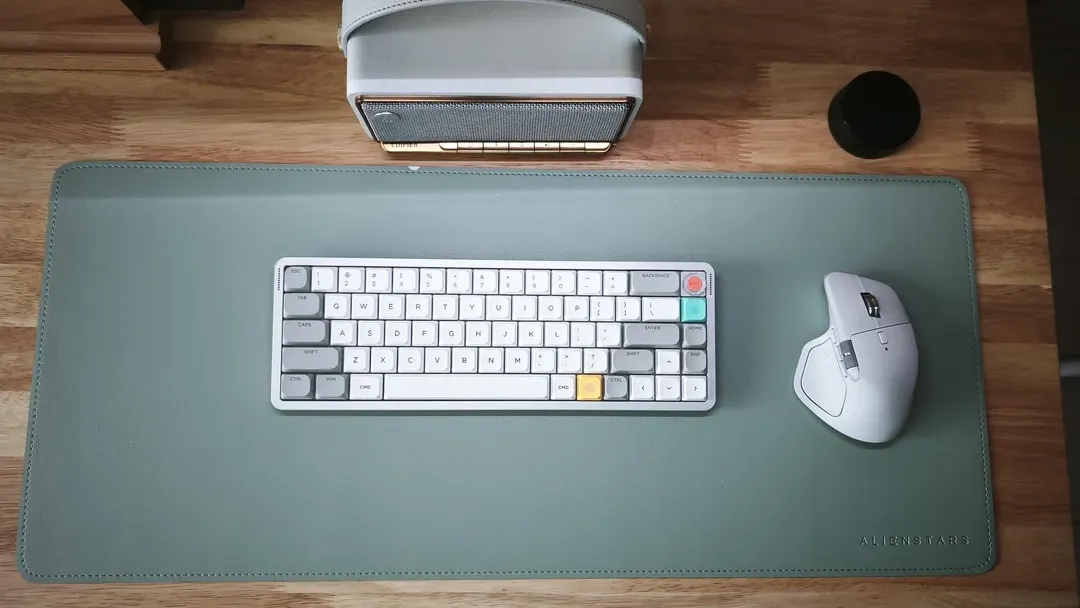
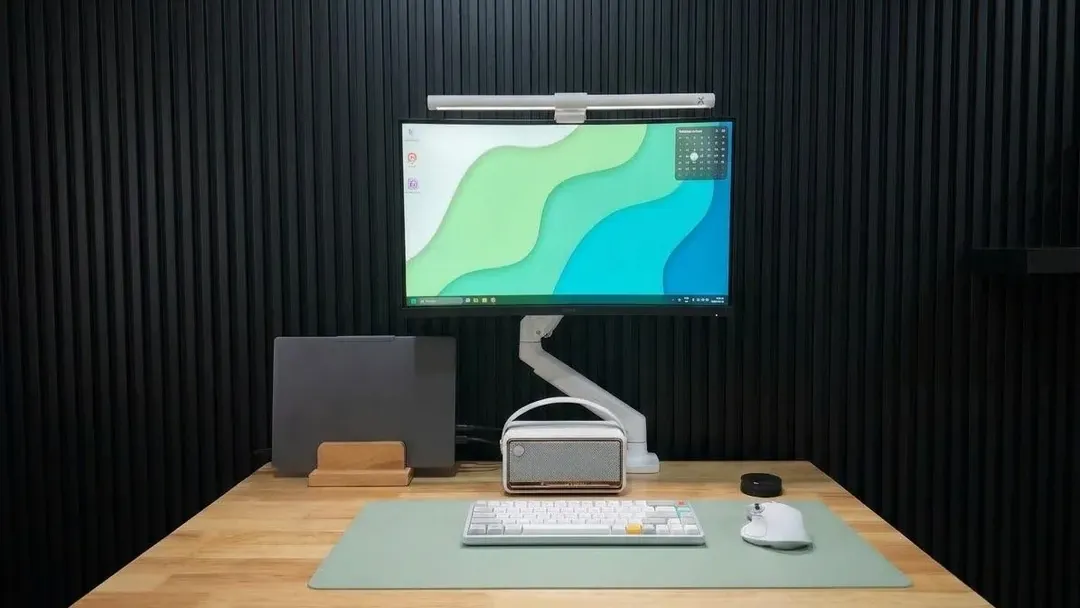
A keyboard and mouse on a desk mat below a monitor and speaker Where your budget lands
$50 to $100 buys the Z313; $100 to $150 buys the Z407; $150 to $250 buys the Bar 2.1 MK2, the Leviathan V2 and the G560 at our last check.
Start from what matters most
Keeping the cost under $100: the Z313. Buyers who put peak power first: the Bar 2.1 MK2.
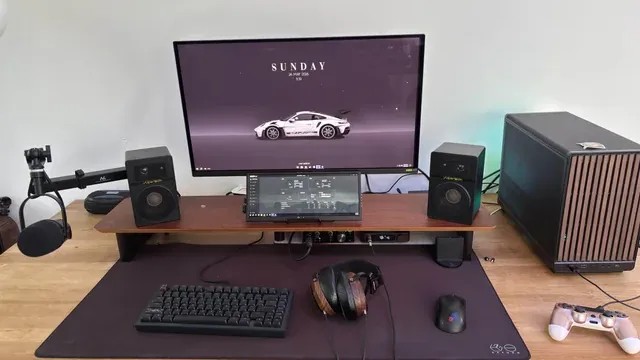
Desktop speakers either side of a monitor Measure the desk
Check the width of a soundbar against the monitor stand, and the depth of stereo speakers against the desk edge.
How to Choose 2.1 PC Speakers
By priority
| Priority | Consider | Why |
|---|---|---|
| Keeping the cost under $100 | Z313 | The lowest price of the group at our last check |
| Buyers who want wireless control dial with a 30m range | Z407 | A wireless control dial with a 30m range |
| Buyers who put peak power first | Bar 2.1 MK2 | The highest peak power here (300W) |
| Buyers who want down-firing subwoofer | Leviathan V2 | A down-firing subwoofer |
| Buyers who want DTS:X virtual surround on Windows | G560 | DTS:X virtual surround on Windows |
Scroll sideways to see every column.
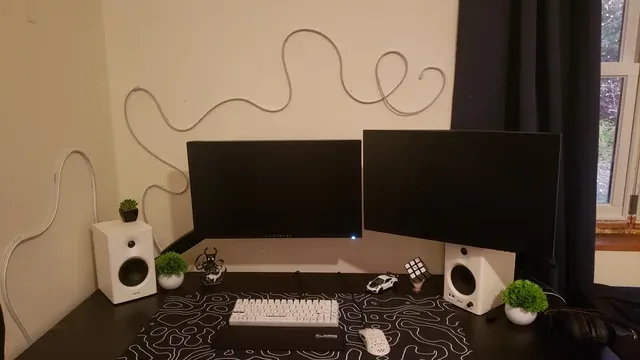
Key specs side by side
The Bar 2.1 MK2 leads on peak power at 300W, ahead of the G560 at 240W. "Not listed" marks peak power where the Z313 and the Leviathan V2 leave the figure out.
| Speaker | Form | Peak power | Inputs | Subwoofer |
|---|---|---|---|---|
| Z313 | 2.1 with subwoofer | Not listed | 3.5mm | Compact subwoofer |
| Z407 | 2.1 with subwoofer | 80W | USB, 3.5mm, Bluetooth | Separate subwoofer |
| Bar 2.1 MK2 | 2.1 soundbar | 300W | HDMI ARC, optical, Bluetooth | 6.5in wireless subwoofer |
| Leviathan V2 | Desktop soundbar with subwoofer | Not listed | USB, Bluetooth 5.2 | Down-firing subwoofer |
| G560 | 2.1 with subwoofer | 240W | USB, 3.5mm, Bluetooth | Separate subwoofer |
Scroll sideways to see every column.
By price at the time of writing
The Z313 was the lowest-priced pick ($50 to $100) and the G560 the highest ($150 to $250) when we checked; tiers move with Amazon pricing.
| Price tier | Speakers |
|---|---|
| About $50 to $100 | Z313 |
| About $100 to $150 | Z407 |
| About $150 to $250 | Bar 2.1 MK2, Leviathan V2, G560 |
Frequently Asked Questions
Which has the highest peak power: the Bar 2.1 MK2 or the G560?
Between the top two, it is 300W on the Bar 2.1 MK2 against 240W on the G560, a 25% difference. The Z407 closes the ranking at 80W. The Z313 and the Leviathan V2 are left out of this ranking because their peak power isn't stated; 3 of 5 picks are ranked.
Why is the Bar 2.1 MK2 our Highest Peak Power pick?
It carries the badge for the highest peak power here (300W). On peak power it leads the G560, 300W against 240W, a 25% margin. The Z313, the cheapest pick, sat in the $50 to $100 tier against $150 to $250 here, without out-ranking it on any listed spec. It makes sense for anyone who puts peak power first.
Do the Z313 and the Z407 differ on subwoofer?
The Z313 uses compact subwoofer; the Z407 and the G560 use separate subwoofer; the Bar 2.1 MK2 uses 6.5in wireless subwoofer; the Leviathan V2 uses down-firing subwoofer.
What extras do the Z313 and the Z407 include?
The Z313: 25W RMS total output. The Z407: a wireless control dial with a 30m range. The Bar 2.1 MK2: a 6.5in wireless subwoofer.
Should I pick the Z313 or the G560?
The Z313 suits keeping the cost under $100; the G560 suits buyers who want DTS:X virtual surround on Windows.
Bottom Line
Our first pick is the Z313, chosen for the lowest price of the group at our last check. Look at the Z407 for a wireless control dial with a 30m range, the Bar 2.1 MK2 for the highest peak power here (300W) and the Leviathan V2 for a down-firing subwoofer if those matter more to you.
Place the subwoofer on the floor near a wall for more bass.
Related Guides
- Related guideThe Best PC Speakers for Your Desk
- Related guideThe Best Speakers for a Gaming PC
- Related guideThe Best Gaming Speaker Bars for a PC Desk
- Lower budgetThe Best PC Speakers Under $40
- Similar guideThe Best 2.1 PC Speakers with Subwoofer
- ExplainerHow to Choose Desktop Speakers for a PC
- ExplainerPC speaker connections compared: 3.5 mm, USB, optical and Bluetooth
- Also see: headsets and headphonesHow to Choose a PC Headset
- Similar guideThe Best Surround Sound PC Speakers
- Topic hubAll pc speakers guides
About the author
PC Hardware Editor
Alex covers PC hardware, monitors, components, upgrades and peripherals for The PC Journal, with a focus on helping readers understand specifications, compatibility and meaningful product trade-offs.
Covers: Monitors, Graphics cards, Processors, PC components, Peripherals, Upgrades and compatibility
View all articles