
Buying Guide
The Best Thermal Paste Under $20
Five thermal pastes ranked on tube size and amount, where the Duronaut 6g has the largest tube size; the NT-H2 is the cheapest route in.
By Alex Morgan, PC Hardware Editor
12 min read5 products evaluated
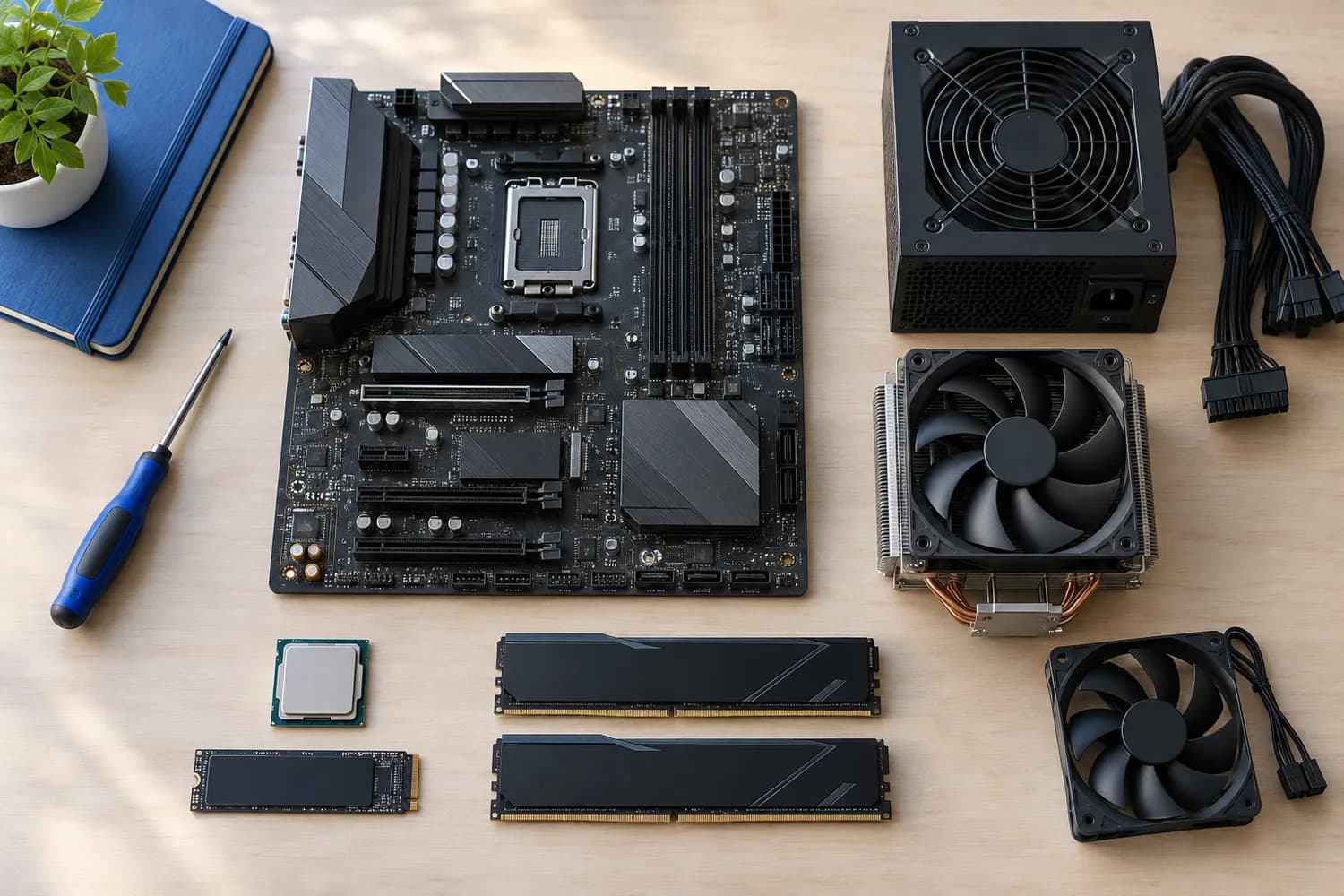
Between $10 and $20, pastes add kits, larger tubes or formulas built against pump-out. Every pick sits in that range, ordered by tube size.
Rankings weigh amount, compound and electrically non-conductive as the makers state them; if a maker skips compound, the guide says so rather than guess, since we have not benched them.
Quick Picks
Which of the 5 picks to look at first. Tap a name for the full analysis.
Largest Tube Size
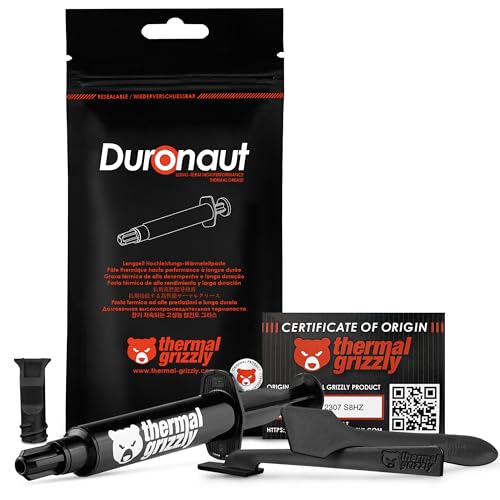
Thermal Grizzly Duronaut (6g)The largest tube size here (6g).
Best for: Buyers who put tube size first.
Check price for Thermal Grizzly Duronaut (6g) on Amazon (opens in a new tab)
Also Consider
Corsair XTM50 (5g)A low-viscosity compound that fills fine surface channels.
Best for: Buyers who want low-viscosity compound that fills fine surface channels.
Check price for Corsair XTM50 (5g) on Amazon (opens in a new tab)
Strong Alternative
Thermal Grizzly Hydronaut (3.9g)A maker-rated thermal resistance of 0.0076 K/W.
Best for: Buyers who want maker-rated thermal resistance of 0.0076 K/W.
Check price for Thermal Grizzly Hydronaut (3.9g) on Amazon (opens in a new tab)
Worth a Look
Noctua NT-H2 (3.5g)A recommended usage time of up to five years on the CPU.
Best for: Buyers who want recommended usage time of up to five years on the CPU.
Check price for Noctua NT-H2 (3.5g) on Amazon (opens in a new tab)
Solid Runner-Up
Noctua NT-H2 AM5 Edition (3.5g)An NA-TPG1 guard that keeps paste out of the AM5 heatspreader's cut-outs.
Best for: Buyers who want NA-TPG1 guard that keeps paste out of the AM5 heatspreader's cut-outs.
Check price for Noctua NT-H2 AM5 Edition (3.5g) on Amazon (opens in a new tab)
| Pick | Why it stands out | Best for | Check price |
|---|---|---|---|
| The largest tube size here (6g). | Buyers who put tube size first. | Check price for Thermal Grizzly Duronaut (6g) on Amazon (opens in a new tab) |
| A low-viscosity compound that fills fine surface channels. | Buyers who want low-viscosity compound that fills fine surface channels. | Check price for Corsair XTM50 (5g) on Amazon (opens in a new tab) |
| A maker-rated thermal resistance of 0.0076 K/W. | Buyers who want maker-rated thermal resistance of 0.0076 K/W. | Check price for Thermal Grizzly Hydronaut (3.9g) on Amazon (opens in a new tab) |
| A recommended usage time of up to five years on the CPU. | Buyers who want recommended usage time of up to five years on the CPU. | Check price for Noctua NT-H2 (3.5g) on Amazon (opens in a new tab) |
| An NA-TPG1 guard that keeps paste out of the AM5 heatspreader's cut-outs. | Buyers who want NA-TPG1 guard that keeps paste out of the AM5 heatspreader's cut-outs. | Check price for Noctua NT-H2 AM5 Edition (3.5g) on Amazon (opens in a new tab) |
Our Picks
Largest Tube Size1 of 5
Thermal Grizzly Duronaut (6g)
Duronaut is Thermal Grizzly's durability-focused paste, using aluminium and zinc oxide particles to minimise pump-out.
Best for
- Buyers who put tube size first.
Skip if
- Skip it if price comes first: the NT-H2 cost less when we checked.
Why we like it
The 6g tube comes with a TG Spatula Pro and suits hot CPUs you do not want to remount often. Its 6g tube size is the largest here; the XTM50 comes next at 5g. It is the only pick here with an a TG Spatula Pro in the box; the Hydronaut has an a syringe in the box instead.
It also comes with a paste that does not harden over time. Clean off old paste with isopropyl alcohol first, then apply a pea-sized dot or a thin line on the heatspreader; on large Intel chips an X or a line covers the longer die better. Only the Hydronaut came close to it on price at the time of writing; it cost the most of the 5 picks.
Key specs
- Amount
- 6g
- Compound
- Aluminium and zinc oxide particles
- Electrically non-conductive
- Yes
- In the box
- a TG Spatula Pro
Pros
- 6g is enough for several applications
- Aluminium and zinc oxide particles formula
- Electrically non-conductive, so spills are harmless
- Includes a TG Spatula Pro
Cons
- Costs more than the NT-H2 at the time of writing
Also Consider2 of 5
Corsair XTM50 (5g)
XTM50 is a zinc-oxide, non-conductive paste with a stencil and spreader in the box, which takes the guesswork out of coverage.
Best for
- Buyers who want low-viscosity compound that fills fine surface channels.
Skip if
- Skip it if price comes first: the NT-H2 cost less when we checked.
Why we like it
Its low viscosity fills fine surface channels, and Corsair says it contains no volatile compounds. On tube size it sits mid-pack at 5g: the Duronaut 6g comes in at 6g, and the NT-H2 AM5 comes in at 3.5g. It also offers zero volatile compounds, by the maker's claim.
Clean off old paste with isopropyl alcohol first, then apply a pea-sized dot or a thin line on the heatspreader; on large Intel chips an X or a line covers the longer die better. Worth noting: 5g is enough for several applications. When we checked, only the NT-H2 AM5 and cheaper picks cost less, and the Hydronaut cost more.
Key specs
- Amount
- 5g
- Compound
- Zinc oxide
- Electrically non-conductive
- Yes
- In the box
- an application stencil and spreader
Pros
- 5g is enough for several applications
- Electrically non-conductive, so spills are harmless
- Includes an application stencil and spreader
- Low-viscosity compound that fills fine surface channels
Cons
- Costs more than the NT-H2 at the time of writing
Strong Alternative3 of 5
Thermal Grizzly Hydronaut (3.9g)
Hydronaut is Thermal Grizzly's value-oriented enthusiast paste, rated at a thermal resistance of 0.0076 K/W.
Best for
- Buyers who want maker-rated thermal resistance of 0.0076 K/W.
Skip if
- Price-first buyers should look at the NT-H2, which cost less when we checked.
Why we like it
It comes in a syringe for precise placement and, by the maker's claim, does not harden over time. Its 3.9g tube size ranks third of 5 here, behind the Duronaut 6g (6g) and ahead of the NT-H2 AM5 (3.5g). You get an a syringe in the box here, which sets it apart from the NT-H2 and its a three cleaning wipes in the box.
Clean off old paste with isopropyl alcohol first, then apply a pea-sized dot or a thin line on the heatspreader; on large Intel chips an X or a line covers the longer die better. Before buying, weigh one limit: costs more than the NT-H2 at the time of writing.
Key specs
- Amount
- 3.9g
- In the box
- a syringe
Pros
- Includes a syringe
- Maker-rated thermal resistance of 0.0076 K/W
- Formula that does not harden, by the maker's claim
- Tube size of 3.9g, ahead of the NT-H2
Cons
- Costs more than the NT-H2 at the time of writing
Worth a Look4 of 5
Noctua NT-H2 (3.5g)
NT-H2 comes with three cleaning wipes and needs no spreading.
Best for
- Buyers who want recommended usage time of up to five years on the CPU.
Skip if
- Look at the others if this bothers you: tube size of 3.5g, behind the Duronaut 6g (6g).
Why we like it
Noctua rates it for up to five years on the CPU, which suits builders who set it and forget it. It matches the NT-H2 AM5 on tube size (3.5g). You get a three cleaning wipes in the box here, which sets it apart from the Hydronaut and its an a syringe in the box.
It also offers a recommended usage time of up to five years on the CPU and enough for around 3 to 20 applications. Clean off old paste with isopropyl alcohol first, then apply a pea-sized dot or a thin line on the heatspreader; on large Intel chips an X or a line covers the longer die better. Do not pre-spread it; let the cooler's mounting pressure distribute it.
Key specs
- Amount
- 3.5g
- In the box
- three cleaning wipes
- Application
- No need to spread before mounting
Pros
- Includes three cleaning wipes
- Recommended usage time of up to five years on the CPU
- Enough for around 3 to 20 applications
Cons
- Tube size of 3.5g, behind the Duronaut 6g (6g)
The catch
The main gap: tube size of 3.5g, behind the Duronaut 6g (6g). If that matters, the Duronaut 6g comes in at 6g.
Solid Runner-Up5 of 5
Noctua NT-H2 AM5 Edition (3.5g)
This NT-H2 edition adds a guard that keeps paste out of the cut-outs around an AM5 heatspreader, a real annoyance when repasting Ryzen 7000 and 9000 chips.
Best for
- Buyers who want NA-TPG1 guard that keeps paste out of the AM5 heatspreader's cut-outs.
Skip if
- Skip it if tube size matters most to you; the Duronaut 6g offers 6g.
Why we like it
It also comes with three cleaning wipes. The guard sits around an AM5 chip during application and lifts away, leaving the heatspreader cut-outs clean. Noctua rates the paste for up to five years on a CPU.
On tube size it ties with the NT-H2 at 3.5g. You also get the second generation of Noctua's NT-H1. Clean off old paste with isopropyl alcohol first, then apply a pea-sized dot or a thin line on the heatspreader; on large Intel chips an X or a line covers the longer die better. It gives ground on tube size, where the Duronaut 6g comes in at 6g.
Key specs
- Amount
- 3.5g
- Rated service life
- up to 5 years
- Applications per tube
- About 3 to 20
- In the box
- an AM5 paste guard and three cleaning wipes
Pros
- Maker-rated for up to 5 years without reapplying
- Includes an AM5 paste guard and three cleaning wipes
- NA-TPG1 guard that keeps paste out of the AM5 heatspreader's cut-outs
- The second generation of Noctua's NT-H1
Cons
- Tube size trails the Duronaut 6g (6g)
How We Chose
Alex Morgan compared the manufacturer specifications, connectivity, warranty terms and compatibility of every pick. Figures come from the makers unless a third-party source is named; we did not test these products ourselves.
- The figures behind the order
- We compared five pastes on tube size, compound, electrically non-conductive and in the box from manufacturer specifications. Nothing was tested in-house; 2 of the 4 fields compared are stated for every pick, while compound and electrically non-conductive have gaps.
- What every pick has in common
- All 5, from the Duronaut 6g to the NT-H2 AM5, state tube size and in the box.
- Where the specs have gaps
- The Hydronaut, the NT-H2 and the NT-H2 AM5 give no compound; the Hydronaut, the NT-H2 and the NT-H2 AM5 give no electrically non-conductive.
- Price range
- From the NT-H2 to the Duronaut 6g, all sat in the under $50 tier when we checked.
What to Look for in a Thermal Paste Under $20
Key buying criteria so you get the right fit the first time.
How much tube size you need
The Duronaut 6g tops tube size at 6g and the NT-H2 AM5 sits lowest at 3.5g. The XTM50 comes second at 5g, in the same price tier as the Duronaut 6g.
Extras that separate them
The Hydronaut: a formula that does not harden, by the maker's claim. The NT-H2: enough for around 3 to 20 applications. The NT-H2 AM5: the second generation of Noctua's NT-H1.
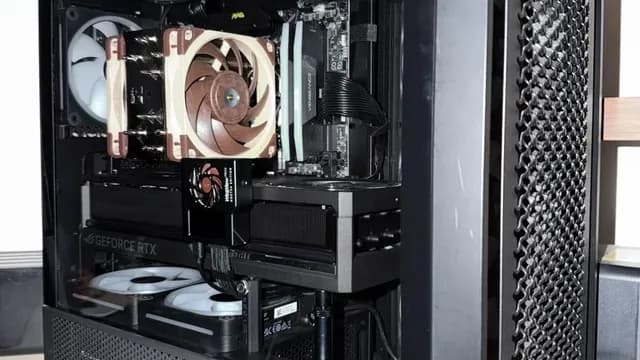
A tower air cooler with brown fans installed in a PC Budget
All 5 sat in the under $50 tier when we checked, from the NT-H2 at the low end to the Duronaut 6g at the top, so decide on features first.
Thicker pastes are harder to spread
High-performance pastes are often thick. Warming the tube in your hand makes them easier to apply.
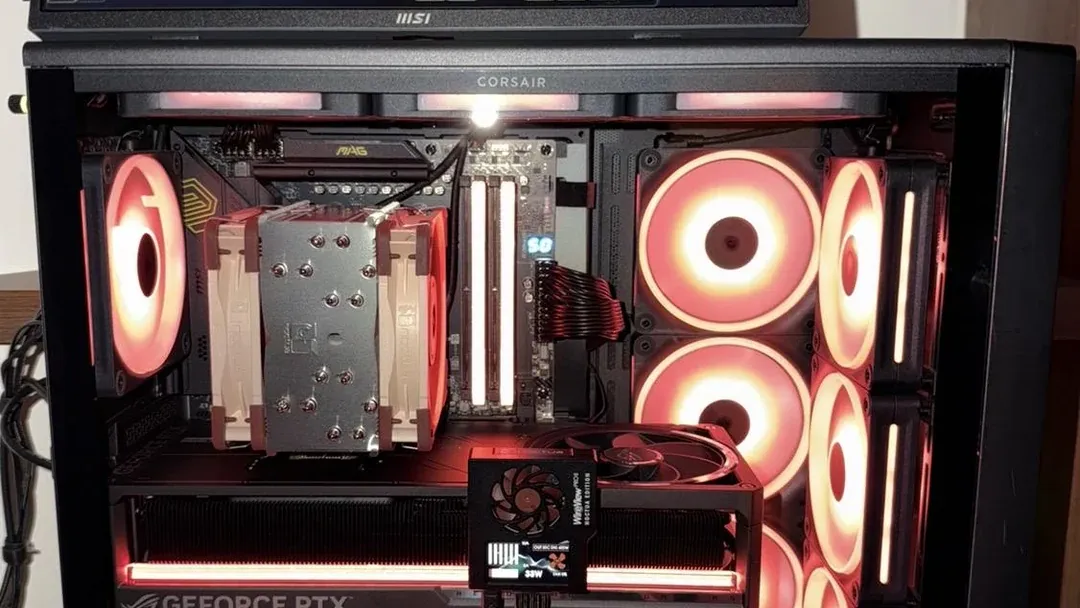
A tower air cooler in a case with red-lit fans Kits save a trip to the drawer
Wipes, a spatula or an applicator card make a repaste cleaner. They matter most for a first build or for repasting a graphics card.
How to Choose a Thermal Paste Under $20
By priority
| Priority | Consider | Why |
|---|---|---|
| Buyers who put tube size first | Duronaut 6g | The largest tube size here (6g) |
| Buyers who want low-viscosity compound that fills fine surface channels | XTM50 | A low-viscosity compound that fills fine surface channels |
| Buyers who want maker-rated thermal resistance of 0.0076 K/W | Hydronaut | A maker-rated thermal resistance of 0.0076 K/W |
| Buyers who want recommended usage time of up to five years on the CPU | NT-H2 | A recommended usage time of up to five years on the CPU |
| Buyers who want NA-TPG1 guard that keeps paste out of the AM5 heatspreader's cut-outs | NT-H2 AM5 | An NA-TPG1 guard that keeps paste out of the AM5 heatspreader's cut-outs |
Scroll sideways to see every column.
Key specs side by side
The Duronaut 6g leads on tube size at 6g, ahead of the XTM50 at 5g. "Not listed" marks compound where the Hydronaut, the NT-H2 and the NT-H2 AM5 leave the figure out.
| Paste | Amount | Compound | Electrically non-conductive | In the box |
|---|---|---|---|---|
| Duronaut 6g | 6g | Aluminium and zinc oxide particles | Yes | a TG Spatula Pro |
| XTM50 | 5g | Zinc oxide | Yes | an application stencil and spreader |
| Hydronaut | 3.9g | Not listed | Not listed | a syringe |
| NT-H2 | 3.5g | Not listed | Not listed | three cleaning wipes |
| NT-H2 AM5 | 3.5g | Not listed | Not listed | an AM5 paste guard and three cleaning wipes |
Scroll sideways to see every column.
Frequently Asked Questions
How does the XTM50 compare with the Duronaut 6g on tube size?
The Duronaut 6g leads at 6g, with the XTM50 at 5g. The NT-H2 AM5 is at the other end of this group with 3.5g.
What does the Duronaut 6g add over the NT-H2?
On paper it adds tube size (6g against 3.5g). Both sat in the under $50 tier when we checked, so the gains in tube size cost little extra by tier.
Why is the Duronaut 6g our Largest Tube Size pick?
It earns the label for the largest tube size here (6g). On tube size it leads the XTM50, 6g against 5g, a 20% margin. It is aimed at anyone who puts tube size first.
Does the Duronaut 6g have electrically non-conductive, and which others do?
The Duronaut 6g and the XTM50 have it. The Hydronaut, the NT-H2 and the NT-H2 AM5 have no electrically non-conductive listed, so 2 of 5 picks are covered here.
What extras do the Duronaut 6g and the XTM50 include?
The Duronaut 6g: a formula built to minimise pump-out. The XTM50: a low-viscosity compound that fills fine surface channels. The Hydronaut: a maker-rated thermal resistance of 0.0076 K/W.
Bottom Line
Our first pick is the Duronaut 6g, chosen for the largest tube size here (6g). Look at the XTM50 for a low-viscosity compound that fills fine surface channels, the Hydronaut for a maker-rated thermal resistance of 0.0076 K/W and the NT-H2 for a recommended usage time of up to five years on the CPU if those matter more to you.
Paying more buys durability and extras more than lower temperatures.
Related Guides
- Related guideThe Best Thermal Pastes for CPUs and GPUs
- Related guideThe Best CPU Air Coolers
- Related guideThe Best Air Coolers
- Lower budgetThe Best Case Fans Under $15
- Higher budgetThe Best Case Fans Under $25
- ExplainerPC Airflow Explained
- ExplainerHow Many Case Fans Do You Need?
- Check compatibility: processorsCPU Specs Explained: Cores, Threads, Clock Speed, Cache, and TDP
- Similar guideThe Best Thermal Paste Under $10
- Topic hubAll cpu coolers and cooling guides
About the author
PC Hardware Editor
Alex covers PC hardware, monitors, components, upgrades and peripherals for The PC Journal, with a focus on helping readers understand specifications, compatibility and meaningful product trade-offs.
Covers: Monitors, Graphics cards, Processors, PC components, Peripherals, Upgrades and compatibility
View all articles