
Buying Guide
The Best Mice With Long Battery Life
Four mice compared, from the M330 Silent Plus to the Lift Left, with the trade-offs of each named.
By Alex Morgan, PC Hardware Editor
11 min read4 products evaluated

A mouse that runs for months on one battery removes a small but regular annoyance. Every pick is rated for six months or more, ordered by rated battery life.
We sorted these picks by battery life, grip and connection, working from the makers' own data; any figure a maker omits is noted as missing, and no figure here comes from our own testing.
Quick Picks
Which of the 4 picks to look at first. Tap a name for the full analysis.
Also Consider
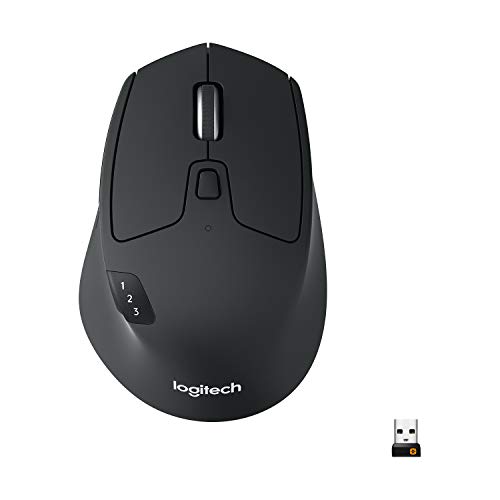
Logitech M720 Triathlon Multi-Device MouseSwitching between 3 computers at the touch of a button.
Best for: Buyers who want switching between 3 computers at the touch of a button.
Check price for Logitech M720 Triathlon Multi-Device Mouse on Amazon (opens in a new tab)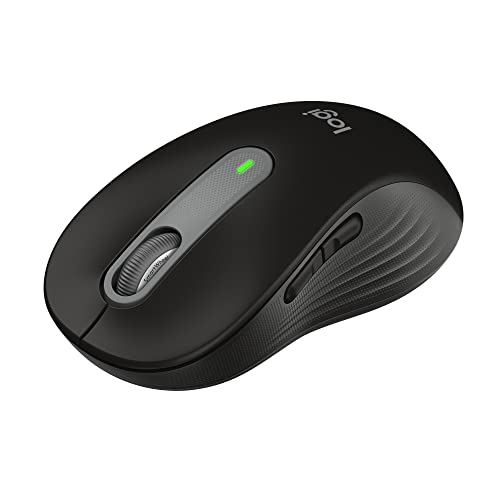
Strong Alternative
Logitech Signature M650Customizable side buttons.
Best for: Buyers who want customizable side buttons.
Check price for Logitech Signature M650 on Amazon (opens in a new tab)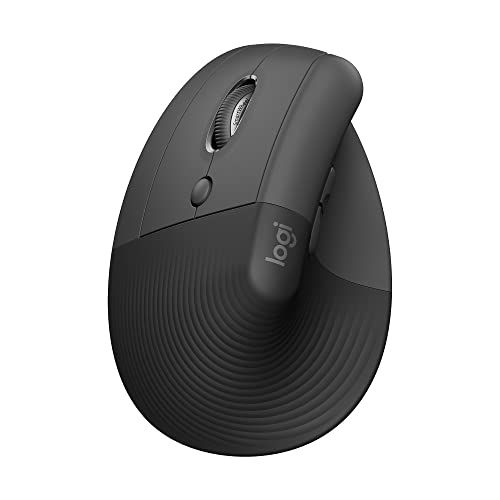
Premium Pick
Logitech Lift Left Vertical Ergonomic Wireless MouseThe highest-priced pick here at the time of writing, with a thumb rest sculpted for left hands.
Best for: Buyers who want a thumb rest sculpted for left hands and can spend more than the Signature M650 costs.
Check price for Logitech Lift Left Vertical Ergonomic Wireless Mouse on Amazon (opens in a new tab)
Lowest Price Here
Logitech M330 Silent PlusUndercutting the M720 on price when we checked.
Best for: Spending as little as possible, with the M720 the next step up.
Check price for Logitech M330 Silent Plus on Amazon (opens in a new tab)
| Pick | Why it stands out | Best for | Check price |
|---|---|---|---|
| Switching between 3 computers at the touch of a button. | Buyers who want switching between 3 computers at the touch of a button. | Check price for Logitech M720 Triathlon Multi-Device Mouse on Amazon (opens in a new tab) |
| Customizable side buttons. | Buyers who want customizable side buttons. | Check price for Logitech Signature M650 on Amazon (opens in a new tab) |
| The highest-priced pick here at the time of writing, with a thumb rest sculpted for left hands. | Buyers who want a thumb rest sculpted for left hands and can spend more than the Signature M650 costs. | Check price for Logitech Lift Left Vertical Ergonomic Wireless Mouse on Amazon (opens in a new tab) |
| Undercutting the M720 on price when we checked. | Spending as little as possible, with the M720 the next step up. | Check price for Logitech M330 Silent Plus on Amazon (opens in a new tab) |
Our Picks
Also Consider1 of 4
Logitech M720 Triathlon Multi-Device Mouse
Logitech's M720 Triathlon switches between three computers with a button and supports Logitech Flow.
Best for
- Buyers who want switching between 3 computers at the touch of a button.
Skip if
- If budget leads, the M330 Silent Plus was cheaper at our last price check.
Why we like it
It has 24 months of battery life. Its hyper-fast scroll wheel spins freely through long documents and switches back to click-by-click scrolling when you need precision. The rubber body and sculpted right-hand shape suit a relaxed palm grip.
Logitech Flow moves the cursor, text and files between up to three computers, and it connects over Bluetooth or the Unifying receiver. The Unifying receiver can also pair up to six compatible Logitech devices, which saves USB ports. It matches the Signature M650 and the Lift Left on battery life (up to 24 months). It was priced above the M330 Silent Plus and below the Signature M650 at the time of writing.
Key specs
- Battery life
- up to 24 months
- Programmable buttons
- 6
- Grip
- Full-size, right-handed
- Connection
- Bluetooth or Unifying receiver, 3 devices
Pros
- Switching between 3 computers at the touch of a button
- Logitech Flow across computers
- Unifying receiver for up to 6 Logitech devices
- Battery life of up to 24 months, ahead of the M330 Silent Plus
Cons
- Costs more than the M330 Silent Plus at the time of writing
Strong Alternative2 of 4
Logitech Signature M650
Logitech's Signature M650 is a quiet-click mouse sized for small to medium hands.
Best for
- Buyers who want customizable side buttons.
Skip if
- If budget leads, the M330 Silent Plus was cheaper at our last price check.
Why we like it
It supports Windows, macOS, Linux, ChromeOS, iPadOS and Android. Its SmartWheel switches between line-by-line and fast scrolling, and rubber grips suit small to medium hands. Plastics include up to 64% recycled material.
It matches the M720 and the Lift Left on battery life (up to 24 months). You get a bluetooth or Logi Bolt connection here, which sets it apart from the M330 Silent Plus and its a 2.4GHz USB receiver connection. It also offers customizable side buttons and silent clicks.
It is shaped for right hands only. It connects over Bluetooth or a Logi Bolt receiver; Bolt does not pair with older Unifying receivers. It was priced above the M720 and below the Lift Left at the time of writing.
Key specs
- Battery life
- up to 24 months
- Grip
- Right-handed, small to medium hands
- Connection
- Bluetooth or Logi Bolt
Pros
- Customizable side buttons
- Silent clicks
- Support for Windows, macOS, Linux, ChromeOS, iPadOS and Android
- Battery life of up to 24 months, ahead of the M330 Silent Plus
Cons
- Costs more than the M330 Silent Plus at the time of writing
Premium Pick3 of 4
Logitech Lift Left Vertical Ergonomic Wireless Mouse
The Lift Left mirrors Logitech's Lift for the left hand, with the thumb rest sculpted on the other side.
Best for
- Buyers who want a thumb rest sculpted for left hands and can spend more than the Signature M650 costs.
Skip if
- Price-first buyers should look at the M330 Silent Plus, which cost less when we checked.
Why we like it
The quiet clicks, SmartWheel and two-year battery rating are the same. This is the left-handed version of Logitech's Lift, sized for small to medium hands. It keeps the 57-degree angle and adds a thumb rest shaped for the left hand.
It matches the M720 and the Signature M650 on battery life (up to 24 months). You also get a SmartWheel for fast or line-by-line scrolling. Vertical mice put your hand in a handshake position; allow a week to adjust, and check the hand size.
It connects over Bluetooth or a Logi Bolt receiver; Bolt does not pair with older Unifying receivers. Only the Signature M650 came close to it on price at the time of writing; it cost the most of the 4 picks.
Key specs
- Battery life
- up to 24 months
- Grip
- Vertical, left-handed, small to medium hands (57°)
- Connection
- Bluetooth LE or Logi Bolt USB receiver
Pros
- Thumb rest sculpted for left hands
- Whisper-quiet clicks
- SmartWheel for fast or line-by-line scrolling
- Battery life of up to 24 months, ahead of the M330 Silent Plus
Cons
- Costs more than the M330 Silent Plus at the time of writing
Lowest Price Here4 of 4
Logitech M330 Silent Plus
Logitech's M330 Silent Plus is a full-size right-handed mouse with silent clicks.
Best for
- Spending as little as possible, with the M720 the next step up.
Skip if
- Skip it if battery life matters most to you; the M720 offers up to 24 months.
Why we like it
It uses a USB receiver and offers 18 months of battery. SilentTouch cuts more than 90% of click noise, and the contoured grips are shaped for right hands. It suits shared offices and late-night work.
On battery life it trails the group at up to 18 months, while the M720 runs for up to 24 months. It is the only pick here with a 2.4GHz USB receiver connection; the Signature M650 has a bluetooth or Logi Bolt connection instead. You also get an auto-sleep power-saving mode and plug-and-play USB receiver. It undercut the M720 and every other pick on price at the time of writing.
Key specs
- Battery life
- up to 18 months
- Grip
- Full-size, right-handed
- Connection
- 2.4GHz USB receiver
Pros
- Silent clicks
- Auto-sleep power-saving mode
- Plug-and-play USB receiver
- 2.4GHz USB receiver connection, the only one here
Cons
- Battery life trails the M720 (up to 24 months)
How We Chose These Mice With Long Battery Life
Alex Morgan compared the manufacturer specifications, connectivity, warranty terms and compatibility of every pick. Figures come from the makers unless a third-party source is named; we did not test these products ourselves.
- The figures behind the order
- We lined up four mice on battery life, grip and connection from manufacturer specifications. We did not test them in-house, and all 3 compared fields are stated for every pick.
- The shared baseline
- All 4, from the M720 to the M330 Silent Plus, state battery life, grip and connection.
- Who each pick suits
- The M720 for switching between 3 computers at the touch of a button; the Signature M650 for customizable side buttons; the Lift Left for the highest-priced pick here at the time of writing, with a thumb rest sculpted for left hands.
- Price range
- At our last check the picks ran from the M330 Silent Plus (under $50) to the Lift Left ($50 to $100).
What to Look for in a Mouse With Long Battery Life
Key buying criteria so you get the right fit the first time.
Battery life across these picks
Here battery life runs from up to 18 months on the M330 Silent Plus to up to 24 months on the M720, a 33% spread. The M720 is the pick for battery life.
Features beyond the spec table
The Signature M650: silent clicks. The Lift Left: whisper-quiet clicks. The M330 Silent Plus: an auto-sleep power-saving mode.
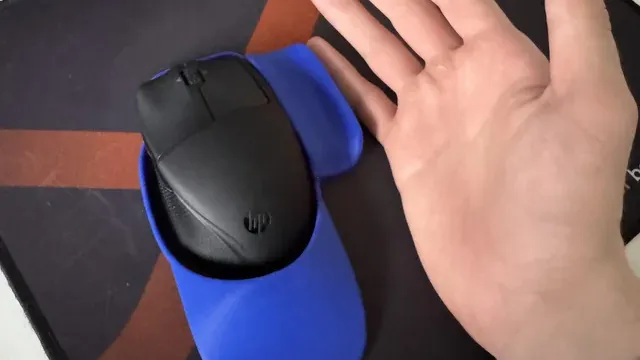
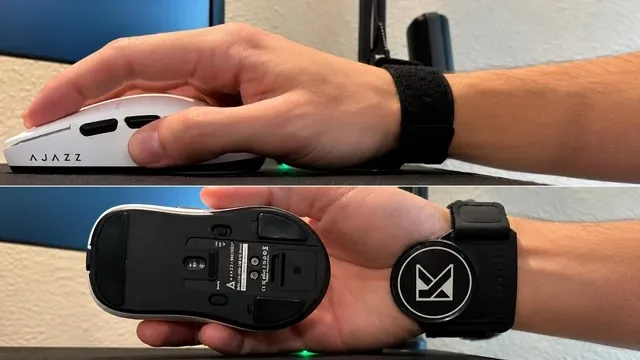
A hand next to a black wireless mouse on a blue mousepad Budget
Under $50 buys the M330 Silent Plus, the M720 and the Signature M650; $50 to $100 buys the Lift Left at our last check.
Match the pick to your priority
Buyers who want a thumb rest sculpted for left hands and can spend more than the Signature M650 costs: the Lift Left. Spending as little as possible, with the M720 the next step up: the M330 Silent Plus.

A hand holding a light-blue mouse on a red mousepad Multi-computer control
Some mice switch between computers with a button, and a few can move the cursor and clipboard across machines.
This helps if you work on a laptop and a desktop at once.
How to Choose a Mouse With Long Battery Life
By priority
| Priority | Consider | Why |
|---|---|---|
| Buyers who want switching between 3 computers at the touch of a button | M720 | Switching between 3 computers at the touch of a button |
| Buyers who want customizable side buttons | Signature M650 | Customizable side buttons |
| Buyers who want a thumb rest sculpted for left hands and can spend more than the Signature M650 costs | Lift Left | The highest-priced pick here at the time of writing, with a thumb rest sculpted for left hands |
| Spending as little as possible, with the M720 the next step up | M330 Silent Plus | Undercutting the M720 on price when we checked |
Scroll sideways to see every column.
Key specs side by side
The M720 leads on battery life at up to 24 months, ahead of the Signature M650 at up to 24 months.
| Mice | Battery life | Grip | Connection |
|---|---|---|---|
| M720 | up to 24 months | Full-size, right-handed | Bluetooth or Unifying receiver, 3 devices |
| Signature M650 | up to 24 months | Right-handed, small to medium hands | Bluetooth or Logi Bolt |
| Lift Left | up to 24 months | Vertical, left-handed, small to medium hands (57°) | Bluetooth LE or Logi Bolt USB receiver |
| M330 Silent Plus | up to 18 months | Full-size, right-handed | 2.4GHz USB receiver |
Scroll sideways to see every column.
By price at the time of writing
At our last check the cheapest pick, the M330 Silent Plus, sat in the under $50 tier, 2 tiers in all up to the Lift Left at $50 to $100; Amazon prices move, so recheck before buying.
| Price tier | Mice |
|---|---|
| Under $50 | M330 Silent Plus, M720, Signature M650 |
| About $50 to $100 | Lift Left |
Frequently Asked Questions
Is the Lift Left worth paying more than the M330 Silent Plus?
On paper it adds battery life (up to 24 months against up to 18 months). The M330 Silent Plus sat in the under $50 tier and the Lift Left in the $50 to $100 tier when we checked, with 2 other picks between them; pay the difference only if battery life decides your purchase.
What makes the Lift Left the Premium Pick?
It earns the label for the highest-priced pick here at the time of writing, with a thumb rest sculpted for left hands. The M330 Silent Plus, the cheapest pick, sat in the under $50 tier against $50 to $100 here, without out-ranking it on any listed spec. It makes sense for anyone who wants a thumb rest sculpted for left hands and can spend more than the Signature M650 costs.
Beyond the specs, what sets the M720 and the Signature M650 apart?
The M720: switching between 3 computers at the touch of a button. The Signature M650: customizable side buttons. The Lift Left: a thumb rest sculpted for left hands.
Who should choose the M330 Silent Plus?
The M330 Silent Plus carries our Lowest Price Here label for undercutting the M720 on price when we checked. It ranks fourth of 4 here and sat in the under $50 tier at our last price check; it suits spending as little as possible, with the M720 the next step up.
Should I pick the M720 or the M330 Silent Plus?
The M720 suits buyers who want switching between 3 computers at the touch of a button; the M330 Silent Plus suits spending as little as possible, with the M720 the next step up.
Bottom Line
Our first pick is the M720, chosen for switching between 3 computers at the touch of a button. Look at the Signature M650 for customizable side buttons, the Lift Left for the highest-priced pick here at the time of writing, with a thumb rest sculpted for left hands and the M330 Silent Plus for undercutting the M720 on price when we checked if those matter more to you.
Battery ratings assume a few hours of use a day; heavy use shortens them.
Related Guides
- Related guideThe Best Mice for Work
- Related guideThe Best Bluetooth Wireless Mice
- Related guideThe Best Vertical Ergonomic Mice
- Lower budgetThe Best Mice Under $150
- Similar guideThe Best Wireless Mice Without Disposable Batteries
- ExplainerHow to Choose a Gaming Mouse
- ExplainerMouse polling rate and DPI: what each number changes
- Also see: mouse pads and desk matsMouse Pad Features Explained: What Is Worth Paying For?
- Similar guideThe Best RGB Gaming Mice
- Topic hubAll mice guides
About the author
PC Hardware Editor
Alex covers PC hardware, monitors, components, upgrades and peripherals for The PC Journal, with a focus on helping readers understand specifications, compatibility and meaningful product trade-offs.
Covers: Monitors, Graphics cards, Processors, PC components, Peripherals, Upgrades and compatibility
View all articles