
Buying Guide
The Best Motherboards for the Intel Core i7-13700K
Six LGA1700 boards for the 16-core i7-13700K compared on power stages, M.2 slots and networking.
By Alex Morgan, PC Hardware Editor
12 min read6 products evaluated
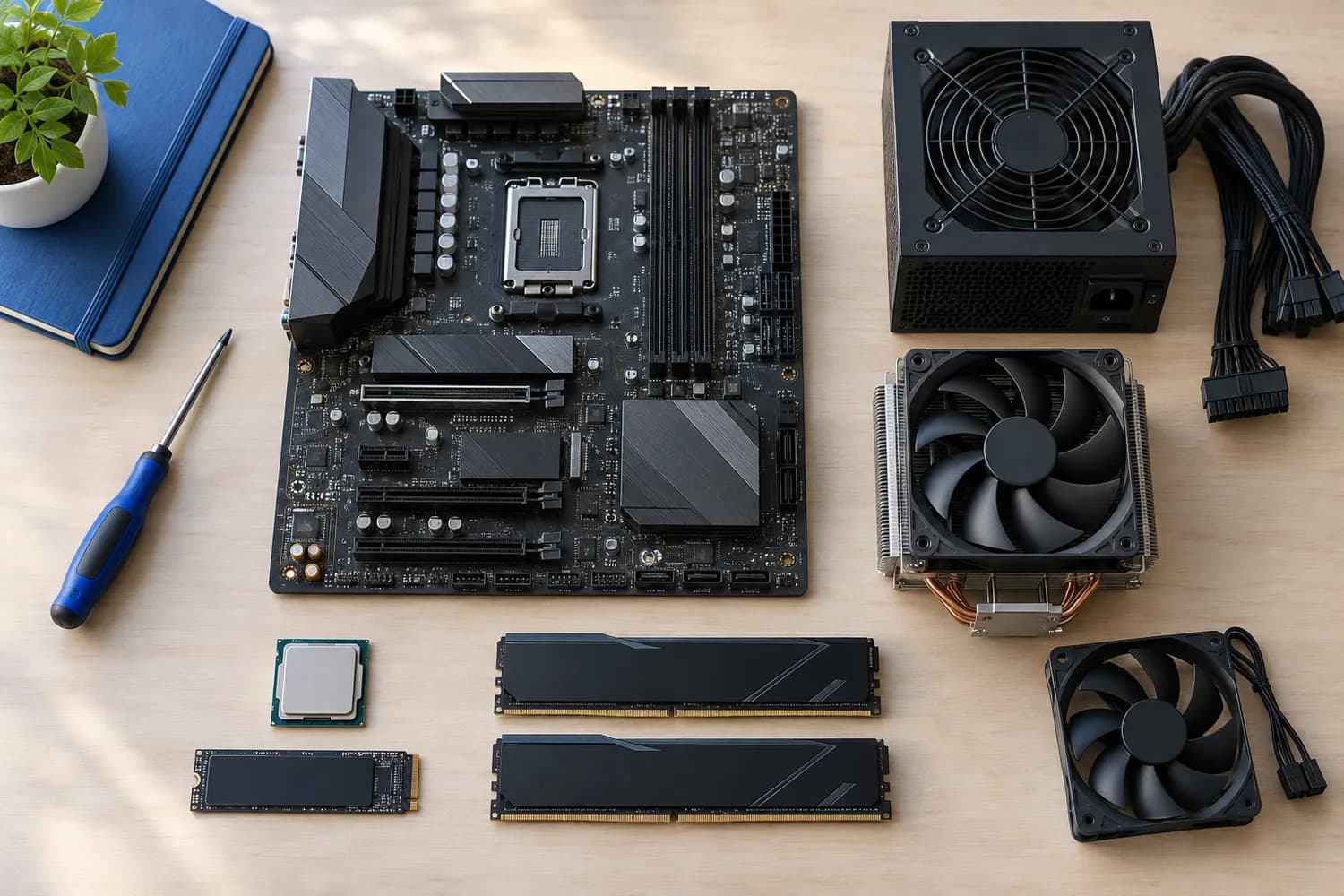
The Core i7-13700K has 16 cores and draws heavily under all-core work. Boards with stronger power stages hold its clocks with less heat.
We compared 6 boards for it. This is a research-based comparison built from maker specifications and retailer listings; we did not test these parts ourselves.
Quick Picks
Which of the 6 picks to look at first. Tap a name for the full analysis.

Best Value
MSI PRO Z790-A WiFi II80A power stages and four Gen4 M.2 slots.
Best for: Most 13700K builds.
Check price for MSI PRO Z790-A WiFi II on Amazon (opens in a new tab)
Well-Rounded Choice
MSI MAG Z790 Tomahawk MAX WiFiThe Z790 Tomahawk MAX offers five M.2 slots, Wi-Fi 7 and a 16+1+1 layout.
Best for: Buyers who want 5 m.2 slots for ssd expansion.
Check price for MSI MAG Z790 Tomahawk MAX WiFi on Amazon (opens in a new tab)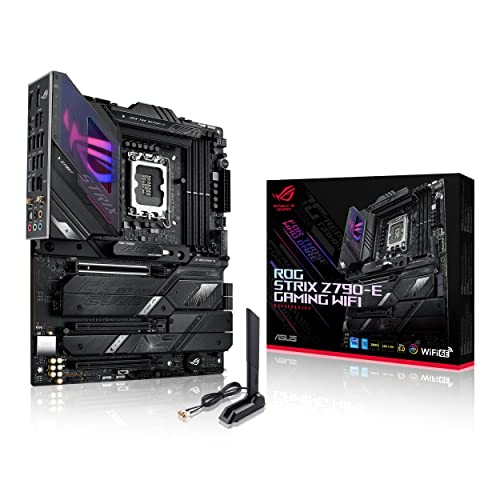
Most Headroom
ASUS ROG Strix Z790-E Gaming WiFiAn 18+1 layout and Thunderbolt 4 support.
Best for: Sustained all-core work.
Check price for ASUS ROG Strix Z790-E Gaming WiFi on Amazon (opens in a new tab)
Best for Wi-Fi 7
ASUS Z790 Gaming WIFI7Wi-Fi 7 with a 14+1 layout.
Best for: Wireless desks.
Check price for ASUS Z790 Gaming WIFI7 on Amazon (opens in a new tab)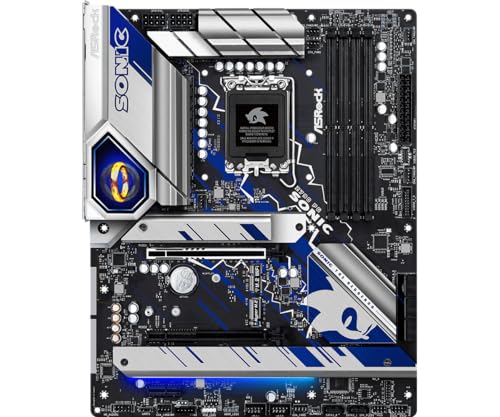
Solid Alternative
ASRock Z790 PG SonicThe Z790 PG Sonic offers a 14+1+1 layout and Killer 2.5Gbps Ethernet under a Sonic-themed design.
Best for: Buyers who want 14+1+1 power stage layout.
Check price for ASRock Z790 PG Sonic on Amazon (opens in a new tab)
Worth Considering
ASUS TUF Gaming B760-PLUS WiFiThe TUF B760-PLUS WiFi offers three M.2 slots and 2.5Gbps LAN on DDR5.
Best for: Buyers who want memory support to ddr5-7200.
Check price for ASUS TUF Gaming B760-PLUS WiFi on Amazon (opens in a new tab)
Our Picks
Best Value1 of 6
MSI PRO Z790-A WiFi II
The PRO Z790-A WiFi II offers four Gen4 M.2 slots and 80A power stages.
Best for
- Most 13700K builds.
Skip if
- Worth skipping when wi-Fi 6E rather than Wi-Fi 7 is a problem.
Why we like it
Wi-Fi 6E is its only step back. It has four Gen4 M.2 slots with Shield Frozr, Wi-Fi 6E with BT 5.3 and a 20Gbps rear USB-C port. On M.2 slot count it sits mid-pack at 4: the Z790 Tomahawk MAX offers 5, and the TUF B760-PLUS comes in at 3.
On wired network speed it ties with the Z790 Tomahawk MAX, the Strix Z790-E, the Z790 PG Sonic and the TUF B760-PLUS at 2.5Gbps. It shares a wi-Fi 6E with the Strix Z790-E; the Z790 Tomahawk MAX goes with a wi-Fi 7. It also comes with memory support to DDR5-7800 (OC).
It uses Intel's LGA1700 socket for 12th, 13th and 14th Gen Core processors; check the CPU support list for the BIOS version your chip needs, since early boards shipped before 14th Gen launched. Its price falls between the Z790 Tomahawk MAX and the TUF B760-PLUS, based on our last check.
Key specs
- M.2 slots
- 4
- Wired LAN
- 2.5Gbps
- Wi-Fi
- Wi-Fi 6E
- Form factor
- ATX
- Socket
- LGA1700
- Memory type
- DDR5
- Chipset
- Z790
Pros
- 4 M.2 slots for SSD expansion
- 80A SPS power stages
- Memory support to DDR5-7800 (OC)
- Wired network speed of 2.5Gbps, ahead of the Z790 Gaming WIFI7
Cons
- Wi-Fi 6E rather than Wi-Fi 7
- Costs more than the Z790 PG Sonic at the time of writing
Well-Rounded Choice2 of 6
MSI MAG Z790 Tomahawk MAX WiFi
The Z790 Tomahawk MAX offers five M.2 slots, Wi-Fi 7 and a 16+1+1 layout.
Best for
- Buyers who want 5 m.2 slots for ssd expansion.
Skip if
- If budget leads, the Z790 PG Sonic was cheaper at our last price check.
Why we like it
It is the most complete Z790 board for its price here. On M.2 slot count it ties with the Strix Z790-E at 5. On wired network speed it ties with the PRO Z790-A II, the Strix Z790-E, the Z790 PG Sonic and the TUF B760-PLUS at 2.5Gbps.
It shares a wi-Fi 7 with the Z790 Gaming WIFI7; the PRO Z790-A II goes with a wi-Fi 6E. You get 16+1+1 power stages here, which sets it apart from the Z790 PG Sonic and its 14+1+1 power stages. You also get Bluetooth 5.4 alongside Wi-Fi 7 and a PCIe 5.0 graphics slot.
It uses Intel's LGA1700 socket for 12th, 13th and 14th Gen Core processors; check the CPU support list for the BIOS version your chip needs, since early boards shipped before 14th Gen launched. On price it sat third of 6, between the cheaper Z790 Gaming WIFI7 and the pricier PRO Z790-A II, at the time of writing.
Key specs
- M.2 slots
- 5
- Wired LAN
- 2.5Gbps
- Wi-Fi
- Wi-Fi 7
- Power stages
- 16+1+1
- Form factor
- ATX
- Socket
- LGA1700
- Memory type
- DDR5
- Chipset
- Z790
Pros
- 5 M.2 slots for SSD expansion
- Wi-Fi 7 built in
- 16+1+1 power stage layout
- Bluetooth 5.4 alongside Wi-Fi 7
Cons
- Costs more than the Z790 PG Sonic at the time of writing
Most Headroom3 of 6
ASUS ROG Strix Z790-E Gaming WiFi
The Strix Z790-E offers an 18+1 layout, five M.2 slots and Thunderbolt 4 support.
Best for
- Sustained all-core work.
Skip if
- Skip it if this is a deal-breaker for you: wi-Fi 6E rather than Wi-Fi 7.
Why we like it
It is the premium LGA1700 board here. It matches the Z790 Tomahawk MAX on M.2 slot count (5). It matches the PRO Z790-A II, the Z790 Tomahawk MAX, the Z790 PG Sonic and the TUF B760-PLUS on wired network speed (2.5Gbps).
Like the PRO Z790-A II, it has a wi-Fi 6E, while the TUF B760-PLUS uses a wi-Fi 6. It is the only pick here with 18+1 power stages; the Z790 Tomahawk MAX has 16+1+1 power stages instead. It also comes with a PCIe 5.0 M.2 slot and a front-panel USB 3.2 port.
It uses Intel's LGA1700 socket for 12th, 13th and 14th Gen Core processors; check the CPU support list for the BIOS version your chip needs, since early boards shipped before 14th Gen launched. At our last price check it topped the group, with the TUF B760-PLUS the nearest cheaper option.
Key specs
- M.2 slots
- 5
- Wired LAN
- 2.5Gbps
- Wi-Fi
- Wi-Fi 6E
- Power stages
- 18+1
- Form factor
- ATX
- Socket
- LGA1700
- Memory type
- DDR5
- Chipset
- Z790
Pros
- 5 M.2 slots for SSD expansion
- 18+1 power stage layout
- PCIe 5.0 M.2 slot
- Thunderbolt 4 support
Cons
- Wi-Fi 6E rather than Wi-Fi 7
- Costs more than the Z790 PG Sonic at the time of writing
Best for Wi-Fi 74 of 6
ASUS Z790 Gaming WIFI7
The Z790 Gaming WIFI7 offers a 14+1 layout and Wi-Fi 7, but only 1Gbps Ethernet.
Best for
- Wireless desks.
Skip if
- Skip it if wired network speed matters most to you; the PRO Z790-A II offers 2.5Gbps.
Why we like it
It suits wireless desks. On M.2 slot count it ties with the TUF B760-PLUS at 3. On wired network speed it trails the group at 1Gbps, while the PRO Z790-A II offers 2.5Gbps.
It shares a wi-Fi 7 with the Z790 Tomahawk MAX; the Strix Z790-E goes with a wi-Fi 6E. You get 14+1 power stages here, which sets it apart from the Strix Z790-E and its 18+1 power stages. You also get a rear USB 3.2 Gen 2x2 Type-C port and a front USB-C header.
It uses Intel's LGA1700 socket for 12th, 13th and 14th Gen Core processors; check the CPU support list for the BIOS version your chip needs, since early boards shipped before 14th Gen launched. On price it sat second of 6, between the cheaper Z790 PG Sonic and the pricier Z790 Tomahawk MAX, at the time of writing.
Key specs
- M.2 slots
- 3
- Wired LAN
- 1Gbps
- Wi-Fi
- Wi-Fi 7
- Power stages
- 14+1
- Form factor
- ATX
- Socket
- LGA1700
- Memory type
- DDR5
- Chipset
- Z790
Pros
- Wi-Fi 7 built in
- 14+1 power stage layout
- Rear USB 3.2 Gen 2x2 Type-C port
- Front USB-C header
Cons
- Wired network speed trails the PRO Z790-A II (2.5Gbps)
- Costs more than the Z790 PG Sonic at the time of writing
The catch
The trade-off is wired network speed; for more, the PRO Z790-A II offers 2.5Gbps.
Solid Alternative5 of 6
ASRock Z790 PG Sonic
The Z790 PG Sonic offers a 14+1+1 layout and Killer 2.5Gbps Ethernet under a Sonic-themed design.
Best for
- Buyers who want 14+1+1 power stage layout.
Skip if
- Its M.2 slot count is not published, which rules it out if you need that number.
Why we like it
The maker doesn't state Wi-Fi. On wired network speed it ties with the PRO Z790-A II, the Z790 Tomahawk MAX, the Strix Z790-E and the TUF B760-PLUS at 2.5Gbps. You get 14+1+1 power stages here, which sets it apart from the Z790 Gaming WIFI7 and its 14+1 power stages.
It uses Intel's LGA1700 socket for 12th, 13th and 14th Gen Core processors; check the CPU support list for the BIOS version your chip needs, since early boards shipped before 14th Gen launched. Before buying, weigh one limit: no published M.2 slot count. It undercut the Z790 Gaming WIFI7 and every other pick on price at the time of writing.
Key specs
- Wired LAN
- 2.5Gbps
- Power stages
- 14+1+1
- Socket
- LGA1700
- Memory type
- DDR5
- Chipset
- Z790
Pros
- 14+1+1 power stage layout
- Killer 2.5G Ethernet
- Sonic-themed design
- Wired network speed of 2.5Gbps, ahead of the Z790 Gaming WIFI7
Cons
- No published M.2 slot count
The catch
The maker doesn't give its M.2 slot count; if that figure matters, the Z790 Tomahawk MAX offers 5.
Worth Considering6 of 6
ASUS TUF Gaming B760-PLUS WiFi
The TUF B760-PLUS WiFi offers three M.2 slots and 2.5Gbps LAN on DDR5.
Best for
- Buyers who want memory support to ddr5-7200.
Skip if
- Skip it if M.2 slot count matters most to you; the Z790 Tomahawk MAX offers 5.
Why we like it
Its price is higher than the Gigabyte board with a power layout. On M.2 slot count it ties with the Z790 Gaming WIFI7 at 3. On wired network speed it ties with the PRO Z790-A II, the Z790 Tomahawk MAX, the Strix Z790-E and the Z790 PG Sonic at 2.5Gbps.
You get a wi-Fi 6 here, which sets it apart from the Z790 Gaming WIFI7 and its a wi-Fi 7. It is the only pick here with a B760 chipset; the Strix Z790-E has a Z790 chipset instead. It also comes with memory support to DDR5-7200 and TUF Protection component design.
It uses Intel's LGA1700 socket for 12th, 13th and 14th Gen Core processors; check the CPU support list for the BIOS version your chip needs, since early boards shipped before 14th Gen launched. Its price falls between the PRO Z790-A II and the Strix Z790-E, based on our last check.
Key specs
- M.2 slots
- 3
- Wired LAN
- 2.5Gbps
- Wi-Fi
- Wi-Fi 6
- Form factor
- ATX
- Socket
- LGA1700
- Memory type
- DDR5
- Chipset
- B760
Pros
- Memory support to DDR5-7200
- TUF Protection component design
- Three M.2 slots
- Wired network speed of 2.5Gbps, ahead of the Z790 Gaming WIFI7
Cons
- M.2 slot count trails the Z790 Tomahawk MAX (5)
- Costs more than the Z790 PG Sonic at the time of writing
The catch
If M.2 slot count is your priority, the Z790 Tomahawk MAX (5) is the stronger choice.
How We Chose These Core i7-13700K Motherboards
Alex Morgan compared the manufacturer specifications, connectivity, warranty terms and compatibility of every pick. Figures come from the makers unless a third-party source is named; we did not test these products ourselves.
- What we compared
- We compared six boards on M.2 slot count, wired network speed, wi-Fi and power stages from manufacturer specifications. Nothing was tested in-house; 4 of the 8 fields compared are stated for every pick, while M.2 slot count and wi-Fi have gaps.
- What every pick has in common
- All 6, from the PRO Z790-A II to the TUF B760-PLUS, state wired network speed, socket and memory type and share LGA1700 socket and DDR5 memory type.
- Where the specs have gaps
- The Z790 PG Sonic gives no M.2 slot count; the Z790 PG Sonic gives no wi-Fi.
- Price range
- At our last check the picks ran from the Z790 PG Sonic ($150 to $250) to the Strix Z790-E ($250 to $500).
What to Look for in a Core i7-13700K Motherboard
Key buying criteria so you get the right fit the first time.
Wired network speed
The PRO Z790-A II tops wired network speed at 2.5Gbps and the Z790 Gaming WIFI7 sits lowest at 1Gbps; 5 picks share the top figure. The Z790 Tomahawk MAX comes second at 2.5Gbps, in the same price tier as the PRO Z790-A II.
M.2 slot count across these picks
Here M.2 slot count runs from 3 on the TUF B760-PLUS to 5 on the Z790 Tomahawk MAX, a 67% spread. Start with the Z790 Tomahawk MAX if M.2 slot count decides it. The Z790 PG Sonic gives no M.2 slot count figure, so 5 of 6 picks are compared here.
Power stages
The Z790 Tomahawk MAX lists 16+1+1; the Strix Z790-E lists 18+1; the Z790 Gaming WIFI7 lists 14+1; the Z790 PG Sonic lists 14+1+1.
Extras that separate them
The Z790 Gaming WIFI7: a front USB-C header. The Z790 PG Sonic: a Sonic-themed design. The TUF B760-PLUS: TUF Protection component design.
Where your budget lands
$150 to $250 buys the Z790 PG Sonic, the Z790 Gaming WIFI7, the Z790 Tomahawk MAX, the PRO Z790-A II and the TUF B760-PLUS; $250 to $500 buys the Strix Z790-E at our last check.
How to Choose a Core i7-13700K Motherboard
By priority
| Priority | Consider | Why |
|---|---|---|
| Most 13700K builds | PRO Z790-A II | 80A power stages and four Gen4 M.2 slots |
| Sustained all-core work | Strix Z790-E | An 18+1 layout and Thunderbolt 4 support |
| Wireless desks | Z790 Gaming WIFI7 | Wi-Fi 7 with a 14+1 layout |
Scroll sideways to see every column.
Key specs side by side
The PRO Z790-A II leads on wired network speed at 2.5Gbps, ahead of the Z790 Tomahawk MAX at 2.5Gbps. "Not listed" marks M.2 slot count where the Z790 PG Sonic leaves the figure out.
| Board | M.2 slots | Wired LAN | Wi-Fi | Power stages |
|---|---|---|---|---|
| PRO Z790-A II | 4 | 2.5Gbps | Wi-Fi 6E | Not listed |
| Z790 Tomahawk MAX | 5 | 2.5Gbps | Wi-Fi 7 | 16+1+1 |
| Strix Z790-E | 5 | 2.5Gbps | Wi-Fi 6E | 18+1 |
| Z790 Gaming WIFI7 | 3 | 1Gbps | Wi-Fi 7 | 14+1 |
| Z790 PG Sonic | Not listed | 2.5Gbps | Not listed | 14+1+1 |
| TUF B760-PLUS | 3 | 2.5Gbps | Wi-Fi 6 | Not listed |
Scroll sideways to see every column.
By price at the time of writing
The Z790 PG Sonic was the lowest-priced pick ($150 to $250) and the Strix Z790-E the highest ($250 to $500) when we checked; tiers move with Amazon pricing.
| Price tier | Boards |
|---|---|
| About $150 to $250 | Z790 PG Sonic, Z790 Gaming WIFI7, Z790 Tomahawk MAX, PRO Z790-A II, TUF B760-PLUS |
| About $250 to $500 | Strix Z790-E |
Frequently Asked Questions
Why is the Strix Z790-E our Most Headroom pick?
It carries the badge for an 18+1 layout and Thunderbolt 4 support. The Z790 PG Sonic, the cheapest pick, sat in the $150 to $250 tier against $250 to $500 here, without out-ranking it on any listed spec. It suits sustained all-core work.
Do the PRO Z790-A II and the Z790 Tomahawk MAX differ on wi-Fi?
The PRO Z790-A II and the Strix Z790-E use Wi-Fi 6E; the Z790 Tomahawk MAX and the Z790 Gaming WIFI7 use Wi-Fi 7; the TUF B760-PLUS uses Wi-Fi 6. The Z790 PG Sonic has no wi-Fi listed, so 5 of 6 picks are covered here.
What extras do the PRO Z790-A II and the Z790 Tomahawk MAX include?
The PRO Z790-A II: 80A SPS power stages. The Z790 Tomahawk MAX: Bluetooth 5.4 alongside Wi-Fi 7. The Strix Z790-E: a PCIe 5.0 M.2 slot.
Who should choose the PRO Z790-A II?
The PRO Z790-A II carries our Best Value label for 80A power stages and four Gen4 M.2 slots. It ranks first of 6 here and sat in the $150 to $250 tier at our last price check; it suits most 13700K builds.
Should I pick the PRO Z790-A II or the Z790 Gaming WIFI7?
The PRO Z790-A II suits most 13700K builds; the Z790 Gaming WIFI7 suits wireless desks.
Bottom Line
The PRO Z790-A WiFi II and Z790 Tomahawk MAX suit most builds. The Strix Z790-E adds headroom, and the TUF B760-PLUS runs the chip at stock for less.
Related Guides
- Related guideThe Best Motherboards for Gaming PCs
- Related guideThe Best Z790 Motherboards
- Related guideThe Best DDR5 RAM for Gaming
- Lower budgetThe Best Budget Intel Motherboards
- Similar guideThe Best Motherboards for the Intel Core i7-14700K
- ExplainerATX vs Micro-ATX vs Mini-ITX
- ExplainerMotherboard Chipsets Explained
- Check compatibility: processorsCPU Specs Explained: Cores, Threads, Clock Speed, Cache, and TDP
- Similar guideThe Best Motherboards for the Intel Core i5-13400F
- Topic hubAll motherboards guides
About the author
PC Hardware Editor
Alex covers PC hardware, monitors, components, upgrades and peripherals for The PC Journal, with a focus on helping readers understand specifications, compatibility and meaningful product trade-offs.
Covers: Monitors, Graphics cards, Processors, PC components, Peripherals, Upgrades and compatibility
View all articles