
Buying Guide
The Best 32GB Gaming RAM Kits
From the Viper Elite 5 to the Trident Z5 Royal Neo: five memory kits ranked on CAS latency and rated speed, with who should skip each one.
By Alex Morgan, PC Hardware Editor
12 min read5 products evaluated
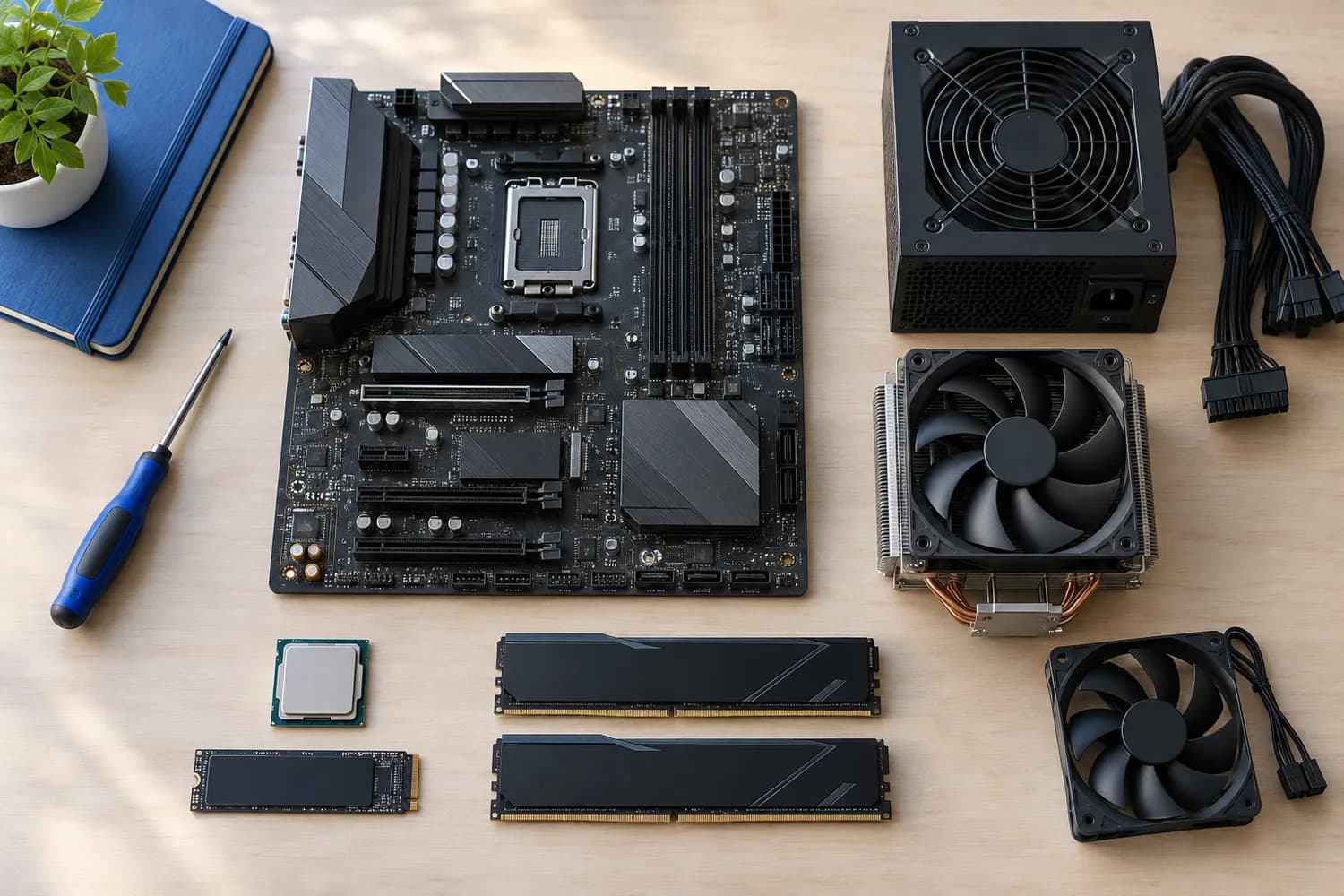
32GB of DDR5-6000 is the gaming sweet spot. Every pick is a 32GB kit at 6,000MT/s or more, ordered by CAS latency.
This is a research roundup, not a lab test: CAS latency, rated speed and capacity come from each maker's published specs; nothing here was tested in-house, and a missing voltage is flagged, not filled in.
Quick Picks
Which of the 5 picks to look at first. Tap a name for the full analysis.

Tightest CAS Latency
G.SKILL Trident Z5 Royal Neo 32GB (2x16GB) DDR5-6000 CL26The tightest CAS latency here (CL26).
Best for: Buyers who put CAS latency first.
Check price for G.SKILL Trident Z5 Royal Neo 32GB (2x16GB) DDR5-6000 CL26 on Amazon (opens in a new tab)
Also Consider
G.SKILL Trident Z5 Neo RGB 32GB (2x16GB) DDR5-6000 CL28Timings of 28-36-36-96.
Best for: Buyers who want timings of 28-36-36-96.
Check price for G.SKILL Trident Z5 Neo RGB 32GB (2x16GB) DDR5-6000 CL28 on Amazon (opens in a new tab)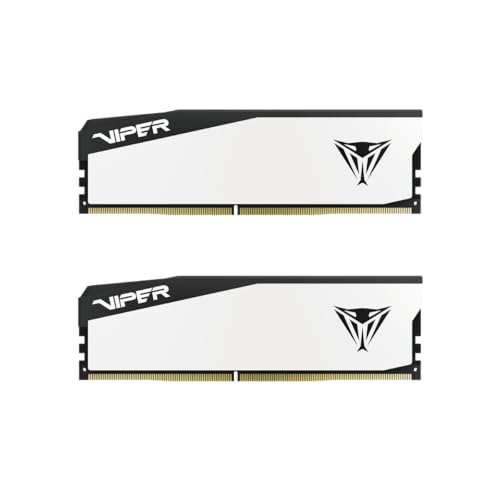
Lowest Price Here
Patriot Viper Elite 5 32GB (2x16GB) DDR5-6000 CL30The cheapest way into this group, below the Viper Venom 32GB.
Best for: Keeping the cost under $500.
Check price for Patriot Viper Elite 5 32GB (2x16GB) DDR5-6000 CL30 on Amazon (opens in a new tab)
Strong Alternative
Patriot Viper Venom 32GB (2x16GB) DDR5-6000 CL30A plain heatspreader with no lighting.
Best for: Buyers who want plain heatspreader with no lighting.
Check price for Patriot Viper Venom 32GB (2x16GB) DDR5-6000 CL30 on Amazon (opens in a new tab)
Worth a Look
KLEVV Urbane V RGB 32GB (2x16GB) DDR5-6000 CL30SK Hynix A-die memory.
Best for: Buyers who want SK Hynix A-die memory.
Check price for KLEVV Urbane V RGB 32GB (2x16GB) DDR5-6000 CL30 on Amazon (opens in a new tab)
Our Picks
Tightest CAS Latency1 of 5
G.SKILL Trident Z5 Royal Neo 32GB (2x16GB) DDR5-6000 CL26
The Trident Z5 Royal Neo runs CL26 at 6000MT/s, the tightest timings here, at 1.45V.
Best for
- Buyers who put CAS latency first.
Skip if
- If budget leads, the Viper Elite 5 was cheaper at our last price check.
Why we like it
The gain over CL30 is small on an X3D chip, so it is for enthusiasts. On CAS latency it leads this guide at CL26, ahead of the Trident Z5 Neo CL28 (CL28). Like the Trident Z5 Neo CL28, it has EXPO profiles, while the Urbane V RGB uses EXPO and XMP profiles.
It also offers a Royal-series decorative lightbar. Enable the memory profile in the BIOS after installing it; without it, the kit runs at a slower default speed. It is a DDR5 kit for AM5, LGA1851 and DDR5 versions of LGA1700 boards; it does not fit DDR4 slots.
Its 1.45V rating is higher than most kits, so check that your board lists this kit or its speed on the memory support list. It was the highest-priced of the 5 picks at the time of writing, so the case for it rests on what it adds over the Trident Z5 Neo CL28 and the rest.
Key specs
- CAS latency
- CL26
- Rated speed
- 6000MT/s
- Capacity
- 32GB (2 sticks)
- Voltage
- 1.45V
- Profiles
- EXPO
- RGB
- Yes
- Memory type
- DDR5
Pros
- Tight CL26 timings
- 6000MT/s, the usual sweet spot for AM5
- AMD EXPO profile for one-click setup on AM5
- Timings of 26-36-36-96
Cons
- Costs more than the Viper Elite 5 at the time of writing
Also Consider2 of 5
G.SKILL Trident Z5 Neo RGB 32GB (2x16GB) DDR5-6000 CL28
The Trident Z5 Neo RGB CL28 kit keeps the 9800X3D's preferred 6000MT/s speed with tighter timings than CL30 kits, and an EXPO profile sets it up in one click.
Best for
- Buyers who want timings of 28-36-36-96.
Skip if
- Skip it if price comes first: the Viper Elite 5 cost less when we checked.
Why we like it
On CAS latency it sits mid-pack at CL28: the Trident Z5 Royal Neo offers CL26, and the Urbane V RGB comes in at CL30. Like the Trident Z5 Royal Neo, it has EXPO profiles, while the Urbane V RGB uses EXPO and XMP profiles. Enable the memory profile in the BIOS after installing it; without it, the kit runs at a slower default speed.
It is a DDR5 kit for AM5, LGA1851 and DDR5 versions of LGA1700 boards; it does not fit DDR4 slots. RGB heatspreaders are taller than plain ones, so check the clearance under a large tower cooler. Its price falls between the Urbane V RGB and the Trident Z5 Royal Neo, based on our last check.
Key specs
- CAS latency
- CL28
- Rated speed
- 6000MT/s
- Capacity
- 32GB (2 sticks)
- Voltage
- 1.4V
- Profiles
- EXPO
- RGB
- Yes
- Memory type
- DDR5
Pros
- Tight CL28 timings
- 6000MT/s, the usual sweet spot for AM5
- AMD EXPO profile for one-click setup on AM5
- Timings of 28-36-36-96
Cons
- Costs more than the Viper Elite 5 at the time of writing
Lowest Price Here3 of 5
Patriot Viper Elite 5 32GB (2x16GB) DDR5-6000 CL30
The Viper Elite 5 offers 6000MT/s at CL30 with a plain heatspreader and one of the lowest CL30 prices here.
Best for
- Keeping the cost under $500.
Skip if
- Worth skipping when cAS latency of CL30, behind the Trident Z5 Royal Neo (CL26) is a problem.
Why we like it
It supports XMP 3.0 and EXPO and has been tested across current DDR5 platforms. On CAS latency it ties with the Viper Venom 32GB and the Urbane V RGB at CL30. Enable the memory profile in the BIOS after installing it; without it, the kit runs at a slower default speed.
It is a DDR5 kit for AM5, LGA1851 and DDR5 versions of LGA1700 boards; it does not fit DDR4 slots. It was the cheapest of the group when we checked; the Viper Venom 32GB was the next step up. The main gap: CAS latency of CL30, behind the Trident Z5 Royal Neo (CL26). If that matters, the Trident Z5 Royal Neo offers CL26.
Key specs
- CAS latency
- CL30
- Rated speed
- 6000MT/s
- Capacity
- 32GB (2 sticks)
- Memory type
- DDR5
Pros
- Tight CL30 timings
- 6000MT/s, the usual sweet spot for AM5
- Non-RGB version of the Viper Elite 5
- One of the lowest CL30 prices here
Cons
- CAS latency of CL30, behind the Trident Z5 Royal Neo (CL26)
Strong Alternative4 of 5
Patriot Viper Venom 32GB (2x16GB) DDR5-6000 CL30
What the Viper Venom 32GB brings to the table is a plain heatspreader with no lighting, plus a lower price than most CL30 kits here.
Best for
- Buyers who want plain heatspreader with no lighting.
Skip if
- If budget leads, the Viper Elite 5 was cheaper at our last price check.
Why we like it
It also offers a CL30 CAS latency and offers a 6000MT/s rated speed. The kit is tested at 30-40-40-76 timings at 6000MHz. It supports both XMP 3.0 and EXPO profiles, so it suits Intel and AMD boards.
On CAS latency it ties with the Viper Elite 5 and the Urbane V RGB at CL30. Enable the memory profile in the BIOS after installing it; without it, the kit runs at a slower default speed. It is a DDR5 kit for AM5, LGA1851 and DDR5 versions of LGA1700 boards; it does not fit DDR4 slots. On price it sat second of 5, between the cheaper Viper Elite 5 and the pricier Urbane V RGB, at the time of writing.
Key specs
- CAS latency
- CL30
- Rated speed
- 6000MT/s
- Capacity
- 32GB (2 sticks)
- Memory type
- DDR5
Pros
- Tight CL30 timings
- 6000MT/s, the usual sweet spot for AM5
- Plain heatspreader with no lighting
- Lower price than most CL30 kits here
Cons
- Costs more than the Viper Elite 5 at the time of writing
Worth a Look5 of 5
KLEVV Urbane V RGB 32GB (2x16GB) DDR5-6000 CL30
What the Urbane V RGB brings to the table is SK Hynix A-die memory.
Best for
- Buyers who want SK Hynix A-die memory.
Skip if
- Skip it if CAS latency matters most to you; the Trident Z5 Royal Neo offers CL26.
Why we like it
It also offers a CL30 CAS latency and offers a 6000MT/s rated speed. On CAS latency it ties with the Viper Elite 5 and the Viper Venom 32GB at CL30. It is the only pick here with EXPO and XMP profiles; the Trident Z5 Royal Neo has EXPO profiles instead.
Enable the memory profile in the BIOS after installing it; without it, the kit runs at a slower default speed. It is a DDR5 kit for AM5, LGA1851 and DDR5 versions of LGA1700 boards; it does not fit DDR4 slots. RGB heatspreaders are taller than plain ones, so check the clearance under a large tower cooler. Its price falls between the Viper Venom 32GB and the Trident Z5 Neo CL28, based on our last check.
Key specs
- CAS latency
- CL30
- Rated speed
- 6000MT/s
- Capacity
- 32GB (2 sticks)
- Voltage
- 1.35V
- Profiles
- EXPO and XMP
- RGB
- Yes
- Memory type
- DDR5
Pros
- Tight CL30 timings
- 6000MT/s, the usual sweet spot for AM5
- Both AMD EXPO and Intel XMP profiles
- SK Hynix A-die memory
Cons
- CAS latency trails the Trident Z5 Royal Neo (CL26)
- Costs more than the Viper Elite 5 at the time of writing
The catch
If CAS latency is your priority, the Trident Z5 Royal Neo (CL26) is the stronger choice.
How We Chose These 32GB Gaming RAM Kits
Alex Morgan compared the manufacturer specifications, connectivity, warranty terms and compatibility of every pick. Figures come from the makers unless a third-party source is named; we did not test these products ourselves.
- How these picks were ranked
- We compared five kits on CAS latency, rated speed, capacity and voltage as the makers state them. Nothing was tested in-house; 4 of the 7 fields compared are stated for every pick, while voltage and profiles have gaps.
- The shared baseline
- All 5, from the Trident Z5 Royal Neo to the Urbane V RGB, state CAS latency, rated speed and capacity and share DDR5 memory type.
- Where the specs have gaps
- The Viper Elite 5 and the Viper Venom 32GB give no voltage; the Viper Elite 5 and the Viper Venom 32GB give no profiles.
- Price range
- At our last check the picks ran from the Viper Elite 5 ($250 to $500) to the Trident Z5 Royal Neo ($500 to $1000).
What to Look for in a 32GB Gaming RAM Kit
Key buying criteria so you get the right fit the first time.
How much CAS latency you need
Here CAS latency runs from CL30 on the Urbane V RGB to CL26 on the Trident Z5 Royal Neo, a 13% spread. For less, the Trident Z5 Neo CL28 is the runner-up at CL28.
Profiles
The Trident Z5 Royal Neo and the Trident Z5 Neo CL28 list EXPO; the Urbane V RGB lists EXPO and XMP. Settling profiles first narrows 3 picks to 2 or 1.
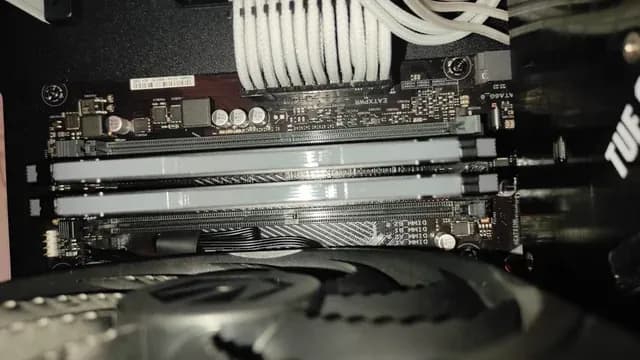
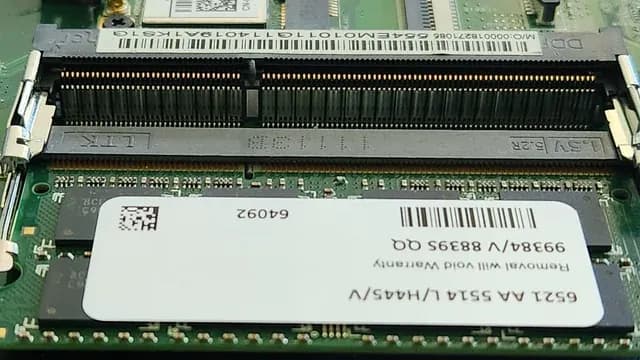
Memory modules installed in a motherboard's DIMM slots RGB
The Trident Z5 Royal Neo, the Trident Z5 Neo CL28 and the Urbane V RGB have it. Sort out RGB before price: it splits 3 stated picks into groups of 3.
Features beyond the spec table
The Viper Elite 5: one of the lowest CL30 prices here. The Viper Venom 32GB: a lower price than most CL30 kits here. The Urbane V RGB: SK Hynix A-die memory.
Budget
$250 to $500 buys the Viper Elite 5, the Viper Venom 32GB and the Urbane V RGB; $500 to $1000 buys the Trident Z5 Neo CL28 and the Trident Z5 Royal Neo at our last check.
How to Choose a 32GB Gaming RAM Kit
By priority
| Priority | Consider | Why |
|---|---|---|
| Buyers who put CAS latency first | Trident Z5 Royal Neo | The tightest CAS latency here (CL26) |
| Buyers who want timings of 28-36-36-96 | Trident Z5 Neo CL28 | Timings of 28-36-36-96 |
| Keeping the cost under $500 | Viper Elite 5 | The cheapest way into this group, below the Viper Venom 32GB |
| Buyers who want plain heatspreader with no lighting | Viper Venom 32GB | A plain heatspreader with no lighting |
| Buyers who want SK Hynix A-die memory | Urbane V RGB | SK Hynix A-die memory |
Scroll sideways to see every column.
Key specs side by side
The Trident Z5 Royal Neo leads on CAS latency at CL26, ahead of the Trident Z5 Neo CL28 at CL28. "Not listed" marks voltage where the Viper Elite 5 and the Viper Venom 32GB leave the figure out.
| Kit | CAS latency | Rated speed | Capacity | Voltage |
|---|---|---|---|---|
| Trident Z5 Royal Neo | CL26 | 6000MT/s | 32GB (2 sticks) | 1.45V |
| Trident Z5 Neo CL28 | CL28 | 6000MT/s | 32GB (2 sticks) | 1.4V |
| Viper Elite 5 | CL30 | 6000MT/s | 32GB (2 sticks) | Not listed |
| Viper Venom 32GB | CL30 | 6000MT/s | 32GB (2 sticks) | Not listed |
| Urbane V RGB | CL30 | 6000MT/s | 32GB (2 sticks) | 1.35V |
Scroll sideways to see every column.
By price at the time of writing
At our last check the cheapest pick, the Viper Elite 5, sat in the $250 to $500 tier, 2 tiers in all up to the Trident Z5 Royal Neo at $500 to $1000; Amazon prices move, so recheck before buying.
| Price tier | Kits |
|---|---|
| About $250 to $500 | Viper Elite 5, Viper Venom 32GB, Urbane V RGB |
| About $500 to $1000 | Trident Z5 Neo CL28, Trident Z5 Royal Neo |
Frequently Asked Questions
Which has the tightest CAS latency: the Trident Z5 Royal Neo or the Trident Z5 Neo CL28?
The Trident Z5 Royal Neo is lowest on CAS latency at CL26; the Trident Z5 Neo CL28 follows at CL28, 7% apart. The spread runs down to the Urbane V RGB at CL30.
Is the Trident Z5 Royal Neo worth paying more than the Viper Elite 5?
The spec sheets show CAS latency (CL26 against CL30) in its favour. The Viper Elite 5 sat in the $250 to $500 tier and the Trident Z5 Royal Neo in the $500 to $1000 tier when we checked, with 3 other picks between them; pay the difference only if CAS latency decides your purchase.
What makes the Trident Z5 Royal Neo the Tightest CAS Latency?
The label rests on the tightest CAS latency here (CL26). The Trident Z5 Neo CL28 is next on CAS latency at CL28, so this pick's CL26 is 7% further out. The Viper Elite 5, the cheapest pick, sat in the $250 to $500 tier against $500 to $1000 here, without out-ranking it on any listed spec. It is aimed at anyone who puts CAS latency first.
Do the Trident Z5 Royal Neo and the Trident Z5 Neo CL28 differ on voltage?
The Trident Z5 Royal Neo uses 1.45V; the Trident Z5 Neo CL28 uses 1.4V; the Urbane V RGB uses 1.35V. The makers of the Viper Elite 5 and the Viper Venom 32GB don't state voltage, so 3 of 5 picks are covered here.
Beyond the specs, what sets the Trident Z5 Royal Neo and the Trident Z5 Neo CL28 apart?
The Trident Z5 Royal Neo: timings of 26-36-36-96. The Trident Z5 Neo CL28: timings of 28-36-36-96. The Viper Elite 5: a non-RGB version of the Viper Elite 5.
Bottom Line
Our first pick is the Trident Z5 Royal Neo, chosen for the tightest CAS latency here (CL26). Look at the Trident Z5 Neo CL28 for timings of 28-36-36-96, the Viper Elite 5 for the cheapest way into this group, below the Viper Venom 32GB and the Viper Venom 32GB for a plain heatspreader with no lighting if those matter more to you.
Check heat spreader height against your cooler.
Related Guides
- Related guideThe Best DDR5 RAM for Gaming
- Related guideThe Best DDR5 RAM Kits
- Related guideThe Best DDR4 RAM Kits
- Lower budgetThe Best Budget RAM for Gaming PCs
- Similar guideThe Best 32GB Gaming RAM at 6000MT/s and Up
- ExplainerHow Much RAM Do You Need?
- ExplainerRAM Speed and Timings Explained
- Check compatibility: motherboardsHow to Choose a Motherboard for Your PC Build
- Similar guideThe Best 32GB DDR5 Gaming Kits by Latency
- Topic hubAll memory (ram) guides
About the author
PC Hardware Editor
Alex covers PC hardware, monitors, components, upgrades and peripherals for The PC Journal, with a focus on helping readers understand specifications, compatibility and meaningful product trade-offs.
Covers: Monitors, Graphics cards, Processors, PC components, Peripherals, Upgrades and compatibility
View all articles