
Buying Guide
The Best Gaming Desks for PC Setups
Six gaming desks compared on size, stability, height adjustment and practical extras, from compact 48-inch desks to L-shaped and standing models.
By Alex Morgan, PC Hardware Editor
12 min read6 products evaluated

A gaming desk has to hold monitors at the right distance, keep a PC and cables organised and stay steady while you play. Size and stability matter more than LED strips.
We compared six desks on width, layout, listed load rating, height adjustment and extras such as power outlets, using each maker's specifications. We did not assemble or test them ourselves.
Measure your room, monitors and PC first. A desk that fits the space well beats a larger one squeezed into a corner.
Quick Picks
Which of the 6 picks to look at first. Tap a name for the full analysis.

Best Standing Gaming Desk
Veken 55-Inch Electric Standing DeskAn electric frame with memory presets and a motor under 52dB.
Best for: Long sessions where you want to switch between sitting and standing.
Check price for Veken 55-Inch Electric Standing Desk on Amazon (opens in a new tab)
Most Stable L-Shaped Desk
Huuger 63-Inch L-Shaped DeskA 0.95-inch desktop and a 220 lb load rating.
Best for: Heavy setups with several monitors and a full tower.
Check price for Huuger 63-Inch L-Shaped Desk on Amazon (opens in a new tab)
Most Desk Space
SEDETA 67-Inch L-Shaped Gaming Desk with PegboardThe widest width here (67 in).
Best for: Multi-monitor setups and large keyboards.
Check price for SEDETA 67-Inch L-Shaped Gaming Desk with Pegboard on Amazon (opens in a new tab)
Best for Showcase PC Cases
AODK 59-Inch Gaming Desk with PC Showcase StandA raised stand for fish-tank cases.
Best for: Builders who want the PC on display.
Check price for AODK 59-Inch Gaming Desk with PC Showcase Stand on Amazon (opens in a new tab)
Best Budget Standing Desk
ErGear 48 x 24-Inch Electric Standing DeskElectric height adjustment with presets at about $100.
Best for: A first standing desk on a budget.
Check price for ErGear 48 x 24-Inch Electric Standing Desk on Amazon (opens in a new tab)
Best Compact Gaming Desk
Korfile 48-Inch Gaming DeskA 48-inch footprint with a power outlet and LED lighting.
Best for: Small rooms and single-monitor setups.
Check price for Korfile 48-Inch Gaming Desk on Amazon (opens in a new tab)
Our Picks
Best Standing Gaming Desk1 of 6
Veken 55-Inch Electric Standing Desk
The Veken 55-inch desk brings electric height adjustment to a gaming-sized surface, with memory presets and a motor Veken rates under 52dB.
Best for
- Long sessions where you want to switch between sitting and standing.
Skip if
- If budget leads, the Korfile 48-inch was cheaper at our last price check.
Why we like it
Its 55-inch top fits two monitors comfortably. Its 55 in width ranks fourth of 6 here, behind the SEDETA 67-inch (67 in) and ahead of the Korfile 48-inch (48 in). You also get memory presets for sitting and standing heights.
As a motorised standing desk, leave slack in monitor and PC cables for the full height range, and keep a tower on the floor or a stand that moves with the desk. Check that the desk depth leaves an arm's length between your eyes and the monitor. It was the highest-priced of the 6 picks at the time of writing, so the case for it rests on what it adds over the SEDETA 67-inch and the rest.
Key specs
- Width
- 55 in
- Type
- Electric standing
- Height range
- About 28.3 to 46 in
- Power
- None
Pros
- Motor rated under 52dB
- Memory presets for sitting and standing heights
- Width of 55 in, ahead of the ErGear 48-inch
- An electric frame with memory presets and a motor under 52dB
Cons
- Costs more than the Korfile 48-inch at the time of writing
Most Stable L-Shaped Desk2 of 6
Huuger 63-Inch L-Shaped Desk
The Huuger 63-inch L-shaped desk is the sturdiest option listed here, with a 0.95-inch thick waterproof desktop and a 220 lb load rating.
Best for
- Heavy setups with several monitors and a full tower.
Skip if
- Price-first buyers should look at the Korfile 48-inch, which cost less when we checked.
Why we like it
It reverses to fit either corner and adds power outlets. Its 63 in width ranks second of 6 here, behind the SEDETA 67-inch (67 in) and ahead of the Korfile 48-inch (48 in). You get power outlets here, which sets it apart from the Korfile 48-inch and its a power outlet.
Measure the corner first: a reversible L-shaped desk can be set up either way, but the return still needs wall clearance on that side. Check that the desk depth leaves an arm's length between your eyes and the monitor. Its price falls between the ErGear 48-inch and the AODK 59-inch, based on our last check.
Key specs
- Width
- 63 in
- Load capacity
- 220 lb
- Type
- L-shaped, reversible
- Power
- Power outlets
Pros
- Built-in Power outlets
- 0.95-inch thick waterproof desktop
- Width of 63 in, ahead of the AODK 59-inch
- A 0.95-inch desktop and a 220 lb load rating
Cons
- Costs more than the Korfile 48-inch at the time of writing
Most Desk Space3 of 6
SEDETA 67-Inch L-Shaped Gaming Desk with Pegboard
The SEDETA L-shaped desk gives the most surface here at 67 inches, and it can be set up as a 94.5-inch straight desk for two.
Best for
- Multi-monitor setups and large keyboards.
Skip if
- Skip it if price comes first: the Korfile 48-inch cost less when we checked.
Why we like it
A pegboard, LED lighting and a power outlet round it out. Its 67 in width is the widest here; the Huuger 63-inch comes next at 63 in. Like the Korfile 48-inch, it has a power outlet, while the Huuger 63-inch uses power outlets.
Measure the corner first: a reversible L-shaped desk can be set up either way, but the return still needs wall clearance on that side. Check that the desk depth leaves an arm's length between your eyes and the monitor. When we checked, only the AODK 59-inch and cheaper picks cost less, and the Veken 55-inch cost more.
Key specs
- Width
- 67 in
- Type
- L-shaped, reversible
- Power
- Power outlet
Pros
- Built-in Power outlet
- Pegboard for accessories
- Conversion to a 94.5-inch two-person desk
- Widest width of the picks (67 in)
Cons
- Costs more than the Korfile 48-inch at the time of writing
Best for Showcase PC Cases4 of 6
AODK 59-Inch Gaming Desk with PC Showcase Stand
The AODK desk is built around a raised stand for panoramic fish-tank cases, so the PC becomes part of the setup.
Best for
- Builders who want the PC on display.
Skip if
- If budget leads, the Korfile 48-inch was cheaper at our last price check.
Why we like it
Three drawers and a side shelf handle the clutter around it. On width it sits mid-pack at 59 in: the SEDETA 67-inch comes in at 67 in, and the Korfile 48-inch comes in at 48 in. Measure the corner first: a reversible L-shaped desk can be set up either way, but the return still needs wall clearance on that side.
Putting the PC on the desk shows it off but adds heat and fan noise at ear level; check the stand's size against your case. Check that the desk depth leaves an arm's length between your eyes and the monitor.
Key specs
- Width
- 59 in
- Type
- Reversible with PC showcase stand
Pros
- Raised stand for panoramic fish-tank PC cases
- Three drawers and a side display shelf
- Width of 59 in, ahead of the Veken 55-inch
Cons
- Costs more than the Korfile 48-inch at the time of writing
Best Budget Standing Desk5 of 6
ErGear 48 x 24-Inch Electric Standing Desk
The ErGear 48 x 24-inch desk is the least expensive way into electric height adjustment here, with memory presets and a steel frame.
Best for
- A first standing desk on a budget.
Skip if
- If budget leads, the Korfile 48-inch was cheaper at our last price check.
Why we like it
Its 48-inch top suits one or two smaller monitors. It raises from 28.35 inches on a steel frame with aerospace-grade lifting columns, and it uses low-VOC materials. On width it ties with the Korfile 48-inch at 48 in.
As a motorised standing desk, leave slack in monitor and PC cables for the full height range, and keep a tower on the floor or a stand that moves with the desk. Check that the desk depth leaves an arm's length between your eyes and the monitor. It was priced above the Korfile 48-inch and below the Huuger 63-inch at the time of writing.
Key specs
- Width
- 48 in
- Type
- Electric standing
- Height range
- About 28.35 to 46 in
- Power
- None
Pros
- Memory presets
- Steel frame
- Electric height adjustment with presets at about $100
Cons
- Costs more than the Korfile 48-inch at the time of writing
Best Compact Gaming Desk6 of 6
Korfile 48-Inch Gaming Desk
The Korfile 48-inch desk suits small rooms, with a power outlet, LED lighting and a carbon fiber finish.
Best for
- Small rooms and single-monitor setups.
Skip if
- Skip it if width matters most to you; the SEDETA 67-inch offers 67 in.
Why we like it
It is a fixed-height straight desk, so check it suits your chair height. It holds 220 lbs on a reinforced frame, with three fabric drawers, four hooks and a reversible PC shelf. The carbon-fibre-textured top sits on MDF.
On width it ties with the ErGear 48-inch at 48 in. Like the SEDETA 67-inch, it has a power outlet, while the Huuger 63-inch uses power outlets. Check that the desk depth leaves an arm's length between your eyes and the monitor.
It cost the least of the 6 picks at the time of writing, with the ErGear 48-inch the next step up. It gives ground on width, where the SEDETA 67-inch comes in at 67 in.
Key specs
- Width
- 48 in
- Type
- Straight
- Power
- Power outlet
Pros
- Built-in Power outlet
- LED lighting
- Carbon fiber finish
- A 48-inch footprint with a power outlet and LED lighting
Cons
- Width trails the SEDETA 67-inch (67 in)
How We Chose These Gaming Desks
Alex Morgan compared the manufacturer specifications, connectivity, warranty terms and compatibility of every pick. Figures come from the makers unless a third-party source is named; we did not test these products ourselves.
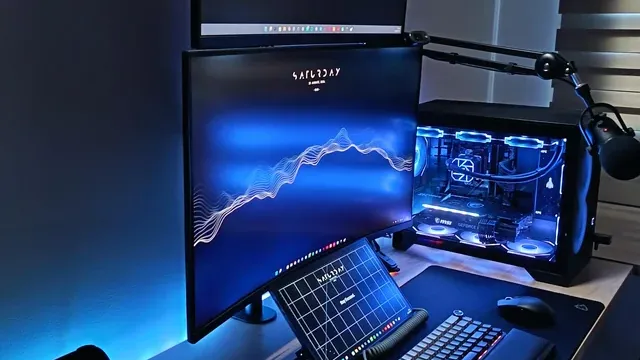
- How these picks were ranked
- We compared six desks on width, type, height range and power as the makers state them. Nothing was tested in-house; 2 of the 4 fields compared are stated for every pick, while height range and power have gaps.
- The shared baseline
- All 6, from the Veken 55-inch to the Korfile 48-inch, state width and type.
- Where the specs have gaps
- The Huuger 63-inch, the SEDETA 67-inch, the AODK 59-inch and the Korfile 48-inch give no height range; the AODK 59-inch gives no power.
- Price range
- At our last check the picks ran from the Korfile 48-inch ($50 to $100) to the Veken 55-inch ($100 to $150).
What to Look for in a Gaming Desk
Key buying criteria so you get the right fit the first time.
How much width you need
The SEDETA 67-inch tops width at 67 in and the Korfile 48-inch sits lowest at 48 in. For less, the Huuger 63-inch is the runner-up at 63 in.
Features beyond the spec table
The AODK 59-inch: three drawers and a side display shelf. The ErGear 48-inch: a steel frame. The Korfile 48-inch: a carbon fiber finish.
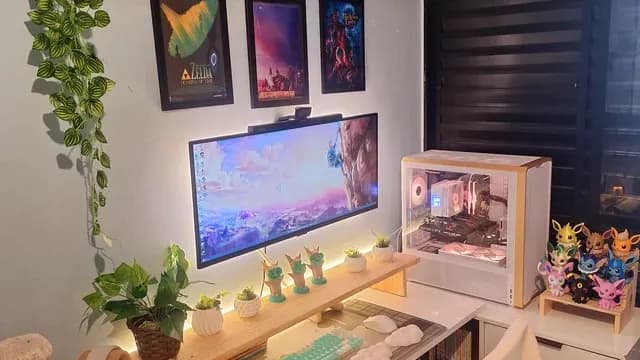
A white desk with an ultrawide monitor, a PC and plants Where your budget lands
$50 to $100 buys the Korfile 48-inch and the ErGear 48-inch; $100 to $150 buys the Huuger 63-inch, the AODK 59-inch, the SEDETA 67-inch and the Veken 55-inch at our last check.
Match the pick to your priority
Long sessions where you want to switch between sitting and standing: the Veken 55-inch. Heavy setups with several monitors and a full tower: the Huuger 63-inch. Multi-monitor setups and large keyboards: the SEDETA 67-inch.
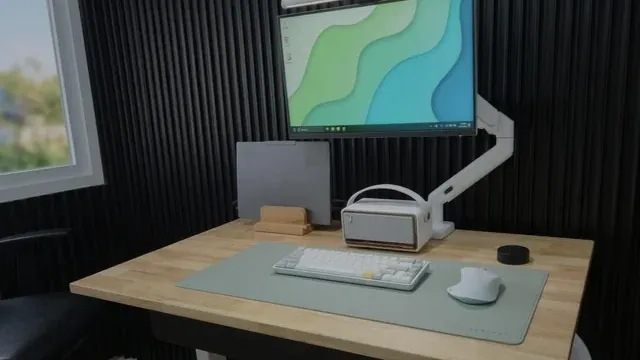
A wooden desk with a monitor on an arm, a desk mat and a compact keyboard Stability and load rating
Thicker desktops and steel frames reduce wobble when you type. A stated load rating tells you whether monitors, arms and a PC are safe on top.
Add the weight of everything you will place on the desk.
How to Choose a Gaming Desk
By priority
| Priority | Consider | Why |
|---|---|---|
| Long sessions where you want to switch between sitting and standing | Veken 55-inch | An electric frame with memory presets and a motor under 52dB |
| Heavy setups with several monitors and a full tower | Huuger 63-inch | A 0.95-inch desktop and a 220 lb load rating |
| Multi-monitor setups and large keyboards | SEDETA 67-inch | The widest width here (67 in) |
| Builders who want the PC on display | AODK 59-inch | A raised stand for fish-tank cases |
| A first standing desk on a budget | ErGear 48-inch | Electric height adjustment with presets at about $100 |
| Small rooms and single-monitor setups | Korfile 48-inch | A 48-inch footprint with a power outlet and LED lighting |
Scroll sideways to see every column.
Key specs side by side
The SEDETA 67-inch leads on width at 67 in, ahead of the Huuger 63-inch at 63 in. "Not listed" marks height range where the Huuger 63-inch, the SEDETA 67-inch, the AODK 59-inch and the Korfile 48-inch leave the figure out.
| Desk | Width | Type | Height range | Power |
|---|---|---|---|---|
| Veken 55-inch | 55 in | Electric standing | About 28.3 to 46 in | None |
| Huuger 63-inch | 63 in | L-shaped, reversible | Not listed | Power outlets |
| SEDETA 67-inch | 67 in | L-shaped, reversible | Not listed | Power outlet |
| AODK 59-inch | 59 in | Reversible with PC showcase stand | Not listed | Not listed |
| ErGear 48-inch | 48 in | Electric standing | About 28.35 to 46 in | None |
| Korfile 48-inch | 48 in | Straight | Not listed | Power outlet |
Scroll sideways to see every column.
By price at the time of writing
At our last check the cheapest pick, the Korfile 48-inch, sat in the $50 to $100 tier, 2 tiers in all up to the Veken 55-inch at $100 to $150; Amazon prices move, so recheck before buying.
| Price tier | Desks |
|---|---|
| About $50 to $100 | Korfile 48-inch, ErGear 48-inch |
| About $100 to $150 | Huuger 63-inch, AODK 59-inch, SEDETA 67-inch, Veken 55-inch |
Frequently Asked Questions
How does the Huuger 63-inch compare with the SEDETA 67-inch on width?
The SEDETA 67-inch leads at 67 in, with the Huuger 63-inch at 63 in. The spread runs down to the Korfile 48-inch at 48 in.
Is the Veken 55-inch worth paying more than the Korfile 48-inch?
What it brings is width (55 in against 48 in). The Korfile 48-inch sat in the $50 to $100 tier and the Veken 55-inch in the $100 to $150 tier when we checked, with 4 other picks between them; pay the difference only if width decides your purchase.
What makes the Veken 55-inch the Best Standing Gaming Desk?
It earns the label for an electric frame with memory presets and a motor under 52dB. The Korfile 48-inch, the cheapest pick, sat in the $50 to $100 tier against $100 to $150 here, without out-ranking it on any listed spec. It suits long sessions where you want to switch between sitting and standing.
Do the Veken 55-inch and the ErGear 48-inch differ on height range?
The Veken 55-inch uses about 28.3 to 46 in; the ErGear 48-inch uses about 28.35 to 46 in. The makers of the Huuger 63-inch, the SEDETA 67-inch, the AODK 59-inch and the Korfile 48-inch don't state height range, so 2 of 6 picks are covered here.
Beyond the specs, what sets the Veken 55-inch and the Huuger 63-inch apart?
The Veken 55-inch: a motor rated under 52dB. The Huuger 63-inch: a 0.95-inch thick waterproof desktop. The SEDETA 67-inch: a pegboard for accessories.
Bottom Line
The Veken 55-inch electric desk is the best all-round pick if you want to sit and stand. The Huuger 63-inch L-shaped desk is the most stable for heavy setups, and the SEDETA 67-inch gives the most surface.
The AODK desk is built for showcase PC cases, the ErGear is the budget standing desk, and the Korfile 48-inch suits small rooms.
Related Guides
- Related guideThe Best Keyboards for Work and Office Use
- Related guideThe Best 27-Inch 1440p Gaming Monitors
- Related guideHow to plan a PC build around your workload
- Lower budgetThe Best Budget Gaming Chair
- Higher budgetThe Best Premium Gaming Chairs
- ExplainerHow to size an office chair to your height and your desk
- ExplainerHow to choose a monitor arm: VESA pattern, weight range and desk clamps
- Also see: monitor arms and accessoriesThe Best Monitor Mount for Desk
- Similar guideThe Best Gaming Seats
- Topic hubAll chairs, desks and desk setup guides
About the author
PC Hardware Editor
Alex covers PC hardware, monitors, components, upgrades and peripherals for The PC Journal, with a focus on helping readers understand specifications, compatibility and meaningful product trade-offs.
Covers: Monitors, Graphics cards, Processors, PC components, Peripherals, Upgrades and compatibility
View all articles