
Buying Guide
The Best Dynamic Microphones for Gaming
We weighed three microphones on connection and capsule, and the NW-040 costs the least.
By Alex Morgan, PC Hardware Editor
11 min read3 products evaluated
Dynamic microphones reject background noise better than condensers, which helps in a loud room. Every pick uses a dynamic capsule, ordered from the lowest price.
We ranked these microphones on connection, capsule and polar pattern using manufacturer specifications; we did not test these microphones ourselves, and where a maker leaves a figure out, we say so.
Quick Picks
Which of the 3 picks to look at first. Tap a name for the full analysis.

Lowest Price Here
NEEWER NW-040 Dynamic MicrophoneThe lowest price among these microphones at the time of writing.
Best for: Keeping the cost under $50.
Check price for NEEWER NW-040 Dynamic Microphone on Amazon (opens in a new tab)
Also Consider
Sennheiser XS 1 Dynamic MicrophoneAn on/off switch.
Best for: Buyers who want on/off switch.
Check price for Sennheiser XS 1 Dynamic Microphone on Amazon (opens in a new tab)
Premium Pick
Shure SM58 Vocal MicrophoneThe highest-priced pick here at the time of writing, with a built-in spherical pop filter.
Best for: Buyers who want a built-in spherical pop filter and can spend more than the XS 1 costs.
Check price for Shure SM58 Vocal Microphone on Amazon (opens in a new tab)
| Pick | Why it stands out | Best for | Check price |
|---|---|---|---|
| The lowest price among these microphones at the time of writing. | Keeping the cost under $50. | Check price for NEEWER NW-040 Dynamic Microphone on Amazon (opens in a new tab) |
| An on/off switch. | Buyers who want on/off switch. | Check price for Sennheiser XS 1 Dynamic Microphone on Amazon (opens in a new tab) |
| The highest-priced pick here at the time of writing, with a built-in spherical pop filter. | Buyers who want a built-in spherical pop filter and can spend more than the XS 1 costs. | Check price for Shure SM58 Vocal Microphone on Amazon (opens in a new tab) |
Our Picks
Lowest Price Here1 of 3
NEEWER NW-040 Dynamic Microphone
NEEWER's NW-040 is an aluminum dynamic mic with an XLR cable included.
Best for
- Keeping the cost under $50.
Skip if
- Choose another pick if you can't accept this: no onboard mute.
Why we like it
Its cardioid dynamic capsule gives high gain before feedback, and the metal body is solid. It needs an XLR interface or mixer. It suits podcasting, vocals, streaming and instrument recording.
Its extended frequency response gives warm, natural vocals. It also offers a low price tier. XLR-only: it needs an audio interface or mixer, plus an XLR cable if one is not included.
Low-output dynamic mics may need a high-gain interface or an inline booster. It makes the most sense for keeping the cost under $50, since it offers the lowest price among these microphones at the time of writing. It was the cheapest of the group when we checked; the XS 1 was the next step up.
Key specs
- Connection
- XLR
- Capsule
- Dynamic
- Polar pattern
- Cardioid
- Mute control
- None
- Headphone monitoring
- Via interface
- In the box
- Clip, XLR cable
Pros
- Aluminum body
- Included XLR cable
- Low price tier
- The lowest price among these microphones at the time of writing
Cons
- no onboard mute
Also Consider2 of 3
Sennheiser XS 1 Dynamic Microphone
The XS 1 stands out for an on/off switch, and it adds a carry pouch.
Best for
- Buyers who want on/off switch.
Skip if
- Skip it if price comes first: the NW-040 cost less when we checked.
Why we like it
It is a handheld cardioid dynamic mic with a silent mute switch, a clip and a pouch. It connects over XLR. It has a cardioid polar pattern and ships with a mic clip and a carry pouch.
It also offers a dynamic capsule for vocals. XLR-only: it needs an audio interface or mixer, plus an XLR cable if one is not included. Low-output dynamic mics may need a high-gain interface or an inline booster.
Before buying, weigh one limit: costs more than the NW-040 at the time of writing. Its price falls between the NW-040 and the SM58, based on our last check.
Key specs
- Connection
- XLR
- Capsule
- Dynamic
- Polar pattern
- Cardioid
- Mute control
- On/off switch
- Headphone monitoring
- Via interface
- In the box
- Clip, pouch
Pros
- On/off switch
- Carry pouch
- Dynamic capsule for vocals
- On/off switch mute control, the only one here
Cons
- Costs more than the NW-040 at the time of writing
Premium Pick3 of 3
Shure SM58 Vocal Microphone
The Shure SM58 is a metal-bodied dynamic vocal mic with a built-in spherical pop filter.
Best for
- Buyers who want a built-in spherical pop filter and can spend more than the XS 1 costs.
Skip if
- Pass on it if no onboard mute rules it out for your setup.
Why we like it
It is the long-running stage standard. You also get a cardioid pattern that rejects sound from behind. XLR-only: it needs an audio interface or mixer, plus an XLR cable if one is not included.
Low-output dynamic mics may need a high-gain interface or an inline booster. Worth noting: stand adapter in the box, the only one here. Before buying, weigh one limit: costs more than the NW-040 at the time of writing. It was the most expensive pick when we checked, so weigh what it adds over the XS 1.
Key specs
- Connection
- XLR
- Capsule
- Dynamic
- Polar pattern
- Cardioid
- Mute control
- None
- Headphone monitoring
- Via interface
- In the box
- Stand adapter
Pros
- Built-in spherical pop filter
- Metal build
- Cardioid pattern that rejects sound from behind
- Stand adapter in the box, the only one here
Cons
- no onboard mute
- Costs more than the NW-040 at the time of writing
How We Chose These Dynamic Microphones for Gaming
Alex Morgan compared the manufacturer specifications, connectivity, warranty terms and compatibility of every pick. Figures come from the makers unless a third-party source is named; we did not test these products ourselves.
- How these picks were ranked
- We set side by side three microphones on connection, capsule, polar pattern and mute control, using each maker's published specs. We did not test them in-house, and all 6 compared fields are stated for every pick.
- What every pick has in common
- All 3, from the NW-040 to the SM58, state connection, capsule and polar pattern and share XLR connection and Dynamic capsule.
- Who each pick suits
- The NW-040 for the lowest price among these microphones at the time of writing; the XS 1 for an on/off switch; the SM58 for the highest-priced pick here at the time of writing, with a built-in spherical pop filter.
- Price range
- At our last check the picks ran from the NW-040 (under $50) to the SM58 ($100 to $150).
What to Look for in a Dynamic Microphone for Gaming
Key buying criteria so you get the right fit the first time.
Extras that separate them
The NW-040: an included XLR cable. The XS 1: a carry pouch. The SM58: a metal build.
Budget
Under $50 buys the NW-040; $50 to $100 buys the XS 1; $100 to $150 buys the SM58 at our last check.
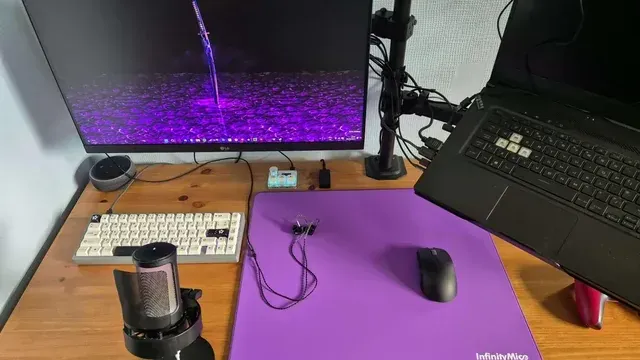
A microphone on a stand beside a laptop on a purple desk mat Start from what matters most
Keeping the cost under $50: the NW-040. Buyers who want a built-in spherical pop filter and can spend more than the XS 1 costs: the SM58.
Polar pattern
Cardioid rejects sound from behind and suits one voice. Multi-pattern mics add omni or figure-8 for groups or interviews.
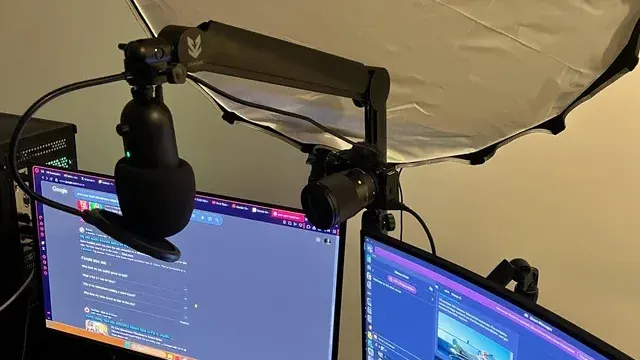
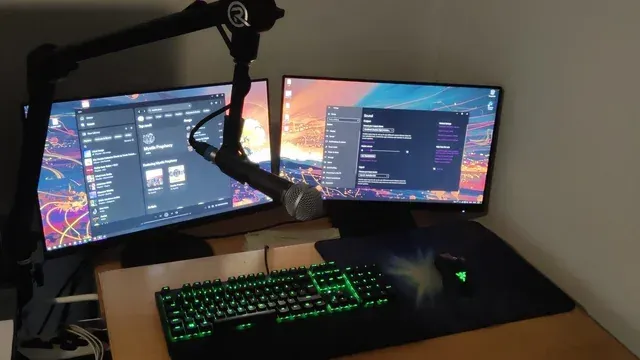
A microphone on a boom arm above two monitors Mute and monitoring
Tap-to-mute and a headphone jack for zero-latency monitoring matter on streams and calls.
How to Choose a Dynamic Microphone for Gaming
By priority
| Priority | Consider | Why |
|---|---|---|
| Keeping the cost under $50 | NW-040 | The lowest price among these microphones at the time of writing |
| Buyers who want on/off switch | XS 1 | An on/off switch |
| Buyers who want a built-in spherical pop filter and can spend more than the XS 1 costs | SM58 | The highest-priced pick here at the time of writing, with a built-in spherical pop filter |
Scroll sideways to see every column.
Key specs side by side
The NW-040, the XS 1 and the rest, as their makers list them.
| Microphone | Connection | Capsule | Polar pattern | Mute control |
|---|---|---|---|---|
| NW-040 | XLR | Dynamic | Cardioid | None |
| XS 1 | XLR | Dynamic | Cardioid | On/off switch |
| SM58 | XLR | Dynamic | Cardioid | None |
Scroll sideways to see every column.
By price at the time of writing
The NW-040 was the lowest-priced pick (under $50) and the SM58 the highest ($100 to $150) when we checked; tiers move with Amazon pricing.
| Price tier | Microphones |
|---|---|
| Under $50 | NW-040 |
| About $50 to $100 | XS 1 |
| About $100 to $150 | SM58 |
Frequently Asked Questions
Why is the SM58 our Premium Pick?
It earns the label for the highest-priced pick here at the time of writing, with a built-in spherical pop filter. The NW-040, the cheapest pick, sat in the under $50 tier against $100 to $150 here, without out-ranking it on any listed spec. It is aimed at anyone who wants a built-in spherical pop filter and can spend more than the XS 1 costs.
What extras do the NW-040 and the XS 1 include?
The NW-040: an aluminum body. The XS 1: an on/off switch. The SM58: a built-in spherical pop filter.
Who should choose the NW-040?
The NW-040 carries our Lowest Price Here label for the lowest price among these microphones at the time of writing. It ranks first of 3 here and sat in the under $50 tier at our last price check; it suits keeping the cost under $50.
Should I pick the NW-040 or the SM58?
The NW-040 suits keeping the cost under $50; the SM58 suits buyers who want a built-in spherical pop filter and can spend more than the XS 1 costs.
Do I need a pop filter?
It helps with plosive sounds such as P and B. Many mics include a foam cover or internal filter.
Bottom Line
Our first pick is the NW-040, chosen for the lowest price among these microphones at the time of writing. Look at the XS 1 for an on/off switch and the SM58 for the highest-priced pick here at the time of writing, with a built-in spherical pop filter if those matter more to you.
Speak close to the capsule; dynamic mics pick up less from a distance.
Related Guides
- Related guideThe Best Microphones for Gaming
- Related guideThe Best USB Microphones
- Related guideThe Best XLR Microphones for a PC Setup
- Lower budgetThe Best Gaming Microphones Under $50
- Similar guideThe Best Dynamic Microphones for Podcasting
- ExplainerUSB vs XLR microphones: what each needs and what each gives you
- ExplainerHow to Choose a USB Microphone for Your PC
- Also see: webcams and streaming gearHow to Choose a Webcam for Your PC
- Similar guideThe Best USB Mics for Gaming and Streaming
- Topic hubAll microphones guides
About the author
PC Hardware Editor
Alex covers PC hardware, monitors, components, upgrades and peripherals for The PC Journal, with a focus on helping readers understand specifications, compatibility and meaningful product trade-offs.
Covers: Monitors, Graphics cards, Processors, PC components, Peripherals, Upgrades and compatibility
View all articles