
Buying Guide
The Best Webcams with Pan and Tilt
Five webcams ranked on top frame rate and top resolution; the Tiny SE is the cheapest route in.
By Alex Morgan, PC Hardware Editor
12 min read5 products evaluated
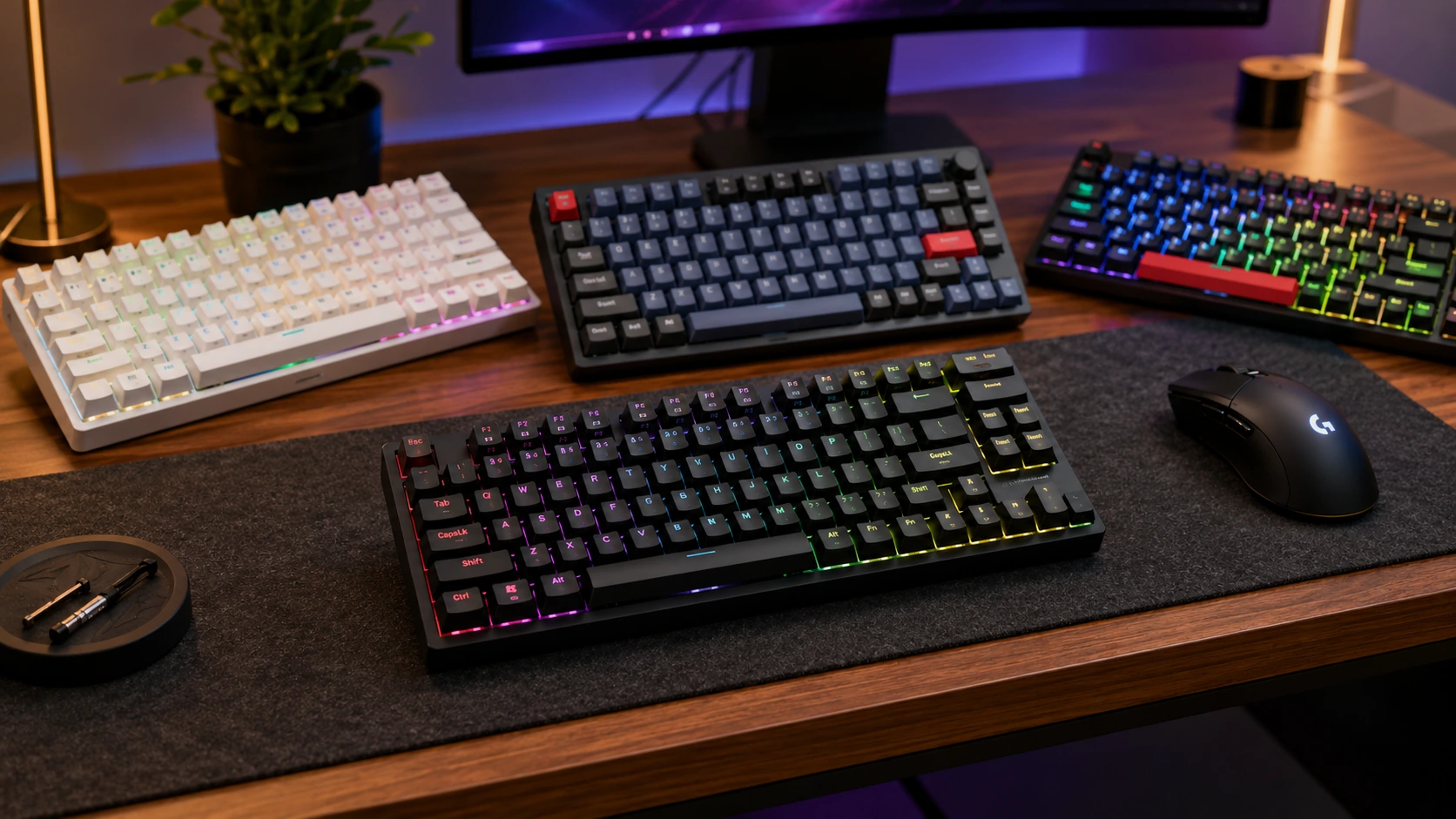
A pan-tilt webcam follows you or lets you reframe without moving the camera by hand. Every pick lists PTZ tracking, ordered from the lowest price.
The order reflects top resolution, max frame rate and sensor from maker specifications; a missing max frame rate is flagged, not filled in rather than guess, since we have not benched them.
Quick Picks
Which of the 5 picks to look at first. Tap a name for the full analysis.

Lowest Price Here
OBSBOT Tiny SE WebcamUndercutting the Tiny 2 Lite on price when we checked.
Best for: Spending as little as possible, with the Tiny 2 Lite the next step up.
Check price for OBSBOT Tiny SE Webcam on Amazon (opens in a new tab)
Also Consider
OBSBOT Tiny 2 Lite 4K PTZ WebcamAI tracking on a motorized gimbal.
Best for: Buyers who want AI tracking on a motorized gimbal.
Check price for OBSBOT Tiny 2 Lite 4K PTZ Webcam on Amazon (opens in a new tab)
Strong Alternative
OBSBOT Tiny 3 Lite 4K PTZ Webcam1080p at 120fps as well as 4K at 30fps.
Best for: Buyers who want 1080p at 120fps as well as 4K at 30fps.
Check price for OBSBOT Tiny 3 Lite 4K PTZ Webcam on Amazon (opens in a new tab)
Worth a Look
Insta360 Link 2 4K PTZ WebcamA PTZ gimbal with AI tracking.
Best for: Buyers who want PTZ gimbal with AI tracking.
Check price for Insta360 Link 2 4K PTZ Webcam on Amazon (opens in a new tab)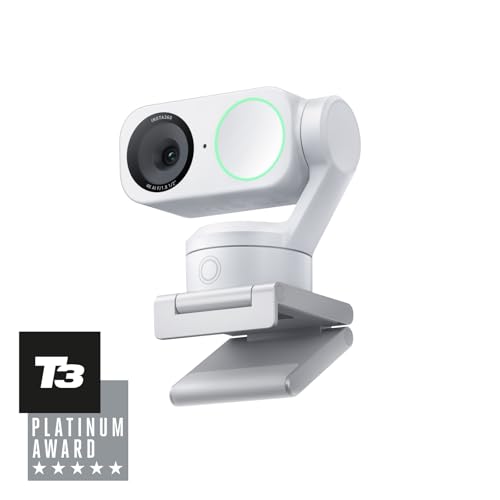
Solid Runner-Up
Insta360 Link 2Gesture control.
Best for: Buyers who want gesture control.
Check price for Insta360 Link 2 on Amazon (opens in a new tab)
Our Picks
Lowest Price Here1 of 5
OBSBOT Tiny SE Webcam
OBSBOT's Tiny SE puts 1080p100 on a compact PTZ gimbal with AI tracking.
Best for
- Spending as little as possible, with the Tiny 2 Lite the next step up.
Skip if
- Pass on it if top frame rate of 100fps, behind the Tiny 3 Lite (120fps) rules it out for your setup.
Why we like it
It is the low-cost tracking camera here. It records 1080p at up to 100fps and 720p at 150fps, and AI tracking keeps you in frame. It suits streamers who move around.
A 1080p100 top resolution is unique to it among these picks, while the Tiny 3 Lite uses a 4K30 or 1080p120 top resolution. Its motorized gimbal needs clearance above the monitor to tilt and pan. No other pick here cost less at our last price check, and the Tiny 2 Lite was closest. What it gives up: top frame rate of 100fps, behind the Tiny 3 Lite (120fps); by contrast, the Tiny 3 Lite offers 120fps.
Key specs
- Top resolution
- 1080p100
- Max frame rate
- 100fps
- Sensor
- Not stated
- Focus and framing
- PTZ AI tracking
- Privacy
- Points down
Pros
- PTZ AI tracking
- 1080p at 100fps
- Compact gimbal
- 1080p100 top resolution, the only one here
Cons
- Top frame rate of 100fps, behind the Tiny 3 Lite (120fps)
Also Consider2 of 5
OBSBOT Tiny 2 Lite 4K PTZ Webcam
The OBSBOT Tiny 2 Lite puts a 1/2in 4K sensor on a motorized gimbal that tracks you.
Best for
- Buyers who want AI tracking on a motorized gimbal.
Skip if
- Price-first buyers should look at the Tiny SE, which cost less when we checked.
Why we like it
Gestures control it, and it points down for privacy. It shares a 4K30 top resolution with the Link 2; the Tiny 3 Lite goes with a 4K30 or 1080p120 top resolution. It also comes with preset positions.
4K output needs a USB 3 port and an app that accepts 4K; most video-call apps send 1080p or less. Its motorized gimbal needs clearance above the monitor to tilt and pan. When we checked, only the Tiny SE cost less, and the Tiny 3 Lite cost more. If you want a confirmed top frame rate, look to the Tiny 3 Lite instead: it offers 120fps, while this one gives no figure.
Key specs
- Top resolution
- 4K30
- Sensor
- 1/2in
- Focus and framing
- PTZ AI tracking
- Privacy
- Points down
Pros
- AI tracking on a motorized gimbal
- Gesture control
- Preset positions
Cons
- Costs more than the Tiny SE at the time of writing
Strong Alternative3 of 5
OBSBOT Tiny 3 Lite 4K PTZ Webcam
OBSBOT's Tiny 3 Lite sits on a motorized gimbal that pans and tilts to follow you, and it reaches 1080p at 120fps, the highest frame rate listed here.
Best for
- Buyers who want 1080p at 120fps as well as 4K at 30fps.
Skip if
- Skip it if price comes first: the Tiny SE cost less when we checked.
Why we like it
It also records 4K at 30fps from a 1/2in sensor. It is the only pick here with a 4K30 or 1080p120 top resolution; the Tiny SE has a 1080p100 top resolution instead. It also offers a motorized gimbal with AI tracking and voice or gesture control and a three-microphone array with five audio modes.
4K output needs a USB 3 port and an app that accepts 4K; most video-call apps send 1080p or less. Its motorized gimbal needs clearance above the monitor to tilt and pan. Its price falls between the Tiny 2 Lite and the Link 2, based on our last check.
Key specs
- Top resolution
- 4K30 or 1080p120
- Max frame rate
- 120fps
- Sensor
- 1/2in CMOS
- Focus and framing
- PDAF, PTZ AI tracking
Pros
- 1080p at 120fps as well as 4K at 30fps
- Motorized gimbal with AI tracking and voice or gesture control
- Three-microphone array with five audio modes
- Highest top frame rate of the picks (120fps)
Cons
- Costs more than the Tiny SE at the time of writing
Worth a Look4 of 5
Insta360 Link 2 4K PTZ Webcam
The Insta360 Link 2 adds a PTZ gimbal with AI tracking to a 1/2in 4K sensor.
Best for
- Buyers who want PTZ gimbal with AI tracking.
Skip if
- Skip it if price comes first: the Tiny SE cost less when we checked.
Why we like it
It suits people who move around while on camera. Like the Tiny 2 Lite, it has a 4K30 top resolution, while the Tiny SE uses a 1080p100 top resolution. Like the Tiny 2 Lite and Link 2, it has a 1/2in sensor, while the Tiny 3 Lite uses a 1/2in CMOS sensor.
You also get gesture control. 4K output needs a USB 3 port and an app that accepts 4K; most video-call apps send 1080p or less. Its motorized gimbal needs clearance above the monitor to tilt and pan.
Its price falls between the Tiny 3 Lite and the Link 2, based on our last check. Buyers who need a confirmed top frame rate should compare it with the Tiny 3 Lite, which offers 120fps.
Key specs
- Top resolution
- 4K30
- Sensor
- 1/2in
- Focus and framing
- PTZ AI tracking
- Privacy
- Points down
Pros
- PTZ gimbal with AI tracking
- 1/2in sensor
- Gesture control
Cons
- Costs more than the Tiny SE at the time of writing
Solid Runner-Up5 of 5
Insta360 Link 2
The Link 2 is built around gesture control, with AI noise-cancelling microphone on top.
Best for
- Buyers who want gesture control.
Skip if
- Skip it if price comes first: the Tiny SE cost less when we checked.
Why we like it
It is the only pick here with a 4K top resolution; the Tiny SE has a 1080p100 top resolution instead. Like the Tiny 2 Lite and Link 2, it has a 1/2in sensor, while the Tiny 3 Lite uses a 1/2in CMOS sensor. 4K output needs a USB 3 port and an app that accepts 4K; most video-call apps send 1080p or less.
Its motorized gimbal needs clearance above the monitor to tilt and pan. Before buying, weigh one limit: costs more than the Tiny SE at the time of writing. Buyers who need a confirmed top frame rate should compare it with the Tiny 3 Lite, which offers 120fps.
Key specs
- Top resolution
- 4K
- Sensor
- 1/2in
- Focus and framing
- PDAF, PTZ AI tracking
Pros
- Gesture control
- AI noise-cancelling microphone
- 4K top resolution, the only one here
Cons
- Costs more than the Tiny SE at the time of writing
How We Chose These Webcams with Pan and Tilt
Alex Morgan compared the manufacturer specifications, connectivity, warranty terms and compatibility of every pick. Figures come from the makers unless a third-party source is named; we did not test these products ourselves.
- The figures behind the order
- We compared five webcams on top resolution, top frame rate, sensor and focus and framing as the makers state them. These are research figures, not bench results: 3 of 5 picks leave out top frame rate.
- What every pick has in common
- All 5, from the Tiny SE to the Link 2, state top resolution and focus and framing.
- Where the specs have gaps
- The Tiny 2 Lite, the Link 2 and the Link 2 give no top frame rate; the Tiny SE gives no sensor.
- Price range
- At our last check the picks ran from the Tiny SE ($50 to $100) to the Link 2 ($150 to $250).
What to Look for in a Webcam with Pan and Tilt
Key buying criteria so you get the right fit the first time.
Top frame rate across these picks
The Tiny 3 Lite tops top frame rate at 120fps and the Tiny SE sits lowest at 100fps. Start with the Tiny 3 Lite if top frame rate decides it. The Tiny 2 Lite, the Link 2 and the Link 2 give no top frame rate figure, so 2 of 5 picks are compared here.
Sensor
The Tiny 2 Lite, the Link 2 and the Link 2 list 1/2in; the Tiny 3 Lite lists 1/2in CMOS. Sort out sensor before price: it splits 4 stated picks into groups of 3 and 1.
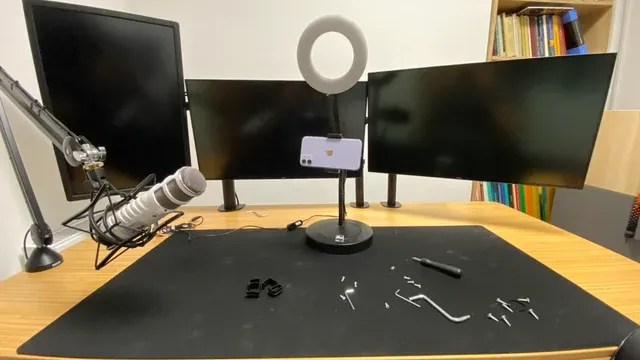
A desk with a microphone arm, a ring light and two monitors Extras that separate them
The Tiny 3 Lite: a motorized gimbal with AI tracking and voice or gesture control. The Link 2: a 1/2in sensor. The Link 2: AI noise-cancelling microphone.
How much to spend
$50 to $100 buys the Tiny SE; $100 to $150 buys the Tiny 2 Lite; $150 to $250 buys the Tiny 3 Lite, the Link 2 and the Link 2 at our last check.
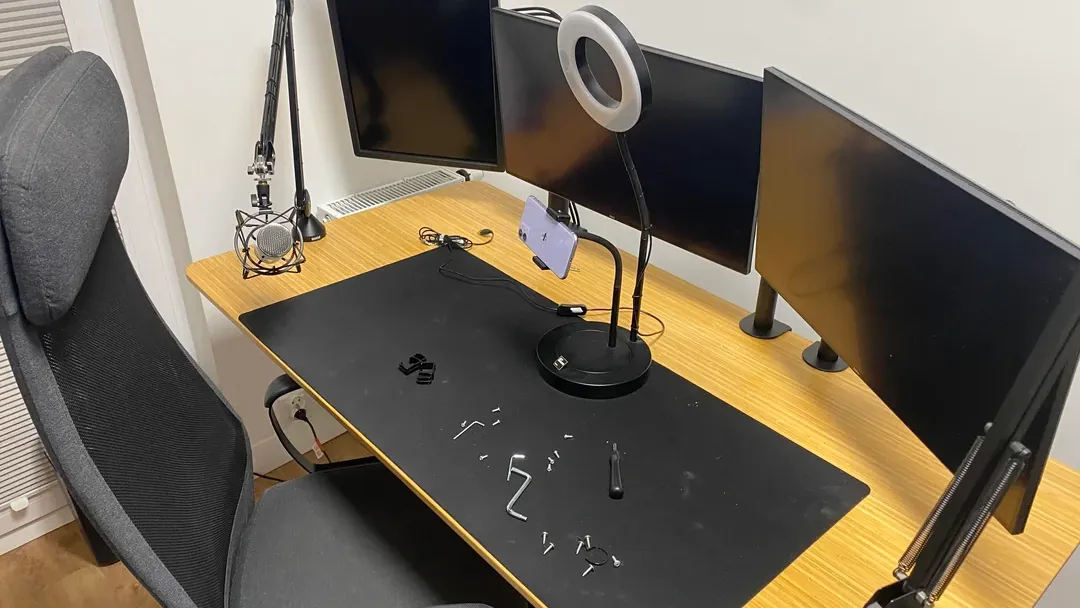
A streaming desk with a ring light, a mic arm and monitors Mounting
Most webcams clip to a monitor. A tripod thread lets you place the camera at eye level or off to the side.
How to Choose a Webcam with Pan and Tilt
By priority
| Priority | Consider | Why |
|---|---|---|
| Spending as little as possible, with the Tiny 2 Lite the next step up | Tiny SE | Undercutting the Tiny 2 Lite on price when we checked |
| Buyers who want AI tracking on a motorized gimbal | Tiny 2 Lite | AI tracking on a motorized gimbal |
| Buyers who want 1080p at 120fps as well as 4K at 30fps | Tiny 3 Lite | 1080p at 120fps as well as 4K at 30fps |
| Buyers who want PTZ gimbal with AI tracking | Link 2 | A PTZ gimbal with AI tracking |
| Buyers who want gesture control | Link 2 | Gesture control |
Scroll sideways to see every column.
Key specs side by side
The Tiny 3 Lite leads on top frame rate at 120fps, ahead of the Tiny SE at 100fps. "Not listed" marks top frame rate where the Tiny 2 Lite, the Link 2 and the Link 2 leave the figure out.
| Webcam | Top resolution | Max frame rate | Sensor | Focus and framing |
|---|---|---|---|---|
| Tiny SE | 1080p100 | 100fps | Not stated | PTZ AI tracking |
| Tiny 2 Lite | 4K30 | Not listed | 1/2in | PTZ AI tracking |
| Tiny 3 Lite | 4K30 or 1080p120 | 120fps | 1/2in CMOS | PDAF, PTZ AI tracking |
| Link 2 | 4K30 | Not listed | 1/2in | PTZ AI tracking |
| Link 2 | 4K | Not listed | 1/2in | PDAF, PTZ AI tracking |
Scroll sideways to see every column.
By price at the time of writing
The Tiny SE was the lowest-priced pick ($50 to $100) and the Link 2 the highest ($150 to $250) when we checked; tiers move with Amazon pricing.
| Price tier | Webcams |
|---|---|
| About $50 to $100 | Tiny SE |
| About $100 to $150 | Tiny 2 Lite |
| About $150 to $250 | Tiny 3 Lite, Link 2, Link 2 |
Frequently Asked Questions
Which has the highest top frame rate: the Tiny 3 Lite or the Tiny SE?
Between the top two, it is 120fps on the Tiny 3 Lite against 100fps on the Tiny SE, a 20% difference. The Tiny 2 Lite, the Link 2 and the Link 2 are left out of this ranking because their top frame rate isn't stated; 2 of 5 picks are ranked.
Why is the Tiny SE our Lowest Price Here pick?
It earns the label for undercutting the Tiny 2 Lite on price when we checked. It suits spending as little as possible, with the Tiny 2 Lite the next step up.
Do the Tiny SE and the Tiny 2 Lite differ on top resolution?
The Tiny SE uses 1080p100; the Tiny 2 Lite and the Link 2 use 4K30; the Tiny 3 Lite uses 4K30 or 1080p120; the Link 2 uses 4K.
What extras do the Tiny SE and the Tiny 2 Lite include?
The Tiny SE: PTZ AI tracking. The Tiny 2 Lite: AI tracking on a motorized gimbal. The Tiny 3 Lite: 1080p at 120fps as well as 4K at 30fps.
Should I pick the Tiny SE or the Link 2?
The Tiny SE suits spending as little as possible, with the Tiny 2 Lite the next step up; the Link 2 suits buyers who want gesture control.
Bottom Line
Our first pick is the Tiny SE, chosen for undercutting the Tiny 2 Lite on price when we checked. Look at the Tiny 2 Lite for AI tracking on a motorized gimbal, the Tiny 3 Lite for 1080p at 120fps as well as 4K at 30fps and the Link 2 for a PTZ gimbal with AI tracking if those matter more to you.
Mount it at eye level and test the tracking in your room's lighting.
Related Guides
- Related guideThe Best Webcams for Streaming
- Related guideThe Best 4K Webcams
- Related guideThe Best Webcams for Streaming
- Lower budgetThe Best Webcams Under $40
- Similar guideThe Best 1080p Webcams
- ExplainerHow to Choose a Webcam for Your PC
- ExplainerWebcam Features Explained: What Is Worth Paying For?
- Also see: microphonesUSB Microphone Features Explained: What Is Worth Paying For?
- Similar guideThe Best 4K Gaming Webcams
- Topic hubAll webcams and streaming gear guides
About the author
PC Hardware Editor
Alex covers PC hardware, monitors, components, upgrades and peripherals for The PC Journal, with a focus on helping readers understand specifications, compatibility and meaningful product trade-offs.
Covers: Monitors, Graphics cards, Processors, PC components, Peripherals, Upgrades and compatibility
View all articles