
Buying Guide
The Best PSUs Under $300
Four power supplies compared, from the ASUS ROG Strix 1000W Platinum to the CORSAIR HX1200i, with the trade-offs of each named.
By Alex Morgan, PC Hardware Editor
11 min read4 products evaluated
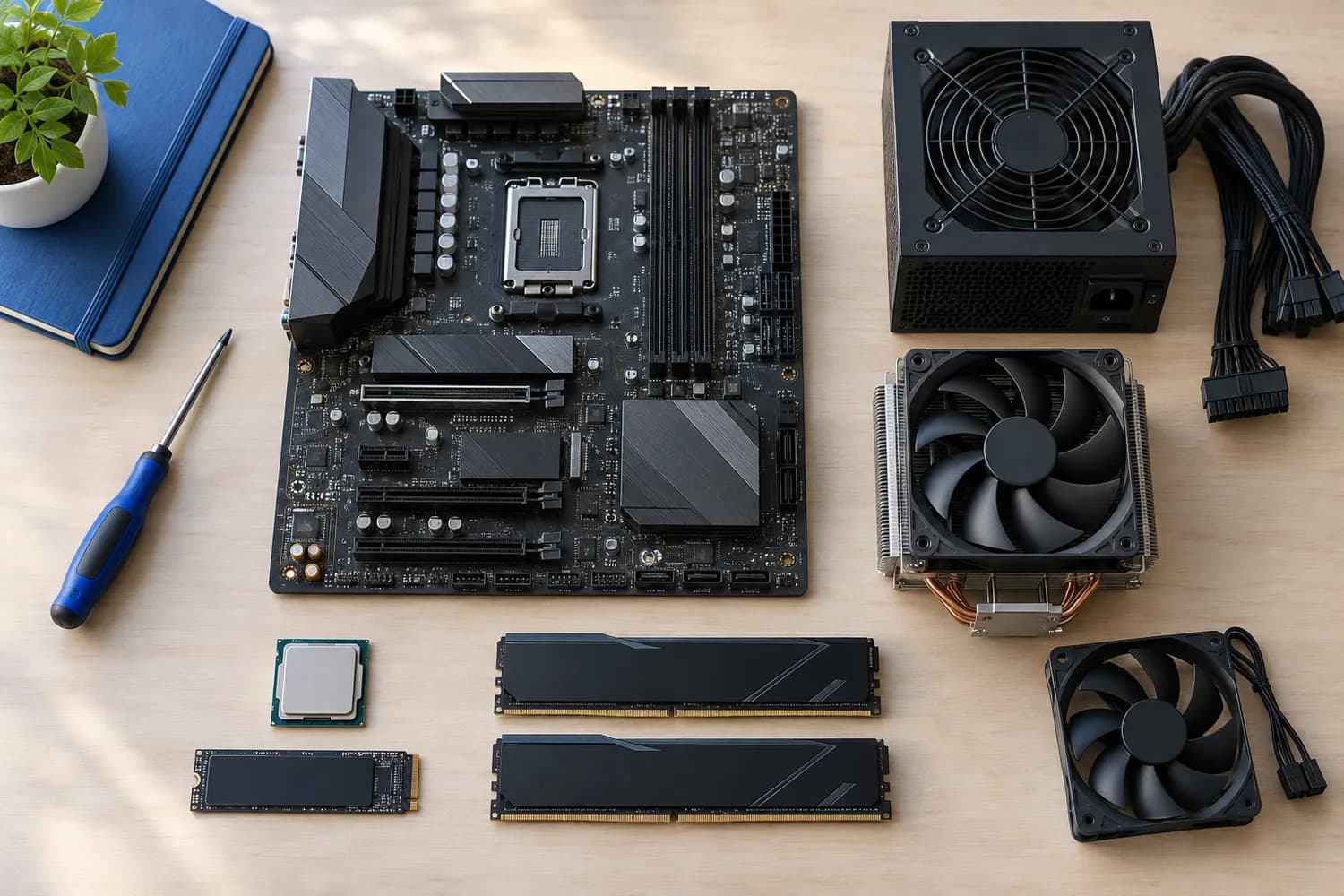
Above $200, PSUs reach 1200W and higher with Titanium efficiency. Every pick sits between $200 and $300, ordered by wattage.
We sorted these picks by wattage, warranty and 80 Plus rating, working from the makers' own data; if a maker skips warranty, the guide says so, and no figure here comes from our own testing.
Quick Picks
Which of the 4 picks to look at first. Tap a name for the full analysis.

Also Consider
ASUS TUF Gaming 1200W GoldMilitary-grade capacitors and chokes.
Best for: Buyers who want military-grade capacitors and chokes.
Check price for ASUS TUF Gaming 1200W Gold on Amazon (opens in a new tab)
Premium Pick
CORSAIR HX1200i (2025)Monitoring and fan control through Corsair iCUE at the highest price in the group.
Best for: Buyers for whom price is not the deciding factor, since the ASUS ROG Strix 1000W Platinum costs less.
Check price for CORSAIR HX1200i (2025) on Amazon (opens in a new tab)
Lowest Price Here
ASUS ROG Strix 1000W PlatinumThe lowest price of the group at our last check.
Best for: Spending as little as possible, with the be quiet! Dark Power 13 1000W the next step up.
Check price for ASUS ROG Strix 1000W Platinum on Amazon (opens in a new tab)
Strong Alternative
be quiet! Dark Power 13 1000WA frameless Silent Wings fan behind a full-mesh front.
Best for: Buyers who want frameless Silent Wings fan behind a full-mesh front.
Check price for be quiet! Dark Power 13 1000W on Amazon (opens in a new tab)
| Pick | Why it stands out | Best for | Check price |
|---|---|---|---|
| Military-grade capacitors and chokes. | Buyers who want military-grade capacitors and chokes. | Check price for ASUS TUF Gaming 1200W Gold on Amazon (opens in a new tab) |
| Monitoring and fan control through Corsair iCUE at the highest price in the group. | Buyers for whom price is not the deciding factor, since the ASUS ROG Strix 1000W Platinum costs less. | Check price for CORSAIR HX1200i (2025) on Amazon (opens in a new tab) |
| The lowest price of the group at our last check. | Spending as little as possible, with the be quiet! Dark Power 13 1000W the next step up. | Check price for ASUS ROG Strix 1000W Platinum on Amazon (opens in a new tab) |
| A frameless Silent Wings fan behind a full-mesh front. | Buyers who want frameless Silent Wings fan behind a full-mesh front. | Check price for be quiet! Dark Power 13 1000W on Amazon (opens in a new tab) |
Our Picks
Also Consider1 of 4
ASUS TUF Gaming 1200W Gold
What the ASUS TUF Gaming 1200W Gold brings to the table is military-grade capacitors and chokes, plus a protective PCB coating against moisture and dust.
Best for
- Buyers who want military-grade capacitors and chokes.
Skip if
- Price-first buyers should look at the ASUS ROG Strix 1000W Platinum, which cost less when we checked.
Why we like it
It also offers a 1200W rated output and offers a 10 years warranty. Japanese capacitors and dual ball-bearing fans are rated to last twice as long as sleeve bearings, and a 16-pin cable delivers up to 600W to PCIe 5.0 graphics cards. Its capacitors and chokes pass military-grade certification tests.
You get a gold 80 plus rating here, which sets it apart from the be quiet! Dark Power 13 1000W and its a titanium 80 plus rating. The ASUS TUF Gaming 1200W Gold has no stated native 12V-2x6 cable; confirm the cable kit before pairing it with a 16-pin card. No depth is rated for the ASUS TUF Gaming 1200W Gold, so check the maker's page against your case's PSU bay. On price it sat third of 4, between the cheaper be quiet! Dark Power 13 1000W and the pricier CORSAIR HX1200i, at the time of writing.
Key specs
- Wattage
- 1200W
- Warranty
- 10 years
- 80 Plus rating
- Gold
- ATX version
- ATX 3.1
- Form factor
- ATX
- Cabling
- Fully modular
- Colour
- Black
Pros
- 1200W of rated output for high-power cards
- A 10-year warranty
- ATX 3.1 compliance
- Fully modular cables
Cons
- Costs more than the ASUS ROG Strix 1000W Platinum at the time of writing
Premium Pick2 of 4
CORSAIR HX1200i (2025)
The CORSAIR HX1200i stands out for monitoring and fan control through Corsair iCUE, and it adds a 140mm FDB fan with zero-RPM mode.
Best for
- Buyers for whom price is not the deciding factor, since the ASUS ROG Strix 1000W Platinum costs less.
Skip if
- Skip it if you need to know its warranty before buying; the maker doesn't publish one.
Why we like it
It also offers a 1200W rated output and offers a 140mm fan. iCUE software sets fan curves, monitors power and switches between single and multi-rail overcurrent protection. It is ATX 3.1 certified. It matches the ASUS TUF Gaming 1200W Gold on rated output (1200W).
The CORSAIR HX1200i has no stated native 12V-2x6 cable; confirm the cable kit before pairing it with a 16-pin card. No depth is rated for the CORSAIR HX1200i, so check the maker's page against your case's PSU bay. At our last price check it topped the group, with the ASUS TUF Gaming 1200W Gold the nearest cheaper option. If you want a confirmed warranty, look to the ASUS TUF Gaming 1200W Gold instead: it offers 10 years, while this one gives no figure.
Key specs
- Wattage
- 1200W
- ATX version
- ATX 3.1
- Form factor
- ATX
- Cabling
- Fully modular
- Fan
- 140mm
- Fan stop
- Yes
- Colour
- Black
Pros
- 1200W of rated output for high-power cards
- ATX 3.1 compliance
- Fully modular cables
- A fan that stops at low load
Cons
- No published warranty
- Costs more than the ASUS ROG Strix 1000W Platinum at the time of writing
Lowest Price Here3 of 4
ASUS ROG Strix 1000W Platinum
ASUS's ROG Strix 1000W Platinum uses GaN MOSFETs and GPU-first voltage sensing on the graphics card rail.
Best for
- Spending as little as possible, with the be quiet! Dark Power 13 1000W the next step up.
Skip if
- Pass on it if rated output of 1000W, behind the ASUS TUF Gaming 1200W Gold (1200W) rules it out for your setup.
Why we like it
It carries a Cybenetics LAMBDA A noise rating and a 10-year warranty. GaN MOSFETs raise efficiency, large ROG heatsinks cut temperatures and noise, and 0dB mode keeps it silent during light gaming. On rated output it ties with the be quiet! Dark Power 13 1000W at 1000W.
A platinum 80 plus rating is unique to it among these picks, while the be quiet! Dark Power 13 1000W uses a titanium 80 plus rating. The ASUS ROG Strix 1000W Platinum has no stated native 12V-2x6 cable; confirm the cable kit before pairing it with a 16-pin card. No depth is rated for the ASUS ROG Strix 1000W Platinum, so check the maker's page against your case's PSU bay. It was the cheapest of the group when we checked; the be quiet! Dark Power 13 1000W was the next step up.
Key specs
- Wattage
- 1000W
- Warranty
- 10 years
- 80 Plus rating
- Platinum
- ATX version
- ATX 3.1
- Form factor
- ATX
- Cabling
- Fully modular
- Fan stop
- Yes
- Colour
- Black
Pros
- 1000W of rated output for high-power cards
- A 10-year warranty
- 80 Plus Platinum efficiency
- ATX 3.1 compliance
Cons
- Rated output of 1000W, behind the ASUS TUF Gaming 1200W Gold (1200W)
The catch
The main gap: rated output of 1000W, behind the ASUS TUF Gaming 1200W Gold (1200W). If that matters, the ASUS TUF Gaming 1200W Gold offers 1200W.
Strong Alternative4 of 4
be quiet! Dark Power 13 1000W
The be quiet!
Best for
- Buyers who want frameless Silent Wings fan behind a full-mesh front.
Skip if
- Skip it if rated output matters most to you; the ASUS TUF Gaming 1200W Gold offers 1200W.
Why we like it
Dark Power 13 1000W stands out for a frameless Silent Wings fan behind a full-mesh front, and it adds a switch between four 12V rails and one single rail. It also offers a 1000W rated output. A funnel-shaped mesh front feeds the frameless Silent Wings fan, which is near silent, and it supports PCIe 5.0 GPUs.
It matches the ASUS ROG Strix 1000W Platinum on rated output (1000W). It is the only pick here with a titanium 80 plus rating; the ASUS TUF Gaming 1200W Gold has a gold 80 plus rating instead. The be quiet! Dark Power 13 1000W has no stated native 12V-2x6 cable; confirm the cable kit before pairing it with a 16-pin card.
No depth is rated for the be quiet! Dark Power 13 1000W, so check the maker's page against your case's PSU bay. When we checked, only the ASUS ROG Strix 1000W Platinum cost less, and the ASUS TUF Gaming 1200W Gold cost more.
Key specs
- Wattage
- 1000W
- 80 Plus rating
- Titanium
- Form factor
- ATX
- Colour
- Black
Pros
- 1000W of rated output for high-power cards
- 80 Plus Titanium efficiency
- Frameless Silent Wings fan behind a full-mesh front
- Switch between four 12V rails and one single rail
Cons
- Rated output trails the ASUS TUF Gaming 1200W Gold (1200W)
- No published warranty
- Costs more than the ASUS ROG Strix 1000W Platinum at the time of writing
The catch
Rated output is its weakest area, and the ASUS TUF Gaming 1200W Gold covers it better at 1200W.
How We Chose
Alex Morgan compared the manufacturer specifications, connectivity, warranty terms and compatibility of every pick. Figures come from the makers unless a third-party source is named; we did not test these products ourselves.
- The figures behind the order
- We lined up four power supplies on rated output, warranty, 80 Plus rating and ATX version, using each maker's published specs. These are research figures, not bench results: 2 of 4 picks leave out warranty.
- The shared baseline
- All 4, from the ASUS TUF Gaming 1200W Gold to the be quiet! Dark Power 13 1000W, state rated output, form factor and colour and share Black colour.
- Where the specs have gaps
- The CORSAIR HX1200i and the be quiet! Dark Power 13 1000W give no warranty; the CORSAIR HX1200i gives no 80 Plus rating.
- Price range
- At our last check the picks ran from the ASUS ROG Strix 1000W Platinum ($150 to $250) to the CORSAIR HX1200i ($250 to $500).
What to Look for in a PSUs Under $300
Key buying criteria so you get the right fit the first time.
Rated output
Across these 4 picks rated output spans 1000W (the be quiet! Dark Power 13 1000W) to 1200W (the ASUS TUF Gaming 1200W Gold). If rated output is your first filter, the ASUS TUF Gaming 1200W Gold sets the ceiling at 1200W.
What to check at home
The ASUS TUF Gaming 1200W Gold has no stated native 12V-2x6 cable; confirm the cable kit before pairing it with a 16-pin card.
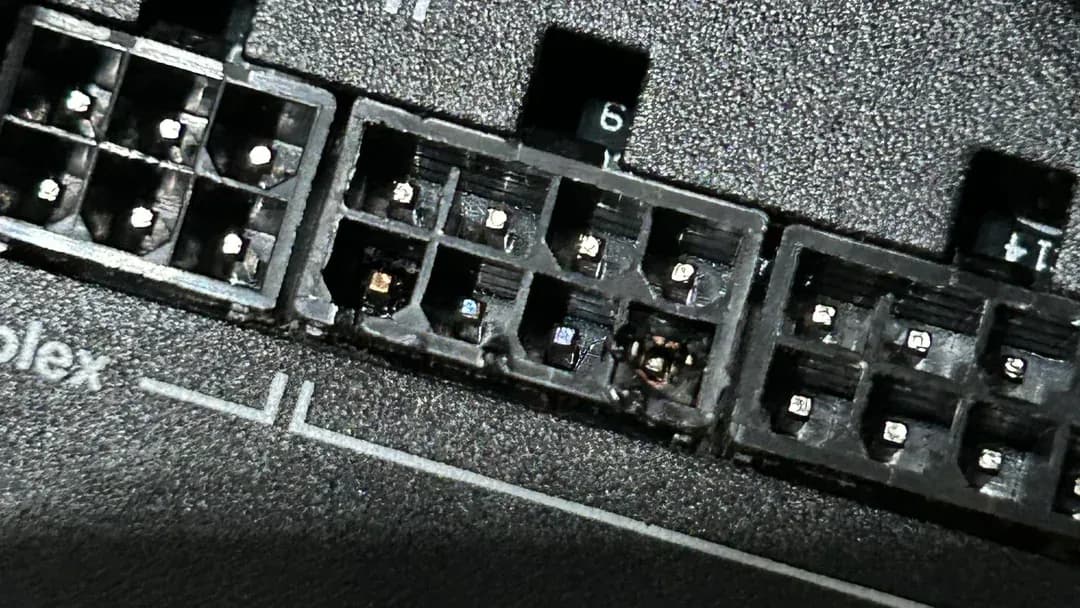
Modular cable sockets on the back of a power supply Features beyond the spec table
The CORSAIR HX1200i: a 140mm FDB fan with zero-RPM mode. The ASUS ROG Strix 1000W Platinum: GPU-first voltage sensing for the graphics card rail. The be quiet! Dark Power 13 1000W: a switch between four 12V rails and one single rail.
Where your budget lands
$150 to $250 buys the ASUS ROG Strix 1000W Platinum, the be quiet! Dark Power 13 1000W and the ASUS TUF Gaming 1200W Gold; $250 to $500 buys the CORSAIR HX1200i at our last check.
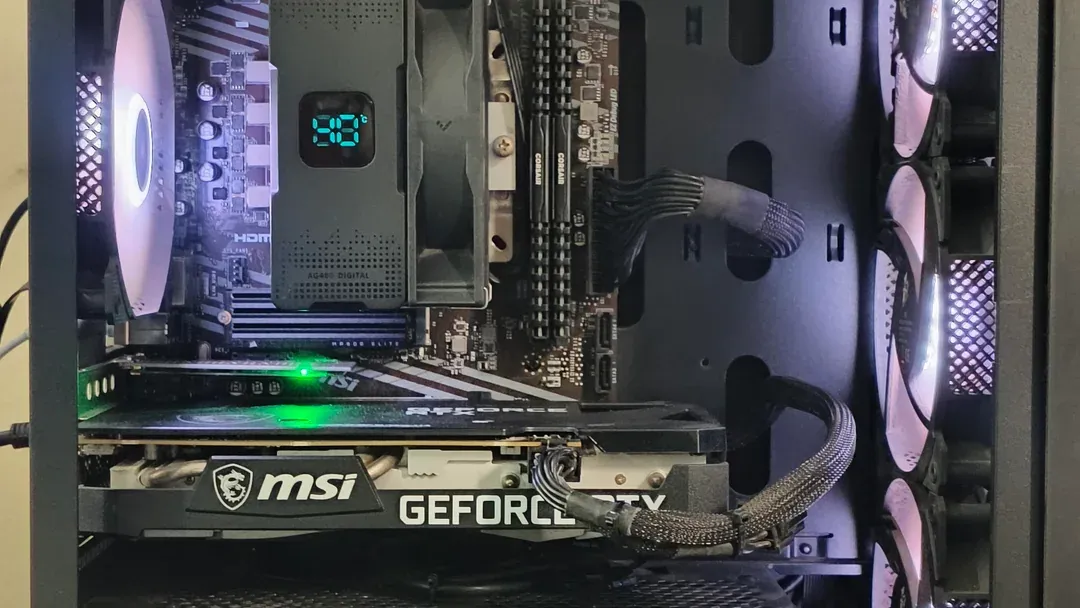
Power cables routed to a graphics card inside a PC Match the pick to your priority
Buyers for whom price is not the deciding factor, since the ASUS ROG Strix 1000W Platinum costs less: the CORSAIR HX1200i. Spending as little as possible, with the be quiet! Dark Power 13 1000W the next step up: the ASUS ROG Strix 1000W Platinum.
How to Choose a PSUs Under $300
By priority
| Priority | Consider | Why |
|---|---|---|
| Buyers who want military-grade capacitors and chokes | ASUS TUF Gaming 1200W Gold | Military-grade capacitors and chokes |
| Buyers for whom price is not the deciding factor, since the ASUS ROG Strix 1000W Platinum costs less | CORSAIR HX1200i | Monitoring and fan control through Corsair iCUE at the highest price in the group |
| Spending as little as possible, with the be quiet! Dark Power 13 1000W the next step up | ASUS ROG Strix 1000W Platinum | The lowest price of the group at our last check |
| Buyers who want frameless Silent Wings fan behind a full-mesh front | be quiet! Dark Power 13 1000W | A frameless Silent Wings fan behind a full-mesh front |
Scroll sideways to see every column.
Key specs side by side
The ASUS TUF Gaming 1200W Gold leads on rated output at 1200W, ahead of the CORSAIR HX1200i at 1200W. "Not listed" marks warranty where the CORSAIR HX1200i and the be quiet! Dark Power 13 1000W leave the figure out.
| Power supplie | Wattage | Warranty | 80 Plus rating | ATX version |
|---|---|---|---|---|
| ASUS TUF Gaming 1200W Gold | 1200W | 10 years | Gold | ATX 3.1 |
| CORSAIR HX1200i | 1200W | Not listed | Not listed | ATX 3.1 |
| ASUS ROG Strix 1000W Platinum | 1000W | 10 years | Platinum | ATX 3.1 |
| be quiet! Dark Power 13 1000W | 1000W | Not listed | Titanium | Not listed |
Scroll sideways to see every column.
By price at the time of writing
At our last check the cheapest pick, the ASUS ROG Strix 1000W Platinum, sat in the $150 to $250 tier, 2 tiers in all up to the CORSAIR HX1200i at $250 to $500; Amazon prices move, so recheck before buying.
| Price tier | Power supplies |
|---|---|
| About $150 to $250 | ASUS ROG Strix 1000W Platinum, be quiet! Dark Power 13 1000W, ASUS TUF Gaming 1200W Gold |
| About $250 to $500 | CORSAIR HX1200i |
Frequently Asked Questions
Is the CORSAIR HX1200i worth paying more than the ASUS ROG Strix 1000W Platinum?
The spec sheets show rated output (1200W against 1000W) in its favour. The ASUS ROG Strix 1000W Platinum sat in the $150 to $250 tier and the CORSAIR HX1200i in the $250 to $500 tier when we checked, with 2 other picks between them; pay the difference only if rated output decides your purchase.
What makes the CORSAIR HX1200i the Premium Pick?
It carries the badge for monitoring and fan control through Corsair iCUE at the highest price in the group. The ASUS ROG Strix 1000W Platinum, the cheapest pick, sat in the $150 to $250 tier against $250 to $500 here, without out-ranking it on any listed spec. It makes sense for buyers for whom price is not the deciding factor, since the ASUS ROG Strix 1000W Platinum costs less.
Do the ASUS TUF Gaming 1200W Gold and the ASUS ROG Strix 1000W Platinum differ on 80 Plus rating?
The ASUS TUF Gaming 1200W Gold uses Gold; the ASUS ROG Strix 1000W Platinum uses platinum; the be quiet! Dark Power 13 1000W uses titanium. The maker of the CORSAIR HX1200i doesn't state 80 Plus rating, so 3 of 4 picks are covered here.
What should I check before buying the be quiet! Dark Power 13 1000W?
The be quiet! Dark Power 13 1000W has no stated native 12V-2x6 cable; confirm the cable kit before pairing it with a 16-pin card. No depth is rated for the be quiet! Dark Power 13 1000W, so check the maker's page against your case's PSU bay. In this guide it ranks fourth of 4, and fourth of 4 on rated output (1000W).
Beyond the specs, what sets the ASUS TUF Gaming 1200W Gold and the CORSAIR HX1200i apart?
The ASUS TUF Gaming 1200W Gold: military-grade capacitors and chokes. The CORSAIR HX1200i: monitoring and fan control through Corsair iCUE. The ASUS ROG Strix 1000W Platinum: GaN MOSFETs.
Bottom Line
Our first pick is the ASUS TUF Gaming 1200W Gold, chosen for military-grade capacitors and chokes. Look at the CORSAIR HX1200i for monitoring and fan control through Corsair iCUE at the highest price in the group, the ASUS ROG Strix 1000W Platinum for the lowest price of the group at our last check and the be quiet! Dark Power 13 1000W for a frameless Silent Wings fan behind a full-mesh front if those matter more to you.
Check the case can fit a deeper high-wattage unit.
Related Guides
- Related guideThe Best Power Supplies for Gaming PCs
- Related guideThe Best 850W Power Supplies for a Single-GPU Gaming PC
- Related guideThe Best SFX Power Supplies for Small Form Factor PCs
- Lower budgetThe Best Power Supplies Under $250
- Similar guideThe Best PSUs Under $100
- ExplainerHow to choose a power supply for a PC build
- Explainer80 Plus Ratings Explained
- Check compatibility: graphics cardsHow to Choose a Graphics Card for 1080p Gaming
- Similar guideThe Best PSUs Under $150
- Topic hubAll power supplies guides
About the author
PC Hardware Editor
Alex covers PC hardware, monitors, components, upgrades and peripherals for The PC Journal, with a focus on helping readers understand specifications, compatibility and meaningful product trade-offs.
Covers: Monitors, Graphics cards, Processors, PC components, Peripherals, Upgrades and compatibility
View all articles