
Buying Guide
The Best PCIe 5.0 SSDs by Price
We weighed five SSDs on rated read speed and sequential read; the Fury Renegade G5 1TB has the fastest rated read speed, and the P510 1TB costs the least.
By Alex Morgan, PC Hardware Editor
12 min read5 products evaluated
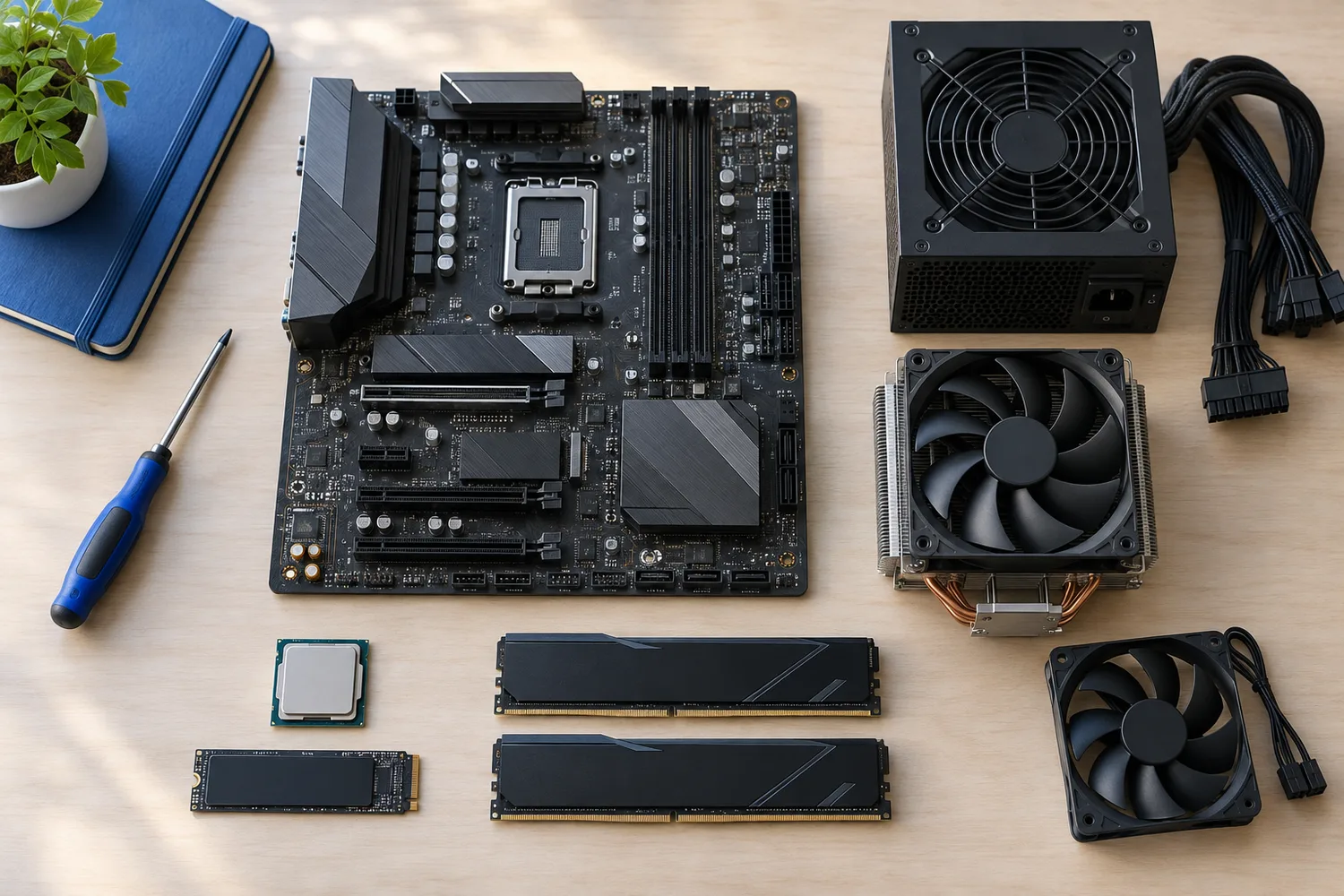
A PCIe 5.0 SSD only matters if your board supports it and you move large files. Every pick is a PCIe 5.0 drive, ordered from the lowest price.
The order reflects sequential read, interface and capacity from maker specifications; we did not test these SSDs ourselves, and gaps in the specs are flagged, not filled in.
Quick Picks
Which of the 5 picks to look at first. Tap a name for the full analysis.

Lowest Price Here
Crucial P510 1TBThe lowest price among these SSDs at the time of writing.
Best for: Spending as little as possible, with the Predator GM9 1TB the next step up.
Check price for Crucial P510 1TB on Amazon (opens in a new tab)
Also Consider
Acer Predator GM9 1TBNVMe 2.0 over PCIe 5.0.
Best for: Buyers who want NVMe 2.0 over PCIe 5.0.
Check price for Acer Predator GM9 1TB on Amazon (opens in a new tab)
Fastest Rated Read Speed
Kingston Fury Renegade G5 1TBThe fastest rated read speed here (14,800MB/s).
Best for: Buyers who put rated read speed first.
Check price for Kingston Fury Renegade G5 1TB on Amazon (opens in a new tab)
Strong Alternative
Crucial T705 1TBTLC NAND at 13,600MB/s.
Best for: Buyers who want TLC NAND at 13,600MB/s.
Check price for Crucial T705 1TB on Amazon (opens in a new tab)
Premium Pick
Lexar NM1090 Pro 1TBThe highest-priced pick here at the time of writing, with a PCIe Gen 5 drive.
Best for: Buyers who want a PCIe Gen 5 drive and can spend more than the T705 1TB costs.
Check price for Lexar NM1090 Pro 1TB on Amazon (opens in a new tab)
| Pick | Why it stands out | Best for | Check price |
|---|---|---|---|
| The lowest price among these SSDs at the time of writing. | Spending as little as possible, with the Predator GM9 1TB the next step up. | Check price for Crucial P510 1TB on Amazon (opens in a new tab) |
| NVMe 2.0 over PCIe 5.0. | Buyers who want NVMe 2.0 over PCIe 5.0. | Check price for Acer Predator GM9 1TB on Amazon (opens in a new tab) |
| The fastest rated read speed here (14,800MB/s). | Buyers who put rated read speed first. | Check price for Kingston Fury Renegade G5 1TB on Amazon (opens in a new tab) |
| TLC NAND at 13,600MB/s. | Buyers who want TLC NAND at 13,600MB/s. | Check price for Crucial T705 1TB on Amazon (opens in a new tab) |
| The highest-priced pick here at the time of writing, with a PCIe Gen 5 drive. | Buyers who want a PCIe Gen 5 drive and can spend more than the T705 1TB costs. | Check price for Lexar NM1090 Pro 1TB on Amazon (opens in a new tab) |
Our Picks
Lowest Price Here1 of 5
Crucial P510 1TB
What the P510 1TB brings to the table is TLC NAND on a PCIe 5.0 interface.
Best for
- Spending as little as possible, with the Predator GM9 1TB the next step up.
Skip if
- Look at the others if this bothers you: needs a PCIe 5.0 M.2 slot to reach its rated speed.
Why we like it
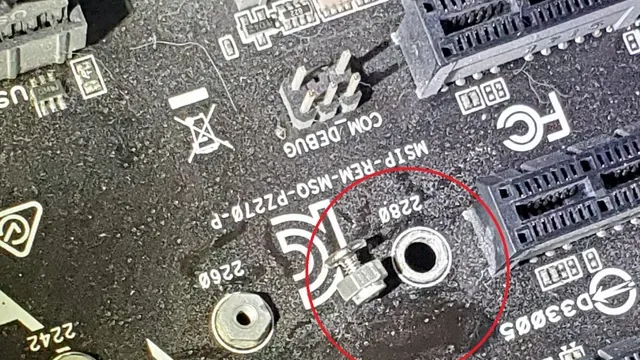
It also offers an 11,000MB/s rated read speed and is rated for 1TB. Its 11,000MB/s rated read speed is the slowest in this group; the Fury Renegade G5 1TB leads at 14,800MB/s. It is an M.2 2280 drive, the standard length on desktop boards; check which of your board's slots it goes in, as some share lanes with SATA ports.
Use a PCIe 5.0 M.2 slot, usually the one closest to the CPU, and a board heatsink or the drive's own; in a PCIe 4.0 slot it runs at 4.0 speed. It was the cheapest of the group when we checked; the Predator GM9 1TB was the next step up.
Key specs
- Sequential read
- 11,000MB/s
- Interface
- PCIe 5.0 x4
- Capacity
- 1TB
Pros
- TLC NAND on a PCIe 5.0 interface
- The lowest price among these SSDs at the time of writing
- 11,000MB/s rated read speed
- PCIe 5.0 x4 interface
Cons
- Needs a PCIe 5.0 M.2 slot to reach its rated speed
- Rated read speed trails the Fury Renegade G5 1TB (14,800MB/s)
Also Consider2 of 5
Acer Predator GM9 1TB
The Predator GM9 1TB stands out for NVMe 2.0 over PCIe 5.0.
Best for
- Buyers who want NVMe 2.0 over PCIe 5.0.
Skip if
- Skip it if this is a deal-breaker for you: needs a PCIe 5.0 M.2 slot to reach its rated speed.
Why we like it
It also offers a 14,500MB/s rated read speed and is rated for 1TB. Its 14,500MB/s rated read speed ranks second of 5 here, behind the Fury Renegade G5 1TB (14,800MB/s) and ahead of the P510 1TB (11,000MB/s). It is an M.2 2280 drive, the standard length on desktop boards; check which of your board's slots it goes in, as some share lanes with SATA ports.
Use a PCIe 5.0 M.2 slot, usually the one closest to the CPU, and a board heatsink or the drive's own; in a PCIe 4.0 slot it runs at 4.0 speed. On price it sat second of 5, between the cheaper P510 1TB and the pricier Fury Renegade G5 1TB, at the time of writing.
Key specs
- Sequential read
- 14,500MB/s
- Interface
- PCIe 5.0 x4
- Capacity
- 1TB
Pros
- PCIe 5.0 read speeds up to 14,500MB/s
- NVMe 2.0 over PCIe 5.0
- PCIe 5.0 x4 interface
- 1TB capacity
Cons
- Needs a PCIe 5.0 M.2 slot to reach its rated speed
- Costs more than the P510 1TB at the time of writing
Fastest Rated Read Speed3 of 5
Kingston Fury Renegade G5 1TB
What the Fury Renegade G5 1TB brings to the table is a PCIe 5.0 M.2 2280 drive.
Best for
- Buyers who put rated read speed first.
Skip if
- Skip it if this is a deal-breaker for you: needs a PCIe 5.0 M.2 slot to reach its rated speed.
Why we like it
It also offers a 14,800MB/s rated read speed and is rated for 1TB. On rated read speed it leads this guide at 14,800MB/s, ahead of the Predator GM9 1TB (14,500MB/s). It is an M.2 2280 drive, the standard length on desktop boards; check which of your board's slots it goes in, as some share lanes with SATA ports.
Use a PCIe 5.0 M.2 slot, usually the one closest to the CPU, and a board heatsink or the drive's own; in a PCIe 4.0 slot it runs at 4.0 speed. It was priced above the Predator GM9 1TB and below the T705 1TB at the time of writing.
Key specs
- Sequential read
- 14,800MB/s
- Interface
- PCIe 5.0 x4
- Capacity
- 1TB
Pros
- PCIe 5.0 read speeds up to 14,800MB/s
- PCIe 5.0 M.2 2280 drive
- The fastest rated read speed here (14,800MB/s)
Cons
- Needs a PCIe 5.0 M.2 slot to reach its rated speed
- Costs more than the P510 1TB at the time of writing
Strong Alternative4 of 5
Crucial T705 1TB
The T705 1TB is built around TLC NAND at 13,600MB/s.
Best for
- Buyers who want TLC NAND at 13,600MB/s.
Skip if
- Pass on it if needs a PCIe 5.0 M.2 slot to reach its rated speed rules it out for your setup.
Why we like it
On the spec sheet, it offers a 13,600MB/s rated read speed and is rated for 1TB. Its 13,600MB/s rated read speed ranks fourth of 5 here, behind the Fury Renegade G5 1TB (14,800MB/s) and ahead of the P510 1TB (11,000MB/s). It is an M.2 2280 drive, the standard length on desktop boards; check which of your board's slots it goes in, as some share lanes with SATA ports.
Use a PCIe 5.0 M.2 slot, usually the one closest to the CPU, and a board heatsink or the drive's own; in a PCIe 4.0 slot it runs at 4.0 speed. Its price falls between the Fury Renegade G5 1TB and the NM1090 Pro 1TB, based on our last check.
Key specs
- Sequential read
- 13,600MB/s
- Interface
- PCIe 5.0 x4
- Capacity
- 1TB
Pros
- TLC NAND at 13,600MB/s
- Rated read speed of 13,600MB/s, ahead of the P510 1TB
- PCIe 5.0 x4 interface
- 1TB capacity
Cons
- Needs a PCIe 5.0 M.2 slot to reach its rated speed
- Costs more than the P510 1TB at the time of writing
Premium Pick5 of 5
Lexar NM1090 Pro 1TB
What the NM1090 Pro 1TB brings to the table is a PCIe Gen 5 drive.
Best for
- Buyers who want a PCIe Gen 5 drive and can spend more than the T705 1TB costs.
Skip if
- Pass on it if needs a PCIe 5.0 M.2 slot to reach its rated speed rules it out for your setup.
Why we like it
It also offers a 14,000MB/s rated read speed and offers a 10,000MB/s rated write speed. On rated read speed it sits mid-pack at 14,000MB/s: the Fury Renegade G5 1TB offers 14,800MB/s, and the P510 1TB comes in at 11,000MB/s. It is an M.2 2280 drive, the standard length on desktop boards; check which of your board's slots it goes in, as some share lanes with SATA ports.
Use a PCIe 5.0 M.2 slot, usually the one closest to the CPU, and a board heatsink or the drive's own; in a PCIe 4.0 slot it runs at 4.0 speed. Only the T705 1TB came close to it on price at the time of writing; it cost the most of the 5 picks.
Key specs
- Sequential read
- 14,000MB/s
- Sequential write
- 10,000MB/s
- Interface
- PCIe 5.0 x4
- Capacity
- 1TB
Pros
- PCIe 5.0 read speeds up to 14,000MB/s
- PCIe Gen 5 drive
- The highest-priced pick here at the time of writing, with a PCIe Gen 5 drive
Cons
- Needs a PCIe 5.0 M.2 slot to reach its rated speed
- Costs more than the P510 1TB at the time of writing
How We Chose These PCIe 5.0 SSDs by Price
Alex Morgan compared the manufacturer specifications, connectivity, warranty terms and compatibility of every pick. Figures come from the makers unless a third-party source is named; we did not test these products ourselves.
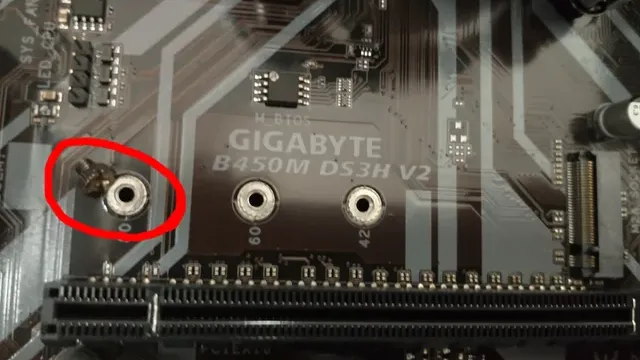
- What we compared
- We set side by side five drives on rated read speed, interface and capacity, using each maker's published specs. We did not test them in-house, and all 3 compared fields are stated for every pick.
- What every pick has in common
- All 5, from the P510 1TB to the NM1090 Pro 1TB, state rated read speed, interface and capacity and share PCIe 5.0 x4 interface and 1TB capacity.
- Who each pick suits
- The P510 1TB for the lowest price among these SSDs at the time of writing; the Predator GM9 1TB for NVMe 2.0 over PCIe 5.0; the Fury Renegade G5 1TB for the fastest rated read speed here (14,800MB/s).
- Price range
- At our last check the picks ran from the P510 1TB ($150 to $250) to the NM1090 Pro 1TB ($250 to $500).
What to Look for in a PCIe 5.0 SSD by Price
Key buying criteria so you get the right fit the first time.
How much rated read speed you need
The Fury Renegade G5 1TB tops rated read speed at 14,800MB/s and the P510 1TB sits lowest at 11,000MB/s. The Predator GM9 1TB comes second at 14,500MB/s, in the same price tier as the Fury Renegade G5 1TB.
Extras that separate them
The Fury Renegade G5 1TB: a PCIe 5.0 M.2 2280 drive. The T705 1TB: TLC NAND at 13,600MB/s. The NM1090 Pro 1TB: a PCIe Gen 5 drive.
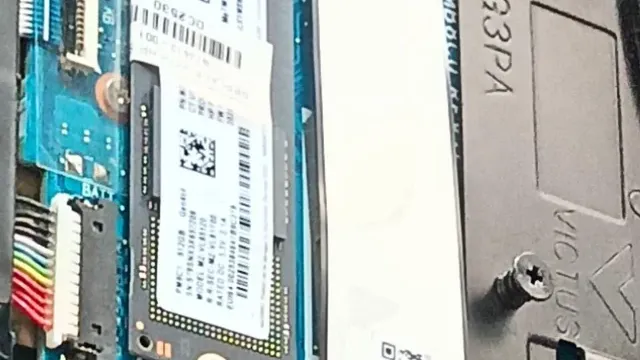
An M.2 SSD installed on a motherboard Where your budget lands
$150 to $250 buys the P510 1TB, the Predator GM9 1TB and the Fury Renegade G5 1TB; $250 to $500 buys the T705 1TB and the NM1090 Pro 1TB at our last check.
Start from what matters most
Spending as little as possible, with the Predator GM9 1TB the next step up: the P510 1TB. Buyers who put rated read speed first: the Fury Renegade G5 1TB. Buyers who want a PCIe Gen 5 drive and can spend more than the T705 1TB costs: the NM1090 Pro 1TB.
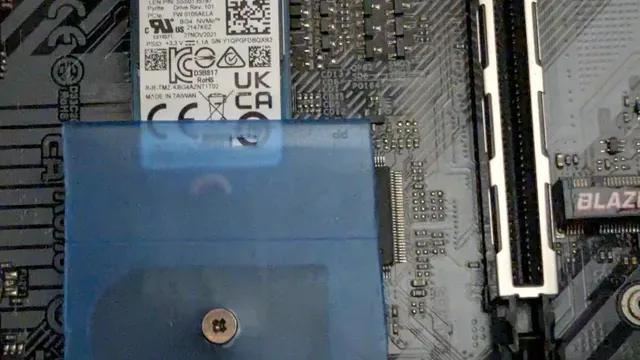
An M.2 SSD going into a motherboard slot DRAM cache helps heavy use
Drives with DRAM cache hold speed better under long writes. DRAM-less drives with HMB are fine for games.
How to Choose a PCIe 5.0 SSD by Price
By priority
| Priority | Consider | Why |
|---|---|---|
| Spending as little as possible, with the Predator GM9 1TB the next step up | P510 1TB | The lowest price among these SSDs at the time of writing |
| Buyers who want NVMe 2.0 over PCIe 5.0 | Predator GM9 1TB | NVMe 2.0 over PCIe 5.0 |
| Buyers who put rated read speed first | Fury Renegade G5 1TB | The fastest rated read speed here (14,800MB/s) |
| Buyers who want TLC NAND at 13,600MB/s | T705 1TB | TLC NAND at 13,600MB/s |
| Buyers who want a PCIe Gen 5 drive and can spend more than the T705 1TB costs | NM1090 Pro 1TB | The highest-priced pick here at the time of writing, with a PCIe Gen 5 drive |
Scroll sideways to see every column.
Key specs side by side
The Fury Renegade G5 1TB leads on rated read speed at 14,800MB/s, ahead of the Predator GM9 1TB at 14,500MB/s.
| Drive | Sequential read | Interface | Capacity |
|---|---|---|---|
| P510 1TB | 11,000MB/s | PCIe 5.0 x4 | 1TB |
| Predator GM9 1TB | 14,500MB/s | PCIe 5.0 x4 | 1TB |
| Fury Renegade G5 1TB | 14,800MB/s | PCIe 5.0 x4 | 1TB |
| T705 1TB | 13,600MB/s | PCIe 5.0 x4 | 1TB |
| NM1090 Pro 1TB | 14,000MB/s | PCIe 5.0 x4 | 1TB |
Scroll sideways to see every column.
By price at the time of writing
The P510 1TB was the lowest-priced pick ($150 to $250) and the NM1090 Pro 1TB the highest ($250 to $500) when we checked; tiers move with Amazon pricing.
| Price tier | Drives |
|---|---|
| About $150 to $250 | P510 1TB, Predator GM9 1TB, Fury Renegade G5 1TB |
| About $250 to $500 | T705 1TB, NM1090 Pro 1TB |
Frequently Asked Questions
Is the Fury Renegade G5 1TB ahead of the Predator GM9 1TB on rated read speed?
The Fury Renegade G5 1TB tops rated read speed at 14,800MB/s; the Predator GM9 1TB follows at 14,500MB/s, 2% apart. The P510 1TB is at the other end of this group with 11,000MB/s.
What does the NM1090 Pro 1TB add over the P510 1TB?
The spec sheets show rated read speed (14,000MB/s against 11,000MB/s) in its favour. On our last price check the P510 1TB was in the $150 to $250 tier and the NM1090 Pro 1TB in the $250 to $500 tier, with 3 other picks between them; pay the difference only if rated read speed decides your purchase.
Why is the Fury Renegade G5 1TB our Fastest Rated Read Speed pick?
It earns the label for the fastest rated read speed here (14,800MB/s). On rated read speed it leads the Predator GM9 1TB, 14,800MB/s against 14,500MB/s, a 2% margin. It is aimed at anyone who puts rated read speed first.
What extras do the P510 1TB and the Predator GM9 1TB include?
The P510 1TB: TLC NAND on a PCIe 5.0 interface. The Predator GM9 1TB: NVMe 2.0 over PCIe 5.0. The Fury Renegade G5 1TB: a PCIe 5.0 M.2 2280 drive.
Should I pick the P510 1TB or the NM1090 Pro 1TB?
The P510 1TB suits spending as little as possible, with the Predator GM9 1TB the next step up; the NM1090 Pro 1TB suits buyers who want a PCIe Gen 5 drive and can spend more than the T705 1TB costs.
Bottom Line
Our first pick is the P510 1TB, chosen for the lowest price among these SSDs at the time of writing. Look at the Predator GM9 1TB for NVMe 2.0 over PCIe 5.0, the Fury Renegade G5 1TB for the fastest rated read speed here (14,800MB/s) and the T705 1TB for TLC NAND at 13,600MB/s if those matter more to you.
Check that the M.2 slot you use is wired for PCIe 5.0.
Related Guides
- Related guideThe Best 2TB NVMe SSDs for Gaming
- Related guideThe Best SSDs for a PC Build
- Related guideThe Best 2TB Gen4 NVMe SSDs
- Lower budgetThe Best SSDs Under $300
- Similar guideThe Best PCIe 5.0 SSDs
- ExplainerNVMe vs SATA SSD
- ExplainerHow to Choose a SATA SSD
- Check compatibility: motherboardsWhat Is a Motherboard VRM and When Does It Matter?
- Similar guideThe Best PCIe 4.0 SSDs
- Topic hubAll ssds and storage guides
About the author
PC Hardware Editor
Alex covers PC hardware, monitors, components, upgrades and peripherals for The PC Journal, with a focus on helping readers understand specifications, compatibility and meaningful product trade-offs.
Covers: Monitors, Graphics cards, Processors, PC components, Peripherals, Upgrades and compatibility
View all articles