
Buying Guide
The Best Monitor Stand Risers
Six risers, from plain platforms to dual-width drawers.
By Alex Morgan, PC Hardware Editor
12 min read6 products evaluated

A riser lifts a monitor without a VESA mount. These six range from single platforms to dual-width drawers.
Load and height come from each listing.
Quick Picks
Which of the 6 picks to look at first. Tap a name for the full analysis.

Best Steel Platform
HUANUO Monitor Riser with Vented Metal PlatformA vented steel platform rated for 44 lb.
Best for: Heavy screens.
Check price for HUANUO Monitor Riser with Vented Metal Platform on Amazon (opens in a new tab)
Best Height Settings
Canyora Monitor Stand Riser with 3 HeightsThree height settings and a 44 lb limit.
Best for: Eye-level tuning.
Check price for Canyora Monitor Stand Riser with 3 Heights on Amazon (opens in a new tab)
Best Adjustable Basic
Amazon Basics Height Adjustable Monitor Stand RiserAdjustable height.
Best for: Single screens.
Check price for Amazon Basics Height Adjustable Monitor Stand Riser on Amazon (opens in a new tab)
Best Budget
WALI Adjustable Computer Monitor StandA 44 lb limit at the lowest price here.
Best for: Tight budgets.
Check price for WALI Adjustable Computer Monitor Stand on Amazon (opens in a new tab)
Best Dual Drawer
gianotter Dual Monitor Stand Riser with DrawerA dual platform with a drawer.
Best for: Two screens.
Check price for gianotter Dual Monitor Stand Riser with Drawer on Amazon (opens in a new tab)
Best Two-Tier
OPNICE 2-Tier Monitor Stand Riser with DrawerA two-tier platform with a drawer.
Best for: Small desks.
Check price for OPNICE 2-Tier Monitor Stand Riser with Drawer on Amazon (opens in a new tab)
Our Picks
Best Steel Platform1 of 6
HUANUO Monitor Riser with Vented Metal Platform
HUANUO's riser has a vented steel platform and a 44 lb limit.
Best for
- Heavy screens.
Skip if
- If budget leads, the WALI riser was cheaper at our last price check.
Why we like it
It also suits a laptop or printer. Its perforated steel platform lifts a monitor by about 4 inches and lets a laptop breathe. At 14.57 inches wide it suits a single screen.
It assembles in about two minutes, and the space underneath stores a keyboard or papers. Its solid steel plate holds monitors, laptops and printers. At 3.94 inches tall it raises the screen a modest amount, which suits shorter desks.
On load rating it ties with the Canyora riser and the WALI riser at 44 lbs. You get a 14.94 in steel plate platform here, which sets it apart from the OPNICE 2-tier and its a 2-tier platform. Measure your monitor stand's footprint against the HUANUO riser's platform before ordering. When we checked, only the WALI riser cost less, and the Canyora riser cost more.
Key specs
- Load
- 44 lbs
- Platform
- 14.94 in steel plate
Pros
- Holds up to 44 lbs
- Vented steel platform
- 44 lb limit
- Room for a laptop or printer
Cons
- Costs more than the WALI riser at the time of writing
Best Height Settings2 of 6
Canyora Monitor Stand Riser with 3 Heights
Canyora's riser has three height settings and a 44 lb limit.
Best for
- Eye-level tuning.
Skip if
- If budget leads, the WALI riser was cheaper at our last price check.
Why we like it
It suits a single monitor. It assembles in under 30 seconds, and 150 ventilation holes keep a laptop or PC cool. It can also work as a floor shelf.
It matches the HUANUO riser and the WALI riser on load rating (44 lbs). You get a 3 settings height here, which sets it apart from the WALI riser and its an adjustable height. Measure your monitor stand's footprint against the Canyora riser's platform before ordering. On price it sat third of 6, between the cheaper HUANUO riser and the pricier Amazon Basics riser, at the time of writing.
Key specs
- Load
- 44 lbs
- Height
- 3 settings
Pros
- Holds up to 44 lbs
- Three height settings
- 44 lb limit
Cons
- Costs more than the WALI riser at the time of writing
Best Adjustable Basic3 of 6
Amazon Basics Height Adjustable Monitor Stand Riser
Amazon Basics' riser adjusts in height and offers a 22 lb limit.
Best for
- Single screens.
Skip if
- Skip it if load rating matters most to you; the HUANUO riser offers 44 lbs.
Why we like it
The platform is about 11 inches deep at the center. Its ABS riser holds up to 22 lbs and sits on non-skid feet. It is light enough to move between desks.
On load rating it trails the group at 22 lbs, while the HUANUO riser is rated for 44 lbs. Like the WALI riser, it has an adjustable height, while the Canyora riser uses a 3 settings height. Measure your monitor stand's footprint against the Amazon Basics riser's platform before ordering.
You also get this: 22 lb limit. It was priced above the Canyora riser and below the OPNICE 2-tier at the time of writing.
Key specs
- Load
- 22 lbs
- Height
- Adjustable
Pros
- Adjustable height
- 22 lb limit
- Platform about 11 inches deep at the center
Cons
- Load rating trails the HUANUO riser (44 lbs)
- Costs more than the WALI riser at the time of writing
Best Budget4 of 6
WALI Adjustable Computer Monitor Stand
WALI's adjustable stand offers a 44 lb (20 kg) limit.
Best for
- Tight budgets.
Skip if
- Look at the other picks if you need a feature not covered above.
Why we like it
Its 14.6 by 9.3 inch shelf raises a screen by 4.5, 5.3 or 6.1 inches. The vented shelf also works for a laptop or printer. It assembles without tools, and the space underneath holds a keyboard or notebooks.
The black finish suits most desks. It matches the HUANUO riser and the Canyora riser on load rating (44 lbs). It shares an adjustable height with the Amazon Basics riser; the Canyora riser goes with a 3 settings height.
You also get the lowest price among the risers here. Measure your monitor stand's footprint against the WALI riser's platform before ordering. It was the cheapest of the group when we checked; the HUANUO riser was the next step up.
Key specs
- Load
- 44 lbs
- Height
- Adjustable
Pros
- Holds up to 44 lbs
- 44 lb (20 kg) limit
- Adjustable height
- The lowest price among the risers here
Best Dual Drawer5 of 6
gianotter Dual Monitor Stand Riser with Drawer
gianotter's dual riser adds a drawer and two magnetic pen holders.
Best for
- Two screens.
Skip if
- The maker gives no load rating, so skip it if that figure decides your choice.
Why we like it
It spans two monitors or a monitor and a laptop. It needs no assembly and has a drawer, and it raises two monitors to eye level. No other pick in this guide offers a dual platform; compare the HUANUO riser, which has a 14.94 in steel plate platform.
Measure your monitor stand's footprint against the gianotter riser's platform before ordering. The gianotter riser's drawer needs clearance in front, so keep the keyboard slightly forward. It was the most expensive pick when we checked, so weigh what it adds over the OPNICE 2-tier. Buyers who need a confirmed load rating should compare it with the HUANUO riser, which is rated for 44 lbs.
Key specs
- Platform
- Dual
- Storage
- Drawer, 2 pen holders
Pros
- Built-in drawer
- Two magnetic pen holders
- Dual-width platform
Cons
- No published load rating
- Costs more than the WALI riser at the time of writing
Best Two-Tier6 of 6
OPNICE 2-Tier Monitor Stand Riser with Drawer
OPNICE's two-tier riser adds a drawer and two hanging pen holders.
Best for
- Small desks.
Skip if
- Pass if a published load rating matters; this one has none.
Why we like it
The second tier holds small items. It adds a second tier of storage under the monitor, and OPNICE offers a 100-day return window. A 2-tier platform is unique to it among these picks, while the gianotter riser uses a dual platform.
Measure your monitor stand's footprint against the OPNICE 2-tier's platform before ordering. The OPNICE 2-tier's drawer needs clearance in front, so keep the keyboard slightly forward. It was priced above the Amazon Basics riser and below the gianotter riser at the time of writing. There is no published load rating figure, whereas the HUANUO riser is rated for 44 lbs.
Key specs
- Platform
- 2-tier
- Storage
- Drawer, 2 pen holders
Pros
- Built-in drawer
- Two-tier platform
- Two hanging pen holders
Cons
- No published load rating
- Costs more than the WALI riser at the time of writing
How We Chose These Monitor Stand Risers
Alex Morgan compared the manufacturer specifications, connectivity, warranty terms and compatibility of every pick. Figures come from the makers unless a third-party source is named; we did not test these products ourselves.
- How these picks were ranked
- We lined up six monitor risers on load rating, height, platform and storage as the makers state them. These are research figures, not bench results: 2 of 6 picks leave out load rating.
- Where the specs have gaps
- The gianotter riser and the OPNICE 2-tier give no load rating; the HUANUO riser, the gianotter riser and the OPNICE 2-tier give no height.
- Price range
- From the WALI riser to the gianotter riser, all sat in the under $50 tier when we checked.
What to Look for in a Monitor Stand Riser
Key buying criteria so you get the right fit the first time.
How much load rating you need
Here load rating runs from 22 lbs on the Amazon Basics riser to 44 lbs on the HUANUO riser, a 100% spread. The HUANUO riser is the pick for load rating. The gianotter riser and the OPNICE 2-tier give no load rating figure, so 4 of 6 picks are compared here.
Platform
The HUANUO riser lists 14.94 in steel plate; the gianotter riser lists dual; the OPNICE 2-tier lists 2-tier. Sort out platform before price: it splits 3 stated picks into groups of 1, 1 and 1.
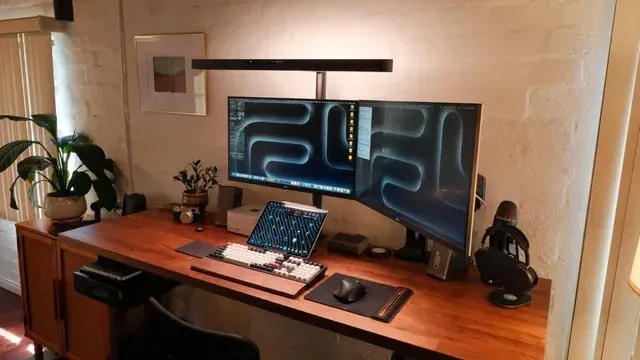
A desk with two monitors and a monitor light bar Setup checks
Measure your monitor stand's footprint against the HUANUO riser's platform before ordering. Measure your monitor stand's footprint against the Amazon Basics riser's platform before ordering. Measure your monitor stand's footprint against the OPNICE 2-tier's platform before ordering.
Extras that separate them
The WALI riser: adjustable height. The gianotter riser: two magnetic pen holders. The OPNICE 2-tier: a drawer.
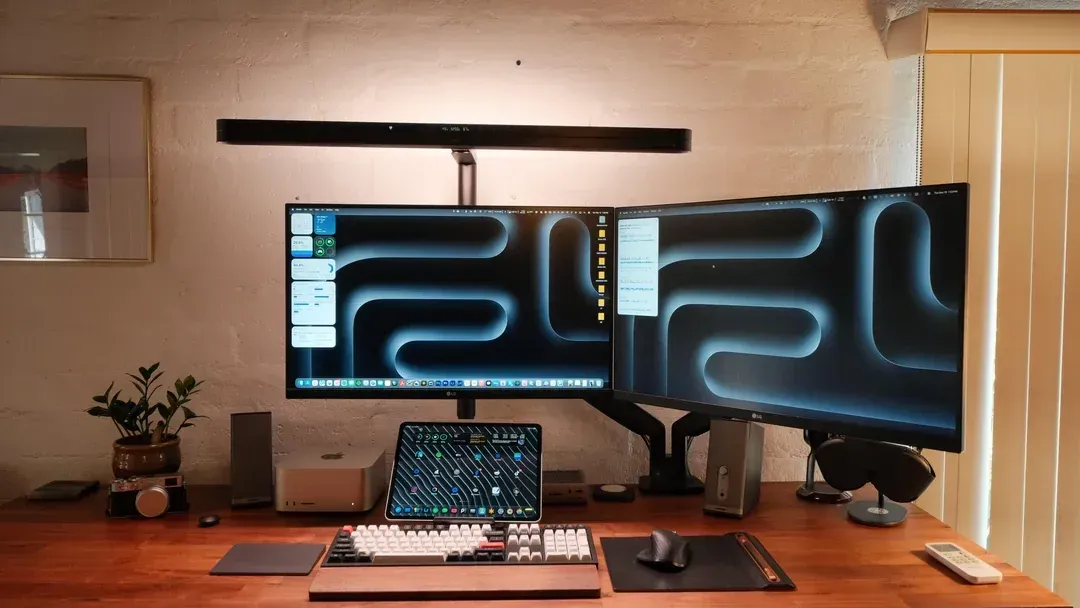
A monitor light bar above two monitors on a wooden desk How much to spend
All 6 sat in the under $50 tier when we checked, from the WALI riser at the low end to the gianotter riser at the top, so decide on features first.
How to Choose a Monitor Stand Riser
By priority
| Priority | Consider | Why |
|---|---|---|
| Heavy screens | HUANUO riser | A vented steel platform rated for 44 lb |
| Eye-level tuning | Canyora riser | Three height settings and a 44 lb limit |
| Single screens | Amazon Basics riser | Adjustable height |
| Tight budgets | WALI riser | A 44 lb limit at the lowest price here |
| Two screens | gianotter riser | A dual platform with a drawer |
| Small desks | OPNICE 2-tier | A two-tier platform with a drawer |
Scroll sideways to see every column.
Key specs side by side
The HUANUO riser leads on load rating at 44 lbs, ahead of the Canyora riser at 44 lbs. "Not listed" marks load rating where the gianotter riser and the OPNICE 2-tier leave the figure out.
| Monitor Riser | Load | Height | Platform | Storage |
|---|---|---|---|---|
| HUANUO riser | 44 lbs | Not listed | 14.94 in steel plate | Not listed |
| Canyora riser | 44 lbs | 3 settings | Not listed | Not listed |
| Amazon Basics riser | 22 lbs | Adjustable | Not listed | Not listed |
| WALI riser | 44 lbs | Adjustable | Not listed | Not listed |
| gianotter riser | Not listed | Not listed | Dual | Drawer, 2 pen holders |
| OPNICE 2-tier | Not listed | Not listed | 2-tier | Drawer, 2 pen holders |
Scroll sideways to see every column.
Frequently Asked Questions
Why is the Canyora riser our Best Height Settings pick?
It carries the badge for three height settings and a 44 lb limit. It suits eye-level tuning.
Do the Canyora riser and the Amazon Basics riser differ on height?
The Canyora riser uses 3 settings; the Amazon Basics riser and the WALI riser use Adjustable. The HUANUO riser, the gianotter riser and the OPNICE 2-tier have no height listed, so 3 of 6 picks are covered here.
Will the Amazon Basics riser work with my setup?
Measure your monitor stand's footprint against the Amazon Basics riser's platform before ordering. In this guide it ranks third of 6, as our Best Adjustable Basic pick, and fourth of 4 on load rating (22 lbs).
What extras do the HUANUO riser and the Canyora riser include?
The HUANUO riser: a vented steel platform. The Canyora riser: three height settings. The Amazon Basics riser: adjustable height.
Who should choose the HUANUO riser?
The HUANUO riser carries our Best Steel Platform label for a vented steel platform rated for 44 lb. It ranks first of 6 here and sat in the under $50 tier at our last price check; it suits heavy screens.
Bottom Line
HUANUO's steel riser is the pick for a vented 44 lb platform. Canyora adds three heights, and gianotter's dual riser adds a drawer.
Related Guides
- Related guideThe Best Monitor Arms
- Related guideThe Best Dual Monitor Arms
- Related guideThe Best Computer Tower Stands for Your Desk
- Similar guideThe Best Monitor Stand for Desk
- Similar guideThe Best Ergonomic Monitor Stand
- Also see: chairs, desks and desk setupHow to size an office chair to your height and your desk
- Also see: monitors for work and everyday useHow to choose a monitor for your PC
- Similar guideThe Best Monitor Light Bars
- Similar guideThe Best Monitor Mount for Desk
- Topic hubAll monitor arms and accessories guides
About the author
PC Hardware Editor
Alex covers PC hardware, monitors, components, upgrades and peripherals for The PC Journal, with a focus on helping readers understand specifications, compatibility and meaningful product trade-offs.
Covers: Monitors, Graphics cards, Processors, PC components, Peripherals, Upgrades and compatibility
View all articles