
Buying Guide
The Best High Static Pressure Fans
From the TL-C14 to the RS120-R ARGB 3-pack: five case fans ranked on pack size and top speed, with who should skip each one.
By Alex Morgan, PC Hardware Editor
12 min read5 products evaluated
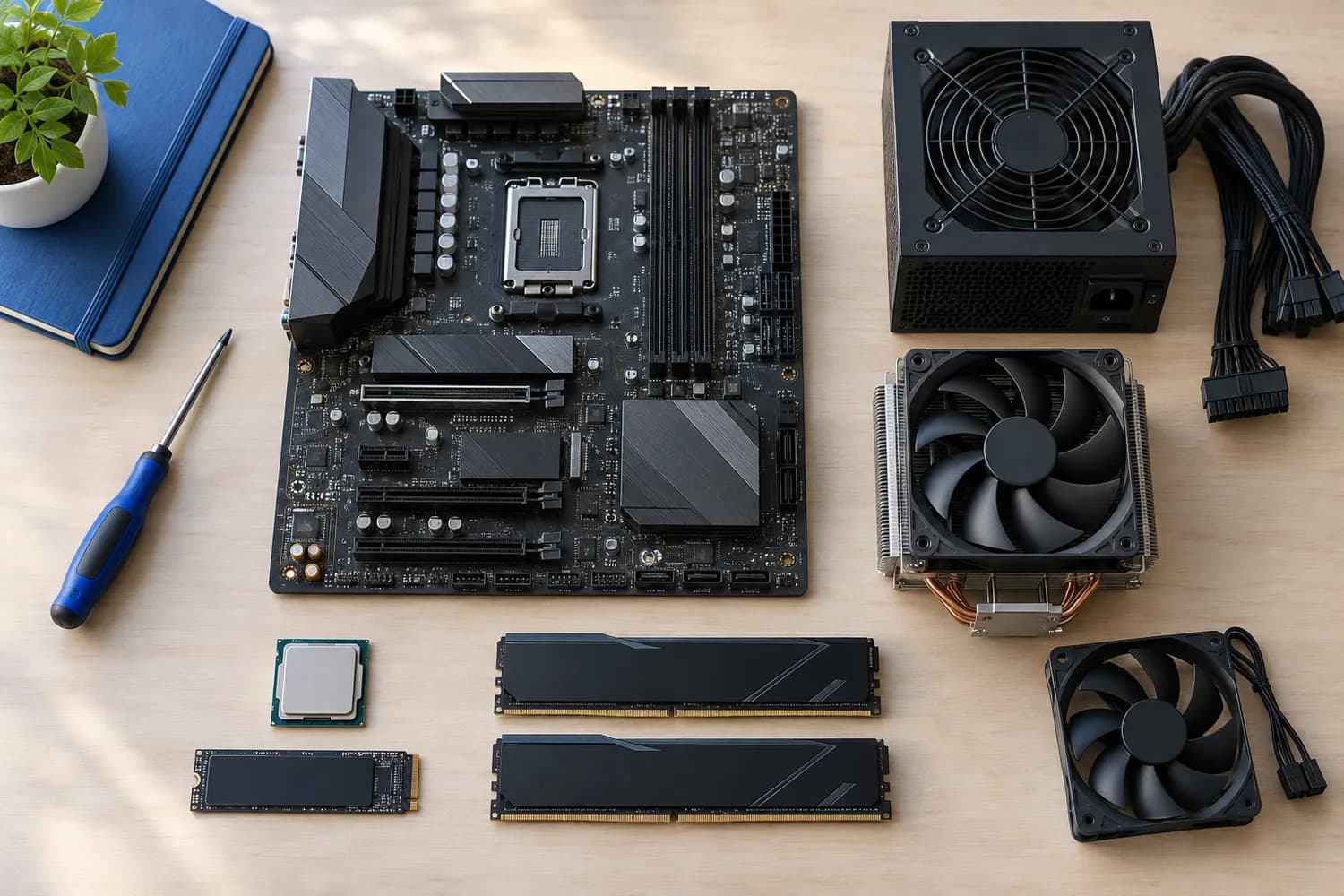
Static pressure pushes air through radiators and dense filters. Every pick has a static pressure figure, ordered from the highest.
We sorted these picks by fans in box, max speed and rated airflow, working from the makers' own data; nothing here was tested in-house, and if a maker skips rated noise, the guide says so.
Quick Picks
Which of the 5 picks to look at first. Tap a name for the full analysis.

Highest Static Pressure
Corsair RS120-R ARGB 120mm PWM Reverse (3 Pack)The highest static pressure here (2.81 mmH2O).
Best for: Buyers who put static pressure first.
Check price for Corsair RS120-R ARGB 120mm PWM Reverse (3 Pack) on Amazon (opens in a new tab)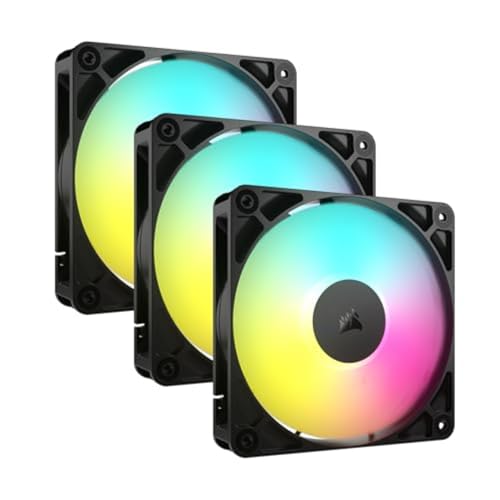
Also Consider
Corsair RS120 ARGB 120mm PWM (3 Pack)Daisy-chained fans that run from one PWM and one ARGB header.
Best for: Buyers who want daisy-chained fans that run from one PWM and one ARGB header.
Check price for Corsair RS120 ARGB 120mm PWM (3 Pack) on Amazon (opens in a new tab)
Largest Pack Size
ARCTIC P12 PWM PST (5 Pack)The largest pack size here (5 fans).
Best for: Buyers who put pack size first.
Check price for ARCTIC P12 PWM PST (5 Pack) on Amazon (opens in a new tab)
Lowest Price Here
Thermalright TL-C14 140mm PWM FanThe lowest price among these case fans at the time of writing.
Best for: Buyers who would rather put the savings elsewhere than into the TL-C14C-S X3.
Check price for Thermalright TL-C14 140mm PWM Fan on Amazon (opens in a new tab)
Highest Rated Airflow
Thermalright TL-C14C-S X3 140mm ARGB 3-PackThe highest rated airflow here (75.8 CFM).
Best for: Intake fans in a mesh-front case.
Check price for Thermalright TL-C14C-S X3 140mm ARGB 3-Pack on Amazon (opens in a new tab)
Our Picks
Highest Static Pressure1 of 5
Corsair RS120-R ARGB 120mm PWM Reverse (3 Pack)
The RS120-R is the reverse-rotor version of the RS120, so the lit side faces into the case when the fans are used as front intakes.
Best for
- Buyers who put static pressure first.
Skip if
- Price-first buyers should look at the TL-C14, which cost less when we checked.
Why we like it
It also adds a zero-RPM mode at low PWM. It matches the RS120 ARGB 3-pack and the TL-C14C-S X3 on pack size (3 fans). It matches the RS120 ARGB 3-pack on top speed (2100 RPM).
On rated airflow it sits mid-pack at 65.8 CFM: the TL-C14C-S X3 offers 75.8 CFM, and the P12 PWM PST 5-pack comes in at 56.3 CFM. On static pressure it leads this guide at 2.81 mmH2O, ahead of the RS120 ARGB 3-pack (2.8 mmH2O). It shares a magnetic dome bearing with the RS120 ARGB 3-pack; the TL-C14C-S X3 goes with a S-FDB bearing.
It also offers daisy-chain connections. Check that your case has 120mm mounts in the positions you plan to use, and how many fan headers your motherboard offers. At our last price check it topped the group, with the RS120 ARGB 3-pack the nearest cheaper option.
Key specs
- Fans in box
- 3 fans
- Max speed
- 2100 RPM
- Rated airflow
- 65.8 CFM
- Static pressure
- 2.81 mmH2O
- Bearing
- Magnetic dome
- Stops at low PWM
- Yes
- Lighting
- ARGB, 8 LEDs per fan
Pros
- 3 fans in the box
- 65.8 CFM rated airflow
- 2.81 mmH2O static pressure for radiators and filters
- a Magnetic dome bearing
Cons
- Costs more than the TL-C14 at the time of writing
Also Consider2 of 5
Corsair RS120 ARGB 120mm PWM (3 Pack)
Corsair's RS120 ARGB pack daisy-chains three fans so they run from one PWM and one ARGB header.
Best for
- Buyers who want daisy-chained fans that run from one PWM and one ARGB header.
Skip if
- Skip it if price comes first: the TL-C14 cost less when we checked.
Why we like it
The maker rates each fan at 72.8 CFM and 2.8mmH2O at up to 2,100 RPM. It matches the RS120-R ARGB 3-pack and the TL-C14C-S X3 on pack size (3 fans). It matches the RS120-R ARGB 3-pack on top speed (2100 RPM).
On rated airflow it sits mid-pack at 72.8 CFM: the TL-C14C-S X3 offers 75.8 CFM, and the P12 PWM PST 5-pack comes in at 56.3 CFM. Its 2.8 mmH2O static pressure ranks second of 5 here, behind the RS120-R ARGB 3-pack (2.81 mmH2O) and ahead of the TL-C14C-S X3 (1.93 mmH2O). It shares a magnetic dome bearing with the RS120-R ARGB 3-pack; the TL-C14C-S X3 goes with a S-FDB bearing.
It also offers anti-vortex vanes that direct airflow. When we checked, only the P12 PWM PST 5-pack and cheaper picks cost less, and the RS120-R ARGB 3-pack cost more.
Key specs
- Fans in box
- 3 fans
- Max speed
- 2100 RPM
- Rated airflow
- 72.8 CFM
- Static pressure
- 2.8 mmH2O
- Bearing
- Magnetic dome
- Lighting
- ARGB, 8 LEDs per fan
Pros
- 3 fans in the box
- 72.8 CFM rated airflow
- 2.8 mmH2O static pressure for radiators and filters
- a Magnetic dome bearing
Cons
- Costs more than the TL-C14 at the time of writing
Largest Pack Size3 of 5
ARCTIC P12 PWM PST (5 Pack)
ARCTIC's P12 PWM PST five-pack offers 56.3 CFM and 2.2 mmH2O per fan at up to 1800 RPM.
Best for
- Buyers who put pack size first.
Skip if
- Skip it if rated airflow matters most to you; the TL-C14C-S X3 offers 75.8 CFM.
Why we like it
PST lets you daisy-chain all five from one header, and the fans stop below 5% PWM. Its 5 fans pack size is the largest here; the RS120-R ARGB 3-pack comes next at 3 fans. On top speed it sits mid-pack at 1800 RPM: the RS120-R ARGB 3-pack offers 2100 RPM, and the TL-C14C-S X3 comes in at 1500 RPM.
Its 56.3 CFM rated airflow is the lowest in this group; the TL-C14C-S X3 leads at 75.8 CFM. On static pressure it sits mid-pack at 2.2 mmH2O: the RS120-R ARGB 3-pack offers 2.81 mmH2O, and the TL-C14C-S X3 comes in at 1.93 mmH2O. It is the only pick here with a 0.3 sone rated noise; the TL-C14 has a 26.6 dB(A) rated noise instead.
It also comes with a pressure-optimised blade design. Its price falls between the TL-C14C-S X3 and the RS120 ARGB 3-pack, based on our last check.
Key specs
- Fans in box
- 5 fans
- Max speed
- 1800 RPM
- Rated airflow
- 56.3 CFM
- Static pressure
- 2.2 mmH2O
- Rated noise
- 0.3 sone
- Stops at low PWM
- Yes
- Lighting
- None
Pros
- 5 fans in the box
- 56.3 CFM rated airflow
- 2.2 mmH2O static pressure for radiators and filters
- Stops spinning at very low PWM for silent idle
Cons
- Rated airflow trails the TL-C14C-S X3 (75.8 CFM)
- Costs more than the TL-C14 at the time of writing
The catch
If rated airflow is your priority, the TL-C14C-S X3 (75.8 CFM) is the stronger choice.
Lowest Price Here4 of 5
Thermalright TL-C14 140mm PWM Fan
What the TL-C14 brings to the table is 74.3 CFM of rated airflow, plus an S-FDB bearing.
Best for
- Buyers who would rather put the savings elsewhere than into the TL-C14C-S X3.
Skip if
- Pass on it if sold as a single fan, so a full case costs more rules it out for your setup.
Why we like it
It also comes as 1 fan and offers a 1500 RPM top speed. Its 1 fan pack size is the smallest in this group; the P12 PWM PST 5-pack leads at 5 fans. It matches the TL-C14C-S X3 on top speed (1500 RPM).
On rated airflow it sits mid-pack at 74.3 CFM: the TL-C14C-S X3 offers 75.8 CFM, and the P12 PWM PST 5-pack comes in at 56.3 CFM. Its 2 mmH2O static pressure ranks fourth of 5 here, behind the RS120-R ARGB 3-pack (2.81 mmH2O) and ahead of the TL-C14C-S X3 (1.93 mmH2O). You get a 26.6 dB(A) rated noise here, which sets it apart from the TL-C14C-S X3 and its a 26.4 dB(A) rated noise.
It shares a S-FDB bearing with the TL-C14C-S X3; the RS120 ARGB 3-pack goes with a magnetic dome bearing. It cost the least of the 5 picks at the time of writing, with the TL-C14C-S X3 the next step up.
Key specs
- Fans in box
- 1 fan
- Max speed
- 1500 RPM
- Rated airflow
- 74.3 CFM
- Static pressure
- 2 mmH2O
- Rated noise
- 26.6 dB(A)
- Bearing
- S-FDB
- Lighting
- None
Pros
- 74.3 CFM rated airflow
- 2 mmH2O static pressure for radiators and filters
- a S-FDB bearing
- Budget price
Cons
- Sold as a single fan, so a full case costs more
- Pack size trails the P12 PWM PST 5-pack (5 fans)
The catch
It gives ground on pack size, where the P12 PWM PST 5-pack comes in at 5 fans.
Highest Rated Airflow5 of 5
Thermalright TL-C14C-S X3 140mm ARGB 3-Pack
What the TL-C14C-S X3 brings to the table is three 140mm ARGB fans, plus 75.8 CFM of rated airflow.
Best for
- Intake fans in a mesh-front case.
Skip if
- Skip it if top speed matters most to you; the RS120-R ARGB 3-pack offers 2100 RPM.
Why we like it
It also comes as 3 fans and offers a 1500 RPM top speed. It matches the RS120-R ARGB 3-pack and the RS120 ARGB 3-pack on pack size (3 fans). Nothing else here matches its 75.8 CFM rated airflow; the TL-C14 comes closest at 74.3 CFM.
Its 1.93 mmH2O static pressure is the lowest in this group; the RS120-R ARGB 3-pack leads at 2.81 mmH2O. A 26.4 dB(A) rated noise is unique to it among these picks, while the TL-C14 uses a 26.6 dB(A) rated noise. It shares a S-FDB bearing with the TL-C14; the RS120 ARGB 3-pack goes with a magnetic dome bearing.
It also offers an S-FDB bearing. Check that your case has 120mm mounts in the positions you plan to use, and how many fan headers your motherboard offers. When we checked, only the TL-C14 cost less, and the P12 PWM PST 5-pack cost more.
Key specs
- Fans in box
- 3 fans
- Max speed
- 1500 RPM
- Rated airflow
- 75.8 CFM
- Static pressure
- 1.93 mmH2O
- Rated noise
- 26.4 dB(A)
- Bearing
- S-FDB
- Lighting
- ARGB
Pros
- 3 fans in the box
- 75.8 CFM rated airflow
- a S-FDB bearing
- ARGB lighting
Cons
- Top speed trails the RS120-R ARGB 3-pack (2100 RPM)
- Static pressure trails the RS120-R ARGB 3-pack (2.81 mmH2O)
- Costs more than the TL-C14 at the time of writing
The catch
Top speed is its weakest area, and the RS120-R ARGB 3-pack covers it better at 2100 RPM.
How We Chose These High Static Pressure Fans
Alex Morgan compared the manufacturer specifications, connectivity, warranty terms and compatibility of every pick. Figures come from the makers unless a third-party source is named; we did not test these products ourselves.
- What we compared
- We compared five case fans on pack size, top speed, rated airflow and static pressure, using each maker's published specs. These are research figures, not bench results: 2 of 5 picks leave out rated noise.
- The shared baseline
- All 5, from the RS120-R ARGB 3-pack to the TL-C14C-S X3, state pack size, top speed and rated airflow.
- Where the specs have gaps
- The RS120-R ARGB 3-pack and the RS120 ARGB 3-pack give no rated noise; the P12 PWM PST 5-pack gives no bearing.
- Price range
- At our last check the picks ran from the TL-C14 (under $50) to the RS120-R ARGB 3-pack ($50 to $100).
What to Look for in a High Static Pressure Fan
Key buying criteria so you get the right fit the first time.
How much pack size you need
Across these 5 picks pack size spans 1 fan (the TL-C14) to 5 fans (the P12 PWM PST 5-pack). If pack size is your first filter, the P12 PWM PST 5-pack sets the ceiling at 5 fans.
Top speed across these picks
Here top speed runs from 1500 RPM on the TL-C14C-S X3 to 2100 RPM on the RS120-R ARGB 3-pack, a 40% spread. The RS120 ARGB 3-pack comes second at 2100 RPM, in the under $50 tier against $50 to $100 for the RS120-R ARGB 3-pack.
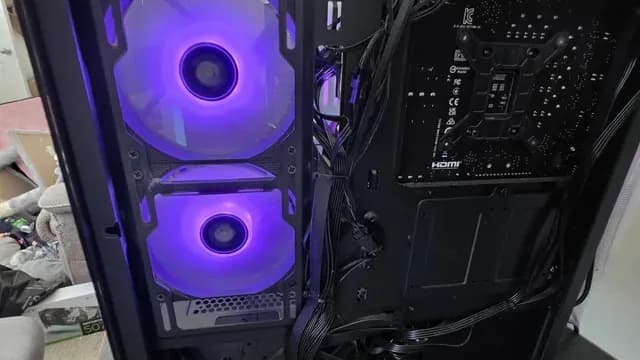
A case with purple-lit front fans and the motherboard area behind them Rated airflow across these picks
The TL-C14C-S X3 tops rated airflow at 75.8 CFM and the P12 PWM PST 5-pack sits lowest at 56.3 CFM. For less, the TL-C14 is the runner-up at 74.3 CFM.
Bearing
The RS120-R ARGB 3-pack and the RS120 ARGB 3-pack list Magnetic dome; the TL-C14 and the TL-C14C-S X3 list S-FDB.
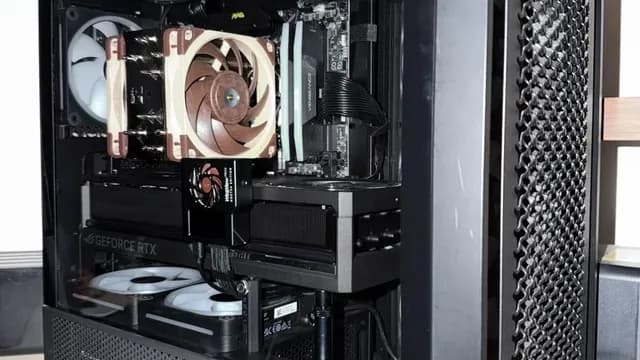
A tower air cooler with brown fans installed in a PC Stops at low PWM
The RS120-R ARGB 3-pack and the P12 PWM PST 5-pack have it. Sort out stops at low PWM before price: it splits 2 stated picks into groups of 2.
How to Choose a High Static Pressure Fan
By priority
| Priority | Consider | Why |
|---|---|---|
| Buyers who put static pressure first | RS120-R ARGB 3-pack | The highest static pressure here (2.81 mmH2O) |
| Buyers who want daisy-chained fans that run from one PWM and one ARGB header | RS120 ARGB 3-pack | Daisy-chained fans that run from one PWM and one ARGB header |
| Buyers who put pack size first | P12 PWM PST 5-pack | The largest pack size here (5 fans) |
| Buyers who would rather put the savings elsewhere than into the TL-C14C-S X3 | TL-C14 | The lowest price among these case fans at the time of writing |
| Intake fans in a mesh-front case | TL-C14C-S X3 | The highest rated airflow here (75.8 CFM) |
Scroll sideways to see every column.
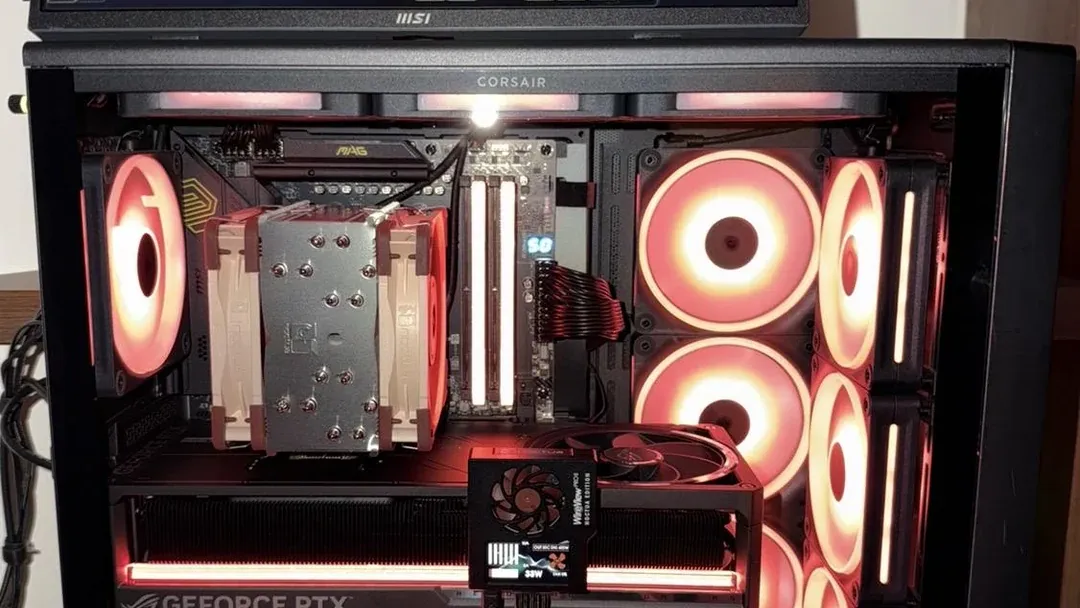
Key specs side by side
The P12 PWM PST 5-pack leads on pack size at 5 fans, ahead of the RS120-R ARGB 3-pack at 3 fans.
| Case Fan | Fans in box | Max speed | Rated airflow | Static pressure |
|---|---|---|---|---|
| RS120-R ARGB 3-pack | 3 fans | 2100 RPM | 65.8 CFM | 2.81 mmH2O |
| RS120 ARGB 3-pack | 3 fans | 2100 RPM | 72.8 CFM | 2.8 mmH2O |
| P12 PWM PST 5-pack | 5 fans | 1800 RPM | 56.3 CFM | 2.2 mmH2O |
| TL-C14 | 1 fan | 1500 RPM | 74.3 CFM | 2 mmH2O |
| TL-C14C-S X3 | 3 fans | 1500 RPM | 75.8 CFM | 1.93 mmH2O |
Scroll sideways to see every column.
By price at the time of writing
At our last check the cheapest pick, the TL-C14, sat in the under $50 tier, 2 tiers in all up to the RS120-R ARGB 3-pack at $50 to $100; Amazon prices move, so recheck before buying.
| Price tier | Case Fans |
|---|---|
| Under $50 | TL-C14, TL-C14C-S X3, P12 PWM PST 5-pack, RS120 ARGB 3-pack |
| About $50 to $100 | RS120-R ARGB 3-pack |
Frequently Asked Questions
How does the RS120-R ARGB 3-pack compare with the P12 PWM PST 5-pack on pack size?
Between the top two, it is 5 fans on the P12 PWM PST 5-pack against 3 fans on the RS120-R ARGB 3-pack, a 67% difference. The TL-C14 closes the ranking at 1 fan.
Is the TL-C14C-S X3 ahead of the TL-C14 on rated airflow?
The TL-C14C-S X3 leads at 75.8 CFM, with the TL-C14 at 74.3 CFM. The spread runs down to the P12 PWM PST 5-pack at 56.3 CFM.
Which has the highest static pressure: the RS120-R ARGB 3-pack or the RS120 ARGB 3-pack?
The RS120-R ARGB 3-pack tops static pressure at 2.81 mmH2O; the RS120 ARGB 3-pack follows at 2.8 mmH2O. The spread runs down to the TL-C14C-S X3 at 1.93 mmH2O.
Is the RS120-R ARGB 3-pack worth paying more than the TL-C14?
The spec sheets show pack size (3 fans against 1 fan), top speed (2100 RPM against 1500 RPM) and static pressure (2.81 mmH2O against 2 mmH2O) in its favour. It does not win everywhere: the TL-C14 still leads on rated airflow (74.3 CFM). The TL-C14 sat in the under $50 tier and the RS120-R ARGB 3-pack in the $50 to $100 tier when we checked, with 3 other picks between them; pay the difference only if pack size and top speed decide your purchase.
What makes the RS120-R ARGB 3-pack the Highest Static Pressure?
The label rests on the highest static pressure here (2.81 mmH2O). The RS120 ARGB 3-pack is next on static pressure at 2.8 mmH2O, just behind 2.81 mmH2O. It gives up rated airflow (65.8 CFM against 74.3 CFM) to the TL-C14, the cheapest pick. It suits anyone who puts static pressure first.
Do the P12 PWM PST 5-pack and the TL-C14 differ on rated noise?
The P12 PWM PST 5-pack uses 0.3 sone; the TL-C14 uses 26.6 dB(A); the TL-C14C-S X3 uses 26.4 dB(A). The makers of the RS120-R ARGB 3-pack and the RS120 ARGB 3-pack don't state rated noise, so 3 of 5 picks are covered here.
Bottom Line
Our first pick is the RS120-R ARGB 3-pack, chosen for the highest static pressure here (2.81 mmH2O). Look at the RS120 ARGB 3-pack for daisy-chained fans that run from one PWM and one ARGB header, the P12 PWM PST 5-pack for the largest pack size here (5 fans) and the TL-C14 for the lowest price among these case fans at the time of writing if those matter more to you.
Use high-pressure fans on radiators and airflow fans on open vents.
Related Guides
- Related guideThe Best Case Fans
- Related guideThe Best ARGB Case Fans
- Related guideThe Best PC Cooling Fans
- Lower budgetThe Best Case Fans Under $15
- Similar guideThe Best ARGB PC Fans
- ExplainerPC Airflow Explained
- ExplainerHow Many Case Fans Do You Need?
- Check compatibility: processorsWhat Is a CPU Bottleneck and How Can You Identify One?
- Similar guideThe Best 140mm PC Fans
- Topic hubAll cpu coolers and cooling guides
About the author
PC Hardware Editor
Alex covers PC hardware, monitors, components, upgrades and peripherals for The PC Journal, with a focus on helping readers understand specifications, compatibility and meaningful product trade-offs.
Covers: Monitors, Graphics cards, Processors, PC components, Peripherals, Upgrades and compatibility
View all articles