
Buying Guide
The Best High-Performance Keyboards
From the Falchion Ace HFX to the ROG Azoth Extreme: five keyboards ranked on polling rate and layout, with who should skip each one.
By Alex Morgan, PC Hardware Editor
12 min read5 products evaluated

High-performance boards use magnetic or optical switches and 8,000Hz polling for the fastest input. Every pick has one of those, from the premium end down.
Our comparison rests on published figures for layout, switches and connection; nothing here was tested in-house, and where a maker leaves out switches, we say so.
Quick Picks
Which of the 5 picks to look at first. Tap a name for the full analysis.

Premium Pick
ASUS ROG Azoth ExtremeAn aluminum body at the highest price in the group.
Best for: Buyers for whom price is not the deciding factor, since the Falchion Ace HFX costs less.
Check price for ASUS ROG Azoth Extreme on Amazon (opens in a new tab)
Full-size Layout
Corsair Galleon 100 SD Gaming KeyboardA full-size layout.
Best for: Buyers who want a full-size layout.
Check price for Corsair Galleon 100 SD Gaming Keyboard on Amazon (opens in a new tab)
Also Consider
SteelSeries Apex Pro Mini Gen 3Rapid Trigger and Rapid Tap.
Best for: Buyers who want Rapid Trigger and Rapid Tap.
Check price for SteelSeries Apex Pro Mini Gen 3 on Amazon (opens in a new tab)
TKL Layout
Logitech G PRO X TKL Rapid KeyboardA TKL layout.
Best for: Buyers who want a TKL layout.
Check price for Logitech G PRO X TKL Rapid Keyboard on Amazon (opens in a new tab)
Lowest Price Here
ASUS ROG Falchion Ace HFXThe cheapest way into this group, below the PRO X TKL Rapid.
Best for: Getting actuation adjustable from 0.1 to 4.0mm with Rapid Trigger for the least money.
Check price for ASUS ROG Falchion Ace HFX on Amazon (opens in a new tab)
Our Picks
Premium Pick1 of 5
ASUS ROG Azoth Extreme
The ROG Azoth Extreme is built around an aluminum body, with 8K polling with the Polling Rate Booster on top.
Best for
- Buyers for whom price is not the deciding factor, since the Falchion Ace HFX costs less.
Skip if
- If budget leads, the Falchion Ace HFX was cheaper at our last price check.
Why we like it
On the spec sheet, it offers an 8,000Hz polling rate and runs for up to 1600 hours. It is the only pick here with a 75% TKL layout; the Galleon 100 SD has a full-size layout instead. No other pick in this guide offers ROG NX Snow linear switches; compare the PRO X TKL Rapid, which has hall effect magnetic switches.
Use the ROG Azoth Extreme's dongle or cable for games; Bluetooth suits a laptop or tablet. High polling rates use more CPU time; drop to 1,000Hz if an older system stutters. It was the most expensive pick when we checked, so weigh what it adds over the Galleon 100 SD.
Key specs
- Layout
- 75% TKL
- Switches
- ROG NX Snow linear
- Connection
- 2.4GHz, Bluetooth (3 devices), wired
- Polling rate
- 8,000Hz
- Battery life
- 1600 hours
- Keycaps
- PBT
Pros
- Tenkeyless layout leaves more room for the mouse
- ROG NX Snow linear switches
- Dongle, Bluetooth and wired modes
- 8,000Hz polling
Cons
- Costs more than the Falchion Ace HFX at the time of writing
Full-size Layout2 of 5
Corsair Galleon 100 SD Gaming Keyboard
The Galleon 100 SD is an expensive full-size board with Stream Deck keys built in.
Best for
- Buyers who want a full-size layout.
Skip if
- Look at the others if this bothers you: full-size board takes more desk width.
Why we like it
It only makes sense if you would otherwise buy a separate Stream Deck. It is the only pick here with a full-size layout; the ROG Azoth Extreme has a 75% TKL layout instead. It also comes with FlashTap SOCD handling.
The Galleon 100 SD needs a free USB port, so check cable length to your case or monitor hub. High polling rates use more CPU time; drop to 1,000Hz if an older system stutters. Before buying, weigh one limit: costs more than the Falchion Ace HFX at the time of writing. Its price falls between the Apex Pro Mini Gen 3 and the ROG Azoth Extreme, based on our last check.
Key specs
- Layout
- Full-size
- Connection
- Wired
- Polling rate
- 8,000Hz
Pros
- 8,000Hz polling
- Built-in Stream Deck keys with a display
- FlashTap SOCD handling
- Full-size layout, the only one here
Cons
- Full-size board takes more desk width
- Wired only
- Costs more than the Falchion Ace HFX at the time of writing
Also Consider3 of 5
SteelSeries Apex Pro Mini Gen 3
SteelSeries's Apex Pro Mini Gen 3 uses OmniPoint 3.0 Hall effect switches with Rapid Trigger and Rapid Tap.
Best for
- Buyers who want Rapid Trigger and Rapid Tap.
Skip if
- Worth skipping when no dedicated arrow keys or function row is a problem.
Why we like it
A Protection Mode guards against accidental presses. A 60% layout is unique to it among these picks, while the Galleon 100 SD uses a full-size layout. The Apex Pro Mini Gen 3 needs a free USB port, so check cable length to your case or monitor hub.
Small layouts move keys to a function layer, so check the legend for arrows and F-keys. Adjusting actuation needs the maker's software or web tool on Windows. It was priced above the PRO X TKL Rapid and below the Galleon 100 SD at the time of writing. There is no published polling rate figure, whereas the ROG Azoth Extreme offers 8,000Hz.
Key specs
- Layout
- 60%
- Switches
- OmniPoint 3.0 Hall effect
- Connection
- Wired
Pros
- Compact 60% layout
- Magnetic Hall effect switches
- Rapid Trigger and Rapid Tap
- Protection Mode against accidental presses
Cons
- No dedicated arrow keys or function row
- Wired only
- No published polling rate
TKL Layout4 of 5
Logitech G PRO X TKL Rapid Keyboard
The PRO X TKL Rapid is Logitech's magnetic-switch board.
Best for
- Buyers who want a TKL layout.
Skip if
- Skip it if this is a deal-breaker for you: wired only.
Why we like it
Rapid trigger and adjustable actuation matter most in shooters where keys reset constantly. No other pick in this guide offers a TKL layout; compare the Apex Pro Mini Gen 3, which has a 60% layout. It is the only pick here with hall effect magnetic switches; the ROG Azoth Extreme has ROG NX Snow linear switches instead.
The PRO X TKL Rapid needs a free USB port, so check cable length to your case or monitor hub. Adjusting actuation needs the maker's software or web tool on Windows. On price it sat second of 5, between the cheaper Falchion Ace HFX and the pricier Apex Pro Mini Gen 3, at the time of writing. The maker doesn't give its polling rate; if that figure matters, the ROG Azoth Extreme offers 8,000Hz.
Key specs
- Layout
- TKL
- Switches
- Hall effect magnetic
- Connection
- Wired
Pros
- Tenkeyless layout leaves more room for the mouse
- Magnetic Hall effect switches
- Rapid trigger with adjustable actuation
- A TKL layout
Cons
- Wired only
- No published polling rate
- Costs more than the Falchion Ace HFX at the time of writing
Lowest Price Here5 of 5
ASUS ROG Falchion Ace HFX
The Falchion Ace HFX uses Hall effect switches with actuation adjustable from 0.1 to 4.0mm and Rapid Trigger, in a 65% layout.
Best for
- Getting actuation adjustable from 0.1 to 4.0mm with Rapid Trigger for the least money.
Skip if
- Look at the others if this bothers you: wired only.
Why we like it
Two USB-C ports let it switch between two PCs. You get a 65% layout here, which sets it apart from the PRO X TKL Rapid and its a TKL layout. ROG HFX Hall effect magnetic switches is unique to it among these picks, while the PRO X TKL Rapid uses hall effect magnetic switches.
It also offers a protective cover for travel. The Falchion Ace HFX needs a free USB port, so check cable length to your case or monitor hub. High polling rates use more CPU time; drop to 1,000Hz if an older system stutters.
Adjusting actuation needs the maker's software or web tool on Windows. No other pick here cost less at our last price check, and the PRO X TKL Rapid was closest.
Key specs
- Layout
- 65%
- Switches
- ROG HFX Hall effect magnetic
- Connection
- Wired
- Polling rate
- 8,000Hz
- Keycaps
- PBT
Pros
- Compact 65% layout
- Magnetic Hall effect switches
- 8,000Hz polling
- PBT keycaps resist shine
Cons
- Wired only
The catch
Polling rate is its weakest area, and the ROG Azoth Extreme covers it better at 8,000Hz.
How We Chose These High-Performance Keyboards
Alex Morgan compared the manufacturer specifications, connectivity, warranty terms and compatibility of every pick. Figures come from the makers unless a third-party source is named; we did not test these products ourselves.
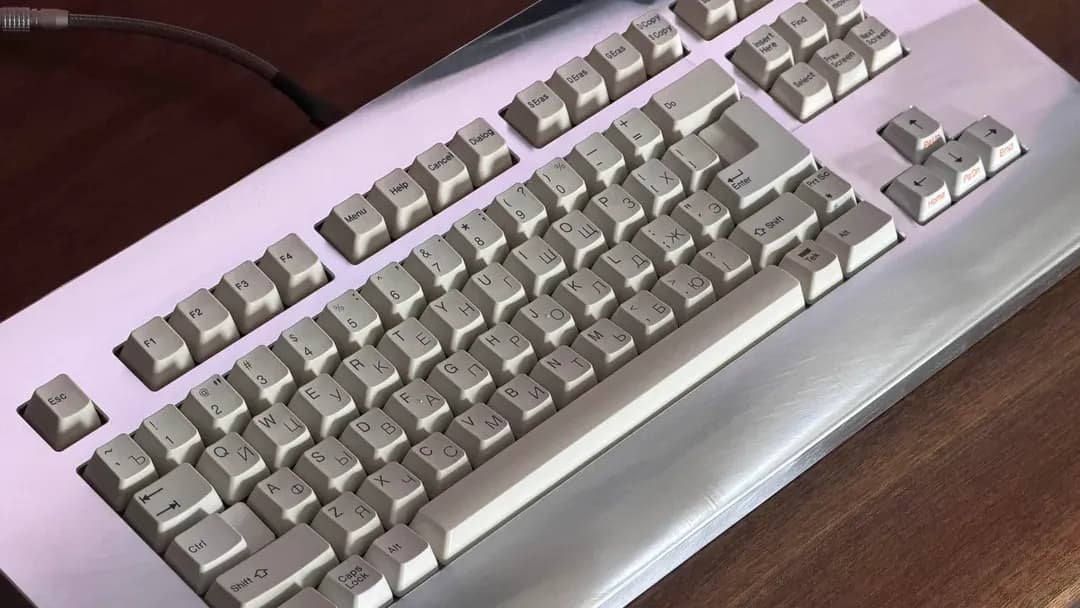
- What we compared
- We set side by side five keyboards on layout, switches, connection and polling rate as the makers state them. Nothing was tested in-house; 2 of the 5 fields compared are stated for every pick, while switches and polling rate have gaps.
- The shared baseline
- All 5, from the ROG Azoth Extreme to the Falchion Ace HFX, state layout and connection.
- Where the specs have gaps
- The Galleon 100 SD gives no switches; the Apex Pro Mini Gen 3 and the PRO X TKL Rapid give no polling rate.
- Price range
- At our last check the picks ran from the Falchion Ace HFX ($100 to $150) to the ROG Azoth Extreme ($250 to $500).
What to Look for in a High-Performance Keyboard
Key buying criteria so you get the right fit the first time.
Switches
The ROG Azoth Extreme lists ROG NX Snow linear; the Apex Pro Mini Gen 3 lists OmniPoint 3.0 Hall effect; the PRO X TKL Rapid lists hall effect magnetic; the Falchion Ace HFX lists ROG HFX Hall effect magnetic.
What to check at home
Use the ROG Azoth Extreme's dongle or cable for games; Bluetooth suits a laptop or tablet. The Galleon 100 SD needs a free USB port, so check cable length to your case or monitor hub.
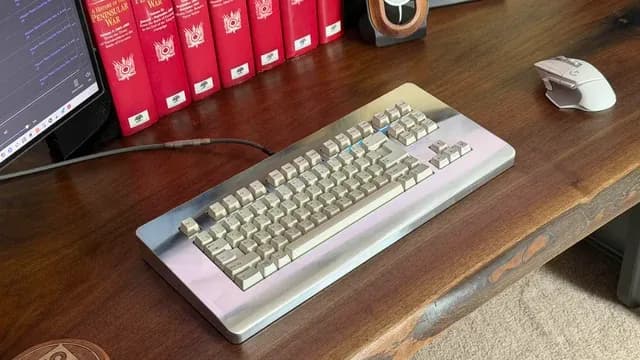
A grey mechanical keyboard beside a mouse on a wooden desk Features beyond the spec table
The Apex Pro Mini Gen 3: a Protection Mode against accidental presses. The PRO X TKL Rapid: rapid trigger with adjustable actuation. The Falchion Ace HFX: two USB-C ports for switching between two PCs.
Budget
$100 to $150 buys the Falchion Ace HFX and the PRO X TKL Rapid; $150 to $250 buys the Apex Pro Mini Gen 3; $250 to $500 buys the Galleon 100 SD and the ROG Azoth Extreme at our last check.
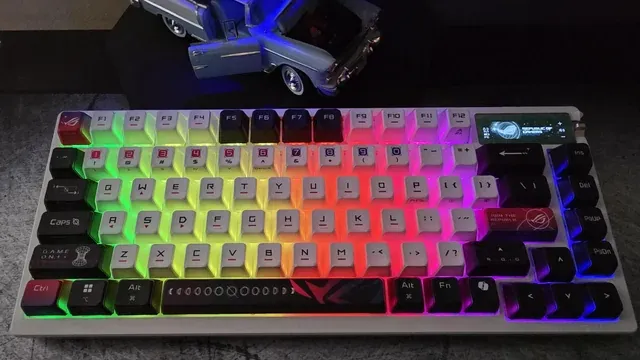
A mechanical keyboard with RGB-lit keycaps Match the pick to your priority
Buyers for whom price is not the deciding factor, since the Falchion Ace HFX costs less: the ROG Azoth Extreme. Buyers who want a full-size layout: the Galleon 100 SD. Buyers who want a TKL layout: the PRO X TKL Rapid.
How to Choose a High-Performance Keyboard
By priority
| Priority | Consider | Why |
|---|---|---|
| Buyers for whom price is not the deciding factor, since the Falchion Ace HFX costs less | ROG Azoth Extreme | An aluminum body at the highest price in the group |
| Buyers who want a full-size layout | Galleon 100 SD | A full-size layout |
| Buyers who want Rapid Trigger and Rapid Tap | Apex Pro Mini Gen 3 | Rapid Trigger and Rapid Tap |
| Buyers who want a TKL layout | PRO X TKL Rapid | A TKL layout |
| Getting actuation adjustable from 0.1 to 4.0mm with Rapid Trigger for the least money | Falchion Ace HFX | The cheapest way into this group, below the PRO X TKL Rapid |
Scroll sideways to see every column.
Key specs side by side
The ROG Azoth Extreme, the Galleon 100 SD and the rest, as their makers list them.
| Keyboard | Layout | Switches | Connection | Polling rate |
|---|---|---|---|---|
| ROG Azoth Extreme | 75% TKL | ROG NX Snow linear | 2.4GHz, Bluetooth (3 devices), wired | 8,000Hz |
| Galleon 100 SD | Full-size | Not listed | Wired | 8,000Hz |
| Apex Pro Mini Gen 3 | 60% | OmniPoint 3.0 Hall effect | Wired | Not listed |
| PRO X TKL Rapid | TKL | Hall effect magnetic | Wired | Not listed |
| Falchion Ace HFX | 65% | ROG HFX Hall effect magnetic | Wired | 8,000Hz |
Scroll sideways to see every column.
By price at the time of writing
At our last check the cheapest pick, the Falchion Ace HFX, sat in the $100 to $150 tier, 3 tiers in all up to the ROG Azoth Extreme at $250 to $500; Amazon prices move, so recheck before buying.
| Price tier | Keyboards |
|---|---|
| About $100 to $150 | Falchion Ace HFX, PRO X TKL Rapid |
| About $150 to $250 | Apex Pro Mini Gen 3 |
| About $250 to $500 | Galleon 100 SD, ROG Azoth Extreme |
Frequently Asked Questions
What makes the PRO X TKL Rapid the TKL Layout?
It carries the badge for a TKL layout. It is aimed at anyone who wants a TKL layout.
Do the ROG Azoth Extreme and the Galleon 100 SD differ on layout?
The ROG Azoth Extreme uses 75% TKL; the Galleon 100 SD uses full-size; the Apex Pro Mini Gen 3 uses 60%; the PRO X TKL Rapid uses TKL; the Falchion Ace HFX uses 65%.
What should I check before buying the Falchion Ace HFX?
The Falchion Ace HFX needs a free USB port, so check cable length to your case or monitor hub. In this guide it ranks fifth of 5, as our Lowest Price Here pick.
Beyond the specs, what sets the ROG Azoth Extreme and the Galleon 100 SD apart?
The ROG Azoth Extreme: an aluminum body. The Galleon 100 SD: built-in Stream Deck keys with a display. The Apex Pro Mini Gen 3: Rapid Trigger and Rapid Tap.
Who should choose the Galleon 100 SD?
The Galleon 100 SD carries our Full-size Layout label for a full-size layout. It ranks second of 5 here and sat in the $250 to $500 tier at our last price check; it suits anyone who wants a full-size layout.
Bottom Line
Our first pick is the ROG Azoth Extreme, chosen for an aluminum body at the highest price in the group. Look at the Galleon 100 SD for a full-size layout, the Apex Pro Mini Gen 3 for Rapid Trigger and Rapid Tap and the PRO X TKL Rapid for a TKL layout if those matter more to you.
Enable rapid trigger only in games where it helps.
Related Guides
- Related guideThe Best Gaming Keyboards Right Now
- Related guideThe Best Quiet Gaming Keyboards
- Related guideThe Best TKL Keyboards
- Lower budgetThe Best Keyboards Under $150
- Similar guideThe Best Keyboards for PC
- ExplainerHow to Choose a Mechanical Keyboard
- ExplainerKeyboard layouts compared: full-size, TKL, 75%, 65% and 60%
- Also see: miceMouse polling rate and DPI: what each number changes
- Similar guideThe Best RGB Keyboards
- Topic hubAll keyboards guides
About the author
PC Hardware Editor
Alex covers PC hardware, monitors, components, upgrades and peripherals for The PC Journal, with a focus on helping readers understand specifications, compatibility and meaningful product trade-offs.
Covers: Monitors, Graphics cards, Processors, PC components, Peripherals, Upgrades and compatibility
View all articles