
Buying Guide
The Best GPUs for Video Production
We weighed five graphics cards on video memory and cooler thickness, and the PNY 4060 Ti 16GB Verto costs the least.
By Alex Morgan, PC Hardware Editor
12 min read5 products evaluated
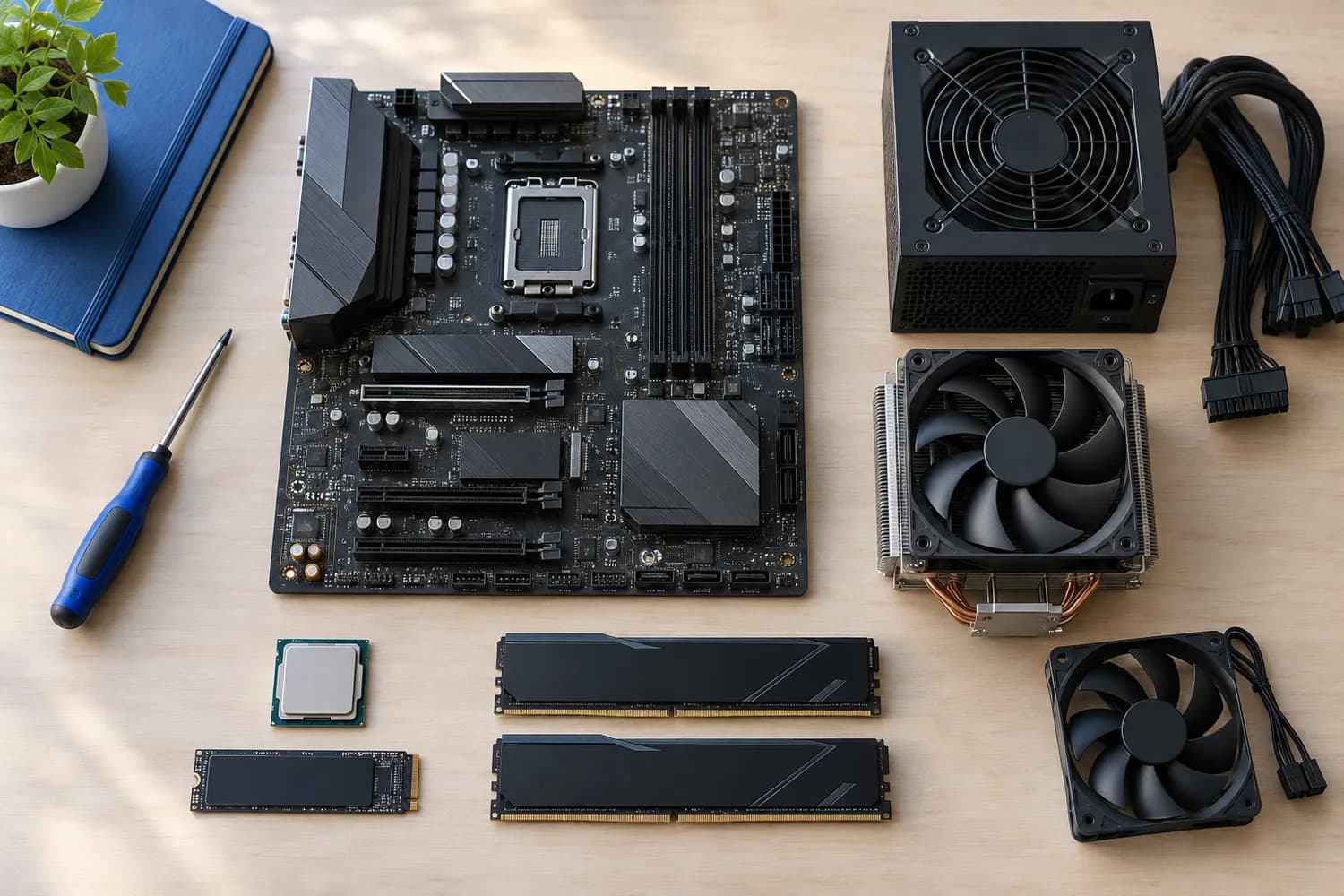
NVIDIA's NVENC and NVDEC engines are widely supported in editors, and 16GB of VRAM helps with 4K timelines and effects. Every pick is an RTX 40 or 50 series card with 16GB or more.
The order reflects GPU, VRAM and memory from maker specifications; we did not test these graphics cards ourselves, and a missing thickness is flagged, not filled in.
Quick Picks
Which of the 5 picks to look at first. Tap a name for the full analysis.

Lowest Price Here
PNY GeForce RTX 4060 Ti 16GB Verto Dual FanThe cheapest way into this group, below the ASUS Prime 5060 Ti 16GB.
Best for: Getting dual-fan cooler for the least money.
Check price for PNY GeForce RTX 4060 Ti 16GB Verto Dual Fan on Amazon (opens in a new tab)
Also Consider
ASUS Prime GeForce RTX 5060 Ti 16GBA 2.5-slot design.
Best for: Buyers who want 2.5-slot design.
Check price for ASUS Prime GeForce RTX 5060 Ti 16GB on Amazon (opens in a new tab)
Strong Alternative
ASUS Prime GeForce RTX 5060 Ti 16GB OC EditionA 2.5-slot design.
Best for: Buyers who want 2.5-slot design.
Check price for ASUS Prime GeForce RTX 5060 Ti 16GB OC Edition on Amazon (opens in a new tab)
Worth a Look
MSI GeForce RTX 5060 Ti 16G Shadow 2X OCTORX Fan 5.0 blades.
Best for: Buyers who want TORX Fan 5.0 blades.
Check price for MSI GeForce RTX 5060 Ti 16G Shadow 2X OC on Amazon (opens in a new tab)
Premium Pick
ASUS Dual GeForce RTX 5060 Ti 16GB OCThe top of this price range, adding a quiet/performance dual BIOS.
Best for: Spending more than the MSI 5060 Ti 16G Shadow 2X costs for the fullest feature set in this group.
Check price for ASUS Dual GeForce RTX 5060 Ti 16GB OC on Amazon (opens in a new tab)
Our Picks
Lowest Price Here1 of 5
PNY GeForce RTX 4060 Ti 16GB Verto Dual Fan
The PNY 4060 Ti 16GB Verto is built around a dual-fan cooler, with a 2535MHz boost clock on top.
Best for
- Getting dual-fan cooler for the least money.
Skip if
- The maker gives no cooler thickness, so skip it if that figure decides your choice.
Why we like it
On the spec sheet, it offers a 16GB video memory. It is the only pick here with an RTX 4060 Ti gpu; the ASUS Prime 5060 Ti 16GB has an RTX 5060 Ti gpu instead. You get GDDR6 memory here, which sets it apart from the ASUS Dual RTX 5060 Ti 16GB and its GDDR7 memory.
No dimensions are published for the PNY 4060 Ti 16GB Verto; get length and thickness from the maker's page first. Its power connector and recommended PSU are not published, so confirm both for the PNY 4060 Ti 16GB Verto with the maker. It was the cheapest of the group when we checked; the ASUS Prime 5060 Ti 16GB was the next step up.
Key specs
- GPU
- RTX 4060 Ti
- VRAM
- 16GB
- Memory
- GDDR6
- Boost clock
- 2535MHz
Pros
- 16GB of VRAM for high-resolution textures
- Dual-fan cooler
- 2535MHz boost clock
- RTX 4060 Ti gpu, the only one here
Cons
- No published cooler thickness
The catch
Buyers who need a confirmed cooler thickness should compare it with the ASUS Prime 5060 Ti 16GB, which comes in at 2.5-slot.
Also Consider2 of 5
ASUS Prime GeForce RTX 5060 Ti 16GB
The ASUS Prime 5060 Ti 16GB is built around a 2.5-slot design, with a dual BIOS switch on top.
Best for
- Buyers who want 2.5-slot design.
Skip if
- Price-first buyers should look at the PNY 4060 Ti 16GB Verto, which cost less when we checked.
Why we like it
On the spec sheet, it offers a 16GB video memory and offers a 2.5-slot cooler thickness. The ASUS Prime 5060 Ti 16GB occupies 2.5 slots, but no length is published, so check the maker's spec page against your case. Its power connector and recommended PSU are not published, so confirm both for the ASUS Prime 5060 Ti 16GB with the maker.
SFF-Ready is NVIDIA's size guideline, not a guarantee the ASUS Prime 5060 Ti 16GB fits every small case. Its price falls between the PNY 4060 Ti 16GB Verto and the ASUS Prime 5060 Ti 16GB OC, based on our last check.
Key specs
- GPU
- RTX 5060 Ti
- VRAM
- 16GB
- Memory
- GDDR7
- Thickness
- 2.5-slot
- SFF-Ready
- Yes
Pros
- 16GB of VRAM for high-resolution textures
- Faster GDDR7 memory
- Carries NVIDIA's SFF-Ready label
- 2.5-slot design
Cons
- Costs more than the PNY 4060 Ti 16GB Verto at the time of writing
Strong Alternative3 of 5
ASUS Prime GeForce RTX 5060 Ti 16GB OC Edition
What the ASUS Prime 5060 Ti 16GB OC brings to the table is a 2.5-slot design, plus 0dB fan stop at light loads.
Best for
- Buyers who want 2.5-slot design.
Skip if
- Skip it if price comes first: the PNY 4060 Ti 16GB Verto cost less when we checked.
Why we like it
It also offers a 16GB video memory and offers a 2.5-slot cooler thickness. The ASUS Prime 5060 Ti 16GB OC occupies 2.5 slots, but no length is published, so check the maker's spec page against your case. Its power connector and recommended PSU are not published, so confirm both for the ASUS Prime 5060 Ti 16GB OC with the maker.
SFF-Ready is NVIDIA's size guideline, not a guarantee the ASUS Prime 5060 Ti 16GB OC fits every small case. It was priced above the ASUS Prime 5060 Ti 16GB and below the MSI 5060 Ti 16G Shadow 2X at the time of writing.
Key specs
- GPU
- RTX 5060 Ti
- VRAM
- 16GB
- Memory
- GDDR7
- Thickness
- 2.5-slot
- SFF-Ready
- Yes
Pros
- 16GB of VRAM for high-resolution textures
- Faster GDDR7 memory
- Carries NVIDIA's SFF-Ready label
- 2.5-slot design
Cons
- Costs more than the PNY 4060 Ti 16GB Verto at the time of writing
Worth a Look4 of 5
MSI GeForce RTX 5060 Ti 16G Shadow 2X OC
The MSI 5060 Ti 16G Shadow 2X is built around TORX Fan 5.0 blades, with SFF-Ready sizing on top.
Best for
- Buyers who want TORX Fan 5.0 blades.
Skip if
- Skip it if you need to know its cooler thickness before buying; the maker doesn't publish one.
Why we like it
On the spec sheet, it offers a 16GB video memory. No dimensions are published for the MSI 5060 Ti 16G Shadow 2X; get length and thickness from the maker's page first. Its power connector and recommended PSU are not published, so confirm both for the MSI 5060 Ti 16G Shadow 2X with the maker.
SFF-Ready is NVIDIA's size guideline, not a guarantee the MSI 5060 Ti 16G Shadow 2X fits every small case. When we checked, only the ASUS Prime 5060 Ti 16GB OC and cheaper picks cost less, and the ASUS Dual RTX 5060 Ti 16GB cost more. If you want a confirmed cooler thickness, look to the ASUS Prime 5060 Ti 16GB instead: it comes in at 2.5-slot, while this one gives no figure.
Key specs
- GPU
- RTX 5060 Ti
- VRAM
- 16GB
- Memory
- GDDR7
- SFF-Ready
- Yes
Pros
- 16GB of VRAM for high-resolution textures
- Faster GDDR7 memory
- Carries NVIDIA's SFF-Ready label
- TORX Fan 5.0 blades
Cons
- No published cooler thickness
- Costs more than the PNY 4060 Ti 16GB Verto at the time of writing
Premium Pick5 of 5
ASUS Dual GeForce RTX 5060 Ti 16GB OC
The ASUS Dual RTX 5060 Ti 16GB is the lower-cost NVIDIA route to 16GB at 1440p.
Best for
- Spending more than the MSI 5060 Ti 16G Shadow 2X costs for the fullest feature set in this group.
Skip if
- Price-first buyers should look at the PNY 4060 Ti 16GB Verto, which cost less when we checked.
Why we like it
It is a 2.5-slot card with 0dB fan stop and dual-ball fan bearings. You also get a quiet/performance dual BIOS. The ASUS Dual RTX 5060 Ti 16GB occupies 2.5 slots, but no length is published, so check the maker's spec page against your case.
Its power connector and recommended PSU are not published, so confirm both for the ASUS Dual RTX 5060 Ti 16GB with the maker. It was the most expensive pick when we checked, so weigh what it adds over the MSI 5060 Ti 16G Shadow 2X. If video memory is your priority, the PNY 4060 Ti 16GB Verto (16GB) is the stronger choice.
Key specs
- GPU
- RTX 5060 Ti
- VRAM
- 16GB
- Memory
- GDDR7
- Thickness
- 2.5-slot
- Boost clock
- 2632MHz (OC mode)
Pros
- 16GB of VRAM for high-resolution textures
- Faster GDDR7 memory
- Quiet/performance dual BIOS
- 0dB fan stop
Cons
- Costs more than the PNY 4060 Ti 16GB Verto at the time of writing
How We Chose
Alex Morgan compared the manufacturer specifications, connectivity, warranty terms and compatibility of every pick. Figures come from the makers unless a third-party source is named; we did not test these products ourselves.
- What we compared
- We lined up five cards on GPU, video memory, memory and cooler thickness, using each maker's published specs. We did not test them in-house, and cooler thickness and boost clock are missing for at least one pick.
- What every pick has in common
- All 5, from the PNY 4060 Ti 16GB Verto to the ASUS Dual RTX 5060 Ti 16GB, state GPU, video memory and memory.
- Where the specs have gaps
- The PNY 4060 Ti 16GB Verto and the MSI 5060 Ti 16G Shadow 2X give no cooler thickness; the ASUS Prime 5060 Ti 16GB, the ASUS Prime 5060 Ti 16GB OC and the MSI 5060 Ti 16G Shadow 2X give no boost clock.
- Price range
- From the PNY 4060 Ti 16GB Verto to the ASUS Dual RTX 5060 Ti 16GB, all sat in the $500 to $1000 tier when we checked.
What to Look for in a GPUs for Video Production
Key buying criteria so you get the right fit the first time.
Memory
The PNY 4060 Ti 16GB Verto lists GDDR6; the ASUS Prime 5060 Ti 16GB, the ASUS Prime 5060 Ti 16GB OC, the MSI 5060 Ti 16G Shadow 2X and the ASUS Dual RTX 5060 Ti 16GB list GDDR7. Settling memory first narrows 5 picks to 4 or 1.
Boost clock
The PNY 4060 Ti 16GB Verto lists 2535MHz; the ASUS Dual RTX 5060 Ti 16GB lists 2632MHz (OC mode). Settling boost clock first narrows 2 picks to 1 or 1.
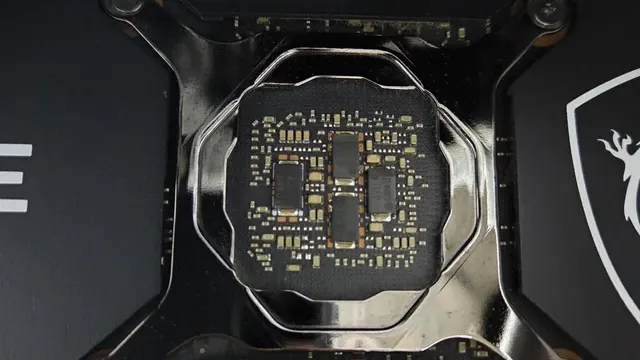
A graphics card's bare circuit board around the GPU die What to check at home
No dimensions are published for the PNY 4060 Ti 16GB Verto; get length and thickness from the maker's page first. The ASUS Prime 5060 Ti 16GB occupies 2.5 slots, but no length is published, so check the maker's spec page against your case.
Extras that separate them
The ASUS Prime 5060 Ti 16GB OC: 0dB fan stop at light loads. The MSI 5060 Ti 16G Shadow 2X: SFF-Ready sizing. The ASUS Dual RTX 5060 Ti 16GB: 0dB fan stop.
Where your budget lands
All 5 sat in the $500 to $1000 tier when we checked, from the PNY 4060 Ti 16GB Verto at the low end to the ASUS Dual RTX 5060 Ti 16GB at the top, so decide on features first.
How to Choose a GPUs for Video Production
By priority
| Priority | Consider | Why |
|---|---|---|
| Getting dual-fan cooler for the least money | PNY 4060 Ti 16GB Verto | The cheapest way into this group, below the ASUS Prime 5060 Ti 16GB |
| Buyers who want 2.5-slot design | ASUS Prime 5060 Ti 16GB | A 2.5-slot design |
| Buyers who want 2.5-slot design | ASUS Prime 5060 Ti 16GB OC | A 2.5-slot design |
| Buyers who want TORX Fan 5.0 blades | MSI 5060 Ti 16G Shadow 2X | TORX Fan 5.0 blades |
| Spending more than the MSI 5060 Ti 16G Shadow 2X costs for the fullest feature set in this group | ASUS Dual RTX 5060 Ti 16GB | The top of this price range, adding a quiet/performance dual BIOS |
Scroll sideways to see every column.
Key specs side by side
The PNY 4060 Ti 16GB Verto, the ASUS Prime 5060 Ti 16GB and the rest, as their makers list them.
| Card | GPU | VRAM | Memory | Thickness |
|---|---|---|---|---|
| PNY 4060 Ti 16GB Verto | RTX 4060 Ti | 16GB | GDDR6 | Not listed |
| ASUS Prime 5060 Ti 16GB | RTX 5060 Ti | 16GB | GDDR7 | 2.5-slot |
| ASUS Prime 5060 Ti 16GB OC | RTX 5060 Ti | 16GB | GDDR7 | 2.5-slot |
| MSI 5060 Ti 16G Shadow 2X | RTX 5060 Ti | 16GB | GDDR7 | Not listed |
| ASUS Dual RTX 5060 Ti 16GB | RTX 5060 Ti | 16GB | GDDR7 | 2.5-slot |
Scroll sideways to see every column.
Frequently Asked Questions
Why is the PNY 4060 Ti 16GB Verto our Lowest Price Here pick?
It earns the label for the cheapest way into this group, below the ASUS Prime 5060 Ti 16GB. It suits getting dual-fan cooler for the least money.
Do the PNY 4060 Ti 16GB Verto and the ASUS Prime 5060 Ti 16GB differ on GPU?
The PNY 4060 Ti 16GB Verto uses RTX 4060 Ti; the ASUS Prime 5060 Ti 16GB, the ASUS Prime 5060 Ti 16GB OC, the MSI 5060 Ti 16G Shadow 2X and the ASUS Dual RTX 5060 Ti 16GB use RTX 5060 Ti.
Will the ASUS Dual RTX 5060 Ti 16GB work with my setup?
The ASUS Dual RTX 5060 Ti 16GB occupies 2.5 slots, but no length is published, so check the maker's spec page against your case. Its power connector and recommended PSU are not published, so confirm both for the ASUS Dual RTX 5060 Ti 16GB with the maker. In this guide it ranks fifth of 5, as our Premium Pick.
What extras do the PNY 4060 Ti 16GB Verto and the ASUS Prime 5060 Ti 16GB include?
The PNY 4060 Ti 16GB Verto: a dual-fan cooler. The ASUS Prime 5060 Ti 16GB: a 2.5-slot design. The ASUS Prime 5060 Ti 16GB OC: a 2.5-slot design.
Should I pick the PNY 4060 Ti 16GB Verto or the ASUS Dual RTX 5060 Ti 16GB?
The PNY 4060 Ti 16GB Verto suits getting dual-fan cooler for the least money; the ASUS Dual RTX 5060 Ti 16GB suits spending more than the MSI 5060 Ti 16G Shadow 2X costs for the fullest feature set in this group.
Bottom Line
Our first pick is the PNY 4060 Ti 16GB Verto, chosen for the cheapest way into this group, below the ASUS Prime 5060 Ti 16GB. Look at the ASUS Prime 5060 Ti 16GB for a 2.5-slot design, the ASUS Prime 5060 Ti 16GB OC for a 2.5-slot design and the MSI 5060 Ti 16G Shadow 2X for TORX Fan 5.0 blades if those matter more to you.
Check your editor's list of supported hardware decoding formats, especially for 10-bit 4:2:2 camera footage.
Related Guides
- Related guideThe Best Graphics Cards
- Related guideThe Best Graphics Cards for 1440p Gaming
- Related guideThe Best Budget Graphics Cards
- Lower budgetThe Best GPUs Between $280 and $400
- Similar guideThe Best Graphics Cards
- ExplainerHow Much VRAM Do You Need?
- ExplainerGPU Power Connectors Explained
- Check compatibility: power suppliesHow Much PSU Wattage Does Your PC Need?
- Similar guideThe Best 8GB GPUs
- Topic hubAll graphics cards guides
About the author
PC Hardware Editor
Alex covers PC hardware, monitors, components, upgrades and peripherals for The PC Journal, with a focus on helping readers understand specifications, compatibility and meaningful product trade-offs.
Covers: Monitors, Graphics cards, Processors, PC components, Peripherals, Upgrades and compatibility
View all articles