
Buying Guide
The Best Gaming Desktop Casing
Five gaming PC casings from a budget A31 to NZXT's H9 Flow, weighted toward glass-sided designs with radiator room.
By Alex Morgan, PC Hardware Editor
12 min read5 products evaluated
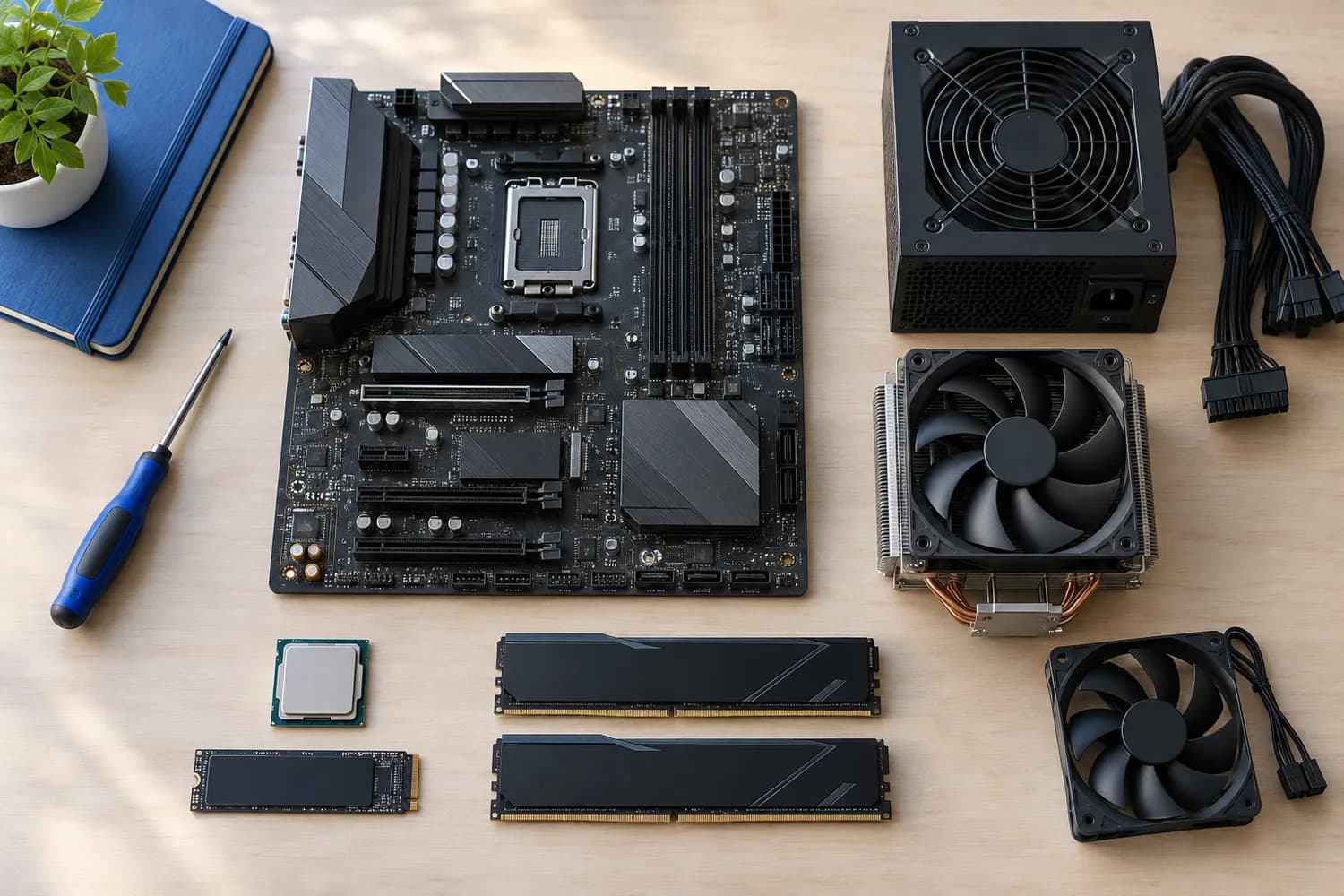
Casing is another word for the case, and gaming casings lean toward glass panels that show off the parts. Airflow still matters, so we weighed fans in the box and radiator room alongside the glass.
Figures come from each listing; we did not test these cases.
Quick Picks
Which of the 5 picks to look at first. Tap a name for the full analysis.

Largest Radiator Support
NZXT H9 Flow (2025)420mm radiator support with four fans.
Best for: Large AIO builds.
Check price for NZXT H9 Flow (2025) on Amazon (opens in a new tab)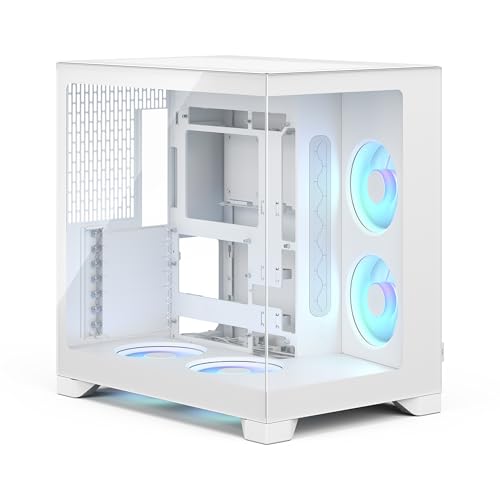
Best Panoramic Casing
Fractal Design Pop 2 Vision White RGB412mm GPU clearance and four fans behind panoramic glass.
Best for: Showcase builds.
Check price for Fractal Design Pop 2 Vision White RGB on Amazon (opens in a new tab)
Best Long-Card Clearance
Cooler Master QUBE 540415mm graphics-card clearance.
Best for: Long triple-fan cards.
Check price for Cooler Master QUBE 540 on Amazon (opens in a new tab)
Best Compact Mid-Tower
NZXT H5 Flow (2024)360mm radiator support with two fans.
Best for: Smaller desks.
Check price for NZXT H5 Flow (2024) on Amazon (opens in a new tab)
Best Budget Glass Casing
ASUS A31Dual-sided tempered glass with 360mm radiator support.
Best for: Budget showcase builds.
Check price for ASUS A31 on Amazon (opens in a new tab)
| Pick | Why it stands out | Best for | Check price |
|---|---|---|---|
| 420mm radiator support with four fans. | Large AIO builds. | Check price for NZXT H9 Flow (2025) on Amazon (opens in a new tab) |
| 412mm GPU clearance and four fans behind panoramic glass. | Showcase builds. | Check price for Fractal Design Pop 2 Vision White RGB on Amazon (opens in a new tab) |
| 415mm graphics-card clearance. | Long triple-fan cards. | Check price for Cooler Master QUBE 540 on Amazon (opens in a new tab) |
| 360mm radiator support with two fans. | Smaller desks. | Check price for NZXT H5 Flow (2024) on Amazon (opens in a new tab) |
| Dual-sided tempered glass with 360mm radiator support. | Budget showcase builds. | Check price for ASUS A31 on Amazon (opens in a new tab) |
Our Picks
Largest Radiator Support1 of 5
NZXT H9 Flow (2025)
The H9 Flow moves the power supply and drives into a rear chamber, leaving the main compartment for the motherboard, GPU and radiators up to 420mm.
Best for
- Large AIO builds.
Skip if
- Skip it if price comes first: the A31 cost less when we checked.
Why we like it
Four fans are included, three of them angled 140mm intakes. The dual-chamber layout separates the PSU and drives from the main components, and three F140Q fans come pre-installed. Angled front-right fans aim air at the GPU.
On largest radiator size it leads this guide at 420mm, ahead of the Pop 2 Vision RGB (360mm). No other pick in this guide offers wraparound tempered glass; compare the QUBE 540, which has a tempered glass side. You also get perforated steel panels.
Confirm GPU length for the H9 Flow with its maker. The H9 Flow takes 420mm radiators; mind RAM height. It was the most expensive pick when we checked, so weigh what it adds over the Pop 2 Vision RGB.
Key specs
- Largest radiator
- 420mm
- Fans included
- 4
- Glass
- Wraparound tempered glass
Pros
- Fits a 420mm radiator
- 4 fans included
- Wraparound tempered glass
- Dual-chamber layout that moves the PSU and drives behind the motherboard
Cons
- Costs more than the A31 at the time of writing
The catch
Buyers who need a confirmed GPU clearance should compare it with the QUBE 540, which comes in at 415mm.
Best Panoramic Casing2 of 5
Fractal Design Pop 2 Vision White RGB
Fractal's Pop 2 Vision White RGB is a dual-chamber case with four RGB reverse-blade fans and panoramic glass.
Best for
- Showcase builds.
Skip if
- Price-first buyers should look at the A31, which cost less when we checked.
Why we like it
It supports back-connect motherboards and 412mm graphics cards. Four reverse-blade fans come pre-installed in a dual-chamber layout, and it fits 360mm radiators on top. Tool-free panels, including the glass side and front, lift off easily.
It matches the H5 Flow and the A31 on largest radiator size (360mm). GPU limit in the Pop 2 Vision RGB: 412mm, before front fans. The Pop 2 Vision RGB takes 360mm radiators; mind RAM height. It was priced above the QUBE 540 and below the H9 Flow at the time of writing.
Key specs
- Max GPU length
- 412mm
- Largest radiator
- 360mm
- Fans included
- 4
- Glass
- Panoramic glass side and front
Pros
- Room for graphics cards up to 412mm long
- Fits a 360mm radiator
- 4 fans included
- Panoramic glass side and front
Cons
- Costs more than the A31 at the time of writing
Best Long-Card Clearance3 of 5
Cooler Master QUBE 540
Cooler Master's QUBE 540 stands upright or lies flat, with a reversible I/O panel and movable handles.
Best for
- Long triple-fan cards.
Skip if
- Pass on it if only 1 fan in the box rules it out for your setup.
Why we like it
It takes E-ATX boards up to 11 inches wide and graphics cards up to 415mm without the front fan. A tempered glass side is unique to it among these picks, while the A31 uses dual-sided tempered glass. GPU limit in the QUBE 540: 415mm, before front fans.
You also get this: horizontal or vertical orientation with a reversible I/O panel. It was priced above the H5 Flow and below the Pop 2 Vision RGB at the time of writing. There is no published largest radiator size figure, whereas the H9 Flow comes in at 420mm.
Key specs
- Max GPU length
- 415mm
- Fans included
- 1
- Motherboards
- ITX, ATX, E-ATX up to 11 inches
- Glass
- Tempered glass side
Pros
- Room for graphics cards up to 415mm long
- Tempered glass side
- Horizontal or vertical orientation with a reversible I/O panel
- Full mesh front panel
Cons
- Only 1 fan in the box
- No published largest radiator size
- Costs more than the A31 at the time of writing
Best Compact Mid-Tower4 of 5
NZXT H5 Flow (2024)
The H5 Flow is NZXT's compact mid-tower, with two fans included and a perforated PSU shroud that lets air reach the bottom of the graphics card.
Best for
- Smaller desks.
Skip if
- If budget leads, the A31 was cheaper at our last price check.
Why we like it
It takes a 360mm radiator at the front. Its perforated PSU shroud feeds air to the GPU from below, and it fits a 360mm radiator in front and 240mm on top. Fine mesh panels help airflow.
It matches the Pop 2 Vision RGB and the A31 on largest radiator size (360mm). It also offers built-in cable routing channels. Confirm GPU length for the H5 Flow with its maker.
The H5 Flow takes 360mm radiators; mind RAM height. When we checked, only the A31 cost less, and the QUBE 540 cost more. If you want a confirmed GPU clearance, look to the QUBE 540 instead: it comes in at 415mm, while this one gives no figure.
Key specs
- Largest radiator
- 360mm
- Fans included
- 2
Pros
- Fits a 360mm radiator
- Perforated PSU shroud that feeds air to the GPU
- 240mm radiator option on top
- Built-in cable routing channels
Cons
- Costs more than the A31 at the time of writing
Best Budget Glass Casing5 of 5
ASUS A31
The A31 is built for ASUS BTF motherboards, which hide their connectors on the back, and it has glass on both sides.
Best for
- Budget showcase builds.
Skip if
- Skip it if largest radiator size matters most to you; the H9 Flow offers 420mm.
Why we like it
It has support for 360mm AIOs but does not state an included fan count. It fits 360mm AIOs and flagship graphics cards in a mainstream ATX size. Dual glass panels with no corner pillar give a clear view.
It matches the Pop 2 Vision RGB and the H5 Flow on largest radiator size (360mm). Dual-sided tempered glass is unique to it among these picks, while the QUBE 540 uses a tempered glass side. It also offers BTF hidden-connector motherboard support, up to 80mm of AIO clearance and an 8-degree angled base.
Confirm GPU length for the A31 with its maker. The A31 takes 360mm radiators; mind RAM height. It cost the least of the 5 picks at the time of writing, with the H5 Flow the next step up.
Key specs
- Largest radiator
- 360mm
- Glass
- Dual-sided tempered glass
Pros
- Fits a 360mm radiator
- Dual-sided tempered glass
- BTF hidden-connector motherboard support
- Up to 80mm of AIO clearance
Cons
- Largest radiator size trails the H9 Flow (420mm)
The catch
There is no published GPU clearance figure, whereas the QUBE 540 comes in at 415mm.
How We Chose
Alex Morgan compared the manufacturer specifications, connectivity, warranty terms and compatibility of every pick. Figures come from the makers unless a third-party source is named; we did not test these products ourselves.
- What we compared
- We lined up five cases on GPU clearance, largest radiator size, fans included and glass from manufacturer specifications. We did not test them in-house, and GPU clearance and largest radiator size are missing for at least one pick.
- Where the specs have gaps
- The H9 Flow, the H5 Flow and the A31 give no GPU clearance; the QUBE 540 gives no largest radiator size.
- Price range
- At our last check the picks ran from the A31 ($50 to $100) to the H9 Flow ($100 to $150).
What to Look for in a Gaming Desktop Casing
Key buying criteria so you get the right fit the first time.
How much largest radiator size you need
Here largest radiator size runs from 360mm on the A31 to 420mm on the H9 Flow, a 17% spread. Start with the H9 Flow if largest radiator size decides it. The QUBE 540 gives no largest radiator size figure, so 4 of 5 picks are compared here.
GPU clearance across these picks
The QUBE 540 tops GPU clearance at 415mm and the Pop 2 Vision RGB sits lowest at 412mm. The QUBE 540 is the pick for GPU clearance. The H9 Flow, the H5 Flow and the A31 give no GPU clearance figure, so 2 of 5 picks are compared here.
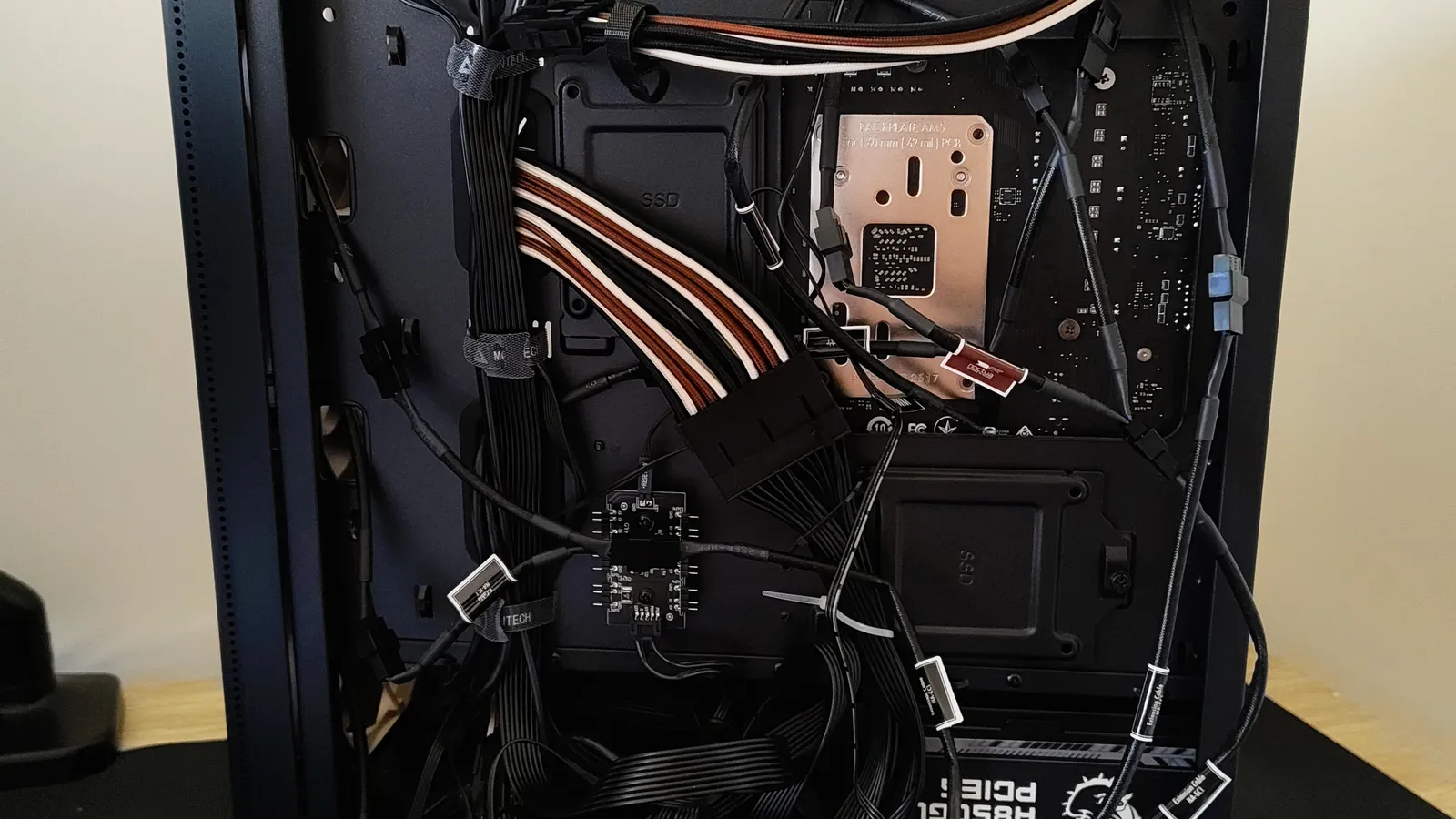
Cable management behind the motherboard tray of a PC case Setup checks
Confirm GPU length for the H9 Flow with its maker. GPU limit in the Pop 2 Vision RGB: 412mm, before front fans. GPU limit in the QUBE 540: 415mm, before front fans.
Features beyond the spec table
The QUBE 540: a full mesh front panel. The H5 Flow: a 240mm radiator option on top. The A31: up to 80mm of AIO clearance.
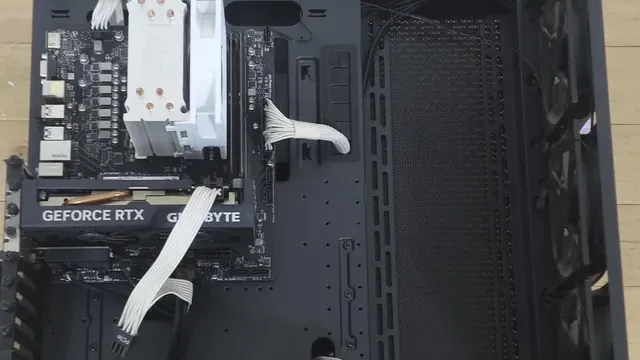
A case interior with a tower cooler and a graphics card installed How much to spend
$50 to $100 buys the A31, the H5 Flow, the QUBE 540 and the Pop 2 Vision RGB; $100 to $150 buys the H9 Flow at our last check.
How to Choose a Gaming Desktop Casing
By priority
| Priority | Consider | Why |
|---|---|---|
| Large AIO builds | H9 Flow | 420mm radiator support with four fans |
| Showcase builds | Pop 2 Vision RGB | 412mm GPU clearance and four fans behind panoramic glass |
| Long triple-fan cards | QUBE 540 | 415mm graphics-card clearance |
| Smaller desks | H5 Flow | 360mm radiator support with two fans |
| Budget showcase builds | A31 | Dual-sided tempered glass with 360mm radiator support |
Scroll sideways to see every column.
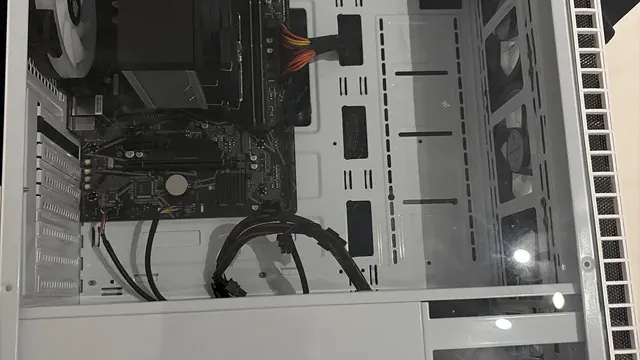
Key specs side by side
The H9 Flow leads on largest radiator size at 420mm, ahead of the Pop 2 Vision RGB at 360mm. "Not listed" marks GPU clearance where the H9 Flow, the H5 Flow and the A31 leave the figure out.
| Case | Max GPU length | Largest radiator | Fans included | Glass |
|---|---|---|---|---|
| H9 Flow | Not listed | 420mm | 4 | Wraparound tempered glass |
| Pop 2 Vision RGB | 412mm | 360mm | 4 | Panoramic glass side and front |
| QUBE 540 | 415mm | Not listed | 1 | Tempered glass side |
| H5 Flow | Not listed | 360mm | 2 | Not listed |
| A31 | Not listed | 360mm | Not listed | Dual-sided tempered glass |
Scroll sideways to see every column.
By price at the time of writing
At our last check the cheapest pick, the A31, sat in the $50 to $100 tier, 2 tiers in all up to the H9 Flow at $100 to $150; Amazon prices move, so recheck before buying.
| Price tier | Cases |
|---|---|
| About $50 to $100 | A31, H5 Flow, QUBE 540, Pop 2 Vision RGB |
| About $100 to $150 | H9 Flow |
Frequently Asked Questions
Is the H9 Flow ahead of the Pop 2 Vision RGB on largest radiator size?
The H9 Flow tops largest radiator size at 420mm; the Pop 2 Vision RGB follows at 360mm, 17% apart. The QUBE 540 is left out of this ranking because its largest radiator size isn't stated; 4 of 5 picks are ranked.
Which has the longest GPU clearance: the QUBE 540 or the Pop 2 Vision RGB?
Between the top two, it is 415mm on the QUBE 540 against 412mm on the Pop 2 Vision RGB, a 1% difference. The H9 Flow, the H5 Flow and the A31 don't state a GPU clearance figure, so they sit outside this comparison; 2 of 5 picks are ranked.
Is the H9 Flow worth paying more than the A31?
The spec sheets show largest radiator size (420mm against 360mm) in its favour. The A31 sat in the $50 to $100 tier and the H9 Flow in the $100 to $150 tier when we checked, with 3 other picks between them; pay the difference only if largest radiator size decides your purchase.
What makes the Pop 2 Vision RGB the Best Panoramic Casing?
The label rests on 412mm GPU clearance and four fans behind panoramic glass. It suits showcase builds.
What should I check before buying the A31?
Confirm GPU length for the A31 with its maker. The A31 takes 360mm radiators; mind RAM height. In this guide it ranks fifth of 5, as our Best Budget Glass Casing pick, and fourth of 4 on largest radiator size (360mm).
Beyond the specs, what sets the H9 Flow and the Pop 2 Vision RGB apart?
The H9 Flow: a dual-chamber layout that moves the PSU and drives behind the motherboard. The Pop 2 Vision RGB: four RGB reverse-blade fans. The QUBE 540: horizontal or vertical orientation with a reversible I/O panel.
Bottom Line
The NZXT H9 Flow takes a 420mm radiator, and the Pop 2 Vision offers panoramic glass with four fans. The QUBE 540 fits long cards, the H5 Flow is compact, and the MONTECH A31 is the budget glass pick.
Related Guides
- Related guideThe Best Tempered Glass PC Cases
- Related guideThe Best RGB PC Cases
- Related guideThe Best Gaming Desktop Cases
- Lower budgetThe Best Gaming PC Cases Under $100
- Similar guideThe Best Gaming Desktop Chassis
- ExplainerHow to Choose a PC Case
- ExplainerCase Front Panel USB-C and Motherboard Headers: What Connects to What
- Check compatibility: motherboardsM.2, SATA and PCIe Lane Sharing: Why a Port Can Go Dark
- Similar guideThe Best Gaming Desktop PC Cases
- Topic hubAll pc cases guides
About the author
PC Hardware Editor
Alex covers PC hardware, monitors, components, upgrades and peripherals for The PC Journal, with a focus on helping readers understand specifications, compatibility and meaningful product trade-offs.
Covers: Monitors, Graphics cards, Processors, PC components, Peripherals, Upgrades and compatibility
View all articles