
Buying Guide
The Best CPUs for the RTX 5060
Five processors compared, from the Ryzen 5 5500 to the Core i5-14600KF, with the trade-offs of each named.
By The PC Journal editorial team
12 min read5 products evaluated
The RTX 5060 is a 1080p card, so a mid-range six- or eight-core CPU is enough. Every pick cost $240 or less, ordered from the lowest price.
Our comparison rests on published figures for L3 cache, max boost and cores / threads; where a maker leaves a figure out, we say so, and no figure here comes from our own testing.
Quick Picks
Our 5 recommendations at a glance. Tap a pick for the full verdict.

Lowest Rated Power
AMD Ryzen 5 5500
The lowest rated power here (65W).
Best for: Buyers who put rated power first.
Our take Check price for AMD Ryzen 5 5500 (opens in a new tab)
Also Consider
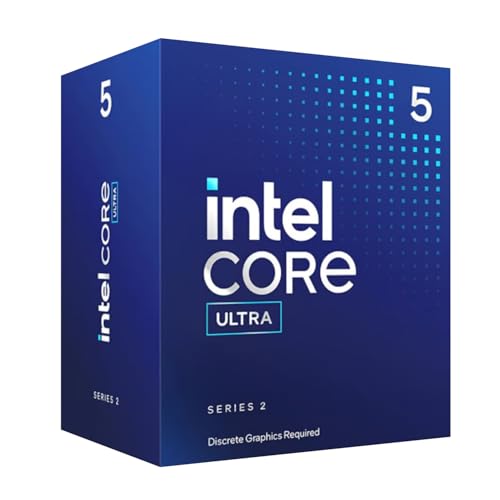
Intel Core Ultra 5 225F
6 performance and 4 efficient cores.
Best for: Buyers who want 6 performance and 4 efficient cores.
Our take Check price for Intel Core Ultra 5 225F (opens in a new tab)

Strong Alternative
AMD Ryzen 5 7600X
The Zen 4 architecture.
Best for: Buyers who want Zen 4 architecture.
Our take Check price for AMD Ryzen 5 7600X (opens in a new tab)

Highest Boost Clock
AMD Ryzen 7 7700X
The highest boost clock here (5.4GHz).
Best for: Buyers who put boost clock first.
Our take Check price for AMD Ryzen 7 7700X (opens in a new tab)

Highest Core Count
Intel Core i5-14600KF
The highest core count here (14 cores).
Best for: Buyers who put core count first.
Our take Check price for Intel Core i5-14600KF (opens in a new tab)
| Pick | Why it’s here | Best for | Price |
|---|---|---|---|
| The lowest rated power here (65W). | Buyers who put rated power first. | Check price for AMD Ryzen 5 5500 (opens in a new tab) |
| 6 performance and 4 efficient cores. | Buyers who want 6 performance and 4 efficient cores. | Check price for Intel Core Ultra 5 225F (opens in a new tab) |
| The Zen 4 architecture. | Buyers who want Zen 4 architecture. | Check price for AMD Ryzen 5 7600X (opens in a new tab) |
| The highest boost clock here (5.4GHz). | Buyers who put boost clock first. | Check price for AMD Ryzen 7 7700X (opens in a new tab) |
| The highest core count here (14 cores). | Buyers who put core count first. | Check price for Intel Core i5-14600KF (opens in a new tab) |
Our Picks
Lowest Rated Power1 of 5
AMD Ryzen 5 5500 on Amazon (opens in a new tab)
The Ryzen 5 5500 is the cheapest six-core chip here.
Best for
- Buyers who put rated power first.
Skip if
- Worth skipping when 6 cores leave less headroom for streaming alongside game is a problem.
Why we like it
It has a smaller 16MB L3 cache and runs PCIe 3.0, which matters little for a budget graphics card. On L3 cache it trails the group at 16MB, while the Ryzen 5 7600X offers 32MB. On boost clock it trails the group at 4.2GHz, while the Ryzen 7 7700X offers 5.4GHz.
It matches the Ryzen 5 7600X on core count (6 cores). On rated power it leads this guide at 65W, ahead of the Ryzen 5 7600X (105W). You get an AM4 socket here, which sets it apart from the Core i5-14600KF and its an LGA1700 socket.
DDR4 memory is unique to it among these picks, while the Ryzen 5 7600X uses DDR5 memory. It also offers a Wraith Stealth cooler in the box. It was the cheapest of the group when we checked; the Core Ultra 5 225F was the next step up.
Key dimensions & specs
- L3 cache: 16MB
- Max boost: 4.2GHz
- Cores / threads: 6 cores
- Rated power: 65W
- Threads: 12
- Socket: AM4
- Memory: DDR4
- Cooler in box: Yes
- Integrated graphics: No
Pros
- 65W rating suits a modest air cooler
- Wraith Stealth cooler in the box
- One of the cheapest six-core desktop chips
- AM4 socket, the only one here
Cons
- 6 cores leave less headroom for streaming alongside games
- AM4 is a final-generation platform with no newer CPUs coming
- No integrated graphics, so a graphics card is required
Also Consider2 of 5
Intel Core Ultra 5 225F on Amazon (opens in a new tab)
The Core Ultra 5 225F is a locked ten-core LGA1851 chip.
Best for
- Buyers who want 6 performance and 4 efficient cores.
Skip if
- Skip it if this is a deal-breaker for you: no cooler in the box.
Why we like it
It suits a budget Intel build that will pair with a B860 board. On L3 cache it sits mid-pack at 20MB: the Ryzen 5 7600X offers 32MB, and the Ryzen 5 5500 comes in at 16MB. On boost clock it sits mid-pack at 4.9GHz: the Ryzen 7 7700X offers 5.4GHz, and the Ryzen 5 5500 comes in at 4.2GHz.
Its 10 cores core count ranks second of 5 here, behind the Core i5-14600KF (14 cores) and ahead of the Ryzen 5 7600X (6 cores). It matches the Core i5-14600KF on rated power (125W). An LGA1851 socket is unique to it among these picks, while the Ryzen 5 7600X uses an AM5 socket.
On price it sat second of 5, between the cheaper Ryzen 5 5500 and the pricier Ryzen 5 7600X, at the time of writing. The main gap: no cooler in box, unlike the Ryzen 5 5500. If that matters, the Ryzen 5 5500 has it.
Key dimensions & specs
- L3 cache: 20MB
- Max boost: 4.9GHz
- Cores / threads: 10 cores
- Rated power: 125W
- Threads: 10
- Socket: LGA1851
- Memory: DDR5
- Cooler in box: No
- Integrated graphics: No
Pros
- 6 performance and 4 efficient cores
- PCIe 5.0 support
- Intel 800-series chipset support
- L3 cache of 20MB, ahead of the Ryzen 5 5500
Cons
- No cooler in the box
- No integrated graphics, so a graphics card is required
- Costs more than the Ryzen 5 5500 at the time of writing
Strong Alternative3 of 5
AMD Ryzen 5 7600X on Amazon (opens in a new tab)
The Ryzen 5 7600X is the least expensive route to 240Hz here, with six Zen 4 cores on AM5.
Best for
- Buyers who want Zen 4 architecture.
Skip if
- Look at the others if this bothers you: 6 cores leave less headroom for streaming alongside games.
Why we like it
It needs an aftermarket cooler, since none is included. It matches the Ryzen 7 7700X on L3 cache (32MB). It matches the Core i5-14600KF on boost clock (5.3GHz).
On core count it ties with the Ryzen 5 5500 at 6 cores. On rated power it ties with the Ryzen 7 7700X at 105W. Like the Ryzen 7 7700X, it has an AM5 socket, while the Core i5-14600KF uses an LGA1700 socket.
Like the Core Ultra 5 225F and Ryzen 7 7700X, it has DDR5 memory, while the Ryzen 5 5500 uses DDR4 memory. You also get the Zen 4 architecture, a 5nm process and PCIe 5.0 support on AM5. It was priced above the Core Ultra 5 225F and below the Ryzen 7 7700X at the time of writing. It gives ground on core count, where the Core i5-14600KF offers 14 cores.
Key dimensions & specs
- L3 cache: 32MB
- Max boost: 5.3GHz
- Cores / threads: 6 cores
- Rated power: 105W
- Threads: 12
- Socket: AM5
- Memory: DDR5
- Cooler in box: No
- Integrated graphics: Yes
Pros
- Integrated graphics for display output without a graphics card
- The Zen 4 architecture
- 5nm process
- PCIe 5.0 support on AM5
Cons
- 6 cores leave less headroom for streaming alongside games
- No cooler in the box
- Core count trails the Core i5-14600KF (14 cores)
Highest Boost Clock4 of 5
AMD Ryzen 7 7700X on Amazon (opens in a new tab)
The Ryzen 7 7700X brings eight Zen 4 cores with high clocks to AM5 at a lower price than the X3D chips.
Best for
- Buyers who put boost clock first.
Skip if
- Worth skipping when no cooler in the bo is a problem.
Why we like it
It gives esports titles plenty of headroom without the cache premium. It matches the Ryzen 5 7600X on L3 cache (32MB). Its 5.4GHz boost clock is the highest here; the Ryzen 5 7600X comes next at 5.3GHz.
On core count it sits mid-pack at 8 cores: the Core i5-14600KF offers 14 cores, and the Ryzen 5 7600X comes in at 6 cores. On rated power it ties with the Ryzen 5 7600X at 105W. Like the Ryzen 5 7600X, it has an AM5 socket, while the Ryzen 5 5500 uses an AM4 socket.
You also get the Zen 4 architecture, a 5nm process and PCIe 5.0 support on AM5. It was priced above the Ryzen 5 7600X and below the Core i5-14600KF at the time of writing. What it gives up: no cooler in box, unlike the Ryzen 5 5500; by contrast, the Ryzen 5 5500 has it.
Key dimensions & specs
- L3 cache: 32MB
- Max boost: 5.4GHz
- Cores / threads: 8 cores
- Rated power: 105W
- Threads: 16
- Socket: AM5
- Memory: DDR5
- Cooler in box: No
- Integrated graphics: Yes
Pros
- Integrated graphics for display output without a graphics card
- The Zen 4 architecture
- 5nm process
- PCIe 5.0 support on AM5
Cons
- No cooler in the box
- Costs more than the Ryzen 5 5500 at the time of writing
Highest Core Count5 of 5
Intel Core i5-14600KF on Amazon (opens in a new tab)
The Core i5-14600KF is the 14600K without integrated graphics.
Best for
- Buyers who put core count first.
Skip if
- Pass on it if no cooler in the bo rules it out for your setup.
Why we like it
It costs less and needs a graphics card for display output. On L3 cache it sits mid-pack at 24MB: the Ryzen 5 7600X offers 32MB, and the Ryzen 5 5500 comes in at 16MB. On boost clock it ties with the Ryzen 5 7600X at 5.3GHz.
Nothing else here matches its 14 cores core count; the Core Ultra 5 225F comes closest at 10 cores. You get an LGA1700 socket here, which sets it apart from the Ryzen 7 7700X and its an AM5 socket. DDR4 or DDR5 memory is unique to it among these picks, while the Core Ultra 5 225F uses DDR5 memory.
It also offers 6 performance and 8 efficient cores and an unlocked multiplier. It was the most expensive pick when we checked, so weigh what it adds over the Ryzen 7 7700X. If rated power is your priority, the Ryzen 5 5500 (65W) is the stronger choice.
Key dimensions & specs
- L3 cache: 24MB
- Max boost: 5.3GHz
- Cores / threads: 14 cores
- Rated power: 125W
- Threads: 20
- Socket: LGA1700
- Memory: DDR4 or DDR5
- Cooler in box: No
- Integrated graphics: No
Pros
- 14 cores for encoding and background work
- 6 performance and 8 efficient cores
- Unlocked multiplier
- L3 cache of 24MB, ahead of the Core Ultra 5 225F
Cons
- No cooler in the box
- No integrated graphics, so a graphics card is required
- Rated power trails the Ryzen 5 5500 (65W)
How We Chose
Each pick was assessed across 4 criteria weighted for real-world use.
- Power and cooling
- We recorded each chip's rated power and what cooler class it needs.
- Game-relevant specs
- We compared L3 cache, boost clocks and core counts from AMD's and Intel's product pages.
- Platform cost
- We noted socket, memory type and whether a cooler is included, since they change the real price.
- Upgrade path
- We considered how long each socket is likely to receive new CPUs.
What to Look for in a CPUs for the RTX 5060
Key buying criteria so you get the right fit the first time.
Where these picks differ: L3 cache
Among these picks, L3 cache runs from 16MB on the Ryzen 5 5500 to 32MB on the Ryzen 5 7600X. Match this to what you will actually do with it, then let price decide between the picks that qualify.
Match the CPU to your graphics card and monitor
At 1440p and 4K the graphics card sets most frame rates, so a mid-range CPU is often enough. At 1080p with a high-refresh monitor, the CPU matters much more.
Spend on the part that limits your games, not on the bigger number.
The socket decides your upgrade path
The socket fixes which motherboards and future CPUs you can use. AM5 has had several CPU generations; AM4 has no newer chips coming.
If you plan to upgrade later, a current platform is worth a small premium.
Cores matter for streaming and creation
Six and eight cores cover gaming. Streaming with CPU encoding, video editing and compiling benefit from twelve or sixteen.
If you encode on the graphics card instead, core count matters less.
Integrated graphics are a useful backup
Chips with integrated graphics can drive a display without a graphics card, which helps when troubleshooting or between upgrades. Intel's F and KF models and most AM4 Ryzen chips have none.
How to Choose a CPUs for the RTX 5060
By priority
| Priority | Consider | Why |
|---|---|---|
| Buyers who put rated power first | Ryzen 5 5500 | The lowest rated power here (65W) |
| Buyers who want 6 performance and 4 efficient cores | Core Ultra 5 225F | 6 performance and 4 efficient cores |
| Buyers who want Zen 4 architecture | Ryzen 5 7600X | The Zen 4 architecture |
| Buyers who put boost clock first | Ryzen 7 7700X | The highest boost clock here (5.4GHz) |
| Buyers who put core count first | Core i5-14600KF | The highest core count here (14 cores) |
Scroll sideways to see every column.
Key specs side by side
Figures as each maker states them.
| Processor | L3 cache | Max boost | Cores / threads | Rated power |
|---|---|---|---|---|
| Ryzen 5 5500 | 16MB | 4.2GHz | 6 cores | 65W |
| Core Ultra 5 225F | 20MB | 4.9GHz | 10 cores | 125W |
| Ryzen 5 7600X | 32MB | 5.3GHz | 6 cores | 105W |
| Ryzen 7 7700X | 32MB | 5.4GHz | 8 cores | 105W |
| Core i5-14600KF | 24MB | 5.3GHz | 14 cores | 125W |
Scroll sideways to see every column.
By price at the time of writing
Prices change often; these tiers reflect Amazon prices when this guide was updated.
| Price tier | Processors |
|---|---|
| About $50 to $100 | Ryzen 5 5500 |
| About $100 to $150 | Core Ultra 5 225F |
| About $150 to $250 | Ryzen 5 7600X, Ryzen 7 7700X, Core i5-14600KF |
Frequently Asked Questions
Which pick leads on core count?
The Core i5-14600KF leads at 14 cores, ahead of the Core Ultra 5 225F at 10 cores; the Ryzen 5 7600X sits at the other end with 6 cores.
Which pick costs the least here?
The Ryzen 5 5500 cost the least when we checked, and the Core i5-14600KF sat at the top of the range. Prices move often, so check the current listing before buying.
Should I choose Intel or AMD for gaming?
At the high end, AMD's X3D chips lead in many CPU-limited games. Intel's Core Ultra chips offer more cores for work at similar prices. Choose by workload and platform cost.
What does X3D mean on a Ryzen CPU?
It marks AMD's 3D V-Cache chips, which stack extra L3 cache on the processor. Games that are limited by the CPU tend to run faster on them.
What does the rated power figure mean?
It is AMD's default TDP or Intel's base power. Chips can draw more under boost, so size the cooler for sustained loads, not the label alone.
Bottom Line
Our first pick is the Ryzen 5 5500, chosen for the lowest rated power here (65W). Look at the Core Ultra 5 225F for 6 performance and 4 efficient cores, the Ryzen 5 7600X for the Zen 4 architecture and the Ryzen 7 7700X for the highest boost clock here (5.4GHz) if those matter more to you.
The RTX 5060 runs on PCIe 5.0 x8; on an older PCIe 3.0 board it loses some bandwidth.