
Buying Guide
The Best CPUs for Baldur's Gate 3
We weighed five processors on L3 cache and boost clock; the Ryzen 5 7600X3D has the largest L3 cache, and the Ryzen 7 5700X costs the least.
By Alex Morgan, PC Hardware Editor
12 min read5 products evaluated
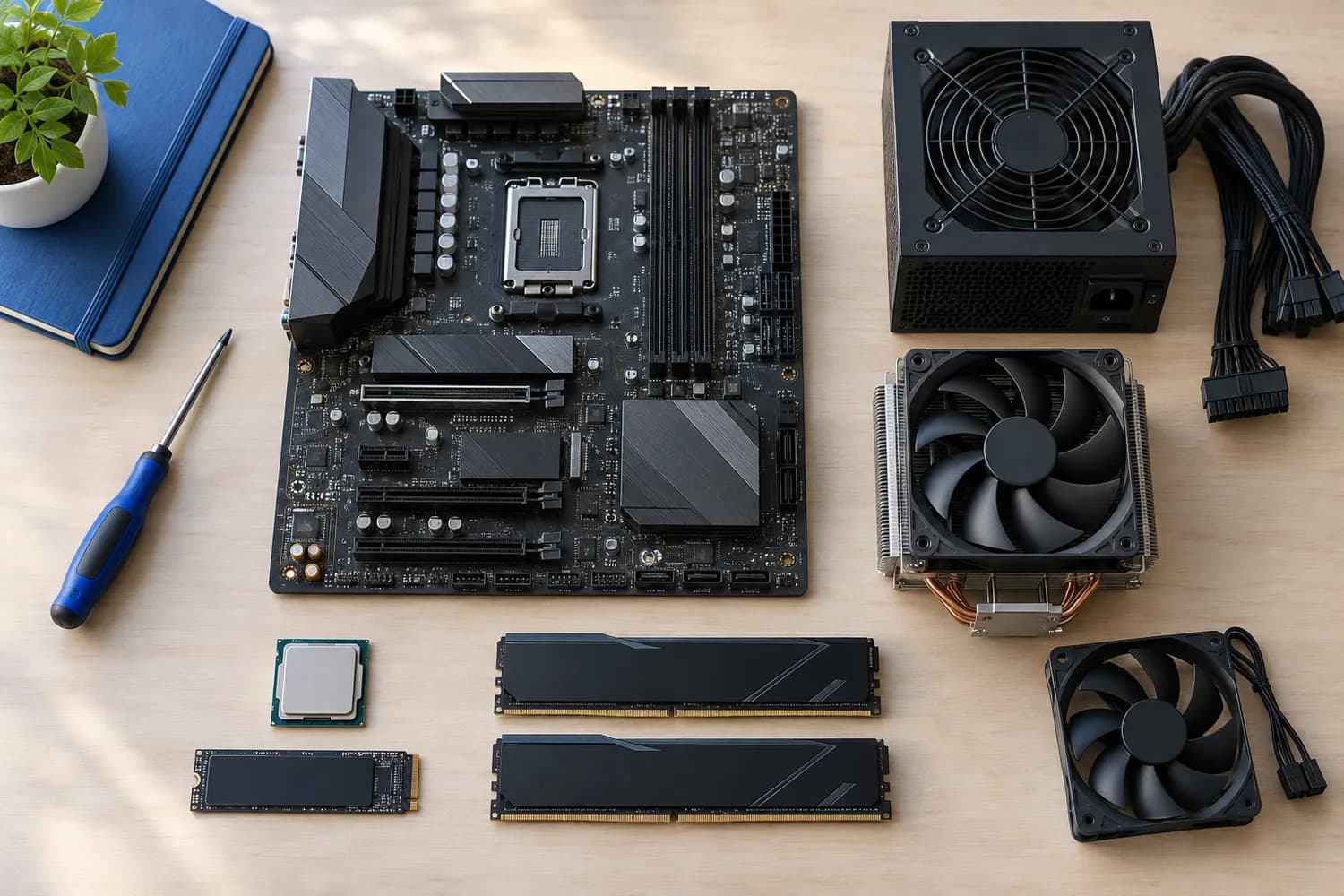
Baldur's Gate 3 is CPU-bound in Act 3's city, where many characters are active at once. Every pick has at least six cores and 32MB of L3 cache and cost $400 or less.
Baldur's Gate 3's official PC requirements list Intel i7 8700K / AMD r5 3600 and 16GB of RAM for the recommended tier (source: Baldur's Gate 3 on Steam). Matching brand to brand, the Core i7-14700KF is a newer generation than the Core i7-8700K; the Ryzen 9 7900X, the Ryzen 5 7600, the Ryzen 5 7600X3D and the Ryzen 7 5700X are a newer generation than the Ryzen 5 3600.
Rankings weigh L3 cache, max boost and cores / threads as the makers state them; we did not test these processors ourselves, and if a maker skips max boost, the guide says so.
Requirements source: Baldur's Gate 3 on Steam
Quick Picks
Which of the 5 picks to look at first. Tap a name for the full analysis.
Highest Core Count
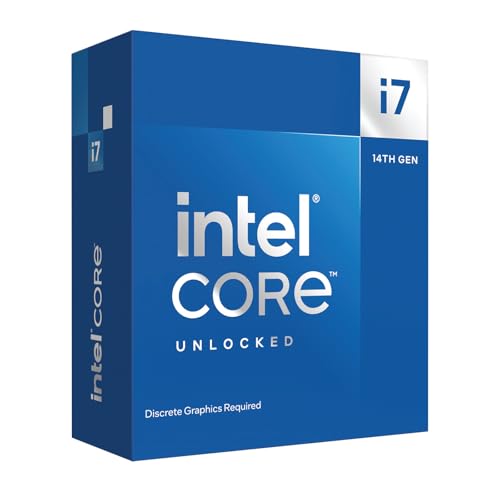
Intel Core i7-14700KFThe highest core count here (20 cores).
Best for: Buyers who put core count first.
Check price for Intel Core i7-14700KF on Amazon (opens in a new tab)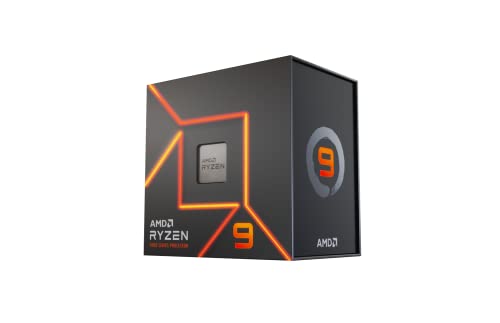
Premium Pick
AMD Ryzen 9 7900XThe highest-priced pick here at the time of writing, with the Zen 4 architecture.
Best for: Buyers who want the Zen 4 architecture and can spend more than the Core i7-14700KF costs.
Check price for AMD Ryzen 9 7900X on Amazon (opens in a new tab)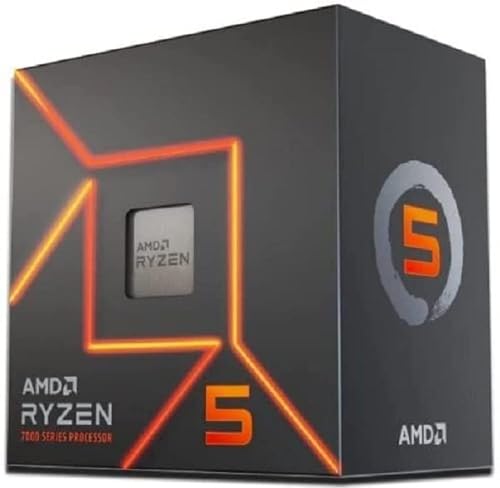
Also Consider
AMD Ryzen 5 7600The Zen 4 architecture.
Best for: Buyers who want Zen 4 architecture.
Check price for AMD Ryzen 5 7600 on Amazon (opens in a new tab)
Largest Game Cache
AMD Ryzen 5 7600X3DThe largest L3 cache here (96MB).
Best for: Games that are limited by the CPU at high frame rates.
Check price for AMD Ryzen 5 7600X3D on Amazon (opens in a new tab)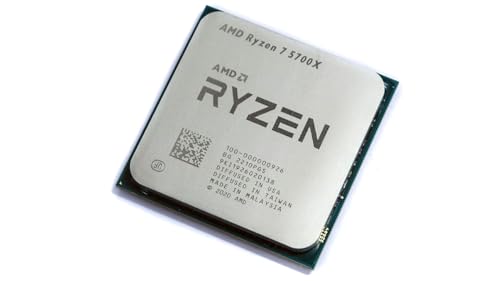
Lowest Price Here
AMD Ryzen 7 5700XThe lowest price among these processors at the time of writing.
Best for: Spending as little as possible, with the Ryzen 5 7600 the next step up.
Check price for AMD Ryzen 7 5700X on Amazon (opens in a new tab)
| Pick | Why it stands out | Best for | Check price |
|---|---|---|---|
| The highest core count here (20 cores). | Buyers who put core count first. | Check price for Intel Core i7-14700KF on Amazon (opens in a new tab) |
| The highest-priced pick here at the time of writing, with the Zen 4 architecture. | Buyers who want the Zen 4 architecture and can spend more than the Core i7-14700KF costs. | Check price for AMD Ryzen 9 7900X on Amazon (opens in a new tab) |
| The Zen 4 architecture. | Buyers who want Zen 4 architecture. | Check price for AMD Ryzen 5 7600 on Amazon (opens in a new tab) |
| The largest L3 cache here (96MB). | Games that are limited by the CPU at high frame rates. | Check price for AMD Ryzen 5 7600X3D on Amazon (opens in a new tab) |
| The lowest price among these processors at the time of writing. | Spending as little as possible, with the Ryzen 5 7600 the next step up. | Check price for AMD Ryzen 7 5700X on Amazon (opens in a new tab) |
Our Picks
Highest Core Count1 of 5
Intel Core i7-14700KF
The Core i7-14700KF is the 14700K without integrated graphics.
Best for
- Buyers who put core count first.
Skip if
- Worth skipping when no cooler in the box is a problem.
Why we like it
It suits a gaming PC that already has a graphics card. Its 33MB L3 cache ranks third of 5 here, behind the Ryzen 5 7600X3D (96MB) and ahead of the Ryzen 7 5700X (32MB). It matches the Ryzen 9 7900X on boost clock (5.6GHz).
Nothing else here matches its 20 cores core count; the Ryzen 9 7900X comes closest at 12 cores. On rated power it sits mid-pack at 125W: the Ryzen 5 7600 offers 65W, and the Ryzen 9 7900X comes in at 170W. No other pick in this guide offers an LGA1700 socket; compare the Ryzen 5 7600X3D, which has an AM5 socket.
It is the only pick here with DDR4 or DDR5 memory; the Ryzen 9 7900X has DDR5 memory instead. You also get 8 performance and 12 efficient cores and an unlocked multiplier. It was priced above the Ryzen 5 7600X3D and below the Ryzen 9 7900X at the time of writing.
Key specs
- L3 cache
- 33MB
- Max boost
- 5.6GHz
- Cores / threads
- 20 cores
- Rated power
- 125W
- Threads
- 28
- Socket
- LGA1700
- Memory
- DDR4 or DDR5
- Cooler in box
- No
- Integrated graphics
- No
Pros
- 5.6GHz maximum boost
- 20 cores for encoding and background work
- 8 performance and 12 efficient cores
- Unlocked multiplier
Cons
- No cooler in the box
- No integrated graphics, so a graphics card is required
- Costs more than the Ryzen 7 5700X at the time of writing
The catch
What it gives up: no cooler in box, unlike the Ryzen 5 7600; by contrast, the Ryzen 5 7600 has it.
Premium Pick2 of 5
AMD Ryzen 9 7900X
The Ryzen 9 7900X has 12 Zen 4 cores on AM5.
Best for
- Buyers who want the Zen 4 architecture and can spend more than the Core i7-14700KF costs.
Skip if
- Worth skipping when 170W rating calls for a large air cooler or a 280mm-plus AIO is a problem.
Why we like it
It is a cheaper way to the same thread count as the 9900X, at a higher power rating. On L3 cache it sits mid-pack at 64MB: the Ryzen 5 7600X3D offers 96MB, and the Ryzen 7 5700X comes in at 32MB. On boost clock it ties with the Core i7-14700KF at 5.6GHz.
Its 12 cores core count ranks second of 5 here, behind the Core i7-14700KF (20 cores) and ahead of the Ryzen 5 7600X3D (6 cores). Its 170W rated power is the highest in this group; the Ryzen 5 7600 leads at 65W. It also comes with the Zen 4 architecture, a 5nm process and PCIe 5.0 support on AM5.
It needs an AM5 board (A620, B650, B850, X670 or X870 series) and DDR5 memory; check the board's CPU support list for the minimum BIOS version. It was the most expensive pick when we checked, so weigh what it adds over the Core i7-14700KF.
Key specs
- L3 cache
- 64MB
- Max boost
- 5.6GHz
- Cores / threads
- 12 cores
- Rated power
- 170W
- Threads
- 24
- Socket
- AM5
- Memory
- DDR5
- Cooler in box
- No
- Integrated graphics
- Yes
Pros
- 64MB of L3 cache
- 5.6GHz maximum boost
- 12 cores for encoding and background work
- Integrated graphics for display output without a graphics card
Cons
- 170W rating calls for a large air cooler or a 280mm-plus AIO
- No cooler in the box
- Rated power trails the Ryzen 5 7600 (65W)
The catch
If rated power is your priority, the Ryzen 5 7600 (65W) is the stronger choice.
Also Consider3 of 5
AMD Ryzen 5 7600
The Ryzen 5 7600 is the cheapest way onto AM5 here and ships with a Wraith Stealth cooler.
Best for
- Buyers who want Zen 4 architecture.
Skip if
- Worth skipping when 6 cores leave less headroom for streaming alongside games is a problem.
Why we like it
Six cores are enough for most games paired with a mid-range graphics card. It matches the Ryzen 7 5700X on L3 cache (32MB). Its 5.1GHz boost clock ranks third of 4 here, behind the Core i7-14700KF (5.6GHz) and ahead of the Ryzen 5 7600X3D (4.7GHz).
On core count it ties with the Ryzen 5 7600X3D at 6 cores. On rated power it ties with the Ryzen 5 7600X3D and the Ryzen 7 5700X at 65W. Like the Ryzen 9 7900X and Ryzen 5 7600X3D, it has an AM5 socket, while the Core i7-14700KF uses an LGA1700 socket.
It also comes with the Zen 4 architecture, a 5nm process and PCIe 5.0 support on AM5. It needs an AM5 board (A620, B650, B850, X670 or X870 series) and DDR5 memory; check the board's CPU support list for the minimum BIOS version.
Key specs
- L3 cache
- 32MB
- Max boost
- 5.1GHz
- Cores / threads
- 6 cores
- Rated power
- 65W
- Threads
- 12
- Socket
- AM5
- Memory
- DDR5
- Cooler in box
- Yes
- Integrated graphics
- Yes
Pros
- 65W rating suits a modest air cooler
- Wraith Stealth cooler in the box
- Integrated graphics for display output without a graphics card
- The Zen 4 architecture
Cons
- 6 cores leave less headroom for streaming alongside games
- Costs more than the Ryzen 7 5700X at the time of writing
Largest Game Cache4 of 5
AMD Ryzen 5 7600X3D
The Ryzen 5 7600X3D brings 96MB of L3 cache to a six-core AM5 chip at a 65W rating.
Best for
- Games that are limited by the CPU at high frame rates.
Skip if
- Worth skipping when 6 cores leave less headroom for streaming alongside games is a problem.
Why we like it
It is the cheapest way into AMD's cache-heavy gaming line on AM5. Its 96MB L3 cache is the largest here; the Ryzen 9 7900X comes next at 64MB. On boost clock it trails the group at 4.7GHz, while the Core i7-14700KF offers 5.6GHz.
It matches the Ryzen 5 7600 on core count (6 cores). It shares an AM5 socket with the Ryzen 9 7900X and Ryzen 5 7600; the Ryzen 7 5700X goes with an AM4 socket. It needs an AM5 board (A620, B650, B850, X670 or X870 series) and DDR5 memory; check the board's CPU support list for the minimum BIOS version.
No cooler is included; a single-tower air cooler is enough at its rating. Its price falls between the Ryzen 5 7600 and the Core i7-14700KF, based on our last check.
Key specs
- L3 cache
- 96MB
- Max boost
- 4.7GHz
- Cores / threads
- 6 cores
- Rated power
- 65W
- Threads
- 12
- Socket
- AM5
- Memory
- DDR5
- Cooler in box
- No
- Integrated graphics
- Yes
Pros
- 96MB of L3 cache from 3D V-Cache
- 65W rating suits a modest air cooler
- Integrated graphics for display output without a graphics card
- 96MB of L3 cache on a six-core chip
Cons
- 6 cores leave less headroom for streaming alongside games
- No cooler in the box
- Boost clock trails the Core i7-14700KF (5.6GHz)
The catch
If boost clock is your priority, the Core i7-14700KF (5.6GHz) is the stronger choice.
Lowest Price Here5 of 5
AMD Ryzen 7 5700X
The Ryzen 7 5700X stands out for 32MB of L3 cache at a 65W TDP, and it adds DDR4-3200 dual-channel support.
Best for
- Spending as little as possible, with the Ryzen 5 7600 the next step up.
Skip if
- Pass on it if aM4 is a final-generation platform with no newer CPUs coming rules it out for your setup.
Why we like it
It also offers a 32MB L3 cache and offers an 8 cores core count. On L3 cache it ties with the Ryzen 5 7600 at 32MB. Its 8 cores core count ranks third of 5 here, behind the Core i7-14700KF (20 cores) and ahead of the Ryzen 5 7600X3D (6 cores).
You get an AM4 socket here, which sets it apart from the Ryzen 5 7600X3D and its an AM5 socket. DDR4 memory is unique to it among these picks, while the Ryzen 9 7900X uses DDR5 memory. It drops into an AM4 board with DDR4 memory; older B450 and X470 boards need a BIOS that supports this chip, so check the support list before swapping. It was the cheapest of the group when we checked; the Ryzen 5 7600 was the next step up.
Key specs
- L3 cache
- 32MB
- Cores / threads
- 8 cores
- Rated power
- 65W
- Threads
- 16
- Socket
- AM4
- Memory
- DDR4
Pros
- 65W rating suits a modest air cooler
- 32MB of L3 cache at a 65W TDP
- DDR4-3200 dual-channel support
- Core count of 8 cores, ahead of the Ryzen 5 7600
Cons
- AM4 is a final-generation platform with no newer CPUs coming
- L3 cache trails the Ryzen 5 7600X3D (96MB)
- No published boost clock
The catch
If L3 cache is your priority, the Ryzen 5 7600X3D (96MB) is the stronger choice.
How We Chose
Alex Morgan compared the manufacturer specifications, connectivity, warranty terms and compatibility of every pick. Figures come from the makers unless a third-party source is named; we did not test these products ourselves.
- How these picks were ranked
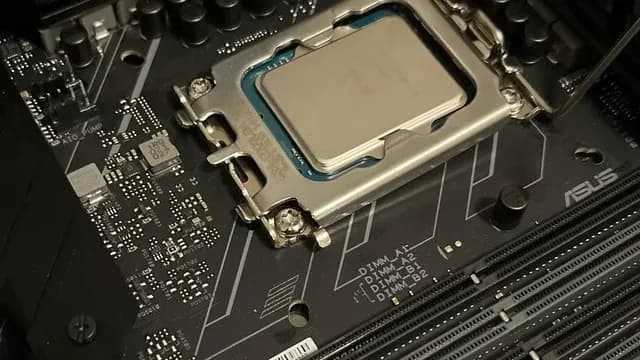
- We set side by side five processors on L3 cache, boost clock, core count and rated power from manufacturer specifications. Nothing was tested in-house; 6 of the 9 fields compared are stated for every pick, while boost clock and cooler in box have gaps.
- What every pick has in common
- All 5, from the Core i7-14700KF to the Ryzen 7 5700X, state L3 cache, core count and rated power.
- Where the specs have gaps
- The Ryzen 7 5700X gives no boost clock; the Ryzen 7 5700X gives no cooler in box.
- Price range
- At our last check the picks ran from the Ryzen 7 5700X ($150 to $250) to the Ryzen 9 7900X ($250 to $500).
What to Look for in a CPUs for Baldur's Gate 3
Key buying criteria so you get the right fit the first time.
L3 cache
Across these 5 picks L3 cache spans 32MB (the Ryzen 7 5700X) to 96MB (the Ryzen 5 7600X3D). If L3 cache is your first filter, the Ryzen 5 7600X3D sets the ceiling at 96MB.
Core count across these picks
The Core i7-14700KF tops core count at 20 cores and the Ryzen 5 7600X3D sits lowest at 6 cores. The Core i7-14700KF is the pick for core count.
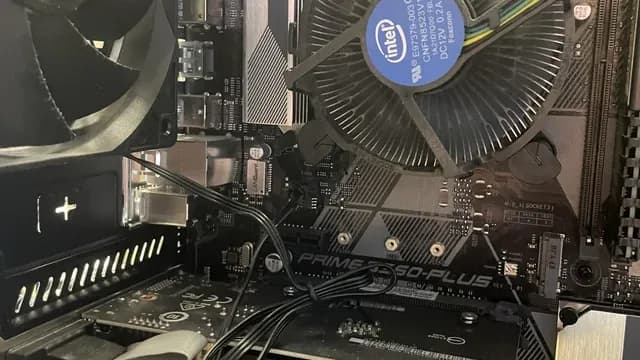
An Intel stock cooler mounted over the CPU socket inside a PC How much rated power you need
The Ryzen 5 7600 tops rated power at 65W and the Ryzen 9 7900X sits lowest at 170W; 3 picks share the top figure. Start with the Ryzen 5 7600 if rated power decides it.
Memory
The Core i7-14700KF lists DDR4 or DDR5; the Ryzen 9 7900X, the Ryzen 5 7600 and the Ryzen 5 7600X3D list DDR5; the Ryzen 7 5700X lists DDR4. Settling memory first narrows 5 picks to 3 or 1 or 1.
Cooler in box
The Core i7-14700KF, the Ryzen 9 7900X and the Ryzen 5 7600X3D go without; the Ryzen 5 7600 has it.
How to Choose a CPUs for Baldur's Gate 3
By priority
| Priority | Consider | Why |
|---|---|---|
| Buyers who put core count first | Core i7-14700KF | The highest core count here (20 cores) |
| Buyers who want the Zen 4 architecture and can spend more than the Core i7-14700KF costs | Ryzen 9 7900X | The highest-priced pick here at the time of writing, with the Zen 4 architecture |
| Buyers who want Zen 4 architecture | Ryzen 5 7600 | The Zen 4 architecture |
| Games that are limited by the CPU at high frame rates | Ryzen 5 7600X3D | The largest L3 cache here (96MB) |
| Spending as little as possible, with the Ryzen 5 7600 the next step up | Ryzen 7 5700X | The lowest price among these processors at the time of writing |
Scroll sideways to see every column.
Key specs side by side
The Ryzen 5 7600X3D leads on L3 cache at 96MB, ahead of the Ryzen 9 7900X at 64MB. "Not listed" marks boost clock where the Ryzen 7 5700X leaves the figure out.
| Processor | L3 cache | Max boost | Cores / threads | Rated power |
|---|---|---|---|---|
| Core i7-14700KF | 33MB | 5.6GHz | 20 cores | 125W |
| Ryzen 9 7900X | 64MB | 5.6GHz | 12 cores | 170W |
| Ryzen 5 7600 | 32MB | 5.1GHz | 6 cores | 65W |
| Ryzen 5 7600X3D | 96MB | 4.7GHz | 6 cores | 65W |
| Ryzen 7 5700X | 32MB | Not listed | 8 cores | 65W |
Scroll sideways to see every column.
By price at the time of writing
The Ryzen 7 5700X was the lowest-priced pick ($150 to $250) and the Ryzen 9 7900X the highest ($250 to $500) when we checked; tiers move with Amazon pricing.
| Price tier | Processors |
|---|---|
| About $150 to $250 | Ryzen 7 5700X, Ryzen 5 7600, Ryzen 5 7600X3D |
| About $250 to $500 | Core i7-14700KF, Ryzen 9 7900X |
Frequently Asked Questions
Will these processors run Baldur's Gate 3 at recommended settings?
In Baldur's Gate 3's list, the Core i7-14700KF, the Ryzen 9 7900X, the Ryzen 5 7600, the Ryzen 5 7600X3D and the Ryzen 7 5700X meet the recommended processor on brand, generation and model number. Baldur's Gate 3 also lists 16GB of system RAM for that tier, which is separate from the processor.
Which has the largest L3 cache: the Ryzen 5 7600X3D or the Ryzen 9 7900X?
The Ryzen 5 7600X3D tops L3 cache at 96MB; the Ryzen 9 7900X follows at 64MB, 50% apart. The Ryzen 7 5700X is at the other end of this group with 32MB.
Is the Core i7-14700KF ahead of the Ryzen 9 7900X on core count?
The Core i7-14700KF leads at 20 cores, with the Ryzen 9 7900X at 12 cores. The spread runs down to the Ryzen 5 7600X3D at 6 cores.
What does the Ryzen 9 7900X add over the Ryzen 7 5700X?
What it brings is L3 cache (64MB against 32MB) and core count (12 cores against 8 cores). It does not win everywhere: the Ryzen 7 5700X still leads on rated power (65W). On our last price check the Ryzen 7 5700X was in the $150 to $250 tier and the Ryzen 9 7900X in the $250 to $500 tier, with 3 other picks between them; pay the difference only if L3 cache and core count decide your purchase.
Why is the Ryzen 5 7600X3D our Largest Game Cache pick?
The label rests on the largest L3 cache here (96MB). On L3 cache it leads the Ryzen 9 7900X, 96MB against 64MB, a 50% margin. The price of that: the Ryzen 7 5700X, the cheapest pick, still beats it on core count (8 cores against 6 cores). It is aimed at games that are limited by the CPU at high frame rates.
Do the Core i7-14700KF and the Ryzen 9 7900X differ on socket?
The Core i7-14700KF uses LGA1700; the Ryzen 9 7900X, the Ryzen 5 7600 and the Ryzen 5 7600X3D use AM5; the Ryzen 7 5700X uses AM4.
Bottom Line
Our first pick is the Core i7-14700KF, chosen for the highest core count here (20 cores). Look at the Ryzen 9 7900X for the highest-priced pick here at the time of writing, with the Zen 4 architecture, the Ryzen 5 7600 for the Zen 4 architecture and the Ryzen 7 5700X for the lowest price among these processors at the time of writing if those matter more to you.
Install the game on an SSD; loading into Act 3 is slow from a hard drive.
Related Guides
- Related guideThe Best CPUs for Gaming
- Related guideThe Best AMD CPUs for Gaming
- Related guideThe Best Budget CPUs
- Higher budgetThe Best High-End Intel CPUs for Gaming
- Similar guideThe Best CPUs
- ExplainerHow to Choose a CPU for Your PC
- ExplainerCPU Name Suffixes Explained: K, KF, F, X, X3D and G
- Check compatibility: motherboardsHow to Check Motherboard BIOS Compatibility
- Similar guideThe Best CPUs for VR
- Topic hubAll processors guides
About the author
PC Hardware Editor
Alex covers PC hardware, monitors, components, upgrades and peripherals for The PC Journal, with a focus on helping readers understand specifications, compatibility and meaningful product trade-offs.
Covers: Monitors, Graphics cards, Processors, PC components, Peripherals, Upgrades and compatibility
View all articles