
Buying Guide
The Best 240mm AIO Coolers by Pump Speed
Three liquid coolers ranked on pump speed and fan size; the Frozen Notte 240 White is the cheapest route in.
By Alex Morgan, PC Hardware Editor
11 min read3 products evaluated
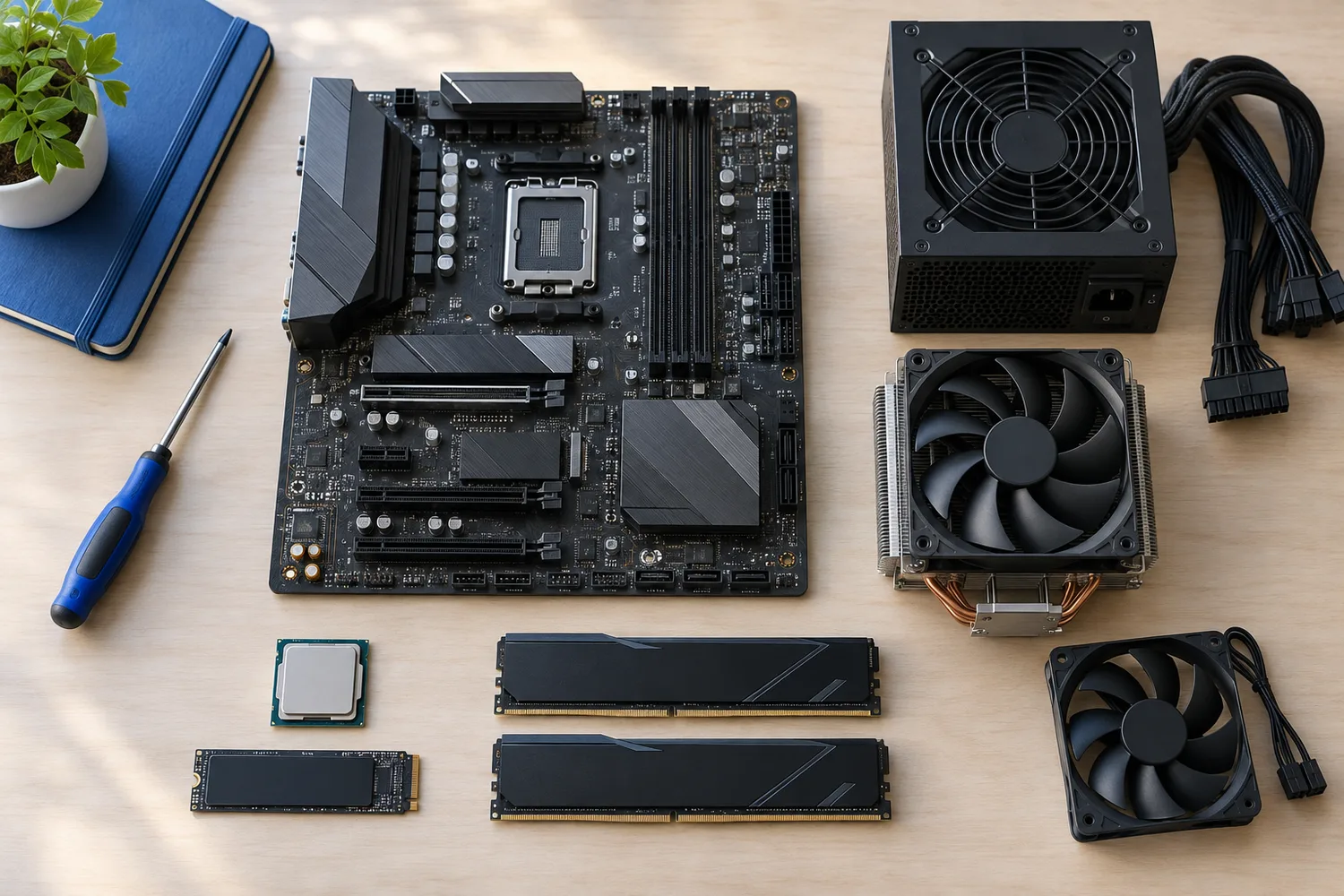
A 240mm AIO fits most cases and cools mid-range CPUs. Every pick has a 240mm radiator, ordered by pump speed.
We ranked these liquid coolers on max pump speed, fan size and sockets named using manufacturer specifications; where a maker leaves out max pump speed, we say so rather than guess, since we have not benched them.
Quick Picks
Which of the 3 picks to look at first. Tap a name for the full analysis.

Lowest Price Here
Thermalright Frozen Notte 240 White ARGBThe lowest price among these liquid coolers at the time of writing.
Best for: Keeping the cost under $50.
Check price for Thermalright Frozen Notte 240 White ARGB on Amazon (opens in a new tab)
Also Consider
MSI MAG CORELIQUID A13 240A split-flow radiator with the pump built into it.
Best for: Buyers who want split-flow radiator with the pump built into it.
Check price for MSI MAG CORELIQUID A13 240 on Amazon (opens in a new tab)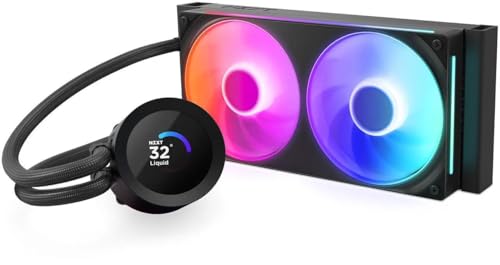
Premium Pick
NZXT Kraken Plus 240 RGBThe highest-priced pick here at the time of writing, with NZXT's Turbine pump.
Best for: Buyers who want NZXT's Turbine pump and can spend more than the Coreliquid A13 240 costs.
Check price for NZXT Kraken Plus 240 RGB on Amazon (opens in a new tab)
| Pick | Why it stands out | Best for | Check price |
|---|---|---|---|
| The lowest price among these liquid coolers at the time of writing. | Keeping the cost under $50. | Check price for Thermalright Frozen Notte 240 White ARGB on Amazon (opens in a new tab) |
| A split-flow radiator with the pump built into it. | Buyers who want split-flow radiator with the pump built into it. | Check price for MSI MAG CORELIQUID A13 240 on Amazon (opens in a new tab) |
| The highest-priced pick here at the time of writing, with NZXT's Turbine pump. | Buyers who want NZXT's Turbine pump and can spend more than the Coreliquid A13 240 costs. | Check price for NZXT Kraken Plus 240 RGB on Amazon (opens in a new tab) |
Our Picks
Lowest Price Here1 of 3
Thermalright Frozen Notte 240 White ARGB
The Frozen Notte 240 White is the cheapest white AIO here, with a 5,300 RPM pump.
Best for
- Keeping the cost under $50.
Skip if
- Look at the other picks if you need a feature not covered above.
Why we like it
It also offers a white radiator and fans, a mirror-finish copper base and ARGB lighting on the pump and fans. Check that your case offers 240mm radiator support at the front or top, and allow for the radiator's thickness plus fans above the motherboard's heatsinks. The maker doesn't spell out LGA1851 mounting, so confirm it on the maker's site for a Core Ultra build.
Worth noting: highest pump speed of the picks (5300 RPM). It makes the most sense for keeping the cost under $50, since it offers the lowest price among these liquid coolers at the time of writing. It was the cheapest of the group when we checked; the Coreliquid A13 240 was the next step up.
Key specs
- Max pump speed
- 5300 RPM
- Fan size
- 120mm
- Sockets named
- AM5, AM4, Intel
Pros
- White radiator and fans
- Mirror-finish copper base
- ARGB lighting on the pump and fans
- Highest pump speed of the picks (5300 RPM)
Also Consider2 of 3
MSI MAG CORELIQUID A13 240
The Coreliquid A13 240 puts the pump in the radiator and uses 390mm tubes, which makes front mounting easy in compact cases.
Best for
- Buyers who want split-flow radiator with the pump built into it.
Skip if
- Skip it if price comes first: the Frozen Notte 240 White cost less when we checked.
Why we like it
It supports LGA 1851 out of the box. The split-flow radiator uses an integrated three-phase pump that spins up to 3800RPM on ceramic bearings. The pump runs up to 3800RPM, the tubing is 390mm, and it supports LGA 1851 out of the box.
The tubing is triple-layered netted plastic under mesh sheathing to keep coolant in. Dual 120mm ARGB PWM fans are included, and thermal paste comes in the box. Check that your case offers 240mm radiator support at the front or top, and allow for the radiator's thickness plus fans above the motherboard's heatsinks.
It supports both AM5 and Intel LGA1851. It was priced above the Frozen Notte 240 White and below the Kraken Plus 240 at the time of writing.
Key specs
- Max pump speed
- 3800 RPM
- Tube length
- 390mm
- Sockets named
- AM5, AM4, LGA1851, LGA1700
Pros
- Mounts on both AM5 and Intel LGA1851
- Split-flow radiator with the pump built into it
- Ceramic pump bearings
Cons
- Costs more than the Frozen Notte 240 White at the time of writing
Premium Pick3 of 3
NZXT Kraken Plus 240 RGB
The Kraken Plus 240 brings NZXT's 1.54-inch LCD pump head to a 240mm radiator for smaller cases.
Best for
- Buyers who want NZXT's Turbine pump and can spend more than the Coreliquid A13 240 costs.
Skip if
- Skip it if this is a deal-breaker for you: lighting and display control need NZXT CAM.
Why we like it
Its 1.54-inch LCD shows temperatures, GIFs or Spotify, and the RGB Core fan frame installs with four screws and one cable. NZXT's Turbine pump targets high flow. Check that your case offers 240mm radiator support at the front or top, and allow for the radiator's thickness plus fans above the motherboard's heatsinks.
It supports both AM5 and Intel LGA1851. Plan to install NZXT CAM for lighting and display control; fan and pump speed can also run from the motherboard's headers. At our last price check it topped the group, with the Coreliquid A13 240 the nearest cheaper option. If you want a confirmed pump speed, look to the Frozen Notte 240 White instead: it offers 5300 RPM, while this one gives no figure.
Key specs
- Fan size
- 120mm
- Pump display
- 1.54-inch
- Software
- NZXT CAM
- Sockets named
- AM5, AM4, LGA1851, LGA1700
Pros
- 1.54-inch pump-head display for temperatures or images
- Mounts on both AM5 and Intel LGA1851
- NZXT's Turbine pump
- RGB fans
Cons
- Lighting and display control need NZXT CAM
- No published pump speed
- Costs more than the Frozen Notte 240 White at the time of writing
How We Chose These 240mm AIO Coolers by Pump Speed
Alex Morgan compared the manufacturer specifications, connectivity, warranty terms and compatibility of every pick. Figures come from the makers unless a third-party source is named; we did not test these products ourselves.
- What we compared
- We compared three AIO coolers on pump speed, fan size and sockets named from manufacturer specifications. Nothing was tested in-house; 1 of the 3 fields compared are stated for every pick, while pump speed and fan size have gaps.
- What every pick has in common
- All 3, from the Frozen Notte 240 White to the Kraken Plus 240, state sockets named.
- Where the specs have gaps
- The Kraken Plus 240 gives no pump speed; the Coreliquid A13 240 gives no fan size.
- Price range
- At our last check the picks ran from the Frozen Notte 240 White (under $50) to the Kraken Plus 240 ($50 to $100).
What to Look for in a 240mm AIO Cooler by Pump Speed
Key buying criteria so you get the right fit the first time.
How much pump speed you need
Across these 2 picks pump speed spans 3800 RPM (the Coreliquid A13 240) to 5300 RPM (the Frozen Notte 240 White). The Frozen Notte 240 White is the pick for pump speed. The Kraken Plus 240 gives no pump speed figure, so 2 of 3 picks are compared here.
Extras that separate them
The Frozen Notte 240 White: a mirror-finish copper base. The Coreliquid A13 240: ceramic pump bearings. The Kraken Plus 240: RGB fans.
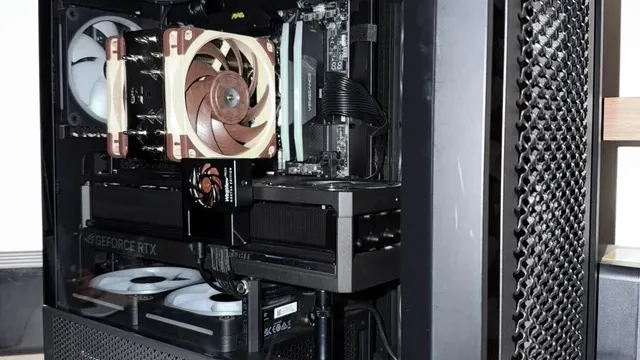
A tower air cooler with brown fans installed in a PC How much to spend
Under $50 buys the Frozen Notte 240 White; $50 to $100 buys the Coreliquid A13 240 and the Kraken Plus 240 at our last check.
Start from what matters most
Keeping the cost under $50: the Frozen Notte 240 White. Buyers who want NZXT's Turbine pump and can spend more than the Coreliquid A13 240 costs: the Kraken Plus 240.
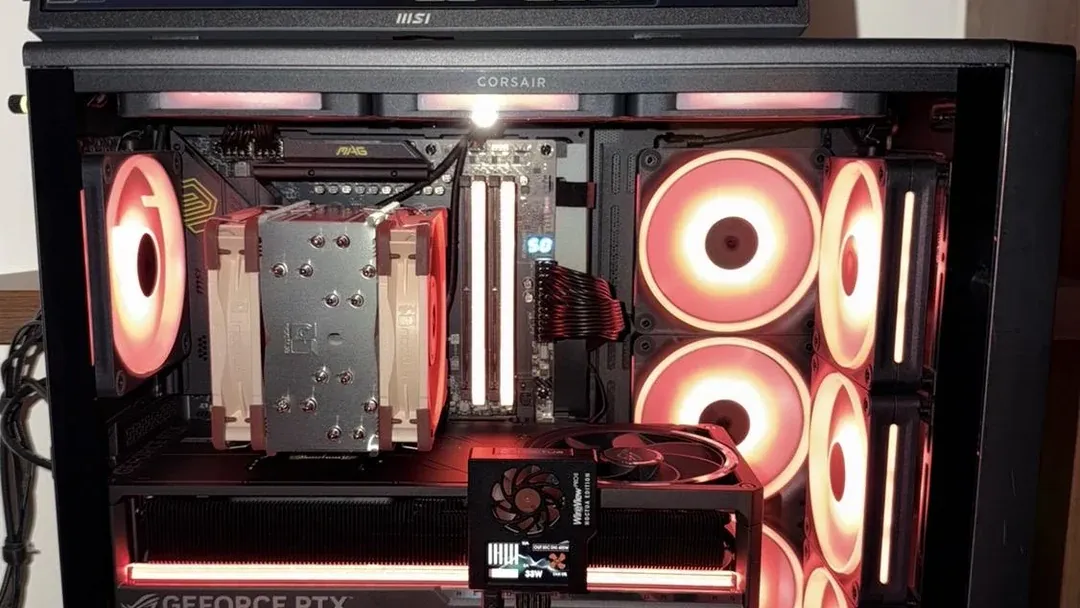
A tower air cooler in a case with red-lit fans Mount the pump below the radiator's top
Air collects at the highest point of the loop. Keep the radiator's top edge above the pump, or tubes-down at the front, to avoid pump noise and wear.
How to Choose a 240mm AIO Cooler by Pump Speed
By priority
| Priority | Consider | Why |
|---|---|---|
| Keeping the cost under $50 | Frozen Notte 240 White | The lowest price among these liquid coolers at the time of writing |
| Buyers who want split-flow radiator with the pump built into it | Coreliquid A13 240 | A split-flow radiator with the pump built into it |
| Buyers who want NZXT's Turbine pump and can spend more than the Coreliquid A13 240 costs | Kraken Plus 240 | The highest-priced pick here at the time of writing, with NZXT's Turbine pump |
Scroll sideways to see every column.
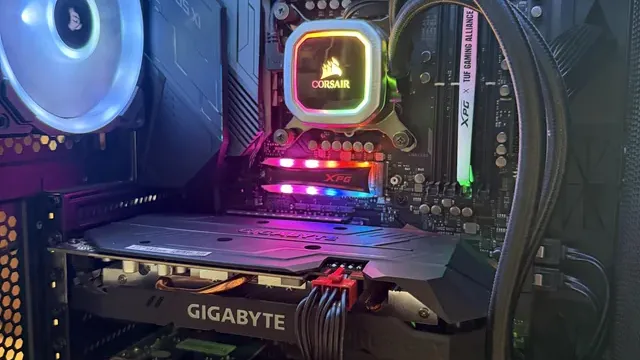
Key specs side by side
The Frozen Notte 240 White leads on pump speed at 5300 RPM, ahead of the Coreliquid A13 240 at 3800 RPM. "Not listed" marks pump speed where the Kraken Plus 240 leaves the figure out.
| AIO cooler | Max pump speed | Fan size | Sockets named |
|---|---|---|---|
| Frozen Notte 240 White | 5300 RPM | 120mm | AM5, AM4, Intel |
| Coreliquid A13 240 | 3800 RPM | Not listed | AM5, AM4, LGA1851, LGA1700 |
| Kraken Plus 240 | Not listed | 120mm | AM5, AM4, LGA1851, LGA1700 |
Scroll sideways to see every column.
By price at the time of writing
The Frozen Notte 240 White was the lowest-priced pick (under $50) and the Kraken Plus 240 the highest ($50 to $100) when we checked; tiers move with Amazon pricing.
| Price tier | AIO coolers |
|---|---|
| Under $50 | Frozen Notte 240 White |
| About $50 to $100 | Coreliquid A13 240, Kraken Plus 240 |
Frequently Asked Questions
Is the Frozen Notte 240 White ahead of the Coreliquid A13 240 on pump speed?
The Frozen Notte 240 White tops pump speed at 5300 RPM; the Coreliquid A13 240 follows at 3800 RPM, 39% apart. The Kraken Plus 240 is left out of this ranking because its pump speed isn't stated; 2 of 3 picks are ranked.
Why is the Kraken Plus 240 our Premium Pick?
It carries the badge for the highest-priced pick here at the time of writing, with NZXT's Turbine pump. The Frozen Notte 240 White, the cheapest pick, sat in the under $50 tier against $50 to $100 here, without out-ranking it on any listed spec. It suits anyone who wants NZXT's Turbine pump and can spend more than the Coreliquid A13 240 costs.
What extras do the Frozen Notte 240 White and the Coreliquid A13 240 include?
The Frozen Notte 240 White: a white radiator and fans. The Coreliquid A13 240: a split-flow radiator with the pump built into it. The Kraken Plus 240: NZXT's Turbine pump.
Who should choose the Frozen Notte 240 White?
The Frozen Notte 240 White carries our Lowest Price Here label for the lowest price among these liquid coolers at the time of writing. It ranks first of 3 here and sat in the under $50 tier at our last price check; it suits keeping the cost under $50.
Should I pick the Frozen Notte 240 White or the Kraken Plus 240?
The Frozen Notte 240 White suits keeping the cost under $50; the Kraken Plus 240 suits buyers who want NZXT's Turbine pump and can spend more than the Coreliquid A13 240 costs.
Bottom Line
Our first pick is the Frozen Notte 240 White, chosen for the lowest price among these liquid coolers at the time of writing. Look at the Coreliquid A13 240 for a split-flow radiator with the pump built into it and the Kraken Plus 240 for the highest-priced pick here at the time of writing, with NZXT's Turbine pump if those matter more to you.
Mount the radiator with the tubes below the top of the radiator.
Related Guides
- Related guideThe Best 360mm AIO Liquid Coolers
- Related guideThe Best 240mm AIO Liquid Coolers
- Related guideThe Best CPU Air Coolers
- Lower budgetThe Best AIO Coolers Under $60
- Similar guideThe Best 240mm AIO Coolers by Fan Speed
- ExplainerPC Airflow Explained
- ExplainerHow Many Case Fans Do You Need?
- Check compatibility: processorsHow to Check CPU and Motherboard Compatibility
- Similar guideThe Best 360mm AIO Coolers by Pump Speed
- Topic hubAll cpu coolers and cooling guides
About the author
PC Hardware Editor
Alex covers PC hardware, monitors, components, upgrades and peripherals for The PC Journal, with a focus on helping readers understand specifications, compatibility and meaningful product trade-offs.
Covers: Monitors, Graphics cards, Processors, PC components, Peripherals, Upgrades and compatibility
View all articles