
Buying Guide
The Best Gaming PCs for GTA 5 RP on FiveM
Five gaming PCs for GTA 5 roleplay on FiveM, from RTX 5060 to RX 9060 XT, each with its CPU, graphics, memory and storage named.
By Alex Morgan, PC Hardware Editor
12 min read5 products evaluated
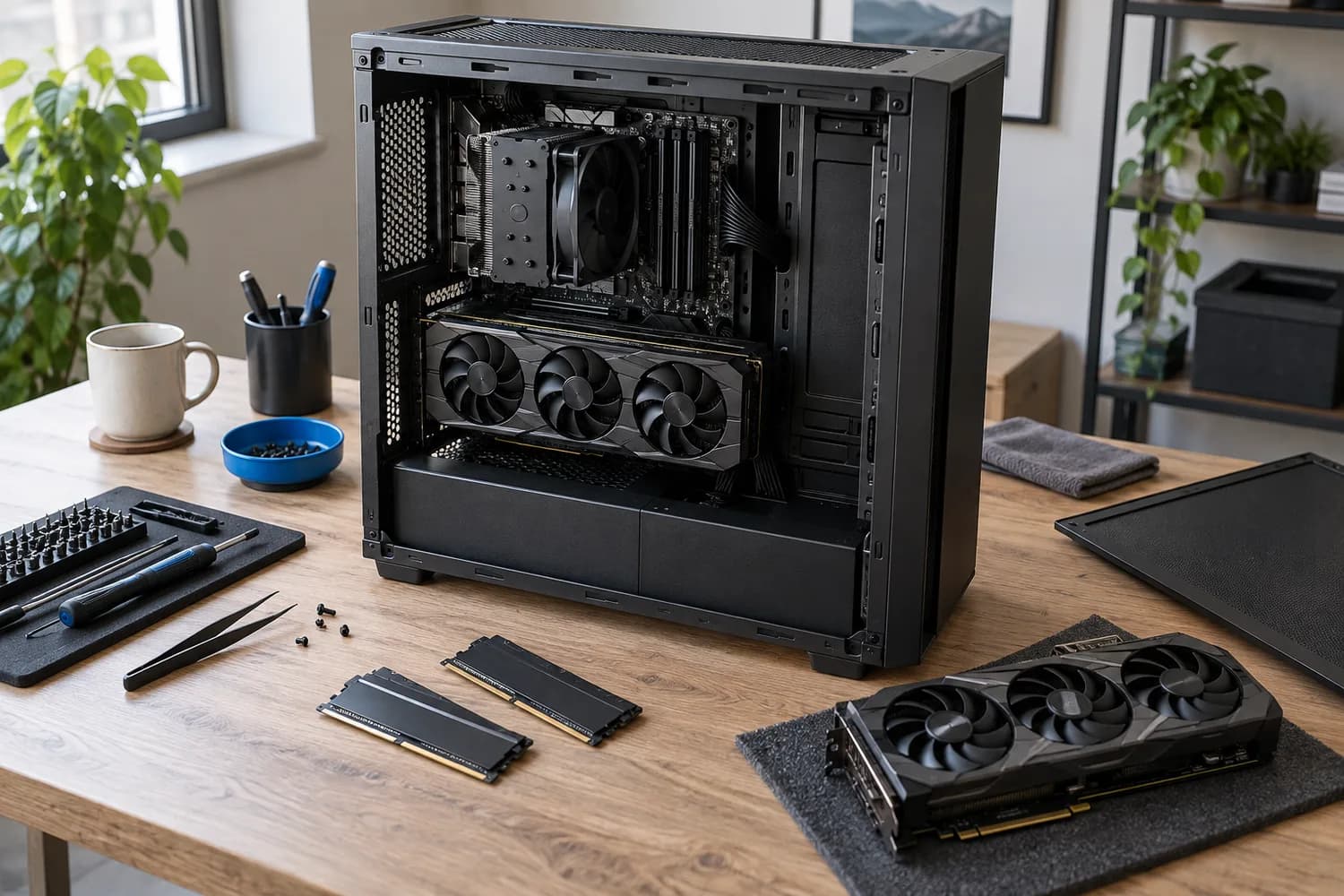
FiveM roleplay servers load many custom assets, which leans on the CPU and memory more than the base game. These five all carry 32GB of RAM.
Our comparison uses what each seller states, not hands-on testing. Listings without a named CPU, a GPU with its VRAM, a RAM figure or an SSD size were dropped, as were renewed units and outlier prices.
Quick Picks
Which of the 5 picks to look at first. Tap a name for the full analysis.
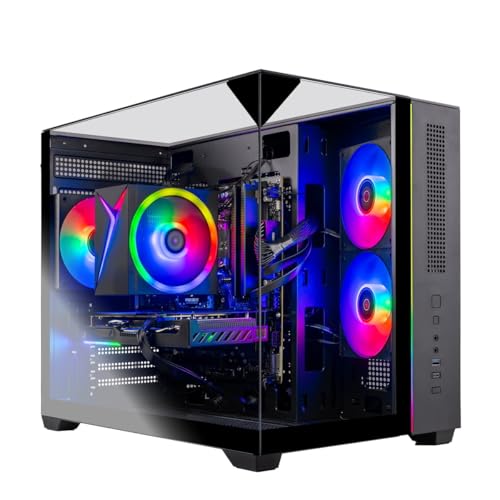
Ryzen 7 5700 Build
Skytech Gaming PC (Ryzen 7 5700, RTX 5060, 32GB)A Ryzen 7 5700 processor.
Best for: Buyers who prefer this CPU platform.
Check price for Skytech Gaming PC (Ryzen 7 5700, RTX 5060, 32GB) on Amazon (opens in a new tab)
RTX 3060 Ti Build
Prebuilt Gaming PC (Ryzen 7 5700X, RTX 3060 Ti 8GB)An RTX 3060 Ti with 8GB of VRAM.
Best for: 1080p gaming.
Check price for Prebuilt Gaming PC (Ryzen 7 5700X, RTX 3060 Ti 8GB) on Amazon (opens in a new tab)
Largest Listed PSU
YAWYORE Gaming PC (Ryzen 7 5700X, RTX 5060 8GB)A 650W power supply rated 80 Plus Bronze.
Best for: A bigger graphics card later.
Check price for YAWYORE Gaming PC (Ryzen 7 5700X, RTX 5060 8GB) on Amazon (opens in a new tab)
RTX 5060 Ti Build
Skytech Gaming PC (Ryzen 5 5500, RTX 5060 Ti 8GB, 32GB)An RTX 5060 Ti with 8GB of VRAM.
Best for: 1080p gaming.
Check price for Skytech Gaming PC (Ryzen 5 5500, RTX 5060 Ti 8GB, 32GB) on Amazon (opens in a new tab)
Most VRAM
HOENGAGER Panorama (Ryzen 7 5700X, Radeon RX 9060 XT 16GB)16GB of VRAM on the RX 9060 XT.
Best for: High texture settings at 1440p and above.
Check price for HOENGAGER Panorama (Ryzen 7 5700X, Radeon RX 9060 XT 16GB) on Amazon (opens in a new tab)
Our Picks
Ryzen 7 5700 Build1 of 5
Skytech Gaming PC (Ryzen 7 5700, RTX 5060, 32GB)
The Skytech 5700 RTX 5060 32GB build pairs a Ryzen 7 5700, an RTX 5060 with 8GB of VRAM, 32GB of RAM and a 1TB SSD.
Best for
- Buyers who prefer this CPU platform.
Skip if
- Pass on it if 8GB of VRAM can force lower texture settings in newer games at 1440p rules it out for your setup.
Why we like it
Its PSU wattage isn't published, so ask the seller before a GPU upgrade. It ships in a triple-glass case with an ARGB air cooler, and the parts and labour warranty runs for a year. Like the YAWYORE 5700X, it has an RTX 5060 graphics card, while the Skytech 5500 5060 Ti 32GB uses an RTX 5060 Ti graphics card.
Check the Skytech 5700 RTX 5060 32GB's ports against your monitor: most graphics cards use DisplayPort and HDMI, so match the cable to the refresh rate you want. At 8GB of VRAM, 1080p is the comfortable target for new games. The nearest alternative on VRAM is the HOENGAGER RX 9060 XT at 16GB, against 8GB here.
Key specs
- Graphics card
- RTX 5060
- VRAM
- 8GB
- Processor
- Ryzen 7 5700
- Memory
- 32GB
- SSD
- 1TB
- Warranty
- 1 year parts and labor
Pros
- A RTX 5060 graphics card
- 32GB of RAM
- 32GB of RAM at an RTX 5060 price
- Ryzen 7 5700 processor, the only one here
Cons
- 8GB of VRAM can force lower texture settings in newer games at 1440p
- VRAM of 8GB, behind the HOENGAGER RX 9060 XT (16GB)
The catch
The main gap: VRAM of 8GB, behind the HOENGAGER RX 9060 XT (16GB). If that matters, the HOENGAGER RX 9060 XT offers 16GB.
RTX 3060 Ti Build2 of 5
Prebuilt Gaming PC (Ryzen 7 5700X, RTX 3060 Ti 8GB)
5700X RTX 3060 Ti pairs a Ryzen 7 5700X with an RTX 3060 Ti with 8GB of VRAM, plus 32GB of RAM and a 1TB SSD.
Best for
- 1080p gaming.
Skip if
- Skip it if this is a deal-breaker for you: 8GB of VRAM can force lower texture settings in newer games at 1440p.
Why we like it
Its PSU wattage isn't published, so ask the seller before a GPU upgrade. It matches the Skytech 5700 RTX 5060 32GB, the YAWYORE 5700X and the Skytech 5500 5060 Ti 32GB on VRAM (8GB). No other pick in this guide offers an RTX 3060 Ti graphics card; compare the Skytech 5500 5060 Ti 32GB, which has an RTX 5060 Ti graphics card.
Like the YAWYORE 5700X and HOENGAGER RX 9060 XT, it has a ryzen 7 5700X processor, while the Skytech 5700 RTX 5060 32GB uses a ryzen 7 5700 processor. Check the 5700X RTX 3060 Ti's ports against your monitor: most graphics cards use DisplayPort and HDMI, so match the cable to the refresh rate you want. At 8GB of VRAM, 1080p is the comfortable target for new games.
Key specs
- Graphics card
- RTX 3060 Ti
- VRAM
- 8GB
- Processor
- Ryzen 7 5700X
- Memory
- 32GB
- SSD
- 1TB
Pros
- A RTX 3060 Ti graphics card
- 32GB of RAM
- RTX 3060 Ti with 32GB of RAM
- An RTX 3060 Ti with 8GB of VRAM
Cons
- 8GB of VRAM can force lower texture settings in newer games at 1440p
- VRAM of 8GB, behind the HOENGAGER RX 9060 XT (16GB)
The catch
The main gap: VRAM of 8GB, behind the HOENGAGER RX 9060 XT (16GB). If that matters, the HOENGAGER RX 9060 XT offers 16GB.
Largest Listed PSU3 of 5
YAWYORE Gaming PC (Ryzen 7 5700X, RTX 5060 8GB)
The YAWYORE 5700X build pairs a Ryzen 7 5700X, an RTX 5060 with 8GB of VRAM, 32GB of DDR4-3200 and a 1TB SSD.
Best for
- A bigger graphics card later.
Skip if
- Worth skipping when 8GB of VRAM can force lower texture settings in newer games at 1440p is a problem.
Why we like it
It also comes with 32GB of DDR4 and a 650W Bronze PSU. It shares an RTX 5060 graphics card with the Skytech 5700 RTX 5060 32GB; the HOENGAGER RX 9060 XT goes with an RX 9060 XT graphics card. It shares a ryzen 7 5700X processor with the 5700X RTX 3060 Ti and HOENGAGER RX 9060 XT; the Skytech 5500 5060 Ti 32GB goes with a ryzen 5 5500 processor.
It shares a DDR4-3200 memory type with the Skytech 5500 5060 Ti 32GB; the HOENGAGER RX 9060 XT goes with a DDR4 memory type. Check the YAWYORE 5700X's ports against your monitor: most graphics cards use DisplayPort and HDMI, so match the cable to the refresh rate you want. The 650W power supply is the stated figure; check its connectors before a later GPU upgrade. When we checked, only the 5700X RTX 3060 Ti and cheaper picks cost less, and the Skytech 5500 5060 Ti 32GB cost more.
Key specs
- Graphics card
- RTX 5060
- VRAM
- 8GB
- Processor
- Ryzen 7 5700X
- Memory
- 32GB
- Memory type
- DDR4-3200
- SSD
- 1TB
- Power supply
- 650W
- PSU rating
- 80 Plus Bronze
Pros
- A RTX 5060 graphics card
- 32GB of RAM
- A 650W power supply
- An 80 Plus Bronze power supply
Cons
- 8GB of VRAM can force lower texture settings in newer games at 1440p
- Costs more than the Skytech 5700 RTX 5060 32GB at the time of writing
RTX 5060 Ti Build4 of 5
Skytech Gaming PC (Ryzen 5 5500, RTX 5060 Ti 8GB, 32GB)
Inside the Skytech 5500 5060 Ti 32GB are a Ryzen 5 5500 and an RTX 5060 Ti with 8GB of VRAM, backed by 32GB of DDR4-3200 and 1TB of SSD storage.
Best for
- 1080p gaming.
Skip if
- Pass on it if 8GB of VRAM can force lower texture settings in newer games at 1440p rules it out for your setup.
Why we like it
Its PSU wattage isn't published, so ask the seller before a GPU upgrade. On VRAM it ties with the Skytech 5700 RTX 5060 32GB, the 5700X RTX 3060 Ti and the YAWYORE 5700X at 8GB. An RTX 5060 Ti graphics card is unique to it among these picks, while the 5700X RTX 3060 Ti uses an RTX 3060 Ti graphics card.
A ryzen 5 5500 processor is unique to it among these picks, while the 5700X RTX 3060 Ti uses a ryzen 7 5700X processor. It shares a DDR4-3200 memory type with the YAWYORE 5700X; the HOENGAGER RX 9060 XT goes with a DDR4 memory type. Check the Skytech 5500 5060 Ti 32GB's ports against your monitor: most graphics cards use DisplayPort and HDMI, so match the cable to the refresh rate you want. When we checked, only the YAWYORE 5700X and cheaper picks cost less, and the HOENGAGER RX 9060 XT cost more.
Key specs
- Graphics card
- RTX 5060 Ti
- VRAM
- 8GB
- Processor
- Ryzen 5 5500
- Memory
- 32GB
- Memory type
- DDR4-3200
- SSD
- 1TB
- Warranty
- 1 year parts and labor
Pros
- A RTX 5060 Ti graphics card
- 32GB of RAM
- 32GB of DDR4 with an RTX 5060 Ti
- Ryzen 5 5500 processor, the only one here
Cons
- 8GB of VRAM can force lower texture settings in newer games at 1440p
- VRAM trails the HOENGAGER RX 9060 XT (16GB)
- Costs more than the Skytech 5700 RTX 5060 32GB at the time of writing
The catch
VRAM is its weakest area, and the HOENGAGER RX 9060 XT covers it better at 16GB.
Most VRAM5 of 5
HOENGAGER Panorama (Ryzen 7 5700X, Radeon RX 9060 XT 16GB)
Inside the HOENGAGER RX 9060 XT are a Ryzen 7 5700X and an RX 9060 XT with 16GB of VRAM, backed by 32GB of DDR4 and 1TB of SSD storage.
Best for
- High texture settings at 1440p and above.
Skip if
- Skip it if price comes first: the Skytech 5700 RTX 5060 32GB cost less when we checked.
Why we like it
It also comes with a 16GB RX 9060 XT under $1,500 at the time of writing. Its PSU wattage isn't published, so ask the seller before a GPU upgrade. Nothing else here matches its 16GB VRAM; the Skytech 5700 RTX 5060 32GB comes closest at 8GB.
No other pick in this guide offers an RX 9060 XT graphics card; compare the YAWYORE 5700X, which has an RTX 5060 graphics card. Like the 5700X RTX 3060 Ti and YAWYORE 5700X, it has a ryzen 7 5700X processor, while the Skytech 5700 RTX 5060 32GB uses a ryzen 7 5700 processor. It is the only pick here with a DDR4 memory type; the YAWYORE 5700X has a DDR4-3200 memory type instead. It was the highest-priced of the 5 picks at the time of writing, so the case for it rests on what it adds over the Skytech 5500 5060 Ti 32GB and the rest.
Key specs
- Graphics card
- RX 9060 XT
- VRAM
- 16GB
- Processor
- Ryzen 7 5700X
- Memory
- 32GB
- Memory type
- DDR4
- SSD
- 1TB
Pros
- A RX 9060 XT graphics card
- 16GB of VRAM for high texture settings
- 32GB of RAM
- 16GB RX 9060 XT under $1,500 at the time of writing
Cons
- Costs more than the Skytech 5700 RTX 5060 32GB at the time of writing
The catch
The trade-off is memory; for more, the Skytech 5700 RTX 5060 32GB offers 32GB.
How We Chose These Gaming PCs for GTA 5 RP (FiveM)
Alex Morgan compared the manufacturer specifications, connectivity, warranty terms and compatibility of every pick. Figures come from the makers unless a third-party source is named; we did not test these products ourselves.
- The figures behind the order
- We set side by side five prebuilt PCs on graphics card, VRAM, processor and memory, using each maker's published specs. We did not test them in-house, and memory type and warranty are missing for at least one pick.
- What every pick has in common
- All 5, from the Skytech 5700 RTX 5060 32GB to the HOENGAGER RX 9060 XT, state graphics card, VRAM and processor.
- Where the specs have gaps
- The Skytech 5700 RTX 5060 32GB and the 5700X RTX 3060 Ti give no memory type; the 5700X RTX 3060 Ti, the YAWYORE 5700X and the HOENGAGER RX 9060 XT give no warranty.
- Price range
- From the Skytech 5700 RTX 5060 32GB to the HOENGAGER RX 9060 XT, all sat in the $1000 to $1500 tier when we checked.
What to Look for in a Gaming PC for GTA 5 RP (FiveM)
Key buying criteria so you get the right fit the first time.
VRAM across these picks
Across these 5 picks VRAM spans 8GB (the Skytech 5500 5060 Ti 32GB) to 16GB (the HOENGAGER RX 9060 XT). If VRAM is your first filter, the HOENGAGER RX 9060 XT sets the ceiling at 16GB.
Processor
The Skytech 5700 RTX 5060 32GB lists ryzen 7 5700; the 5700X RTX 3060 Ti, the YAWYORE 5700X and the HOENGAGER RX 9060 XT list Ryzen 7 5700X; the Skytech 5500 5060 Ti 32GB lists ryzen 5 5500.
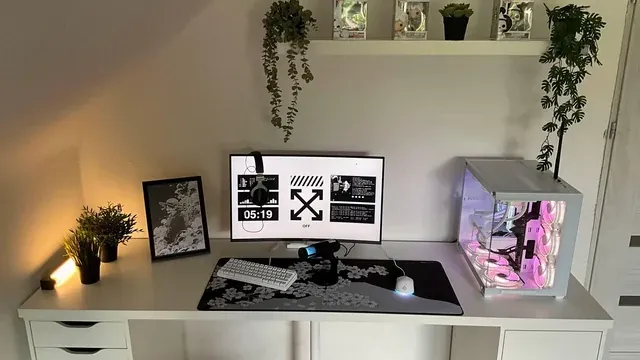
A white desktop PC beside a monitor on a bright home-office desk Memory type
The YAWYORE 5700X and the Skytech 5500 5060 Ti 32GB list DDR4-3200; the HOENGAGER RX 9060 XT lists DDR4. Settling memory type first narrows 3 picks to 2 or 1.
Fit and compatibility
Check the Skytech 5700 RTX 5060 32GB's ports against your monitor: most graphics cards use DisplayPort and HDMI, so match the cable to the refresh rate you want.
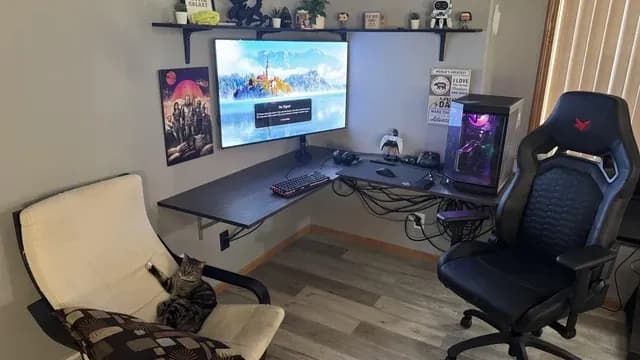
A desktop PC beside a monitor on a corner gaming desk Extras that separate them
The YAWYORE 5700X: 32GB of DDR4 and a 650W Bronze PSU. The Skytech 5500 5060 Ti 32GB: 32GB of DDR4 with an RTX 5060 Ti. The HOENGAGER RX 9060 XT: a 16GB RX 9060 XT under $1,500 at the time of writing.
How to Choose a Gaming PC for GTA 5 RP (FiveM)
By priority
| Priority | Consider | Why |
|---|---|---|
| Buyers who prefer this CPU platform | Skytech 5700 RTX 5060 32GB | A Ryzen 7 5700 processor |
| 1080p gaming | 5700X RTX 3060 Ti | An RTX 3060 Ti with 8GB of VRAM |
| A bigger graphics card later | YAWYORE 5700X | A 650W power supply rated 80 Plus Bronze |
| 1080p gaming | Skytech 5500 5060 Ti 32GB | An RTX 5060 Ti with 8GB of VRAM |
| High texture settings at 1440p and above | HOENGAGER RX 9060 XT | 16GB of VRAM on the RX 9060 XT |
Scroll sideways to see every column.
Key specs side by side
The HOENGAGER RX 9060 XT leads on VRAM at 16GB, ahead of the Skytech 5700 RTX 5060 32GB at 8GB.
| Prebuilt PC | Graphics card | VRAM | Processor | Memory |
|---|---|---|---|---|
| Skytech 5700 RTX 5060 32GB | RTX 5060 | 8GB | Ryzen 7 5700 | 32GB |
| 5700X RTX 3060 Ti | RTX 3060 Ti | 8GB | Ryzen 7 5700X | 32GB |
| YAWYORE 5700X | RTX 5060 | 8GB | Ryzen 7 5700X | 32GB |
| Skytech 5500 5060 Ti 32GB | RTX 5060 Ti | 8GB | Ryzen 5 5500 | 32GB |
| HOENGAGER RX 9060 XT | RX 9060 XT | 16GB | Ryzen 7 5700X | 32GB |
Scroll sideways to see every column.
Frequently Asked Questions
Which has the most VRAM: the HOENGAGER RX 9060 XT or the Skytech 5700 RTX 5060 32GB?
Between the top two, it is 16GB on the HOENGAGER RX 9060 XT against 8GB on the Skytech 5700 RTX 5060 32GB, a 100% difference.
What does the HOENGAGER RX 9060 XT add over the Skytech 5700 RTX 5060 32GB?
What it brings is VRAM (16GB against 8GB). Both sat in the $1000 to $1500 tier when we checked, so the gains in VRAM cost little extra by tier.
Why is the HOENGAGER RX 9060 XT our Most VRAM pick?
The label rests on 16GB of VRAM on the RX 9060 XT. On VRAM it leads the Skytech 5700 RTX 5060 32GB, 16GB against 8GB, a 100% margin. It makes sense for high texture settings at 1440p and above.
Do the Skytech 5700 RTX 5060 32GB and the 5700X RTX 3060 Ti differ on graphics card?
The Skytech 5700 RTX 5060 32GB and the YAWYORE 5700X use RTX 5060; the 5700X RTX 3060 Ti uses RTX 3060 Ti; the Skytech 5500 5060 Ti 32GB uses RTX 5060 Ti; the HOENGAGER RX 9060 XT uses RX 9060 XT.
Will the HOENGAGER RX 9060 XT work with my setup?
Check the HOENGAGER RX 9060 XT's ports against your monitor: most graphics cards use DisplayPort and HDMI, so match the cable to the refresh rate you want. The HOENGAGER RX 9060 XT's PSU wattage isn't published, so ask the seller before planning a GPU upgrade. In this guide it ranks fifth of 5, as our Most VRAM pick, and first of 5 on VRAM (16GB).
What extras do the Skytech 5700 RTX 5060 32GB and the 5700X RTX 3060 Ti include?
The Skytech 5700 RTX 5060 32GB: 32GB of RAM at an RTX 5060 price. The 5700X RTX 3060 Ti: an RTX 3060 Ti with 32GB of RAM. The YAWYORE 5700X: 32GB of DDR4 and a 650W Bronze PSU.
Bottom Line
Our first pick is the Skytech 5700 RTX 5060 32GB, chosen for a Ryzen 7 5700 processor. Look at the 5700X RTX 3060 Ti for an RTX 3060 Ti with 8GB of VRAM, the YAWYORE 5700X for a 650W power supply rated 80 Plus Bronze, the Skytech 5500 5060 Ti 32GB for an RTX 5060 Ti with 8GB of VRAM and the HOENGAGER RX 9060 XT for 16GB of VRAM on the RX 9060 XT if those matter more to you.
For FiveM, prioritize 32GB of RAM and a fast CPU; server-side performance also varies, so results depend on the server.
Related Guides
- Related guideThe Best Prebuilt Gaming PCs
- Related guideThe Best Prebuilt Gaming PCs Under $2,000
- Related guideThe Best RTX 5070 Prebuilt Gaming PCs
- Lower budgetThe Best Gaming PCs on a Budget
- Higher budgetThe Best High-End Gaming Desktops
- ExplainerWhat a Prebuilt PC Product Page Leaves Out: PSU, Motherboard and RAM Layout
- ExplainerHow to Choose an All-in-One PC Without Overpaying
- Check compatibility: graphics cardsHow to Choose a Graphics Card for 1440p Gaming
- Similar guideThe Best Prebuilt Gaming PCs With Ryzen 5
- Topic hubAll prebuilt gaming pcs guides
About the author
PC Hardware Editor
Alex covers PC hardware, monitors, components, upgrades and peripherals for The PC Journal, with a focus on helping readers understand specifications, compatibility and meaningful product trade-offs.
Covers: Monitors, Graphics cards, Processors, PC components, Peripherals, Upgrades and compatibility
View all articles