
Buying Guide
Gaming PC Accessories for Men: Five Useful Upgrades
The best gift is gear that fixes a real limit in a setup. These five each upgrade one part.
By Alex Morgan, PC Hardware Editor
12 min read5 products evaluated

Gear sold "for men" is usually just larger or darker. We picked on function instead: each item upgrades one part of a gaming desk.
We compared the specs from each listing.
Quick Picks
Which of the 5 picks to look at first. Tap a name for the full analysis.

Best Keyboard Upgrade
AULA WIN60 HE 60% Magnetic KeyboardHall effect with 0.02mm rapid trigger.
Best for: Competitive games
Check price for AULA WIN60 HE 60% Magnetic Keyboard on Amazon (opens in a new tab)
Best Wired Mouse
SteelSeries Rival 3 Gen 2 Gaming Mouse8,500 DPI with a paracord-style cable.
Best for: Everyday gaming
Check price for SteelSeries Rival 3 Gen 2 Gaming Mouse on Amazon (opens in a new tab)
Best Cross-Platform Headset
Turtle Beach Recon 50 Gaming HeadsetPC, PlayStation and Xbox support.
Best for: Console and PC
Check price for Turtle Beach Recon 50 Gaming Headset on Amazon (opens in a new tab)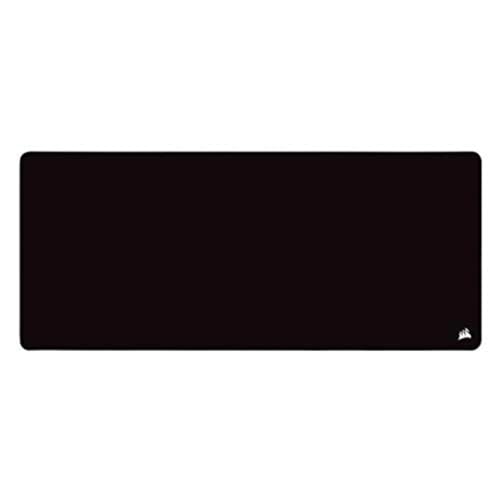
Best Desk Pad
Corsair MM350 PRO Extended XL Mouse Pad930 x 400mm with a spill-proof coating.
Best for: Full desk coverage
Check price for Corsair MM350 PRO Extended XL Mouse Pad on Amazon (opens in a new tab)
Best Shortcut Keys
Elgato Stream Deck MiniSix LCD keys.
Best for: Macros and streams
Check price for Elgato Stream Deck Mini on Amazon (opens in a new tab)
| Pick | Why it stands out | Best for | Check price |
|---|---|---|---|
| Hall effect with 0.02mm rapid trigger. | Competitive games | Check price for AULA WIN60 HE 60% Magnetic Keyboard on Amazon (opens in a new tab) |
| 8,500 DPI with a paracord-style cable. | Everyday gaming | Check price for SteelSeries Rival 3 Gen 2 Gaming Mouse on Amazon (opens in a new tab) |
| PC, PlayStation and Xbox support. | Console and PC | Check price for Turtle Beach Recon 50 Gaming Headset on Amazon (opens in a new tab) |
| 930 x 400mm with a spill-proof coating. | Full desk coverage | Check price for Corsair MM350 PRO Extended XL Mouse Pad on Amazon (opens in a new tab) |
| Six LCD keys. | Macros and streams | Check price for Elgato Stream Deck Mini on Amazon (opens in a new tab) |
Our Picks
Best Keyboard Upgrade1 of 5
AULA WIN60 HE 60% Magnetic Keyboard
AULA's WIN60 HE uses magnetic Hall effect switches with rapid trigger down to 0.02mm.
Best for
- Competitive games
Skip if
- If budget leads, the Recon 50 was cheaper at our last price check.
Why we like it
It is set up through a web tool. Rapid Trigger works at a 0.02mm step, and a web-based driver configures it from any device. Lighting shines through PBT keycaps.
No other pick in this guide offers RGB lighting; compare the Rival 3 Gen 2, which has 3-zone RGB lighting. A 60% or 65% layout drops the number pad and some navigation keys; check you can live without them. Before buying, weigh one limit: costs more than the Recon 50 at the time of writing. It was priced above the MM350 PRO and below the Stream Deck Mini at the time of writing.
Key specs
- Type
- Wired 60% keyboard
- Connection
- USB
- Key spec
- Hall effect, 0.02mm rapid trigger
- Lighting
- RGB
Pros
- Magnetic Hall effect switches
- Rapid trigger down to 0.02mm
- Web-based configuration tool
- RGB lighting, the only one here
Cons
- Costs more than the Recon 50 at the time of writing
Best Wired Mouse2 of 5
SteelSeries Rival 3 Gen 2 Gaming Mouse
SteelSeries's Rival 3 Gen 2 pairs an 8,500 DPI TrueMove Core sensor with a paracord-style cable and three RGB zones.
Best for
- Everyday gaming
Skip if
- Price-first buyers should look at the Recon 50, which cost less when we checked.
Why we like it
Its switches are rated for 60 million clicks. Three-zone RGB lighting is included. Its TrueMove Core sensor tracks 1-to-1 without acceleration, which keeps aim consistent at any swipe speed.
SteelSeries quotes 1.35ms click latency and 60-million-click switches. The maker quotes 1.35ms click latency, and the feet are 100% PTFE. SteelSeries calls its 1.35ms click latency fastest in class.
No other pick in this guide offers 3-zone RGB lighting; compare the WIN60 HE, which has RGB lighting. It was priced above the Recon 50 and below the MM350 PRO at the time of writing.
Key specs
- Type
- Wired mouse
- Connection
- USB, paracord cable
- Key spec
- 8,500 DPI TrueMove Core
- Lighting
- 3-zone RGB
Pros
- Switches rated for 60 million clicks
- 1.35ms click latency claim
- Paracord-style cable
- 3-zone RGB lighting, the only one here
Cons
- Costs more than the Recon 50 at the time of writing
Best Cross-Platform Headset3 of 5
Turtle Beach Recon 50 Gaming Headset
Turtle Beach's Recon 50 is a 3.5mm headset with a removable mic and in-line controls.
Best for
- Console and PC
Skip if
- Look at the other picks if you need a feature not covered above.
Why we like it
It has PC, PlayStation and Xbox support. Its high-sensitivity mic detaches when you're watching films or listening to music, and the light frame suits long sessions. It works across PC and consoles over 3.5mm.
Its light build suits long sessions without pressure on the head. On a desktop with separate mic and headphone jacks, a single 3.5mm plug needs a splitter. No other pick here cost less at our last price check, and the Rival 3 Gen 2 was closest.
Key specs
- Type
- Wired headset
- Connection
- 3.5mm
- Key spec
- 40mm speakers, removable mic
- Lighting
- None
Pros
- Removable mic
- In-line volume and mute controls
- PC, PlayStation and Xbox support
Best Desk Pad4 of 5
Corsair MM350 PRO Extended XL Mouse Pad
Corsair's MM350 PRO is a 930 x 400mm pad with a spill-proof coating and stitched edges.
Best for
- Full desk coverage
Skip if
- Skip it if price comes first: the Recon 50 cost less when we checked.
Why we like it
Its 4mm rubber is the thickest here. Its 4mm-thick base cushions the wrist, and a spill-proof coating lets liquids slide off. The micro-weave surface gives a fast glide.
Measure the desk: an extended pad should fit under both keyboard and mouse without hanging over the edge. You also get this: stitched anti-fray edges. Before buying, weigh one limit: costs more than the Recon 50 at the time of writing. On price it sat third of 5, between the cheaper Rival 3 Gen 2 and the pricier WIN60 HE, at the time of writing.
Key specs
- Type
- Extended cloth mouse pad
- Connection
- None
- Key spec
- 930 x 400mm, 4mm
- Lighting
- None
Pros
- Spill-proof coating
- Stitched anti-fray edges
- 4mm rubber
- 930 x 400mm with a spill-proof coating
Cons
- Costs more than the Recon 50 at the time of writing
Best Shortcut Keys5 of 5
Elgato Stream Deck Mini
The Stream Deck Mini has six LCD keys for app and game shortcuts in a compact footprint.
Best for
- Macros and streams
Skip if
- Skip it if price comes first: the Recon 50 cost less when we checked.
Why we like it
Six LCD keys trigger shortcuts, scenes or app actions with one press. It works with OBS, Zoom, Teams and Office apps through the free Stream Deck software. One key can run several actions in sequence with precise timing.
Each LCD key shows an icon, so you can see what it does before you press it. Before buying, weigh one limit: costs more than the Recon 50 at the time of writing. It was the most expensive pick when we checked, so weigh what it adds over the WIN60 HE.
Key specs
- Type
- Stream controller
- Connection
- USB
- Key spec
- 6 LCD keys
- Lighting
- None
Pros
- Six LCD keys
- Compact footprint
- App and game shortcuts
- 6 LCD keys key spec, the only one here
Cons
- Costs more than the Recon 50 at the time of writing
How We Chose
Alex Morgan compared the manufacturer specifications, connectivity, warranty terms and compatibility of every pick. Figures come from the makers unless a third-party source is named; we did not test these products ourselves.
- What we compared
- We lined up five gear on type, connection, key spec and lighting, using each maker's published specs. We did not test them in-house, and all 4 compared fields are stated for every pick.
- What every pick has in common
- All 5, from the WIN60 HE to the Stream Deck Mini, state type, connection and key spec.
- Who each pick suits
- The WIN60 HE for hall effect with 0.02mm rapid trigger; the Rival 3 Gen 2 for 8,500 DPI with a paracord-style cable; the Recon 50 for PC, PlayStation and Xbox support.
- Price range
- From the Recon 50 to the Stream Deck Mini, all sat in the under $50 tier when we checked.
What to Look For
Key buying criteria so you get the right fit the first time.
Extras that separate them
The Recon 50: in-line volume and mute controls. The MM350 PRO: stitched anti-fray edges. The Stream Deck Mini: a compact footprint.
Where your budget lands
All 5 sat in the under $50 tier when we checked, from the Recon 50 at the low end to the Stream Deck Mini at the top, so decide on features first.
Start from what matters most
Competitive games: the WIN60 HE. Everyday gaming: the Rival 3 Gen 2. Console and PC: the Recon 50.
Mouse shape before sensor
Every current gaming sensor tracks well enough for most players. Weight, shape and size decide comfort, so pick those first.
A proper mouse pad
A cloth pad gives consistent tracking and glide. An extended pad covers the keyboard too and keeps the desk tidy.
How to Choose
By priority
| Priority | Consider | Why |
|---|---|---|
| Competitive games | WIN60 HE | Hall effect with 0.02mm rapid trigger |
| Everyday gaming | Rival 3 Gen 2 | 8,500 DPI with a paracord-style cable |
| Console and PC | Recon 50 | PC, PlayStation and Xbox support |
| Full desk coverage | MM350 PRO | 930 x 400mm with a spill-proof coating |
| Macros and streams | Stream Deck Mini | Six LCD keys |
Scroll sideways to see every column.
Key specs side by side
The WIN60 HE, the Rival 3 Gen 2 and the rest, as their makers list them.
| Gear | Type | Connection | Key spec | Lighting |
|---|---|---|---|---|
| WIN60 HE | Wired 60% keyboard | USB | Hall effect, 0.02mm rapid trigger | RGB |
| Rival 3 Gen 2 | Wired mouse | USB, paracord cable | 8,500 DPI TrueMove Core | 3-zone RGB |
| Recon 50 | Wired headset | 3.5mm | 40mm speakers, removable mic | None |
| MM350 PRO | Extended cloth mouse pad | None | 930 x 400mm, 4mm | None |
| Stream Deck Mini | Stream controller | USB | 6 LCD keys | None |
Scroll sideways to see every column.
Frequently Asked Questions
Why is the Rival 3 Gen 2 our Best Wired Mouse pick?
It carries the badge for 8,500 DPI with a paracord-style cable. It makes sense for everyday gaming.
What extras do the WIN60 HE and the Rival 3 Gen 2 include?
The WIN60 HE: magnetic Hall effect switches. The Rival 3 Gen 2: switches rated for 60 million clicks. The Recon 50: a removable mic.
Who should choose the WIN60 HE?
The WIN60 HE carries our Best Keyboard Upgrade label for hall effect with 0.02mm rapid trigger. It ranks first of 5 here and sat in the under $50 tier at our last price check; it suits competitive games.
Should I pick the WIN60 HE or the Stream Deck Mini?
The WIN60 HE suits competitive games; the Stream Deck Mini suits macros and streams.
What else do the MM350 PRO and the Stream Deck Mini offer?
The MM350 PRO: 4mm rubber. The Stream Deck Mini: app and game shortcuts.
Bottom Line
The WIN60 HE is the standout upgrade with rapid-trigger switches. The Rival 3 Gen 2 is a reliable mouse, the Recon 50 is a cross-platform headset, the MM350 PRO covers the desk, and the Stream Deck Mini adds shortcuts.
Related Guides
About the author
PC Hardware Editor
Alex covers PC hardware, monitors, components, upgrades and peripherals for The PC Journal, with a focus on helping readers understand specifications, compatibility and meaningful product trade-offs.
Covers: Monitors, Graphics cards, Processors, PC components, Peripherals, Upgrades and compatibility
View all articles