
Buying Guide
The Best Massage Gaming Chairs
We weighed five chairs on recline angle and max recline; the TUKAKA has the deepest recline angle, and the WOTSTA costs the least.
By Alex Morgan, PC Hardware Editor
12 min read5 products evaluated

Massage pillows add vibration at the lower back. Every pick has a massage feature, ordered by recline.
Rankings weigh max recline, armrests and lumbar support as the makers state them; we did not test these chairs ourselves, and if a maker skips armrests, the guide says so.
Quick Picks
Which of the 5 picks to look at first. Tap a name for the full analysis.

Deepest Recline Angle
TUKAKA Massage Gaming ChairThe deepest recline angle here (140°).
Best for: Buyers who put recline angle first.
Check price for TUKAKA Massage Gaming Chair on Amazon (opens in a new tab)
Lowest Price Here
WOTSTA Gaming Chair with Massage LumbarThe lowest price of the group at our last check.
Best for: Getting massage lumbar pillow for the least money.
Check price for WOTSTA Gaming Chair with Massage Lumbar on Amazon (opens in a new tab)
Also Consider
Yaheetech Gaming Chair with FootrestA 19 to 22.6 inch seat height.
Best for: Buyers who want 19 to 22.6 inch seat height.
Check price for Yaheetech Gaming Chair with Footrest on Amazon (opens in a new tab)
Strong Alternative
WOTSTA Massage Gaming ChairA 300 lb weight capacity.
Best for: Buyers who want 300 lb weight capacity.
Check price for WOTSTA Massage Gaming Chair on Amazon (opens in a new tab)
Worth a Look
RGB Gaming Chair with Bluetooth Speakers (Blue)Two Bluetooth speakers.
Best for: Buyers who want two Bluetooth speakers.
Check price for RGB Gaming Chair with Bluetooth Speakers (Blue) on Amazon (opens in a new tab)
Our Picks
Deepest Recline Angle1 of 5
TUKAKA Massage Gaming Chair
TUKAKA's chair builds in a massage function and reclines from 90 to 140 degrees.
Best for
- Buyers who put recline angle first.
Skip if
- If budget leads, the WOTSTA was cheaper at our last price check.
Why we like it
A footrest is included. Diamond-quilted PU leather covers a seat of pocket springs and three layers of sponge. The back reclines from 90 to 140 degrees, and a retractable footrest supports the legs.
The seat cushion uses pocket springs, and the backrest reclines from 90 to 140 degrees. On recline angle it leads this guide at 140°, ahead of the WOTSTA (135°). It is the only pick here with a massage lumbar support; the WOTSTA has a massage pillow lumbar support instead.
You also get a 90 to 140 degree recline. Only the RGB speaker chair came close to it on price at the time of writing; it cost the most of the 5 picks.
Key specs
- Max recline
- 140°
- Lumbar support
- Massage
- Footrest
- Yes
Pros
- Massage function
- 90 to 140 degree recline
- Footrest
- Deepest recline angle of the picks (140°)
Cons
- Costs more than the WOTSTA at the time of writing
Lowest Price Here2 of 5
WOTSTA Gaming Chair with Massage Lumbar
What the WOTSTA brings to the table is a massage lumbar pillow, plus a 135 degree recline.
Best for
- Getting massage lumbar pillow for the least money.
Skip if
- Choose another pick if you can't accept this: recline angle of 135°, behind the TUKAKA (140°).
Why we like it
It also reclines to 135°. It reclines from 90 to 135 degrees and supports up to 300 lbs on a metal frame. Its metal frame and 300 lb rating suit most adults.
The recline locks at 90 degrees for work posture. It comes in several colour schemes and assembles without extra tools. It matches the Yaheetech, the WOTSTA massage and the RGB speaker chair on recline angle (135°).
You also get a footrest. The WOTSTA's lumbar support is a strap-on pillow, so position it by hand rather than with a dial. It was the cheapest of the group when we checked; the Yaheetech was the next step up. The main gap: recline angle of 135°, behind the TUKAKA (140°). If that matters, the TUKAKA reclines to 140°.
Key specs
- Max recline
- 135°
- Lumbar support
- Massage pillow
- Footrest
- Yes
Pros
- Massage lumbar pillow
- 135 degree recline
- Footrest
- The lowest price of the group at our last check
Cons
- Recline angle of 135°, behind the TUKAKA (140°)
Also Consider3 of 5
Yaheetech Gaming Chair with Footrest
Yaheetech's chair offers a 19 to 22.6 inch seat height, linkage armrests and a massage lumbar pillow.
Best for
- Buyers who want 19 to 22.6 inch seat height.
Skip if
- Price-first buyers should look at the WOTSTA, which cost less when we checked.
Why we like it
A footrest is included. It reclines from 90 to 135 degrees with a 19 to 22.6 inch seat height, and linkage armrests move with the backrest. The footrest slides away under the seat when you sit upright to work.
Thick foam cushioning and a winged backrest keep it supportive over long sessions. It matches the WOTSTA, the WOTSTA massage and the RGB speaker chair on recline angle (135°). The Yaheetech's lumbar support is a strap-on pillow, so position it by hand rather than with a dial. On price it sat second of 5, between the cheaper WOTSTA and the pricier WOTSTA massage, at the time of writing.
Key specs
- Max recline
- 135°
- Seat height
- 19 to 22.6 in
- Armrests
- Linkage
- Lumbar support
- Massage pillow
- Footrest
- Yes
Pros
- 19 to 22.6 inch seat height
- Massage lumbar pillow
- Linkage armrests and a footrest
Cons
- Costs more than the WOTSTA at the time of writing
Strong Alternative4 of 5
WOTSTA Massage Gaming Chair
The massage version of WOTSTA's chair offers a 300 lb capacity with the same 135 degree recline.
Best for
- Buyers who want 300 lb weight capacity.
Skip if
- Skip it if price comes first: the WOTSTA cost less when we checked.
Why we like it
A footrest is built in. Its thick, body-curved seat spreads pressure, three-zone support covers neck, lower back and spine, and a footrest pulls out for naps. A single lever sets height and recline from 90 to 135 degrees.
The wheels are rated for 300 lbs and suit hard floors such as wood or tile, and the body-curved seat uses thick padding to spread pressure across the hips and thighs. On recline angle it ties with the WOTSTA, the Yaheetech and the RGB speaker chair at 135°. The WOTSTA massage's lumbar support is a strap-on pillow, so position it by hand rather than with a dial. When we checked, only the Yaheetech and cheaper picks cost less, and the RGB speaker chair cost more.
Key specs
- Weight capacity
- 300 lbs
- Max recline
- 135°
- Lumbar support
- Massage pillow
- Footrest
- Yes
Pros
- 300 lb weight capacity
- 135 degree recline
- Footrest
Cons
- Costs more than the WOTSTA at the time of writing
Worth a Look5 of 5
RGB Gaming Chair with Bluetooth Speakers (Blue)
What the RGB speaker chair brings to the table is two Bluetooth speakers, plus RGB lights with a remote.
Best for
- Buyers who want two Bluetooth speakers.
Skip if
- Skip it if recline angle matters most to you; the TUKAKA offers 140°.
Why we like it
It also reclines to 135°. Two Bluetooth speakers pair with phones and laptops. RGB lighting changes mode and brightness by remote, and two motors in the lumbar pillow provide massage.
It is rated for 397 lbs, and the 3-class gas lift gives 10cm of height adjustment with a 360-degree swivel. A retractable footrest is included, and a computer without Bluetooth needs a USB adapter for the speakers. On recline angle it ties with the WOTSTA, the Yaheetech and the WOTSTA massage at 135°.
The RGB speaker chair's lumbar support is a strap-on pillow, so position it by hand rather than with a dial. It was priced above the WOTSTA massage and below the TUKAKA at the time of writing.
Key specs
- Max recline
- 135°
- Armrests
- Linkage
- Lumbar support
- Massage pillow
Pros
- Two Bluetooth speakers
- RGB lights with a remote
- Two-motor massage lumbar pillow
Cons
- Recline angle trails the TUKAKA (140°)
- Costs more than the WOTSTA at the time of writing
The catch
It gives ground on recline angle, where the TUKAKA reclines to 140°.
How We Chose These Massage Gaming Chairs
Alex Morgan compared the manufacturer specifications, connectivity, warranty terms and compatibility of every pick. Figures come from the makers unless a third-party source is named; we did not test these products ourselves.
- The figures behind the order
- We set side by side five chairs on recline angle, armrests, lumbar support and footrest, using each maker's published specs. We did not test them in-house, and armrests and footrest are missing for at least one pick.
- What every pick has in common
- All 5, from the TUKAKA to the RGB speaker chair, state recline angle and lumbar support.
- Where the specs have gaps
- The TUKAKA, the WOTSTA and the WOTSTA massage give no armrests; the RGB speaker chair gives no footrest.
- Price range
- At our last check the picks ran from the WOTSTA ($50 to $100) to the TUKAKA ($150 to $250).
What to Look for in a Massage Gaming Chair
Key buying criteria so you get the right fit the first time.
Recline angle across these picks
Here recline angle runs from 135° on the RGB speaker chair to 140° on the TUKAKA, a 4% spread. The TUKAKA is the pick for recline angle.
Footrest
The TUKAKA, the WOTSTA, the Yaheetech and the WOTSTA massage have it. Sort out footrest before price: it splits 4 stated picks into groups of 4.
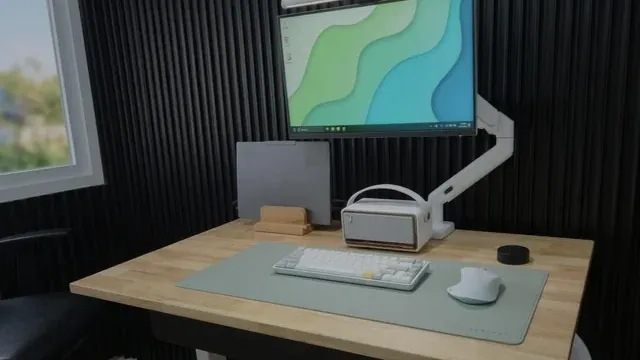
A wooden desk with a monitor on an arm, a desk mat and a compact keyboard Fit and compatibility
The WOTSTA's lumbar support is a strap-on pillow, so position it by hand rather than with a dial.
Extras that separate them
The WOTSTA: a 135 degree recline. The Yaheetech: a massage lumbar pillow. The RGB speaker chair: RGB lights with a remote.
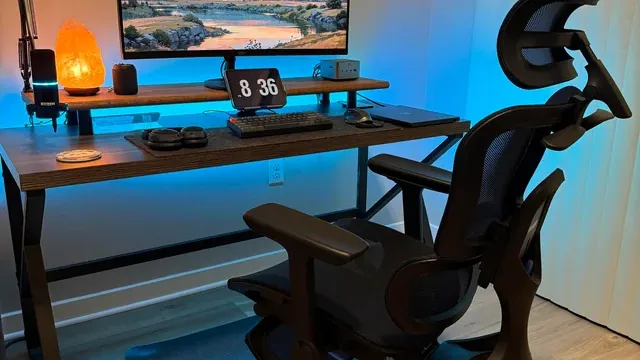
A desk setup with a monitor riser, ergonomic chair and blue backlight Where your budget lands
$50 to $100 buys the WOTSTA, the Yaheetech and the WOTSTA massage; $100 to $150 buys the RGB speaker chair; $150 to $250 buys the TUKAKA at our last check.
How to Choose a Massage Gaming Chair
By priority
| Priority | Consider | Why |
|---|---|---|
| Buyers who put recline angle first | TUKAKA | The deepest recline angle here (140°) |
| Getting massage lumbar pillow for the least money | WOTSTA | The lowest price of the group at our last check |
| Buyers who want 19 to 22.6 inch seat height | Yaheetech | A 19 to 22.6 inch seat height |
| Buyers who want 300 lb weight capacity | WOTSTA massage | A 300 lb weight capacity |
| Buyers who want two Bluetooth speakers | RGB speaker chair | Two Bluetooth speakers |
Scroll sideways to see every column.
Key specs side by side
The TUKAKA leads on recline angle at 140°, ahead of the WOTSTA at 135°. "Not listed" marks armrests where the TUKAKA, the WOTSTA and the WOTSTA massage leave the figure out.
| Chair | Max recline | Armrests | Lumbar support | Footrest |
|---|---|---|---|---|
| TUKAKA | 140° | Not listed | Massage | Yes |
| WOTSTA | 135° | Not listed | Massage pillow | Yes |
| Yaheetech | 135° | Linkage | Massage pillow | Yes |
| WOTSTA massage | 135° | Not listed | Massage pillow | Yes |
| RGB speaker chair | 135° | Linkage | Massage pillow | Not listed |
Scroll sideways to see every column.
By price at the time of writing
The WOTSTA was the lowest-priced pick ($50 to $100) and the TUKAKA the highest ($150 to $250) when we checked; tiers move with Amazon pricing.
| Price tier | Chairs |
|---|---|
| About $50 to $100 | WOTSTA, Yaheetech, WOTSTA massage |
| About $100 to $150 | RGB speaker chair |
| About $150 to $250 | TUKAKA |
Frequently Asked Questions
Is the TUKAKA ahead of the WOTSTA on recline angle?
The TUKAKA tops recline angle at 140°; the WOTSTA follows at 135°, 4% apart.
What does the TUKAKA add over the WOTSTA?
What it brings is recline angle (140° against 135°). On our last price check the WOTSTA was in the $50 to $100 tier and the TUKAKA in the $150 to $250 tier, with 3 other picks between them; pay the difference only if recline angle decides your purchase.
Why is the TUKAKA our Deepest Recline Angle pick?
It carries the badge for the deepest recline angle here (140°). On recline angle it leads the WOTSTA, 140° against 135°, a 4% margin. The WOTSTA, the cheapest pick, sat in the $50 to $100 tier against $150 to $250 here, without out-ranking it on any listed spec. It suits anyone who puts recline angle first.
Do the TUKAKA and the WOTSTA differ on lumbar support?
The TUKAKA uses massage; the WOTSTA, the Yaheetech, the WOTSTA massage and the RGB speaker chair use massage pillow.
Will the WOTSTA massage work with my setup?
The WOTSTA massage's lumbar support is a strap-on pillow, so position it by hand rather than with a dial. In this guide it ranks fourth of 5, and fourth of 5 on recline angle (135°).
What extras do the TUKAKA and the WOTSTA include?
The TUKAKA: a massage function. The WOTSTA: a massage lumbar pillow. The Yaheetech: a 19 to 22.6 inch seat height.
Bottom Line
Our first pick is the TUKAKA, chosen for the deepest recline angle here (140°). Look at the WOTSTA for the lowest price of the group at our last check, the Yaheetech for a 19 to 22.6 inch seat height and the WOTSTA massage for a 300 lb weight capacity if those matter more to you.
Check whether the massager uses USB or batteries.
Related Guides
- Related guideThe Best Office Chairs with Adjustable Lower-Back Support
- Related guideThe Best Gaming Chairs
- Related guideThe Best Ergonomic Chairs for Gaming
- Lower budgetThe Best Budget Gaming Chair
- Higher budgetThe Best Premium Gaming Chairs
- ExplainerHow to size an office chair to your height and your desk
- ExplainerHow to choose a monitor arm: VESA pattern, weight range and desk clamps
- Also see: monitor arms and accessoriesThe Best Monitor Light Bars
- Similar guideThe Best Gaming Chairs for Kids
- Topic hubAll chairs, desks and desk setup guides
About the author
PC Hardware Editor
Alex covers PC hardware, monitors, components, upgrades and peripherals for The PC Journal, with a focus on helping readers understand specifications, compatibility and meaningful product trade-offs.
Covers: Monitors, Graphics cards, Processors, PC components, Peripherals, Upgrades and compatibility
View all articles