
Buying Guide
The Best Desk Lamps
Six clamp and base lamps with different color ranges.
By Alex Morgan, PC Hardware Editor
12 min read6 products evaluated

Desk lamps differ most in color range, brightness and how they mount. These six cover clamp and base designs.
Figures come from each listing.
Quick Picks
Which of the 6 picks to look at first. Tap a name for the full analysis.

Widest Color Range
Airlonv LED Desk Lamp with Clamp2700K to 6500K stepless.
Best for: Day and evening.
Check price for Airlonv LED Desk Lamp with Clamp on Amazon (opens in a new tab)
Best Listed Lumens
Lepro LED Desk Lamp750 lumens from 9.5W.
Best for: Reading.
Check price for Lepro LED Desk Lamp on Amazon (opens in a new tab)
Best 24W Clamp
Pzloz Architect Desk Lamp with ClampA 24W light on a clamp.
Best for: Dual monitors.
Check price for Pzloz Architect Desk Lamp with Clamp on Amazon (opens in a new tab)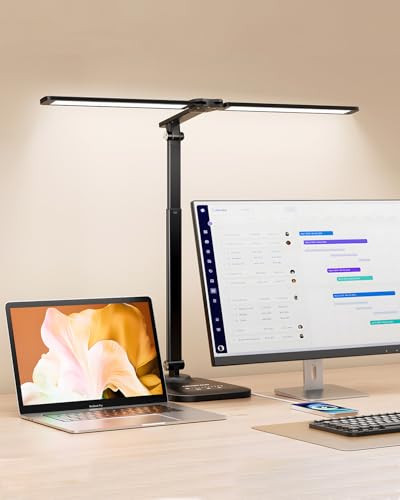
Most Combinations
CHARYJOD Height-Adjustable Architect Desk Lamp50 light combinations.
Best for: Fine tuning.
Check price for CHARYJOD Height-Adjustable Architect Desk Lamp on Amazon (opens in a new tab)
Best USB Clip-On
Voncerus LED Clip-On Desk LampUSB power and memory.
Best for: Small desks.
Check price for Voncerus LED Clip-On Desk Lamp on Amazon (opens in a new tab)
Best Charging Base
LED Desk Lamp with USB PortsUSB-A and USB-C ports.
Best for: Nightstands and desks.
Check price for LED Desk Lamp with USB Ports on Amazon (opens in a new tab)
Our Picks
Widest Color Range1 of 6
Airlonv LED Desk Lamp with Clamp
Airlonv's clamp lamp tunes from 2700K to 6500K with stepless dimming.
Best for
- Day and evening.
Skip if
- Price-first buyers should look at the Voncerus, which cost less when we checked.
Why we like it
The clamp fits desks up to 2.36 inches. Its 17-inch bar uses 100 LEDs and draws 85% less power than an incandescent lamp, and the long gooseneck aims it anywhere. No other pick in this guide offers a 2700K to 6500K color temperature; compare the Pzloz, which has a 3000K to 5500K color temperature.
You get stepless brightness levels here, which sets it apart from the CHARYJOD and its 10 levels. The Airlonv runs from a USB adapter; a weak laptop port may not drive it at full brightness. On price it sat second of 6, between the cheaper Voncerus and the pricier USB-port lamp, at the time of writing.
Key specs
- Color temperature
- 2700K to 6500K
- Brightness levels
- Stepless
- Mount
- Clamp, desks up to 2.36 in
Pros
- Stepless dimming
- 2700K to 6500K range
- Metal clamp for desks up to 2.36 inches
- 2700K to 6500K color temperature, the only one here
Cons
- Costs more than the Voncerus at the time of writing
Best Listed Lumens2 of 6
Lepro LED Desk Lamp
Lepro's lamp offers 750 lumens from 9.5W.
Best for
- Reading.
Skip if
- Price-first buyers should look at the Voncerus, which cost less when we checked.
Why we like it
Touch controls set 5 brightness levels. Its slim body takes little desk space, and the flexible arm and head aim the light exactly. LED output uses far less power than a traditional bulb and stays cool.
It shares 5 levels with the Pzloz; the CHARYJOD goes with 10 levels. It shares a base mount with the CHARYJOD and USB-port lamp; the Voncerus goes with a clamp mount. Before buying, weigh one limit: costs more than the Voncerus at the time of writing. Its price falls between the USB-port lamp and the CHARYJOD, based on our last check.
Key specs
- Brightness
- 750 lm
- Power
- 9.5W
- Brightness levels
- 5 levels
- Mount
- Base
Pros
- 750 lumens from 9.5W
- 5 brightness levels
- Touch controls
Cons
- Costs more than the Voncerus at the time of writing
Best 24W Clamp3 of 6
Pzloz Architect Desk Lamp with Clamp
Pzloz's architect lamp puts 24W across 5 color temperatures from 3000K to 5500K.
Best for
- Dual monitors.
Skip if
- If budget leads, the Voncerus was cheaper at our last price check.
Why we like it
Its clamp suits dual-monitor desks. No other pick in this guide offers a 3000K to 5500K color temperature; compare the Airlonv, which has a 2700K to 6500K color temperature. It shares 5 levels with the Lepro; the USB-port lamp goes with 3 levels.
It shares a clamp mount with the Voncerus; the CHARYJOD goes with a base mount. It also comes with a 24W light. Check your desk edge fits the Pzloz's clamp. It was the highest-priced of the 6 picks at the time of writing, so the case for it rests on what it adds over the CHARYJOD and the rest.
Key specs
- Power
- 24W
- Color temperature
- 3000K to 5500K
- Brightness levels
- 5 levels
- Mount
- Clamp
Pros
- 24W light
- 5 color temperatures from 3000K to 5500K
- Clamp for dual-monitor desks
Cons
- Costs more than the Voncerus at the time of writing
Most Combinations4 of 6
CHARYJOD Height-Adjustable Architect Desk Lamp
CHARYJOD's base lamp has a height-adjustable arm and 50 light combinations.
Best for
- Fine tuning.
Skip if
- If budget leads, the Voncerus was cheaper at our last price check.
Why we like it
It also has a USB port. Its 76 LEDs give flicker-free light with CRI above 80, it folds away, and a 45-minute timer shuts it off. You get a 3000K to 6500K color temperature here, which sets it apart from the Pzloz and its a 3000K to 5500K color temperature.
Like the Voncerus, it has 10 levels, while the Airlonv uses stepless brightness levels. Like the Lepro and USB-port lamp, it has a base mount, while the Pzloz uses a clamp mount. It also offers 10 brightness levels and 5 color temperatures. It was priced above the Lepro and below the Pzloz at the time of writing.
Key specs
- Color temperature
- 3000K to 6500K
- Brightness levels
- 10 levels
- Mount
- Base
- Charging ports
- USB
Pros
- Charging ports (USB)
- 10 brightness levels and 5 color temperatures
- 50 light combinations
- Height-adjustable arm
Cons
- Costs more than the Voncerus at the time of writing
Best USB Clip-On5 of 6
Voncerus LED Clip-On Desk Lamp
Voncerus's clip-on lamp runs on USB with 10 brightness levels.
Best for
- Small desks.
Skip if
- Look at the other picks if you need a feature not covered above.
Why we like it
A memory function recalls the last setting. Its long gooseneck aims the light precisely, and it runs from any USB port. It shares 10 levels with the CHARYJOD; the USB-port lamp goes with 3 levels.
It shares a clamp mount with the Pzloz; the Lepro goes with a base mount. It also offers 3 color modes from 2700K to 6500K. Check your desk edge fits the Voncerus's clamp.
The Voncerus runs from a USB adapter; a weak laptop port may not drive it at full brightness. It undercut the Airlonv and every other pick on price at the time of writing.
Key specs
- Color temperature
- 2700K, 4500K, 6500K
- Brightness levels
- 10 levels
- Mount
- Clamp
Pros
- 3 color modes from 2700K to 6500K
- 10 brightness levels
- Memory function
- USB power and memory
Best Charging Base6 of 6
LED Desk Lamp with USB Ports
This base lamp adds USB-A and USB-C charging ports.
Best for
- Nightstands and desks.
Skip if
- If budget leads, the Voncerus was cheaper at our last price check.
Why we like it
It offers 5 colors and 3 brightness levels. Its arm bends 230 degrees and the base 90 degrees, and it folds away. Touch controls cycle brightness and colour.
No other pick in this guide offers a 5 colors color temperature; compare the CHARYJOD, which has a 3000K to 6500K color temperature. You get 3 levels here, which sets it apart from the Pzloz and its 5 levels. It shares a base mount with the Lepro and CHARYJOD; the Voncerus goes with a clamp mount. On price it sat third of 6, between the cheaper Airlonv and the pricier Lepro, at the time of writing.
Key specs
- Color temperature
- 5 colors
- Brightness levels
- 3 levels
- Mount
- Base
- Charging ports
- USB-A and USB-C
Pros
- Charging ports (USB-A and USB-C)
- 5 light colors
- 3 brightness levels
- 5 colors color temperature, the only one here
Cons
- Costs more than the Voncerus at the time of writing
How We Chose These Desk Lamps
Alex Morgan compared the manufacturer specifications, connectivity, warranty terms and compatibility of every pick. Figures come from the makers unless a third-party source is named; we did not test these products ourselves.
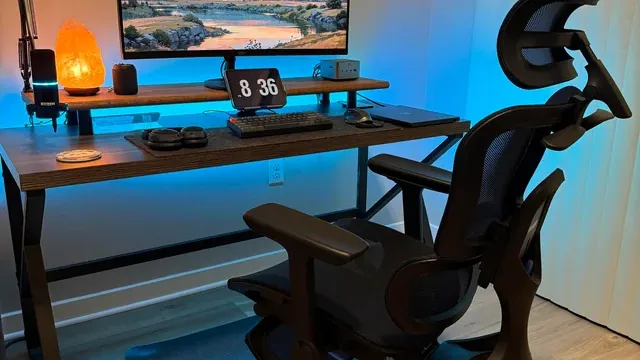
- What we compared
- We compared six desk lamps on power, color temperature, brightness levels and mount from manufacturer specifications. Nothing was tested in-house; 2 of the 5 fields compared are stated for every pick, while power and color temperature have gaps.
- What every pick has in common
- All 6, from the Airlonv to the USB-port lamp, state brightness levels and mount.
- Where the specs have gaps
- The Airlonv, the CHARYJOD, the Voncerus and the USB-port lamp give no power; the Lepro gives no color temperature.
- Price range
- From the Voncerus to the Pzloz, all sat in the under $50 tier when we checked.
What to Look for in a Desk Lamp
Key buying criteria so you get the right fit the first time.
Charging ports
The CHARYJOD lists USB; the USB-port lamp lists USB-A and USB-C. Sort out charging ports before price: it splits 2 stated picks into groups of 1 and 1.
What to check at home
Check your desk edge fits the Airlonv's clamp (desks up to 2.36 in). Check your desk edge fits the Pzloz's clamp.
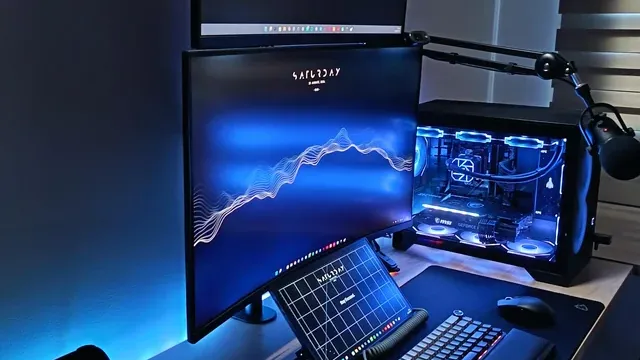
A desk with a curved monitor, a glass-panel PC and a keyboard Extras that separate them
The CHARYJOD: 50 light combinations. The Voncerus: 10 brightness levels. The USB-port lamp: 5 light colors.
Budget
All 6 sat in the under $50 tier when we checked, from the Voncerus at the low end to the Pzloz at the top, so decide on features first.
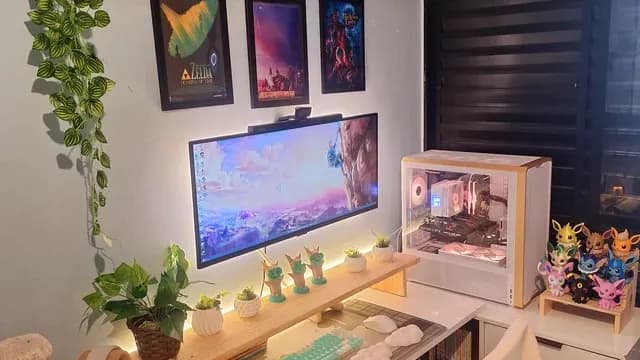
A white desk with an ultrawide monitor, a PC and plants Start from what matters most
Day and evening: the Airlonv. Reading: the Lepro. Dual monitors: the Pzloz.
How to Choose a Desk Lamp
By priority
| Priority | Consider | Why |
|---|---|---|
| Day and evening | Airlonv | 2700K to 6500K stepless |
| Reading | Lepro | 750 lumens from 9.5W |
| Dual monitors | Pzloz | A 24W light on a clamp |
| Fine tuning | CHARYJOD | 50 light combinations |
| Small desks | Voncerus | USB power and memory |
| Nightstands and desks | USB-port lamp | USB-A and USB-C ports |
Scroll sideways to see every column.
Key specs side by side
The Airlonv, the Lepro and the rest, as their makers list them.
| Desk Lamp | Power | Color temperature | Brightness levels | Mount |
|---|---|---|---|---|
| Airlonv | Not listed | 2700K to 6500K | Stepless | Clamp, desks up to 2.36 in |
| Lepro | 9.5W | Not listed | 5 levels | Base |
| Pzloz | 24W | 3000K to 5500K | 5 levels | Clamp |
| CHARYJOD | Not listed | 3000K to 6500K | 10 levels | Base |
| Voncerus | Not listed | 2700K, 4500K, 6500K | 10 levels | Clamp |
| USB-port lamp | Not listed | 5 colors | 3 levels | Base |
Scroll sideways to see every column.
Frequently Asked Questions
Why is the CHARYJOD our Most Combinations pick?
It carries the badge for 50 light combinations. It suits fine tuning.
Do the Airlonv and the Lepro differ on brightness levels?
The Airlonv uses stepless; the Lepro and the Pzloz use 5 levels; the CHARYJOD and the Voncerus use 10 levels; the USB-port lamp uses 3 levels.
Will the Airlonv work with my setup?
Check your desk edge fits the Airlonv's clamp (desks up to 2.36 in). The Airlonv runs from a USB adapter; a weak laptop port may not drive it at full brightness. In this guide it ranks first of 6, as our Widest Color Range pick.
What extras do the Airlonv and the Lepro include?
The Airlonv: stepless dimming. The Lepro: 750 lumens from 9.5W. The Pzloz: a 24W light.
Who should choose the Airlonv?
The Airlonv carries our Widest Color Range label for 2700K to 6500K stepless. It ranks first of 6 here and sat in the under $50 tier at our last price check; it suits day and evening.
Bottom Line
Airlonv's clamp lamp is the pick for the widest color range here. Lepro offers 750 lumens, and Pzloz puts 24W on a clamp arm.
Related Guides
- Related guideThe Best Desk Lamps for a Home Office
- Related guideThe Best Gaming Desk Mats
- Related guideThe Best Monitor Arms
- Lower budgetThe Best Desk Chairs Under $70
- Similar guideThe Best Desk Chairs
- ExplainerHow to size an office chair to your height and your desk
- ExplainerHow to choose a monitor arm: VESA pattern, weight range and desk clamps
- Also see: monitor arms and accessoriesThe Best Monitor Light Bars
- Similar guideThe Best Chair for Desk
- Topic hubAll chairs, desks and desk setup guides
About the author
PC Hardware Editor
Alex covers PC hardware, monitors, components, upgrades and peripherals for The PC Journal, with a focus on helping readers understand specifications, compatibility and meaningful product trade-offs.
Covers: Monitors, Graphics cards, Processors, PC components, Peripherals, Upgrades and compatibility
View all articles